KALLYAS WordPress Theme
by hogash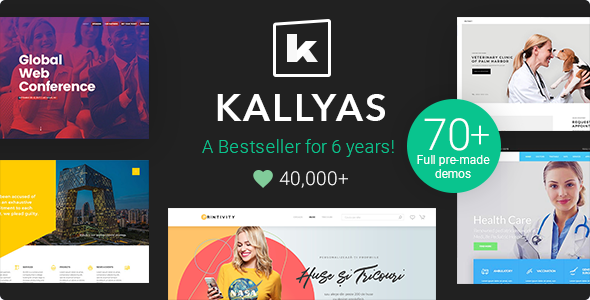
Stuck on your KALLYAS WordPress theme? Let's fix it.
No endless back-and-forth. Just send us the details and we'll get it done.
No obligation · Replies within 1 hour · Quote within 1 day
Setup · Customization · Bug fixes · WooCommerce integration
About KALLYAS WP Theme
KALLYAS is a multi-purpose WordPress theme built by Hogash. It ships with a visual drag-and-drop builder called Zion Builder, a large library of pre-built demos, and granular controls over typography, layout, and colour. Originally launched as a creative theme, it has grown into a full-stack page-building solution used across agency sites, e-commerce stores, and corporate projects.
The theme is self-contained — Hogash develops both the theme and Zion Builder in-house, which keeps the codebase tighter than themes relying on third-party builders. Performance, header builders, mega menus, and WooCommerce compatibility are all baked in. If you need a theme that covers a wide range of project types without stacking plugins, KALLYAS is a practical choice worth evaluating.
Get matched with a KALLYAS developer in under one day
Tell us about your KALLYAS project. Small fixes, KALLYAS theme customization, or a full website build, whatever you need, we've got it covered.
We'll connect you to the right KALLYAS developers, define the scope, and get everything 100% clear.
You'll get one estimate, hire your preferred developer, and start collaborating.
KALLYAS has enough moving parts — Zion Builder, theme options, demo import, WooCommerce integration — that a misconfigured setup wastes hours. A vetted KALLYAS developer on Codeable will have handled these setups before. Codeable screens developers rigorously, so you’re not gambling on an unknown freelancer. Post a project, get matched within 24 hours, and receive a fixed estimate before any work begins. No retainers, no surprises.
Pros
- Zion Builder is developed in-house by Hogash, reducing version conflicts between builder and theme
- Large library of pre-built demos covering agencies, portfolios, shops, and corporate sites
- Built-in mega menu builder with column control, icons, and widget areas
- WooCommerce support includes custom product page layouts and shop page builders
- Header and footer builder allows multiple header layouts assigned per page or post type
Cons
- Zion Builder has a smaller ecosystem of third-party add-ons compared to Elementor or Divi
- Demo import can be slow and occasionally requires manual media regeneration
- Theme options panel is extensive but not always intuitive for first-time users
- Some older demo designs look dated and require significant restyling
- Documentation covers basics but lacks depth on advanced Zion Builder workflows
Who is KALLYAS for?
Creative Agencies
KALLYAS suits agency sites well. The portfolio post type, filterable grids, case study layouts, and animated section options give agencies enough design control without building everything from scratch. A KALLYAS specialist can adapt an agency demo into a branded site in a fraction of the time a fully custom build would take.
WooCommerce Stores
WooCommerce integration in KALLYAS covers product page layout control, custom shop grids, and cart page styling. A KALLYAS developer can configure product filters, wishlist functionality, and checkout page layouts to match brand requirements. It works cleanly with WooCommerce extensions without needing a separate shop theme.
Corporate and Business Sites
For corporate clients needing service pages, team sections, testimonials, and contact forms, KALLYAS has dedicated demo layouts that hit these use cases directly. A KALLYAS expert can configure multi-location headers, corporate colour palettes, and GDPR-compliant forms without relying on page builder hacks.
Freelance Portfolios
Freelancers benefit from KALLYAS portfolio demos, which include filterable project grids, full-screen project pages, and about page layouts. The theme handles both minimal and feature-rich portfolio styles. A KALLYAS developer can set up a lightweight version that loads fast and shows work clearly without unnecessary bloat.
SaaS and Tech Product Landing Pages
SaaS landing pages need feature sections, pricing tables, and CTA blocks. KALLYAS includes these elements natively. A KALLYAS specialist can assemble a conversion-focused landing page using existing components, add custom animations for feature reveals, and integrate with email marketing tools through compatible form plugins.

Customizing KALLYAS
KALLYAS gives you a layered customisation system. Zion Builder handles page-level layouts with a live canvas, reusable sections, and element-level styling. The theme options panel covers site-wide settings — fonts, colours, header configurations, footer layouts, and sticky menu behaviour. You can mix pre-built demo blocks with custom sections without conflicts.
A KALLYAS expert will typically start by importing a demo close to the target design, stripping unused sections, then building custom templates for archive pages, single posts, and WooCommerce product pages. The theme supports custom CSS per element, conditional header layouts per page, and white-label options for agencies. Where default controls fall short, a KALLYAS developer can extend functionality through child themes or targeted custom code without touching core files.
Recommended plugins for KALLYAS
KALLYAS integrates with WooCommerce, WPML, Slider Revolution, and most major form plugins. For search functionality, it works with SearchWP. Membership features pair well with MemberPress or Restrict Content Pro.
Two areas worth investing in alongside KALLYAS are WordPress performance optimisation — KALLYAS pages can get heavy with the visual builder — and WordPress SEO, since the theme supports Yoast and Rank Math but needs proper schema and breadcrumb configuration to perform well in search.
Not sure which plugins to use? This WordPress plugins directory covers the most popular options with reviews and setup guides.
KALLYAS common issues
KALLYAS Zion Builder not loading in editor
Zion Builder failing to load is usually caused by a JavaScript conflict with another active plugin or a PHP memory limit that’s too low. Start by increasing WP_MEMORY_LIMIT to 256M in wp-config.php. Then deactivate plugins one by one to isolate the conflict. If the editor loads after deactivating a specific plugin, that’s your culprit. Regenerate the Zion Builder cache from the theme options after resolving the conflict.
KALLYAS header layout not showing on mobile
KALLYAS allows separate header layouts for desktop and mobile. If the mobile header isn’t showing, check that you’ve enabled the mobile header toggle in the Header Builder and assigned it correctly. Also confirm that the breakpoint settings in the header options match your actual mobile breakpoint. Clear any caching plugin and test in a real mobile browser, not just a resized desktop window.
KALLYAS demo import fails or stops mid-way
Demo import failures in KALLYAS are often caused by server timeout limits or a low max_execution_time value. Ask your host to raise it to 300 seconds. Also check that your server allows remote HTTP requests — some hardened servers block them. If the import stops at media files, try importing without media first, then manually upload key images. Our WordPress bug fixing service can handle persistent import failures efficiently.
KALLYAS WooCommerce product page layout broken
Broken WooCommerce product pages after a KALLYAS or WooCommerce update usually mean a template override conflict. KALLYAS uses custom WooCommerce templates. After a WooCommerce update, check the System Status page in WooCommerce for outdated template warnings and update overrides accordingly. If KALLYAS hasn’t yet released a compatibility update, a temporary fix is to remove the custom template from the theme folder and let WooCommerce fall back to its default.
KALLYAS fonts not loading after update
Fonts disappearing after an update typically points to a Google Fonts API change or a corrupted theme options cache. Go to KALLYAS theme options, re-save the font settings, then clear your caching plugin and CDN. If you’re using a custom font uploaded via the theme, verify the file paths are still valid. A KALLYAS developer can also migrate fonts to a locally hosted setup to avoid future API dependency issues.
KALLYAS mega menu not working on touch devices
Mega menus on touch devices often fail because hover events don’t work the same way as on desktop. KALLYAS’s mega menu relies on hover by default. Enable the touch-friendly click toggle in the mega menu settings if available, or add a small JavaScript snippet that converts hover menus to click menus on touch devices. Test on actual iOS and Android devices, not just browser device emulation.
KALLYAS slider not displaying images correctly
Slider display issues in KALLYAS are usually caused by Slider Revolution plugin conflicts or missing image sizes. Run wp media regenerate from WP-CLI or use a plugin to regenerate thumbnails. Also check that Slider Revolution is updated to a version compatible with your current KALLYAS version. If slides appear cropped incorrectly, adjust the focal point settings within each slide’s image options. Our WordPress bug fixing service can diagnose slider issues quickly.
KALLYAS custom CSS not applying in Zion Builder
Custom CSS added per element in Zion Builder requires the element to have a unique ID or class set. If no class is assigned, the CSS won’t have a valid selector to target. Open the element settings, assign a CSS class under the Advanced tab, then reference that class in your custom CSS. Also ensure Zion Builder’s cache is cleared after changes — the regenerate option is in the Zion Builder settings panel inside the WordPress dashboard.
KALLYAS site slow after adding Zion Builder sections
KALLYAS sites built with heavy Zion Builder pages can get slow due to render-blocking scripts, large image assets, and unoptimised font loading. Start with image compression and lazy loading. Then review which scripts are loading on each page and defer anything non-critical. A proper WordPress performance optimisation setup covering caching, CDN, and critical CSS can significantly reduce load times without changing the design.
KALLYAS sticky header overlapping page content
A sticky header overlapping page content is a z-index or offset issue. KALLYAS lets you set a scroll offset for anchor links in theme options — make sure this value matches your sticky header height. For non-anchor page tops, add a matching padding-top or margin-top value to the first section below the header. If the overlap only appears on specific page templates, check whether those templates have a different header height set in their individual page settings.
KALLYAS FAQ
Hogash actively maintains KALLYAS and releases updates for new WordPress versions. Check the Hogash changelog before updating on a live site. Testing updates on a staging environment first is the safest approach, particularly if you have a heavily customised build with multiple active plugins.
KALLYAS is designed around Zion Builder, which Hogash develops in-house. It does not natively support Elementor. You can technically install Elementor alongside it, but the two builders will conflict in practice. A KALLYAS specialist will work within Zion Builder for all layout work.
Rates vary by project scope. On Codeable, vetted KALLYAS developers typically charge between $70 and $120 per hour. Fixed-price projects are also available. Post a project to get a transparent estimate before committing to anything.
Yes. KALLYAS has built-in WooCommerce support covering product page layouts, shop grids, cart, and checkout styling. It doesn’t require a separate WooCommerce child theme. A KALLYAS developer can configure product filtering, wishlist plugins, and custom product page templates within the theme’s existing structure.
KALLYAS is compatible with WPML and Polylang for multilingual builds. String translation works through WPML’s string translation module. A KALLYAS specialist can configure RTL support if needed, as the theme includes basic RTL stylesheet support for Arabic and Hebrew language sites.
Always use a child theme for custom code. KALLYAS theme options and Zion Builder data are stored in the database, so they survive theme file updates. Before updating, back up your database and theme files. After updating, check for outdated WooCommerce template overrides and regenerate Zion Builder’s asset cache.
KALLYAS outputs clean HTML and works with Yoast SEO and Rank Math. Schema markup and breadcrumb configuration still need proper setup. For best results, pair KALLYAS with structured WordPress SEO optimisation work rather than relying on theme defaults alone.
Yes. A KALLYAS developer can handle a full WordPress site migration including database, theme files, Zion Builder data, and media. Post-migration checks should cover URL replacements in the database, correct file permissions, and SSL configuration on the new host.
KALLYAS can get heavy on pages built with many Zion Builder sections, especially those with animations and large images. With proper image optimisation, caching, and script management, performance issues are manageable. Sites that skip this step often see slower scores than the theme’s default potential allows.
Hogash provides support through a ticket system for licensed users. Response times vary. For urgent fixes or custom development, a dedicated KALLYAS developer through Codeable is faster and more practical than waiting on theme support queues, particularly for issues involving third-party plugin conflicts.
Hire a KALLYAS Developer
Whether you need a KALLYAS expert to build a site from scratch, customise an existing demo, or fix a layout that broke after an update, FoxyConcept delivers through Codeable’s vetted developer network. Work is scoped clearly, priced upfront, and backed by Codeable’s money-back guarantee. Get a Free Estimate and describe your project — no obligation to hire.
You'll need a free Codeable account so developers can ask questions and send their quotes.