The Retailer WordPress Theme
by getbowtied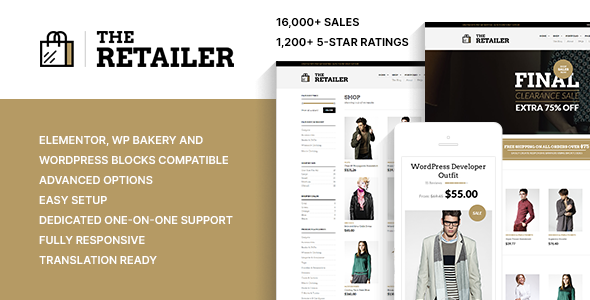
Stuck on your The Retailer WordPress theme? Let's fix it.
No endless back-and-forth. Just send us the details and we'll get it done.
No obligation · Replies within 1 hour · Quote within 1 day
Setup · Customization · Bug fixes · WooCommerce integration
About The Retailer WP Theme
The Retailer is a WooCommerce theme built by GetBowtied, a team that focuses exclusively on ecommerce WordPress themes. It’s designed for product-heavy stores that need clean category pages, fast filtering, and a checkout flow that doesn’t get in the way of conversions.
The theme ships with a drag-and-drop page builder, Ajax product filtering, a sticky header, and multiple homepage layouts. It integrates tightly with WooCommerce and supports popular plugins like YITH Wishlist, WooCommerce Subscriptions, and Dokan for multi-vendor setups.
GetBowtied keeps The Retailer actively updated, which matters for long-term WooCommerce compatibility. It’s a solid starting point for fashion, electronics, furniture, and general merchandise stores that want a polished storefront without building from scratch.
Get matched with a The Retailer developer in under one day
Tell us about your The Retailer project. Small fixes, The Retailer theme customization, or a full website build, whatever you need, we've got it covered.
We'll connect you to the right The Retailer developers, define the scope, and get everything 100% clear.
You'll get one estimate, hire your preferred developer, and start collaborating.
Most The Retailer issues come down to template overrides done incorrectly, plugin conflicts with YITH extensions, or WooCommerce hooks firing in the wrong order. These aren’t problems you want to debug alone on a live store.
Through Codeable, you get matched with a vetted The Retailer developer who has handled these exact scenarios. Post a project, get a free estimate, and only move forward if the scope and price make sense. No retainers, no guesswork.
Pros
- Built exclusively for WooCommerce with deep template support across cart, checkout, and product pages
- Ajax product filtering works out of the box without needing a separate filter plugin
- GetBowtied releases regular updates tied to WooCommerce version compatibility
- Multiple pre-built homepage and shop layouts reduce initial setup time significantly
- Supports multi-vendor setups via Dokan and WCFM without requiring a child theme patch
Cons
- The built-in page builder is proprietary and doesn't transfer easily if you switch themes later
- Advanced header customization requires CSS or template overrides beyond what the options panel allows
- Default image lazy loading implementation can conflict with certain slider and gallery plugins
- The mobile cart drawer styling is difficult to restyle without modifying core theme files
- Support response times on ThemeForest can be slow for complex WooCommerce-specific issues
Who is The Retailer for?
Fashion and Apparel Stores
The Retailer handles variable products with size and color swatches cleanly. Fashion stores benefit from the lookbook-style homepage sections and the Ajax filtering that lets shoppers narrow by size, color, and price without full page reloads. A The Retailer specialist can extend this with custom swatch styling and collection landing pages.
Electronics and Tech Retailers
Electronics stores need structured product data and comparison features. The Retailer’s product page layout supports specification tables and works well with WooCommerce product comparison plugins. A The Retailer developer can configure schema markup for products and ensure category pages are structured for both UX and search visibility.
Home Furniture and Decor
Large product images and room-scene photography display well with The Retailer’s full-width layout options. The theme supports zoom on hover and gallery lightbox natively. For furniture stores with complex product options or custom measurement fields, a The Retailer expert can add those inputs without breaking the existing product template.
Multi-Vendor Marketplaces
The Retailer is compatible with Dokan and WCFM out of the box. Marketplace owners use it to run multi-vendor stores where vendors manage their own product listings. A The Retailer developer can customize vendor profile pages, commission displays, and storefront layouts to match the platform’s branding requirements.
Wholesale and B2B WooCommerce Stores
B2B stores built on The Retailer often need role-based pricing, minimum order quantities, and hidden retail prices. The theme integrates with WooCommerce B2B plugins that handle these rules. A The Retailer specialist can configure the catalog view, quote request flow, and account dashboard for wholesale buyer workflows.

Customizing The Retailer
Out of the box, The Retailer gives you layout controls for the shop archive, single product pages, cart, and checkout. You can switch between full-width and boxed layouts, adjust typography per section, and configure the header from a set of pre-built styles.
Where things get more specific is product card customization, category mega menus, and the homepage sections builder. A The Retailer expert can push these further by adding custom CSS, modifying template files, or wiring up advanced WooCommerce hooks that the theme options panel doesn’t expose.
If you need a non-standard product layout, a custom filter sidebar, or a checkout page redesigned to match your brand, that work typically requires a developer who knows the theme’s file structure and WooCommerce template hierarchy well.
Recommended plugins for The Retailer
The Retailer works well with a focused plugin stack. For performance, pairing it with a caching layer and a CDN makes a real difference on product-heavy pages with lots of images. See our notes on WordPress performance optimization for specifics.
On the SEO side, The Retailer outputs clean markup but you’ll still want schema for products, breadcrumbs, and category pages configured properly. Our WordPress SEO optimization service covers this for WooCommerce stores.
YITH plugins, Klaviyo, and WooCommerce Subscriptions all integrate without conflicts in most setups. Multi-vendor via Dokan or WCFM is supported but benefits from a developer review before going live.
Not sure which plugins to use? This WordPress plugins directory covers the most popular options with reviews and setup guides.
The Retailer common issues
The Retailer Ajax filter not working after plugin update
Ajax filter failures in The Retailer usually trace back to a JavaScript conflict introduced by a plugin update, or a nonce mismatch after a WooCommerce core change. Start by checking the browser console for JS errors on the shop page. Deactivate plugins one by one to isolate the conflict. If the filter was working before a specific update, compare the changelog. For persistent issues, our WordPress bug fixing service can identify the root cause quickly.
The Retailer homepage sections not showing in page builder
If The Retailer’s homepage sections disappear from the page builder, it’s typically caused by a failed theme update that left shortcode definitions incomplete, or a PHP version mismatch. Check the site’s error log for PHP notices. Deactivate caching and check if the sections reappear. Re-saving the page builder layout after a clean theme reinstall resolves this in most cases. If sections are genuinely missing post-update, contact GetBowtied support with your PHP version and WooCommerce version.
The Retailer product images not displaying correctly on mobile
The Retailer uses a responsive image approach that can break if the theme’s image sizes weren’t regenerated after changing the layout or switching to a new product card style. Run the Regenerate Thumbnails plugin after any layout change. Also check if a lazy loading plugin is deferring images in a way that conflicts with the theme’s own lazy load script. Disabling one of the two usually resolves the blank image issue on mobile.
The Retailer mega menu not saving changes
Mega menu changes not saving in The Retailer are almost always a caching issue or a permissions problem with the customizer. Clear all caches including server-side cache, object cache, and browser cache after saving. If you’re using a staging environment, check that the customizer save is writing to the correct database. On some hosting setups, customizer data is stored in options that differ between staging and live. A hard refresh after saving also helps confirm whether the change stuck.
The Retailer checkout page layout broken after WooCommerce update
WooCommerce checkout template changes frequently break The Retailer’s checkout layout because the theme overrides WooCommerce’s default checkout template files. After a WooCommerce major version update, check The Retailer’s version compatibility notes. Go to Appearance > ThemeCheck or use WooCommerce’s built-in outdated template warning to see which files need updating. Our WordPress bug fixing service handles WooCommerce template conflicts as a standard fix.
The Retailer sticky header overlapping page content
The Retailer’s sticky header uses a fixed position element with a z-index that can conflict with admin bars, cookie banners, or custom section anchors. The most common fix is adjusting the top offset for logged-in users via CSS targeting the is-sticky class. If anchor links are being obscured, add a scroll-margin-top value to your anchor targets equal to the header height. This is a CSS-only fix that takes about ten minutes with browser DevTools.
The Retailer wishlist button not showing on product cards
The Retailer’s wishlist button integration depends on YITH WooCommerce Wishlist being active and the correct display position being set inside YITH’s settings. If the button isn’t showing on product cards specifically, check the YITH plugin’s loop position setting and make sure it’s set to a hook that The Retailer actually renders. Some theme versions override the standard WooCommerce loop hooks, which means YITH’s default position won’t fire. A small functions.php snippet can reattach the button to the correct hook.
The Retailer child theme not inheriting parent styles
A The Retailer child theme that isn’t inheriting parent styles usually has one of two problems: the wp_enqueue_scripts function in the child theme’s functions.php is missing the parent stylesheet enqueue call, or the stylesheet header has an incorrect Template field. Make sure the Template field in style.css matches exactly the folder name of the parent theme. Then enqueue the parent stylesheet using get_template_directory_uri() pointing to the parent, not get_stylesheet_directory_uri().
The Retailer search results page showing wrong layout
The Retailer applies a specific template to WooCommerce search results that differs from the standard search.php file. If you’re seeing a generic blog-style layout on product searches, the WooCommerce search results template may have been overridden by a plugin or a custom search setup. Check if a plugin like SearchWP or Relevanssi is redirecting searches away from the WooCommerce results page. Confirm the search form is pointing to post_type=product in its action URL. Our WordPress bug fixing service can trace the exact redirect path.
The Retailer variation swatches not displaying on shop page
Variation swatches on the shop archive page in The Retailer require a compatible swatches plugin and the correct hook position within the product card template. The Retailer has its own product card markup that doesn’t always match what swatch plugins expect. Check if your swatch plugin has a setting specifically for archive or loop pages. YITH Color and Label Variations and Variation Swatches for WooCommerce both have this option. If swatches show on single product pages but not the shop, the loop hook is the issue.
The Retailer FAQ
Yes. GetBowtied actively maintains The Retailer and releases updates aligned with WooCommerce major versions. You can verify compatibility in the ThemeForest changelog. It’s good practice to test updates on a staging site before applying them to your live store, especially after WooCommerce releases a major version.
The Retailer has its own page builder and is not built on Elementor. It will technically load alongside Elementor, but the theme’s homepage sections and layout controls are separate from Elementor widgets. Using both together often creates conflicts. Most developers recommend using The Retailer’s native builder or switching to a different base theme if Elementor is a requirement.
Yes. The Retailer is compatible with Dokan and WCFM Marketplace. Vendor storefronts, product management, and commission structures all work within the theme’s layout. You’ll likely need a The Retailer developer to customize vendor profile templates and ensure the marketplace frontend aligns with your branding.
Create a new folder in wp-content/themes with a style.css file that includes a Template header pointing to the parent theme folder name. Add a functions.php that enqueues the parent stylesheet. GetBowtied provides a starter child theme on their documentation pages. Always develop customizations inside the child theme to avoid losing changes on theme updates.
The Retailer handles large catalogs reasonably well, but performance depends on your hosting, image optimization, and caching setup. Ajax filtering helps usability on large catalogs. For stores with thousands of SKUs, database query optimization and a good hosting stack matter more than the theme itself. A performance audit is worth running before launch.
The Retailer uses its own proprietary drag-and-drop page builder for homepage and landing page layouts. It’s not WPBakery or Elementor. The builder handles rows, columns, and The Retailer’s custom content blocks. It works well within the theme ecosystem but content built with it won’t transfer cleanly if you switch themes later.
Yes. A The Retailer specialist can handle custom layouts, plugin integrations, performance tuning, and bug fixes. Through Codeable, you can post your project and receive a free estimate from a vetted developer within 24 hours. There’s no obligation to hire after receiving the estimate.
Yes, The Retailer supports WooCommerce Subscriptions. Subscription product pages, account management for subscribers, and renewal flows all work within the theme’s templates. If you’re running a subscription-heavy store, test the account dashboard and renewal email templates to make sure styling matches your frontend.
Start with image compression and a caching plugin. The Retailer loads a moderate number of scripts, so combining and minifying JS and CSS helps. Use a CDN for product images. Disable any bundled scripts from plugins you’re not using. For deeper optimization, see our notes on WordPress performance for WooCommerce stores specifically.
GetBowtied sells The Retailer as a single product on ThemeForest without a separate Pro tier under that name. Occasionally GetBowtied bundles themes or offers club memberships with extended support. Check their current ThemeForest listing for the most accurate information, as product structures change and the naming can differ across different storefronts.
Hire a The Retailer Developer
Whether you need a single bug fixed, a custom product layout built, or a full store setup using The Retailer theme, we can help. Work is handled by vetted WordPress developers with WooCommerce experience, delivered through Codeable.
Get a Free Estimate and describe what you need. No obligation to hire, and you’ll hear back within 24 hours.
You'll need a free Codeable account so developers can ask questions and send their quotes.