WP Rentals WordPress Theme
by WpEstate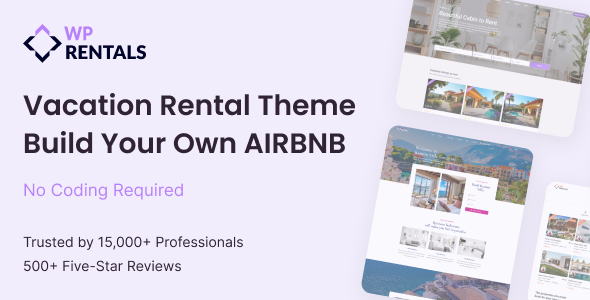
Stuck on your WP Rentals WordPress theme? Let's fix it.
No endless back-and-forth. Just send us the details and we'll get it done.
No obligation · Replies within 1 hour · Quote within 1 day
Setup · Customization · Bug fixes · WooCommerce integration
About WP Rentals WP Theme
WP Rentals is a WordPress theme built by WpEstate, designed specifically for property and vacation rental businesses. It supports daily and nightly pricing, availability calendars, booking request forms, and guest reviews out of the box. The theme integrates with PayPal and Stripe for payments, and works alongside WpEstate’s companion plugins to manage listings, owners, and reservations from a single dashboard.
It suits short-term rental platforms, vacation home directories, and property management companies that need booking functionality without a custom build. The template system is flexible enough to handle single-owner sites and multi-vendor rental marketplaces. Built on a well-documented codebase, WP Rentals has been updated consistently since its initial release and maintains compatibility with current versions of WordPress and WooCommerce.
Get matched with a WP Rentals developer in under one day
Tell us about your WP Rentals project. Small fixes, WP Rentals theme customization, or a full website build, whatever you need, we've got it covered.
We'll connect you to the right WP Rentals developers, define the scope, and get everything 100% clear.
You'll get one estimate, hire your preferred developer, and start collaborating.
WP Rentals has a steep learning curve when you move past basic setup. The WpEstate plugin system, booking logic, and template hierarchy all interact in ways that are not immediately obvious. Getting the configuration wrong early means rework later.
Working with a vetted WP Rentals developer through Codeable means you get someone who has already solved these problems. No generalist freelancers, no guesswork. Post your project, get a free estimate, and know exactly what the work involves before you commit to anything.
Pros
- Purpose-built for rental businesses with native booking, availability, and pricing logic included
- Supports both daily and nightly pricing models, seasonal rates, and custom pricing rules per property
- Built-in payment integration with PayPal and Stripe, reducing the need for third-party booking plugins
- Multi-vendor support allows property owner accounts with individual dashboards and listing management
- Active development history with regular updates maintaining WordPress and WooCommerce compatibility
Cons
- Requires the WpEstate plugin to function fully, creating a tight dependency that limits flexibility
- Theme options panel is dense and poorly documented, making initial setup confusing without prior experience
- Default styling feels dated compared to modern rental platforms like Airbnb, requiring design work to modernize
- iCal sync with external platforms such as Airbnb and Booking.com requires manual setup and occasional troubleshooting
- Page speed scores out of the box are below average due to unoptimized scripts and image handling
Who is WP Rentals for?
Vacation Rental Directory
WP Rentals works well as the foundation for a regional or niche vacation rental directory. Property owners can register, submit listings, and manage their own availability calendars. The search system supports location, date, and property type filters, which is the core functionality any rental directory needs before adding extras.
Short-Term Property Management Company
Property managers handling multiple units across a single area can use WP Rentals to present all listings under one brand, accept booking requests directly, and manage inquiries without relying on third-party platforms. A WP Rentals specialist can configure the booking workflow to match how the business actually operates, including deposit requirements and cancellation terms.
Boat and Equipment Rental Platform
The theme’s rental logic is not limited to real estate. Boat rentals, camera equipment hire, and similar businesses have used WP Rentals by customizing property types and renaming listing fields. A WP Rentals developer can adapt the custom fields and search filters to fit the specific inventory structure of a non-property rental business.
Holiday Villa or Cottage Owner
Individual owners with one or two properties benefit from WP Rentals’ built-in availability calendar, booking form, and payment processing. Setup is more work than a simple booking plugin, but the result is a standalone site that does not pay commission to third-party platforms. A clean child theme and proper configuration get this running efficiently.
Multi-Owner Rental Marketplace
WP Rentals supports front-end listing submission and owner dashboards, making it viable for marketplace builds where multiple unaffiliated property owners list under one platform. A WP Rentals expert can extend the multi-vendor functionality, configure commission logic, and set up owner payout workflows using compatible payment plugins.

Customizing WP Rentals
Out of the box, WP Rentals covers the basics well. But most rental businesses have specific requirements: custom search filters, modified booking flows, currency switchers, or pricing rules based on seasons and guest counts. That is where configuration gets technical.
A WP Rentals expert can adjust the theme’s custom fields, extend the WpEstate plugin functionality, and modify templates without breaking update compatibility. Common customization work includes adding property types, building custom listing layouts, integrating third-party calendar sync via iCal, and tweaking the checkout flow to match specific business rules.
Child theme development is strongly recommended before making any template changes. A WP Rentals specialist will set this up correctly from the start, keeping your customizations intact through future theme updates and plugin upgrades.
Recommended plugins for WP Rentals
WP Rentals works with several plugins that extend its core booking features. The WpEstate plugin handles most property management functions and is required for full functionality. Beyond that, common additions include Slider Revolution for homepage visuals, WPML for multilingual rental directories, and WooCommerce for payment processing beyond the built-in options.
For sites handling significant traffic during peak booking seasons, pairing WP Rentals with proper caching and image optimization is essential. See our WordPress performance services for setup guidance. If you are building a rental directory that needs to rank for location-based searches, structured data and on-page optimization matter more than most themes handle by default. Our WordPress SEO service covers that ground specifically.
Not sure which plugins to use? This WordPress plugins directory covers the most popular options with reviews and setup guides.
WP Rentals common issues
WP Rentals booking form not sending confirmation emails
Email delivery failures in WP Rentals are almost always a server configuration issue, not a theme bug. WordPress uses PHP mail by default, which many hosts block. Install an SMTP plugin such as WP Mail SMTP, connect it to a transactional email provider like Mailgun or SendGrid, and test the booking confirmation trigger. Also check that the email templates in the WpEstate plugin settings contain valid sender addresses.
WP Rentals availability calendar not blocking booked dates
When booked dates remain selectable on the availability calendar, the issue is usually a mismatch between booking status and the calendar sync setting in WpEstate plugin options. Confirm that bookings are set to an approved or confirmed status. Check whether the calendar refresh interval is set too long. Clearing any page or object cache after a booking is confirmed will also prevent stale calendar data from displaying.
WP Rentals search results page showing no properties
Empty search results despite active listings usually point to a permalink conflict or a missing property post type assignment. Go to Settings > Permalinks and save without changes to flush rewrite rules. Confirm that listings are published and assigned to the correct rental category. If the issue persists after that, a WordPress bug fixing service can audit the query logic in the WpEstate search template.
WP Rentals iCal sync not importing from Airbnb
iCal sync failures between WP Rentals and Airbnb are commonly caused by incorrect feed URL format, caching on either end, or a server that blocks outbound HTTP requests. Verify the iCal URL copied from Airbnb is the full export link. In WpEstate settings, confirm the sync interval and trigger a manual sync. If the server blocks external requests, your host may need to whitelist outbound connections to Airbnb’s calendar endpoints.
WP Rentals PayPal payment not completing booking
PayPal payment failures that do not complete a booking are often caused by IPN (Instant Payment Notification) not reaching WordPress. Check the PayPal IPN history in your PayPal account and confirm the notification URL matches your site’s booking endpoint. SSL must be active on the site for IPN to work correctly. Also verify that the WpEstate PayPal settings use the correct account email and that sandbox mode is disabled in production. Our WordPress bug fixing service handles payment integration issues like this regularly.
WP Rentals property images not displaying on listing page
Missing property images on listing pages usually result from incorrect image size registration or a failed media regeneration after the theme was activated. Run a thumbnail regeneration using a plugin like Regenerate Thumbnails. If images still do not appear, check whether the featured image and gallery fields in the listing editor contain the expected attachments. A theme or plugin conflict with the media library can also cause this.
WP Rentals seasonal pricing not applying correctly
Seasonal pricing not applying is typically a date range configuration error in the WpEstate pricing settings. Confirm the seasonal rate date ranges do not overlap and that they are saved against the correct property. The base nightly price must also be set at the property level before seasonal overrides apply. Clear any caching plugin cache after saving pricing changes, as cached price data can display outdated figures during the booking process.
WP Rentals owner dashboard returning 404 error
A 404 on the owner dashboard page points to a missing or broken page assignment. In WpEstate plugin settings, locate the dashboard page option and confirm it points to a published WordPress page containing the correct WpEstate shortcode. If the page exists but still returns a 404, flush rewrite rules via Settings > Permalinks. If the issue appeared after a URL change, update the page assignment in the plugin settings to reflect the new URL structure.
WP Rentals map not loading on search results page
Map failures on the WP Rentals search page are almost always caused by a missing or restricted Google Maps API key. Google requires billing to be enabled on the API account even for low usage. In WpEstate plugin settings, enter a valid API key with Maps JavaScript API and Geocoding API both enabled. Also check for browser console errors indicating the key is restricted to specific domains and ensure your site’s domain is whitelisted in the Google Cloud Console.
WP Rentals mobile layout broken on listing pages
Broken mobile layouts on WP Rentals listing pages are often caused by custom CSS or a page builder element overriding responsive breakpoints. Open browser developer tools and inspect which element is breaking the layout. If a third-party plugin or custom CSS is adding fixed widths to listing containers, that is the likely cause. For persistent layout issues across multiple templates, a WordPress bug fixing service can audit and patch the responsive CSS systematically.
WP Rentals FAQ
WpEstate updates WP Rentals regularly to maintain compatibility with current WordPress releases. That said, major WordPress updates occasionally break functionality in the WpEstate plugin layer, not just the theme. Always test updates on a staging environment before applying them to a live rental site. Check the WpEstate changelog before updating both the theme and its companion plugin together.
No. The WpEstate plugin provides the core booking engine, property custom post types, search functionality, and owner dashboards. Without it, WP Rentals is essentially a styled shell with no rental functionality. The theme and plugin are sold and maintained together, so both must be kept updated and active for the site to function correctly.
Yes. WP Rentals includes front-end property submission, owner registration, and individual owner dashboards. Each owner can manage their own listings, availability, and pricing. For a full marketplace with commission logic and automated owner payouts, additional configuration or custom development from a WP Rentals specialist is needed beyond the default setup.
WP Rentals supports iCal feed import and export, which allows basic calendar synchronization with Airbnb, Booking.com, and VRBO. This is a one-way or two-way sync depending on configuration, but it is not a real-time API integration. Blocked dates from external platforms will import on a schedule. For tighter sync, a dedicated channel manager service paired with WP Rentals is the more reliable approach.
The WpEstate plugin is property-focused by default, but the listing fields, property types, and search filters can be reconfigured to handle equipment, vehicles, or other rental inventory. It requires custom field adjustments and possibly template modifications. A WP Rentals developer can adapt the schema to fit non-property use cases without rebuilding the core booking logic.
Create a new folder in your themes directory named something like wp-rentals-child. Add a style.css with the correct template header referencing WP Rentals as the parent theme, then add a functions.php that enqueues the parent stylesheet. Activate the child theme from the WordPress dashboard. All template and CSS customizations should be made within the child theme, not the parent, to survive updates.
WP Rentals displays prices in a single base currency configured in the WpEstate plugin settings. For multi-currency support, a plugin like CURCY or WooCommerce Multilingual with currency switching is needed. Implementation requires some configuration work to ensure currency values display correctly across listing pages, booking forms, and email notifications.
WP Rentals uses its own template system and shortcodes. Basic page building with Elementor is possible for non-rental content pages, but the core listing templates, search pages, and booking flows are controlled by WpEstate plugin templates. Trying to rebuild those with Elementor typically causes conflicts. A WP Rentals specialist can advise on where page builders can be used safely.
WP Rentals includes built-in support for PayPal and Stripe. WooCommerce can be integrated to access additional gateways. Bank transfer and pay-on-arrival options are also available for offline bookings. Each payment method requires individual configuration in the WpEstate plugin settings, and live credentials must be tested carefully before opening bookings to the public.
Migrating an existing rental site to WP Rentals involves setting up the new theme and WpEstate plugin, then importing property data, media, and booking history into the correct custom post types. There is no direct import tool for most platforms, so migration usually requires custom scripts or manual data entry. Our WordPress migration service can handle the data transfer and post-migration testing.
Hire a WP Rentals Developer
Whether you need a full WP Rentals setup, custom booking logic, or fixes to an existing rental site, working with the right developer saves significant time. Our WP Rentals specialists handle everything from initial configuration to complex integrations and ongoing maintenance.
Get a Free Estimate and describe your project. No obligation, no generic quotes, just a clear answer on what it takes to get your rental site working the way you need it to.
You'll need a free Codeable account so developers can ask questions and send their quotes.