Foxiz WordPress Theme
by Theme-Ruby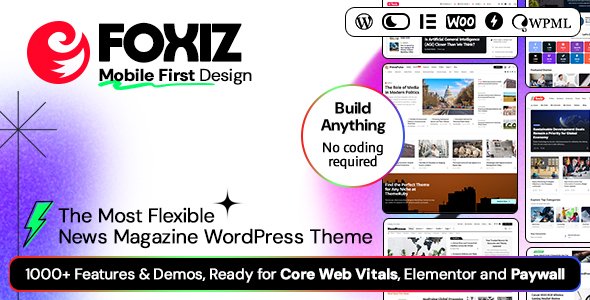
Stuck on your Foxiz WordPress theme? Let's fix it.
No endless back-and-forth. Just send us the details and we'll get it done.
No obligation · Replies within 1 hour · Quote within 1 day
Setup · Customization · Bug fixes · WooCommerce integration
About Foxiz WP Theme
Foxiz is a premium WordPress news and magazine theme developed by Theme-Ruby. It ships with over 500 pre-built block layouts, a drag-and-drop header builder, and a dark mode toggle out of the box. The theme is built for speed, using lazy loading and optimized asset delivery to keep page weights low even on content-heavy sites.
Foxiz targets publishers, bloggers, and media brands that need a flexible editorial layout without hiring a developer for every change. It supports WooCommerce, multiple ad placements, and a built-in breaking news ticker. The review system, reading progress bar, and author profile cards are all included with the standard license. Updates are regular and Theme-Ruby maintains active support documentation.
Get matched with a Foxiz developer in under one day
Tell us about your Foxiz project. Small fixes, Foxiz theme customization, or a full website build, whatever you need, we've got it covered.
We'll connect you to the right Foxiz developers, define the scope, and get everything 100% clear.
You'll get one estimate, hire your preferred developer, and start collaborating.
Foxiz has a large option set, and that creates real opportunities to misconfigure things. A specialist who works with it regularly will spot layout conflicts, fix ad placement bugs, and get your header builder doing what you actually need it to do. Through Codeable, you are matched with vetted WordPress developers who have hands-on theme experience. You post your project, get a clear estimate, and only move forward if you are satisfied. No guesswork, no generic freelancer profiles.
Pros
- Over 500 pre-built block layouts give editors real flexibility without custom code
- Built-in dark mode works without a plugin and does not cause layout shifts
- Drag-and-drop header builder with sticky, transparent, and split header options included
- Native breaking news ticker, reading progress bar, and review system reduce plugin dependencies
- Theme-Ruby releases consistent updates and maintains detailed documentation
Cons
- The customizer panel is heavily nested and can be slow to navigate for new users
- Demo import sometimes requires manual reassignment of widget areas after the import
- The built-in ad zones do not support advanced targeting rules without a third-party plugin
- Some block layouts behave inconsistently when mixed with Elementor full-width sections
- No built-in paywall or subscription gating, which news publishers often need
Who is Foxiz for?
Online News Publication
Foxiz was built with news publishers in mind. The breaking news ticker, category color coding, and post grid layouts let you structure a high-volume editorial site without custom development. A Foxiz specialist can set up your homepage zones, configure infinite scroll, and handle the ad placements that drive revenue on a busy news site.
Multi-Author Blogging Platform
The theme includes author profile cards, contributor bio sections, and per-author post archives out of the box. For platforms with multiple writers, a Foxiz developer can configure role-based access, custom author landing pages, and submission workflows that keep your editorial process organized as your team grows.
Tech and Gadget Review Site
Foxiz has a built-in review system with star ratings, pros and cons blocks, and verdict sections. Tech and gadget sites benefit from the structured comparison layouts. A Foxiz expert can hook these into your affiliate links, configure schema markup for rich snippets, and style the review cards to match your brand.
Sports and Entertainment Magazine
Sports and entertainment magazines need fast image delivery, flexible hero layouts, and reliable category archives. Foxiz handles all three. A developer can set up league or show-specific taxonomy pages, configure the mega menu for deep content categories, and make sure live match or event updates load quickly under traffic spikes.
Niche Affiliate Content Site
Affiliate content sites need clean layouts that keep readers moving toward conversion points. Foxiz posts load fast and the typography options let you optimize for readability. A Foxiz specialist can build custom single post templates that highlight your affiliate calls to action without cluttering the reading experience.

Customizing Foxiz
Foxiz gives you a lot of control through its live customizer, but the sheer number of options can slow down your workflow if you are not familiar with how the panels are structured. A Foxiz expert can map out your exact layout requirements, wire up custom post templates, and handle the header builder configurations that take most users hours to figure out on their own.
Custom typography pairings, category color schemes, and conditional sidebar rules all require careful setup to avoid conflicts. If you are migrating an existing publication or building a multi-author platform, a Foxiz developer can structure your taxonomy system, set up contributor roles, and make sure your editorial workflow runs without bottlenecks from day one.
Recommended plugins for Foxiz
Foxiz integrates cleanly with Elementor and WPBakery for page-level customization, and works alongside WooCommerce for shop or subscription sections. For ad management, AdSanity and Advanced Ads both slot in without issues.
If you want to push performance further, pairing Foxiz with a proper caching and CDN setup makes a real difference on high-traffic posts. See the WordPress performance service for specifics. For news and magazine publishers, structured data and technical SEO configuration matters. The WordPress SEO optimisation service covers schema markup and indexing setup that Foxiz alone does not handle.
Not sure which plugins to use? This WordPress plugins directory covers the most popular options with reviews and setup guides.
Foxiz common issues
Foxiz dark mode causing white flash on page load
The white flash on page load in dark mode is usually caused by the browser rendering the default light stylesheet before the dark mode cookie is read. The fix involves inlining a small JavaScript snippet in the <head> that checks the stored preference and applies the dark class before the first paint. Avoid using CSS transitions on the body background during initial load. If the issue persists after that, check whether a caching plugin is stripping the inline script.
Foxiz header builder not saving changes
If the Foxiz header builder is not saving, the most common cause is a PHP memory limit that cuts off the save request before it completes. Increase WP_MEMORY_LIMIT to at least 256M in your wp-config.php. Also check for JavaScript console errors that point to a conflicting plugin. Autosave failures can also happen when the REST API is blocked by a security plugin. Whitelist the Foxiz header builder endpoint in your firewall settings.
Foxiz demo import not working correctly
Foxiz demo import failures are often tied to max upload size, execution time limits, or missing required plugins. Set upload_max_filesize to 64M, max_execution_time to 300, and install all bundled plugins before running the import. If the import stalls partway through, try the XML import method from Tools > Import rather than the one-click option. Widgets may still need manual reassignment after a successful import.
Foxiz breaking news ticker not showing
If the breaking news ticker is not showing, first confirm it is enabled under Foxiz Options > Breaking News and that at least one post is assigned to the selected category. Check that the ticker is not hidden by a display condition in the header builder. If it shows in the customizer preview but not on the front end, a caching plugin is likely serving a stale version of the page. Clear all cache layers after enabling the ticker.
Foxiz category color not applying to posts
Category colors in Foxiz are set per category in the Foxiz Category Options meta box. If colors are not applying, confirm that the feature is enabled globally under Foxiz Options > Color Settings. Also check that the post is assigned to the correct primary category, as Foxiz uses the first selected category for color inheritance. If colors still do not display, a CSS override from a child theme or custom CSS field may be overriding the generated variables. Need help diagnosing this? Visit the WordPress bug fixing service.
Foxiz layout broken after WordPress update
After a WordPress core update, Foxiz layout breaks are usually caused by block editor changes that affect how post content is rendered, or by a JavaScript conflict introduced when a plugin auto-updates at the same time. Start by disabling all plugins except Foxiz core bundles and check if the layout recovers. Then reactivate plugins one at a time. If the issue appeared immediately after updating WordPress, check the Theme-Ruby changelog for a compatibility patch. The WordPress bug fixing service can isolate the conflict quickly.
Foxiz slow loading on mobile
Foxiz mobile slowness is usually tied to unoptimized images, render-blocking scripts, or the theme loading all block assets regardless of whether they appear on the page. Enable lazy loading for images if not already active. Audit your installed plugins for unnecessary front-end scripts. Consider a caching plugin with mobile-specific rules and use a CDN for static assets. Foxiz itself is lightweight when configured correctly, but large featured images and third-party ad scripts are common culprits on mobile.
Foxiz featured image not displaying in post grid
When featured images do not appear in Foxiz post grids, the first thing to check is whether the image is actually set as the featured image and not just inserted into the content. Foxiz grids pull from _thumbnail_id post meta. If images were imported from another theme or platform, that meta value may be missing or pointing to an attachment that was not migrated. Use the Regenerate Thumbnails plugin to rebuild image sizes, and verify attachment IDs are correct in the database. Need help? See the WordPress bug fixing service.
Foxiz WooCommerce styles not loading
If Foxiz WooCommerce styles are not loading, confirm that the WooCommerce integration is enabled in Foxiz Options > WooCommerce Settings. Foxiz includes its own WooCommerce stylesheet that only loads when the setting is active. If styles load in the customizer preview but not on the front end, a caching or minification plugin may be excluding the Foxiz WooCommerce CSS file. Add it to the exclusion list and clear your cache. Also check that your child theme is not accidentally dequeuing the stylesheet.
Foxiz search not returning results
Foxiz search relies on the standard WordPress search mechanism. If results are not returning, first test with the default WordPress theme to confirm the issue is Foxiz-specific. A common cause is the search form pointing to the wrong URL when a custom permalink structure is in use. Go to Settings > Permalinks and save without changes to flush rewrite rules. If you are using a plugin like SearchWP or Relevanssi, check that Foxiz search widget is not overriding the plugin’s query filters.
Foxiz FAQ
Yes. Foxiz is built specifically for news and magazine sites. It includes a breaking news ticker, post grid layouts, category color coding, reading time estimates, and multiple homepage section types. It handles high post volumes well and is structured to support editorial workflows with multiple authors and categories.
Foxiz works with Elementor for page-level design. However, the theme’s own block system and header builder are separate from Elementor and do not require it. Mixing Foxiz’s native blocks with Elementor full-width sections on the same page can sometimes cause layout conflicts. A Foxiz developer can set clear boundaries between where each tool is used.
Most of Foxiz’s customization is done through the live customizer and a visual header builder, so basic setup does not require code. That said, the number of options is large and the panel structure is not always intuitive. For anything beyond a standard setup, such as custom post templates or conditional layouts, a Foxiz specialist will save you significant time.
A standard Foxiz license from ThemeForest covers one website. If you need to use the theme on multiple domains, you need to purchase additional licenses. Theme-Ruby does not offer an unlimited or agency license tier through ThemeForest, so multi-site deployments require separate purchases per domain.
Yes. Foxiz includes a built-in dark mode toggle that visitors can switch manually. It stores the preference in a cookie and applies the correct mode on return visits. The dark mode styles are part of the theme and do not require a plugin. Initial page load flash can sometimes occur and may need a small code fix.
Foxiz is reasonably SEO-friendly out of the box. It uses clean HTML, supports schema markup for articles and reviews, and loads quickly when configured correctly. For full technical SEO, including sitemap configuration, Open Graph tags, and structured data auditing, pair it with an SEO plugin and consider a dedicated SEO optimisation service.
Yes. Foxiz includes WooCommerce integration for shop pages, product archives, and single product layouts. The styling is handled through a separate WooCommerce stylesheet in the theme. It works well for simple shop setups alongside editorial content. For complex WooCommerce builds, a developer can extend the integration further.
You can update Foxiz through the Envato Market plugin, which connects your ThemeForest purchase to your WordPress dashboard and notifies you of new versions. Alternatively, download the latest version from ThemeForest and upload it manually via Appearance > Themes. Always back up your site before updating, especially if you have made customizations outside of a child theme.
Yes, migrating an existing blog to Foxiz is possible. You keep your content and URLs, and apply the new theme on top. The main work involves rebuilding your homepage layout, header, and sidebar configurations in Foxiz’s system. If you are coming from a very different theme structure, a Foxiz developer can handle the migration cleanly without broken layouts or lost settings.
Theme-Ruby provides support through ThemeForest’s comment system and has detailed documentation on their support site. For issues that go beyond what the documentation covers, or for custom development work, a vetted Foxiz specialist through Codeable is a faster route. If something is broken and affecting your site, the WordPress maintenance service can also help.
Hire a Foxiz Developer or Foxiz Expert
Whether you need a full Foxiz build, a layout fix, or a performance audit for your news site, working with a specialist saves time and avoids the trial-and-error that comes with a complex theme. Describe your project and get matched with a vetted Foxiz developer through Codeable. Get a Free Estimate with no obligation to hire.
You'll need a free Codeable account so developers can ask questions and send their quotes.