Entrepreneur WordPress Theme
by Themovation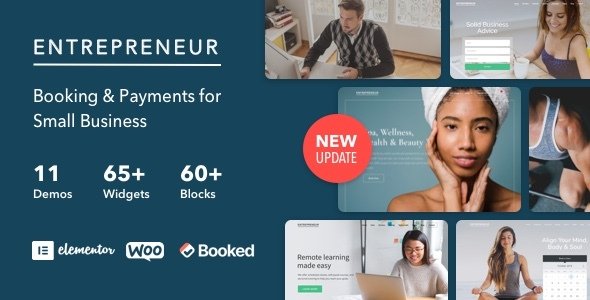
Stuck on your Entrepreneur WordPress theme? Let's fix it.
No endless back-and-forth. Just send us the details and we'll get it done.
No obligation · Replies within 1 hour · Quote within 1 day
Setup · Customization · Bug fixes · WooCommerce integration
About Entrepreneur WP Theme
Entrepreneur is a premium WordPress theme by Themovation built for coaches, consultants, course creators, and online business owners. It ships with a drag-and-drop page builder, pre-built demo templates, and a dedicated section system that makes it straightforward to build sales pages, landing pages, and membership sites without touching code.
The theme integrates tightly with WooCommerce and popular LMS plugins like LearnDash, making it a practical choice for selling digital products or online courses. Typography controls, colour palettes, and header layouts give you enough visual flexibility to build a branded site without hiring a designer. It is actively maintained by Themovation and receives regular compatibility updates.
Get matched with a Entrepreneur developer in under one day
Tell us about your Entrepreneur project. Small fixes, Entrepreneur theme customization, or a full website build, whatever you need, we've got it covered.
We'll connect you to the right Entrepreneur developers, define the scope, and get everything 100% clear.
You'll get one estimate, hire your preferred developer, and start collaborating.
Most Entrepreneur issues come down to conflicts between the theme’s built-in builder and third-party plugins, or customizations that break after a theme update. Fixing these properly takes someone who knows the theme’s template hierarchy and hook system. Codeable connects you with vetted WordPress developers who have hands-on experience with Entrepreneur and Themovation themes. You get a fixed-price estimate before any work starts, and you only pay if you decide to move forward.
Pros
- Dedicated section system makes building course and coaching sales pages faster than most multipurpose themes
- Tight LearnDash integration with styled course grids, lesson pages, and progress elements built in
- WooCommerce compatibility is solid with pre-styled product, cart, and checkout pages included
- Active development from Themovation with regular updates and a responsive support forum
- One-click demo imports cover multiple niches so you can start with a working layout rather than a blank canvas
Cons
- The built-in page builder is less flexible than Elementor or Beaver Builder for highly custom layouts
- Page load times can suffer on section-heavy pages without proper caching and image optimization in place
- Switching away from Entrepreneur later is difficult because content is tied to the theme's shortcodes and sections
- Documentation covers basic setup well but gets thin on advanced customization and developer hooks
- Some third-party plugin styles conflict with the theme's CSS and need manual fixes to display correctly
Who is Entrepreneur for?
Online Course Creator
Entrepreneur’s LearnDash integration makes it a strong fit for course creators. Pre-built course grid layouts, styled lesson pages, and built-in enrollment sections mean you spend less time on design and more time on content. An Entrepreneur specialist can extend these layouts to match your branding and connect them to your email marketing or affiliate tools.
Business Coach or Consultant
Coaches need a site that builds trust fast. Entrepreneur’s section system handles testimonials, speaking pages, bio sections, and lead capture forms well out of the box. A developer can customize the layout for discovery call bookings, integrate Calendly or TidyCal, and set up a lead magnet funnel without rebuilding the whole site.
Digital Product Seller
Selling ebooks, templates, or software through WooCommerce is straightforward with Entrepreneur’s pre-styled product and checkout pages. The theme handles digital downloads cleanly. An Entrepreneur developer can add upsell sections, customize the thank-you page, and connect your payment gateway and email automation correctly from the start.
Membership Site Owner
Membership sites built on MemberPress or Restrict Content Pro work well with Entrepreneur’s gated content structure. The theme handles member dashboard pages and upgrade prompts without heavy customization. A specialist can set up tiered access levels, style the members area to match your brand, and fix any plugin conflicts that come up during setup.
Marketing Agency or Freelancer
Agencies and freelancers building client sites on Entrepreneur benefit from the demo import system and section reuse. A developer familiar with the theme can build a base template that gets customized per client, saving build time. Child theme setups also protect client sites from breaking when Themovation ships updates.

Customizing Entrepreneur
Entrepreneur gives you a visual customizer with real-time previews, but getting a site that actually converts takes more than dragging sections around. An Entrepreneur expert can restructure your page templates, build custom section layouts, and fine-tune the CSS so the design matches your brand properly rather than looking like an out-of-the-box demo.
Common customization work includes modifying the hero section for specific campaigns, setting up custom header and footer layouts, adjusting the checkout flow for WooCommerce, and integrating third-party tools like ConvertKit or ActiveCampaign. If Themovation’s built-in options are not giving you what you need, a developer can extend the theme using child theme overrides without breaking future updates.
Recommended plugins for Entrepreneur
Entrepreneur works well alongside a focused stack of plugins. Caching and image optimization plugins make a measurable difference given the theme’s section-heavy page structure. If you are running a course or coaching site, a performance audit is worth doing before launch to catch render-blocking scripts early.
For organic traffic, pairing Entrepreneur with Yoast or Rank Math is standard, but schema setup and technical SEO still need attention. A dedicated WordPress SEO service can handle structured data, sitemap configuration, and on-page optimisation so the theme works harder in search results.
Not sure which plugins to use? This WordPress plugins directory covers the most popular options with reviews and setup guides.
Entrepreneur common issues
Entrepreneur theme page builder sections not saving
Section save failures in Entrepreneur usually point to a JavaScript conflict with another plugin or a PHP memory limit being hit. Open your browser console when saving and check for JS errors. Increase PHP memory in wp-config.php to at least 256MB. Deactivate plugins one by one to isolate the conflict. If the issue persists after basic troubleshooting, a WordPress bug fixing service can trace the exact conflict and resolve it without data loss.
Entrepreneur theme WooCommerce styles broken after update
WooCommerce style breaks after an Entrepreneur update usually happen because Themovation updated template files that override WooCommerce defaults. Check which WooCommerce templates are outdated using Status > Tools in WooCommerce. Update or remove stale template overrides in your child theme. If you are not using a child theme, the update may have overwritten your customizations. Rebuilding directly on the parent theme means this will keep happening.
Entrepreneur theme header not showing on mobile
Mobile header issues in Entrepreneur are often caused by a CSS conflict from a caching plugin serving a stale stylesheet or a third-party script interfering with the mobile menu JavaScript. Clear all caches first. Check the mobile menu settings in the Entrepreneur customizer. If a plugin recently added custom scripts to the header, disable it temporarily to confirm the conflict. CSS media queries can also be reviewed in the theme’s responsive settings.
Entrepreneur theme LearnDash course grid not displaying correctly
LearnDash course grid display problems with Entrepreneur usually come from a version mismatch between the theme and LearnDash, or a shortcode rendering incorrectly due to a caching layer. Check that both Entrepreneur and LearnDash are on their latest versions. Clear object cache and page cache. If the grid columns are collapsing, inspect the CSS with browser dev tools to find which rule is breaking the layout and override it in your child theme stylesheet.
Entrepreneur theme custom CSS not applying
If custom CSS added through the WordPress Customizer or Entrepreneur’s built-in CSS field is not applying, the most common cause is specificity. Another stylesheet is loading with higher specificity and overriding your rules. Use browser dev tools to confirm your CSS is being loaded and identify which rule is winning. You may need to increase specificity in your selectors or move your CSS to a child theme stylesheet that loads after the parent theme.
Entrepreneur theme white screen after update
A white screen after an Entrepreneur update points to a PHP fatal error, often a conflict with a plugin that uses a function or class the theme just changed. Enable WP_DEBUG in wp-config.php to surface the error message. If you cannot access the admin, connect via SFTP and rename the theme folder temporarily to revert to a default theme and regain access. A WordPress bug fixing specialist can diagnose and patch the conflict quickly.
Entrepreneur theme contact form not sending emails
Contact form email failures with Entrepreneur are almost never the theme’s fault. WordPress uses the PHP mail function by default, which most hosting providers block. Install an SMTP plugin like WP Mail SMTP and connect it to a transactional email service such as SendGrid or Mailgun. Verify your DNS records include the correct SPF and DKIM entries for your sending domain. Test with the plugin’s built-in email test tool after setup.
Entrepreneur theme slow loading on page with multiple sections
Slow load times on section-heavy Entrepreneur pages are usually caused by render-blocking scripts, unoptimized images, and the theme loading all section assets on every page regardless of use. Install a caching plugin, enable lazy loading for images, and use a tool like GTmetrix to identify the largest assets. Minifying CSS and JS through your caching plugin also helps. For a structured fix, a performance-focused WordPress developer can audit and optimize the full asset load order.
Entrepreneur theme fonts not loading correctly
Font loading problems in Entrepreneur are usually caused by a Content Security Policy header blocking Google Fonts requests, or a caching plugin that has minified and broken the font enqueue. Check your browser console for blocked resource errors. If fonts load in incognito but not normally, a browser extension may be interfering. For CSP issues, update your server headers to allow fonts.googleapis.com and fonts.gstatic.com. You can also switch to locally hosted fonts to remove the external dependency entirely.
Entrepreneur theme demo import not working
Demo import failures in Entrepreneur are commonly caused by PHP max execution time or upload size limits being too low on shared hosting. Increase max_execution_time to 300 seconds and upload_max_filesize to at least 64MB in your php.ini or via your hosting control panel. Also make sure the required plugins listed in the import prompt are all activated before starting the import. If the import stalls partway through, importing XML content and widget data separately is more reliable than the one-click method.
Entrepreneur FAQ
Yes. Entrepreneur has dedicated LearnDash integration and pre-built layouts for course sales pages, lesson pages, and course grids. It is one of the more focused course-creator themes available. Pair it with LearnDash or LifterLMS and a payment gateway through WooCommerce and you have a functional course setup without needing much custom development.
Entrepreneur has its own built-in section and page building system. It does not use Elementor natively, and mixing the two is generally not recommended because they conflict on the same pages. If you need Elementor’s flexibility, you are better off choosing a theme built around it. An Entrepreneur developer can extend the theme’s native builder further instead.
Create a new folder in wp-content/themes with a name like entrepreneur-child. Add a style.css file with the correct header referencing the parent theme, and a functions.php file that enqueues the parent stylesheet. Activate the child theme in Appearance > Themes. All customizations go in the child theme so updates to Entrepreneur do not overwrite your changes.
Yes, Entrepreneur includes pre-styled WooCommerce templates for shop, product, cart, and checkout pages. It handles both physical and digital products. Some styling inconsistencies can appear after WooCommerce major version updates if template overrides in the theme fall behind. Keeping both Entrepreneur and WooCommerce updated together reduces these issues.
On Codeable, fixed-price estimates for Entrepreneur theme work typically start around $150 for small fixes and go up depending on scope. A full custom build or complex integration costs more. You post your project, receive an estimate before committing, and pay only if you proceed. There are no hourly surprises.
Yes. Entrepreneur works with MemberPress and Restrict Content Pro for gating content and managing members. The theme’s section system handles upgrade prompts and member dashboard pages reasonably well. A developer may need to style the plugin’s output to match the theme properly, but the compatibility foundation is solid.
Yes, Entrepreneur has built-in LearnDash support. Course grids, lesson pages, and category pages are styled within the theme. It is one of the reasons coaches and course creators choose Entrepreneur over a generic multipurpose theme. Make sure both plugins and the theme are kept updated together to avoid template mismatch issues.
Start with a caching plugin, enable lazy image loading, and compress images before uploading. Entrepreneur’s section-heavy pages load a lot of assets, so reducing unused CSS and deferring non-critical JavaScript makes a noticeable difference. A CDN also helps if your audience is geographically spread. For a thorough fix, check the WordPress performance service.
Migrating content to Entrepreneur from another theme is possible but requires work. Posts and pages transfer fine, but any layouts built with another page builder will not carry over. You will need to rebuild page layouts using Entrepreneur’s section system. A developer can handle the migration and reconstruct key pages so nothing critical is lost in the switch.
Always use a child theme so your customizations are not stored in the parent theme files. Back up your site before updating. After the update, check WooCommerce for outdated template files and review any pages that use custom sections. Running updates on a staging environment first is the safest approach. A WordPress maintenance plan can handle this process for you on a regular schedule.
Hire an Entrepreneur Theme Expert
Whether you need a full site build, a specific layout customized, or a bug that has been frustrating you for days finally fixed, an Entrepreneur developer can handle it. Work is scoped clearly, priced upfront, and delivered by a developer who knows the theme. Get a Free Estimate and describe what you need. No obligation, no guessing on cost.
You'll need a free Codeable account so developers can ask questions and send their quotes.