LeadEngine WordPress Theme
by Key-Design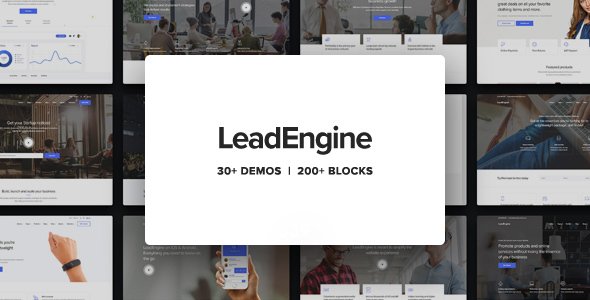
Stuck on your LeadEngine WordPress theme? Let's fix it.
No endless back-and-forth. Just send us the details and we'll get it done.
No obligation · Replies within 1 hour · Quote within 1 day
Setup · Customization · Bug fixes · WooCommerce integration
About LeadEngine WP Theme
LeadEngine is a multi-purpose WordPress theme built by Key-Design, aimed at agencies, SaaS companies, and startups that need a polished landing page presence without starting from scratch. It ships with a large library of pre-built page templates, a drag-and-drop page builder integration, and a focused set of lead generation elements like pricing tables, countdown timers, and call-to-action blocks.
The theme leans heavily on WPBakery Page Builder, giving you visual control over layouts without touching code. It also bundles several premium plugins in the purchase price, which reduces upfront costs for new projects. Performance is acceptable out of the box, though image-heavy demo imports can slow things down without optimization. If your goal is a fast-to-launch marketing site or product page, LeadEngine gives you a solid structural starting point.
Get matched with a LeadEngine developer in under one day
Tell us about your LeadEngine project. Small fixes, LeadEngine theme customization, or a full website build, whatever you need, we've got it covered.
We'll connect you to the right LeadEngine developers, define the scope, and get everything 100% clear.
You'll get one estimate, hire your preferred developer, and start collaborating.
LeadEngine has enough moving parts, WPBakery, bundled plugins, custom shortcodes, and a dense options panel, that getting exactly what you want can take longer than expected. A vetted LeadEngine developer on Codeable knows where the sharp edges are and can skip the guesswork entirely. Codeable only accepts the top tier of WordPress developers, so you’re not rolling the dice on quality. Whether you need a full site build, a specific feature added, or a layout that doesn’t exist in the demo library, an experienced developer gets it done cleanly.
Pros
- Large library of pre-built landing page and marketing templates reduces build time significantly
- Bundles WPBakery Page Builder and several premium plugins at no extra cost
- Pricing tables, countdown timers, and CTA blocks are purpose-built for lead generation
- One-click demo import makes it fast to get a working layout in front of a client
- Header and footer builder gives layout control without needing a child theme
Cons
- Heavy dependency on WPBakery makes switching page builders later very difficult
- Demo imports load a lot of images and dummy content that needs manual cleanup
- WPBakery shortcode lock-in means your content is tied to the builder if you ever change themes
- Customer support from Key-Design can be slow during high-volume periods
- Some bundled plugin versions lag behind their standalone counterparts and need manual updates
Who is LeadEngine for?
SaaS Landing Pages
LeadEngine’s pricing table blocks, feature comparison sections, and CTA layouts are built for software products. A LeadEngine specialist can configure a trial signup flow, connect it to your CRM, and set up the kind of above-the-fold hero section that converts visitors into free trial users without needing a custom theme build from scratch.
Digital Marketing Agencies
Agencies use LeadEngine to build client sites fast. The template library covers most common service page layouts. A LeadEngine developer can white-label the setup, strip out unnecessary demo content, and deliver a clean, agency-branded site that doesn’t look like every other LeadEngine install on the web.
Startup Product Sites
For early-stage startups that need a credible online presence quickly, LeadEngine hits the right balance between flexibility and speed. A LeadEngine expert can take the demo closest to your use case, rework the content and branding, and ship a functional marketing site within days rather than weeks.
Freelancer and Consultant Portfolios
Freelancers and consultants benefit from LeadEngine’s portfolio and testimonial blocks. The theme handles single-page layouts cleanly. A LeadEngine developer can condense the available sections into a focused personal brand site that loads fast, presents services clearly, and drives contact form submissions.
Event and Webinar Registration Pages
Countdown timers, speaker grids, and registration call-to-action sections make LeadEngine a practical choice for event pages. A LeadEngine specialist can wire up a registration form to your email platform, configure the countdown block for your event date, and set up a post-registration confirmation page flow.

Customizing LeadEngine
LeadEngine offers a wide range of customization through its theme options panel and WPBakery’s front-end editor. You can adjust typography, colors, header layouts, and section spacing without writing CSS. Pre-built content blocks snap together to form complete landing pages quickly.
That said, deeper customization, like modifying the theme’s custom post types, restructuring templates, or extending WPBakery with custom shortcodes, requires PHP and WordPress development knowledge. A LeadEngine expert can tailor the theme to match your brand precisely, build custom sections that go beyond the included blocks, and clean up any leftover demo code that bloats your pages. If the out-of-the-box options aren’t getting you where you need to go, working with a LeadEngine specialist saves significant time compared to trial and error in the options panel.
Recommended plugins for LeadEngine
LeadEngine works well with plugins that extend what the bundled tools can’t do alone. WooCommerce integration is straightforward for simple product pages. Contact Form 7 and WPForms both slot in cleanly for lead capture. For performance, caching plugins like WP Rocket pair well with LeadEngine, though you’ll want to configure exclusions for WPBakery assets. See our WordPress performance optimization service if page speed is a concern after launch.
On the SEO side, Yoast and Rank Math both work without conflicts. Structured data and schema setup, however, may need manual work. Our WordPress SEO service covers that gap.
Not sure which plugins to use? This WordPress plugins directory covers the most popular options with reviews and setup guides.
LeadEngine common issues
LeadEngine WPBakery editor not loading in WordPress admin
This is usually a JavaScript conflict between WPBakery and another plugin. Open your browser’s developer console on the backend editor page and look for JS errors. Deactivate plugins one at a time to isolate the conflict. Also confirm your WPBakery license is activated under WPBakery settings. If the editor still won’t load after plugin isolation, a WordPress bug fixing specialist can trace the conflict quickly.
LeadEngine demo import fails or gets stuck at 0%
Demo import failures in LeadEngine are often caused by PHP memory limits or execution time limits set too low on your host. In your php.ini or wp-config.php, increase memory_limit to at least 256M and max_execution_time to 300. If you’re on shared hosting, contact your host to raise these limits. Also try importing the XML content manually using WordPress’s built-in importer rather than the theme’s one-click tool if the issue persists.
LeadEngine header not showing correctly on mobile
LeadEngine’s mobile header relies on specific breakpoint settings in the theme options panel. Check the Header section in LeadEngine Options for mobile breakpoint values. If the logo, menu icon, or sticky header is misaligned, inspect the element in Chrome DevTools to identify which CSS rule is overriding the theme’s default. Custom CSS targeting the mobile header classes usually fixes positioning issues without needing to modify theme files directly.
LeadEngine countdown timer not displaying or showing wrong time
The LeadEngine countdown timer block uses your server’s timezone setting to calculate the target date. Go to Settings > General in WordPress and confirm your timezone matches your intended target. If the block shows a blank area, check whether the Revolution Slider or WPBakery version bundled with the theme needs updating. Outdated shortcode rendering can cause blocks to output nothing in newer PHP versions.
LeadEngine custom fonts not applying after theme options save
Custom font settings in LeadEngine Options require the CSS to be regenerated after saving. Try clearing your browser cache and any caching plugin cache after saving font changes. If Google Fonts aren’t applying, check whether your site has an active content security policy blocking external font requests. Also verify the font is correctly selected in both the body and heading fields under Typography in the theme options, as each has a separate setting.
LeadEngine page showing unstyled or broken after WordPress update
A broken or unstyled LeadEngine page after a WordPress update usually means a WPBakery or bundled plugin compatibility issue. First, update all bundled plugins to their latest versions from the theme’s included plugin updater. If styles are missing entirely, check whether the theme’s dynamic CSS file is being generated correctly by resaving the theme options. For persistent layout breaks, our WordPress bug fixing service can audit what changed and restore the layout.
LeadEngine contact form not sending emails
LeadEngine uses Contact Form 7 or similar plugins for its contact blocks. If emails aren’t arriving, the issue is almost always server-level email delivery, not the theme. Install the WP Mail SMTP plugin and configure it with an SMTP provider like SendGrid, Mailgun, or Gmail. Test delivery using WP Mail SMTP’s built-in test tool. Also check your spam folder before assuming emails aren’t being sent at all.
LeadEngine slider not working or showing blank area
LeadEngine bundles Revolution Slider for its hero and content sliders. A blank slider area usually means the slider plugin isn’t activated or the specific slider instance wasn’t imported with the demo. Go to Revolution Slider in the WordPress admin, confirm the slider exists, and check its alias matches the alias used in the WPBakery shortcode on the page. Re-importing the demo slider file from the Revolution Slider export can restore missing instances.
LeadEngine pricing table layout broken on smaller screens
Pricing table layout breaks on mobile are typically a CSS flexbox or grid issue tied to LeadEngine’s WPBakery column structure. Open the page in the WPBakery front-end editor on a narrowed browser window to identify which column is collapsing incorrectly. Add custom CSS targeting the pricing table wrapper to adjust column widths at your problem breakpoint. If the table structure itself is corrupted in the shortcode, a WordPress bug fixing expert can rebuild it cleanly.
LeadEngine child theme styles not overriding parent theme
For a LeadEngine child theme to override parent styles, the child theme’s stylesheet must load after the parent’s. Enqueue both stylesheets properly in your child theme’s functions.php using wp_enqueue_style with the parent style as a dependency. Avoid using @import in the child stylesheet as this can cause load order problems. Specificity issues are the other common culprit. Use browser DevTools to confirm your child theme CSS rules are being applied and not overridden by more specific parent selectors.
LeadEngine FAQ
LeadEngine receives periodic updates from Key-Design to maintain WordPress core compatibility. Before upgrading WordPress, check the theme’s changelog on ThemeForest for confirmed compatibility notes. In most cases, LeadEngine runs on WordPress 6.x without major issues, but WPBakery and bundled plugins also need to be on current versions to avoid conflicts after a core update.
LeadEngine is built around WPBakery and does not officially support Elementor. You can install Elementor on a LeadEngine site, but you lose the benefit of the theme’s pre-built blocks and templates, which are WPBakery-specific. If you prefer Elementor, you’d be better served choosing a theme designed with Elementor in mind from the start.
Always use a child theme for any customizations before updating LeadEngine. If you customized the parent theme directly, those changes will be overwritten on update. Back up your site first, then update through Appearance > Themes. After updating, check key pages visually and test any custom shortcodes or modified template files to confirm nothing broke during the version change.
LeadEngine includes basic WooCommerce compatibility. Simple product pages, cart, and checkout templates work within the theme’s layout. It’s not a dedicated WooCommerce theme, so complex shop setups may need custom styling. A LeadEngine developer can extend the WooCommerce integration if the default styling doesn’t match your store’s needs.
Purchase LeadEngine from ThemeForest and download the installable WordPress file. In your WordPress admin, go to Appearance > Themes > Add New > Upload Theme. After activation, install the required plugins when prompted. Then import a demo from the LeadEngine options panel to get a working layout. Replace demo content with your own copy and images from there.
LeadEngine is compatible with WPML and Polylang for multilingual setups. WPBakery-built pages require string translation through WPML’s String Translation module. Setup takes some configuration, particularly for custom shortcode strings and theme options text. A LeadEngine specialist familiar with WPML can handle the initial multilingual configuration cleanly.
LeadEngine produces clean HTML output and works with Yoast SEO and Rank Math without conflicts. It’s not an SEO-focused theme by design, so you’ll need to handle meta, schema, and site structure through dedicated SEO plugins. Page speed optimization is also worth addressing after launch, as demo-imported content can add unnecessary bulk to initial page loads.
The fastest way to hire a vetted LeadEngine developer is through Codeable. Post your project, describe what you need, and receive a free estimate within 24 hours. Codeable screens all developers before they can take on client work, so you’re matched with someone who has proven WordPress expertise. There’s no obligation to hire after receiving the estimate.
LeadEngine purchases on ThemeForest include six months of support from Key-Design and lifetime theme updates. After six months, you can extend support for an additional fee. Updates are applied through the WordPress admin if you have the Envato Market plugin installed, or manually by re-downloading the theme file from your ThemeForest account.
Migrating an existing site to LeadEngine means rebuilding your pages inside WPBakery, since your current content structure won’t map directly to the theme’s blocks. Copy your text content across and rebuild layouts using LeadEngine’s elements. For a large site, this is a significant effort. Our WordPress migration service can manage the transition with minimal disruption.
Hire a LeadEngine Expert Developer
If you need a LeadEngine developer to build, customize, or fix your site, you can get matched with a vetted specialist within 24 hours through Codeable. Post your project, get a free estimate, and only move forward if it makes sense. No commitment required. Get a Free Estimate and describe what you need — a LeadEngine expert will take it from there.
You'll need a free Codeable account so developers can ask questions and send their quotes.