Reobiz WordPress Theme
by rs-theme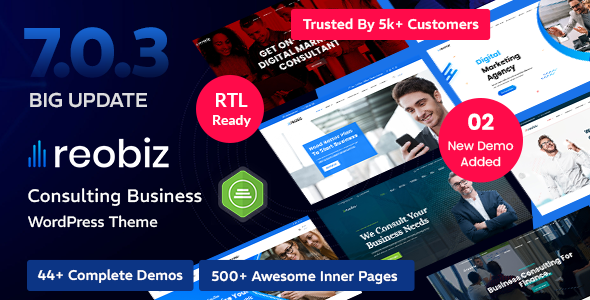
Stuck on your Reobiz WordPress theme? Let's fix it.
No endless back-and-forth. Just send us the details and we'll get it done.
No obligation · Replies within 1 hour · Quote within 1 day
Setup · Customization · Bug fixes · WooCommerce integration
About Reobiz WP Theme
Reobiz is a WordPress theme built by rs-theme, designed specifically for finance, consulting, and business service companies. It ships with a set of pre-built demos covering accounting firms, financial advisors, insurance agencies, and management consultancies.
The theme is built on Elementor, which means most layout work happens visually. It includes a custom contact form integration, appointment booking support, and team member layouts that suit professional services sites.
Reobiz is a reasonable choice if your client is in finance or consulting and wants a polished starting point without building from scratch. The demos are detailed enough to cut down build time significantly, and the page templates cover most of the pages a typical services firm needs.
Get matched with a Reobiz developer in under one day
Tell us about your Reobiz project. Small fixes, Reobiz theme customization, or a full website build, whatever you need, we've got it covered.
We'll connect you to the right Reobiz developers, define the scope, and get everything 100% clear.
You'll get one estimate, hire your preferred developer, and start collaborating.
Reobiz is not a difficult theme, but getting it to match a real brand identity and work reliably takes more than an afternoon. Developers on Codeable have worked across dozens of business and finance themes and know where Reobiz tends to need attention. Whether the job is a full build from a demo, a specific feature addition, or fixing something that broke after an update, you get an estimate from a vetted developer before committing to anything.
Pros
- Pre-built demos tailored to finance and consulting niches save significant setup time
- Built on Elementor, making layout adjustments accessible without touching code
- Includes appointment booking and team member templates suited to service firms
- Demo content is detailed enough to serve as a real structural starting point
- Regularly updated by rs-theme with compatibility patches for newer WordPress versions
Cons
- Heavy Elementor dependency means page load times need active management
- Styling outside the predefined color and font options requires CSS overrides
- Demo import can be inconsistent and sometimes requires manual cleanup
- Limited flexibility for layouts that fall outside the business/finance use case
- Some inner page templates feel templated and need meaningful customization to stand out
Who is Reobiz for?
Accounting and Tax Advisory Firms
Reobiz includes accounting-specific demo layouts with service breakdown pages, team bios, and tax calculator-ready sections. For an accounting firm that needs a professional web presence quickly, this theme covers the standard pages without requiring custom design from zero. A Reobiz developer can wire in a client portal or document request form on top of the base.
Financial Planning and Wealth Management
The financial advisor demo includes trust-building sections like credentials, testimonials, and a structured services overview. These matter for wealth management firms where credibility is the primary conversion factor. Customization work typically focuses on brand alignment and integrating scheduling tools so prospective clients can book a consultation directly.
Business Management Consultancies
Management consultancies benefit from Reobiz’s case study and process layout options. The theme supports structured content that walks visitors through a methodology or service offering in a logical sequence. A Reobiz specialist can extend this with filterable portfolio sections or industry-specific service pages built on custom post types.
Insurance Brokers and Agencies
Insurance agency sites built on Reobiz can use the contact and lead capture templates as a starting point for quote request flows. The theme’s layout supports multiple product lines with individual service pages. Connecting those forms to a CRM or email automation tool is where developer input adds clear value.
Corporate Legal and Compliance Services
Corporate legal and compliance firms need clean, text-heavy layouts with clear calls to action. Reobiz handles this well with its professional typography and structured inner page templates. Customization usually involves tightening the content hierarchy and ensuring the site meets accessibility standards relevant to regulated industries.

Customizing Reobiz
Reobiz gives you a solid base, but most projects need work beyond swapping out placeholder content. Custom service page layouts, adjusted color schemes to match brand guidelines, and restructured header navigation are all common requests.
The theme relies on Elementor for layout control, so customization is generally accessible, but more advanced changes like custom post types for case studies, testimonial sliders tied to a CRM, or integrated lead capture forms require developer input.
A Reobiz expert can also help you extend the theme without breaking future updates. Overriding templates correctly, adding child theme modifications, and keeping the codebase clean are details that matter long-term. If you want customizations done properly, working with a Reobiz specialist saves time and avoids technical debt.
Recommended plugins for Reobiz
Reobiz integrates with the standard set of WordPress plugins. WooCommerce can be added for payment collection or service packages. Appointment booking plugins like Bookly work alongside the theme’s existing contact flow.
For sites where traffic and revenue depend on organic search, pairing Reobiz with proper WordPress SEO work makes a measurable difference. Schema markup for local businesses and service pages is rarely configured out of the box.
Page load times on Reobiz sites can climb quickly with multiple Elementor widgets. A proper WordPress performance setup including caching, image optimization, and script management is worth doing before launch.
Not sure which plugins to use? This WordPress plugins directory covers the most popular options with reviews and setup guides.
Reobiz common issues
Reobiz demo import not working
Demo import failures in Reobiz usually come down to PHP memory limits, execution time limits, or a missing required plugin. Check that your server allows at least 256MB of memory and that all required plugins listed in the theme documentation are installed and activated before running the import. If the importer hangs or returns an error, try importing via XML manually through the WordPress Tools importer instead.
Reobiz header not showing correctly on mobile
Mobile header issues in Reobiz are typically caused by conflicting Elementor responsive settings or a custom CSS rule that overrides the mobile menu breakpoint. Open the header template in Elementor and check the responsive visibility and padding settings at tablet and mobile breakpoints. If a child theme or custom CSS is involved, inspect the element in your browser to find the conflicting rule. Get help from a WordPress bug fixing specialist if the conflict is hard to isolate.
Reobiz contact form not sending emails
When Reobiz contact forms stop sending emails, the problem is almost always server mail configuration rather than the theme itself. WordPress uses PHP mail by default, which many hosts block. Install an SMTP plugin like WP Mail SMTP and connect it to a transactional email service such as SendGrid or Mailgun. Test delivery after configuration. Also check that form submission notifications are set to the correct email address in the form settings.
Reobiz page builder content broken after update
Elementor content appearing broken after a Reobiz update usually means the theme update changed a template or widget structure that conflicts with saved page data. Go to Elementor’s Tools section and run the database update utility. If specific pages are affected, open them in Elementor and check for deprecated or missing widgets. In some cases, re-saving the page resolves the rendering issue without manual edits.
Reobiz slider not loading on homepage
A non-loading homepage slider in Reobiz is often caused by a JavaScript conflict with another plugin or a missing slider plugin dependency. Open your browser console and look for JS errors on the homepage. Deactivate plugins one at a time to identify the conflict. Also confirm the slider plugin required by the theme is installed, activated, and up to date. A WordPress developer can trace JS conflicts quickly if the console output is unclear.
Reobiz fonts not loading or showing default font
Font loading issues in Reobiz usually point to a Google Fonts connection problem or a caching layer serving stale CSS. Check if your server blocks external requests to fonts.googleapis.com. If so, either whitelist the domain or use a local font hosting plugin. If you recently enabled a caching plugin, clear all caches and check again. Also confirm that your theme font settings in the WordPress Customizer have not been reset by an update.
Reobiz site slow after installing theme
Reobiz sites can load slowly out of the box because Elementor loads substantial CSS and JavaScript on every page. Start by measuring with GTmetrix or PageSpeed Insights to identify the largest contributors. Enable Elementor’s built-in CSS optimization under Elementor settings. Add a caching plugin, compress images, and defer non-critical scripts. For a more thorough fix, see our WordPress performance service.
Reobiz custom CSS not applying
Custom CSS added through the WordPress Customizer or Elementor’s global CSS field should apply without issue, but specificity conflicts are common. If your rules are not taking effect, use your browser inspector to check which existing rule is overriding yours. Increase specificity by targeting a more specific selector or adding the parent element to your selector chain. Avoid using !important broadly as it creates maintenance problems later.
Reobiz team member section not displaying images
Team member images not showing in Reobiz typically means the images were not correctly assigned in the custom post type or the image field was cleared during an import. Go to the team member entries in the WordPress admin and reassign the featured image or profile photo field. If using a plugin-based team module, check that the image dimensions match the expected crop size. Re-saving the entries usually triggers the correct image display.
Reobiz footer widgets not appearing
Missing footer widgets in Reobiz are usually caused by the footer widget areas not being activated in the theme settings, or the active widgets being empty. Go to Appearance > Widgets and check that the footer columns have widgets assigned. Also check the Reobiz theme options panel for footer layout settings. If the footer area simply does not appear, inspect the page source to confirm whether the footer HTML is being rendered at all.
Reobiz FAQ
Yes, Reobiz was built specifically with finance and consulting firms in mind. The demos cover accounting, financial planning, insurance, and business consulting. The page structures and content sections match what those audiences expect. It is one of the more focused theme options in that niche, which means less cleanup work to make it feel relevant.
Reobiz is built on Elementor. All of the demo layouts are Elementor-based, and the theme is designed to be edited using the Elementor page builder. You will need Elementor installed and active for the layouts to work correctly. Some sections also use Elementor Pro widgets, so a Pro license may be needed depending on what features you want to use.
You can use Reobiz for other service-based businesses, but the demo content and default styling are oriented toward finance and professional services. Using it for a very different type of business means more customization work to make it feel appropriate. It is worth considering whether the effort is less than starting with a more generic theme.
To install Reobiz demo content, install all required plugins first, then go to the theme’s demo import panel and select the demo you want. The importer handles pages, widgets, and settings. Server limits around memory and execution time sometimes cause partial imports. Running the import on a staging environment first is a good practice before doing it on a live site.
Reobiz does not conflict with WooCommerce, but it is not a WooCommerce-focused theme. You can add WooCommerce for payment collection or selling service packages, but you may need to style the shop and checkout pages to match the rest of the site. A developer can handle the styling work to make WooCommerce pages feel consistent with the Reobiz design.
Reobiz lists WPML compatibility in its documentation. For a working multilingual setup, you need WPML installed and configured, and all strings and page templates translated. Elementor-based layouts require translation through WPML’s String Translation or the Elementor WPML integration. This setup works but requires careful configuration to handle all translatable elements.
Create a child theme by making a new folder in your themes directory, adding a style.css file with the Template header pointing to reobiz, and a functions.php that enqueues the parent stylesheet. Activate the child theme from the WordPress dashboard. All customizations go into the child theme so they survive parent theme updates. This is the correct way to make any lasting code changes to Reobiz.
Reobiz is developed by rs-theme, a ThemeForest author. The theme is sold through the Envato/ThemeForest marketplace. Support is provided through the ThemeForest comments system and a dedicated support ticket platform. Update history and documentation are available on the theme’s ThemeForest listing page.
Reobiz has received updates over time, generally maintaining compatibility with current WordPress and Elementor versions. Before purchasing or building on any theme, check the last update date and the update frequency on the ThemeForest listing. A theme that has not been updated in over a year is a risk for compatibility issues with newer WordPress releases.
You can hire a Reobiz developer through Codeable, a vetted WordPress developer network. Post a project description, get a free estimate from a specialist, and decide whether to proceed with no obligation. Developers on the platform have experience with business and finance themes including Reobiz. Visit our free estimate page to get started.
Hire a Reobiz Developer for Your Project
Whether you need a Reobiz site built from scratch, customized to match your brand, or fixed after an update caused problems, working with a specialist is the direct route. Describe your project and get a free estimate with no obligation to proceed. Get a Free Estimate and find out exactly what your build will take.
You'll need a free Codeable account so developers can ask questions and send their quotes.