Scroller WordPress Theme
by Dannci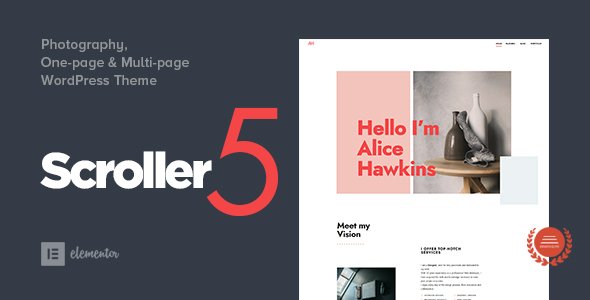
Stuck on your Scroller WordPress theme? Let's fix it.
No endless back-and-forth. Just send us the details and we'll get it done.
No obligation · Replies within 1 hour · Quote within 1 day
Setup · Customization · Bug fixes · WooCommerce integration
About Scroller WP Theme
Scroller is a free WordPress theme developed by Dannci, built around a vertical scrolling layout that loads posts continuously as users scroll down the page. It targets blogs and content-heavy sites that want a clean, minimal reading experience without pagination.
The theme is lightweight, responsive, and designed to keep visitors reading without interruption. It ships with basic typography controls, widget areas, and a straightforward settings panel. There are no page builders bundled in, which keeps load times low but also means customization is mostly code-based.
Scroller suits personal blogs, photography journals, and niche content sites. If your priority is fast load times and a distraction-free layout, it is a solid starting point. If you need complex layouts or extensive plugin compatibility out of the box, you will likely need a developer to extend it.
Get matched with a Scroller developer in under one day
Tell us about your Scroller project. Small fixes, Scroller theme customization, or a full website build, whatever you need, we've got it covered.
We'll connect you to the right Scroller developers, define the scope, and get everything 100% clear.
You'll get one estimate, hire your preferred developer, and start collaborating.
Scroller is simple on the surface but specific in how it handles scroll behavior, templates, and post loading. When something breaks or you need the theme to do more, generic WordPress advice rarely applies.
Codeable connects you with vetted WordPress developers who have worked with themes like Scroller before. You post your project, get a clear estimate, and only move forward if the scope and price work for you. No bidding wars, no unknown contractors. If you need a Scroller specialist, that is the cleanest way to find one.
Pros
- Lightweight codebase keeps initial page load fast
- Infinite scroll is built into the theme without needing a plugin
- Clean, minimal design works well for text-heavy blogs
- Free with no upsells or locked premium features
- Responsive layout handles mobile reading without extra configuration
Cons
- Customization beyond basic colors and fonts requires code edits
- No built-in page builder support, limiting layout flexibility
- Limited widget areas compared to multipurpose themes
- Infinite scroll can cause SEO indexing issues without extra configuration
- Small developer community means fewer tutorials and third-party resources
Who is Scroller for?
Personal Blog
Scroller suits personal bloggers who publish text-heavy posts regularly. The infinite scroll keeps readers moving through content without clicking to new pages. A Scroller expert can add custom fonts, author bio sections, and related post logic to make the reading experience feel more personal and structured.
Photography Journal
The minimal layout puts images front and center, which works well for photographers posting project journals or travel diaries. With a few template modifications from a Scroller developer, you can display full-width images inline with text and control aspect ratios per post without breaking the scroll behavior.
Niche News Site
Sites publishing short-form news or commentary benefit from the continuous feed layout. Readers can scan and read without interruption. A Scroller specialist can add category filters, a sticky header with navigation, and custom post metadata to support editorial workflows on a niche topic site.
Creative Writing Portfolio
Writers publishing fiction, essays, or poetry find Scroller’s stripped-back design lets the text breathe. A developer can adjust line height, column width, and reading font to match the tone of the content. Custom excerpt styles and a simple archive structure round out a clean portfolio presentation.
Micro-publication or Zine
Independent publishers running small digital magazines or zines can use Scroller as a lightweight CMS front-end. With custom post types and a Scroller developer handling the template layer, you can build an issue-based structure that still delivers the continuous scroll experience readers expect.

Customizing Scroller
Scroller’s customization options in the WordPress Customizer cover basic settings: logo upload, color adjustments, background options, and widget placement. That covers most surface-level changes without touching code.
Deeper work requires editing template files or adding custom CSS. Things like changing the infinite scroll behavior, adjusting post card layouts, modifying the header structure, or adding custom post type support all need direct theme file edits or a child theme. Without a child theme, any updates from Dannci will overwrite your changes.
Hiring a Scroller expert is the right move if you need the theme to do anything beyond its defaults. A specialist can build a child theme, extend the scroll logic, integrate custom fields, or rework the typography system without breaking the theme’s core performance advantages. Custom work done properly keeps the site fast and maintainable.
Recommended plugins for Scroller
Scroller pairs well with a focused set of plugins. Yoast SEO or Rank Math add meta control and sitemap generation that the theme does not handle natively. For WordPress SEO optimisation, structured data plugins help search engines understand your continuously loading content correctly.
On the performance side, a caching plugin like WP Rocket or LiteSpeed Cache is strongly recommended. Infinite scroll adds DOM weight as users scroll, so optimizing images and deferring scripts matters. Visit the WordPress performance guide for specifics on getting Scroller-based sites under 2 seconds load time. WooCommerce is not a natural fit for this theme.
Not sure which plugins to use? This WordPress plugins directory covers the most popular options with reviews and setup guides.
Scroller common issues
Scroller infinite scroll not working after WordPress update
WordPress updates can break JavaScript dependencies that Scroller’s infinite scroll relies on. First, check the browser console for JS errors. The most common cause is a jQuery conflict or a change in how WordPress loads scripts. Deactivate plugins one by one to isolate the conflict. If the issue persists after plugin testing, the theme’s scroll script may need updating to match the current WordPress version. A WordPress bug fixing specialist can pinpoint the exact script conflict quickly.
Scroller theme posts not loading on scroll in mobile
Mobile infinite scroll failures often come from touch event handling in Scroller’s JavaScript. The scroll trigger may not fire correctly on iOS Safari or Android Chrome. Check whether the issue appears on specific devices or browsers. A common fix is adjusting the scroll offset threshold in the theme’s JS file. If you are not comfortable editing scripts directly, this is a straightforward fix for a Scroller developer to handle without side effects.
Scroller WordPress theme showing 404 on scroll
A 404 error on scroll usually means WordPress permalink settings conflict with how Scroller fetches the next page of posts. Go to Settings > Permalinks and re-save without changing anything, which flushes rewrite rules. If that does not resolve it, check whether a caching plugin is serving stale 404 responses for paginated URLs. Clearing the cache after the permalink flush resolves this in most cases.
Scroller theme images not displaying correctly
Image display problems in Scroller are usually tied to image size registration. The theme expects specific thumbnail sizes, and if those were not generated for existing media, images appear stretched, cropped wrong, or missing. Run a thumbnail regeneration plugin like Regenerate Thumbnails after activating Scroller. Also check that your images meet the minimum dimensions the theme requires for featured image display.
Scroller child theme not applying custom CSS
If custom CSS in a child theme is not applying, the most likely cause is stylesheet load order. The child theme stylesheet must load after the parent Scroller stylesheet. Check your child theme’s functions.php to confirm you are enqueuing styles correctly using wp_enqueue_style with the parent as a dependency. If you copied the parent stylesheet into the child theme instead of enqueuing it properly, specificity and load order will cause rules to be ignored.
Scroller theme slow to load with many posts
Scroller adds DOM nodes continuously as users scroll, which builds memory pressure on sites with large post counts. Enable a caching plugin to serve static HTML for the initial load. Use lazy loading for images so off-screen content does not block rendering. Limit the number of posts loaded per scroll batch in the theme settings or via a filter hook. If performance is still poor, a WordPress bug fixing service can audit the specific bottlenecks in your setup.
Scroller WordPress theme navigation menu missing
If Scroller’s navigation menu disappears, check that a menu is assigned to the correct theme location under Appearance > Menus > Manage Locations. Scroller registers a primary menu location, and if nothing is assigned there, the header menu area renders empty. If the location exists and a menu is assigned but still not showing, a theme file conflict or CSS display issue is hiding it. Inspect the header markup in your browser to confirm the menu HTML is being output.
Scroller theme breaking after plugin install
Plugins that modify how WordPress loads scripts, intercept AJAX requests, or change query behavior can conflict with Scroller’s infinite scroll mechanism. After installing a new plugin that breaks the theme, deactivate it and test. If scroll resumes, the plugin is the cause. Common culprits include security plugins that block AJAX endpoints, caching plugins with aggressive JS minification, and plugins that modify the main query. A Scroller developer can add compatibility adjustments without removing the plugin.
Scroller theme not showing featured images
Featured images not showing in Scroller usually means add_theme_support('post-thumbnails') is not firing, or the template file is not calling the_post_thumbnail() correctly. In rare cases, a plugin disables featured image support globally. Check your child theme’s functions.php first, then inspect the single or archive template files. If the support declaration exists and images are still missing, check whether the posts themselves have featured images set in the media library.
Scroller WordPress theme sidebar widgets not showing
Scroller has a limited number of widget areas. If your sidebar widgets are not appearing, confirm the widget area is registered and that you are adding widgets to the correct area in Appearance > Widgets. Also check whether the current page template includes the sidebar call. Some page templates in Scroller intentionally omit the sidebar for a full-width reading experience. If the widget area is present and populated but not rendering, a WordPress bug fixing specialist can check the template hierarchy for the conflict.
Scroller FAQ
Yes, Scroller is a free WordPress theme available through the official WordPress theme directory. There is no premium version, no paid add-ons, and no license fee. You can download and use it on any number of sites without cost.
Scroller is not designed with WooCommerce compatibility in mind. You can technically install WooCommerce on a Scroller site, but shop pages, product listings, and cart templates will not be styled correctly. Significant custom development would be needed to make it work, and a different theme is likely the better choice for ecommerce.
Create a folder in /wp-content/themes/ named scroller-child. Add a style.css with a Template: scroller header, and a functions.php that enqueues the parent stylesheet before the child stylesheet. Activate the child theme in Appearance > Themes. All customizations go into the child theme files.
Scroller is built around infinite scroll as its core navigation pattern. There is no toggle in the Customizer to switch it off. Disabling it requires editing the theme’s JavaScript to remove the scroll event listener and replacing it with standard pagination links in the template files. A Scroller developer can do this without breaking other theme functionality.
Scroller uses clean HTML output and loads minimal scripts, which helps with Core Web Vitals scores. However, infinite scroll creates indexing challenges because search engines may not execute JavaScript to discover all posts. Adding an XML sitemap plugin and ensuring all posts are linked from a crawlable archive page is important for Scroller SEO.
Scroller does not register support for custom post types by default. You can add custom post types to the main scroll feed by modifying the main query via pre_get_posts in a child theme. Template files for custom post type singles need to be added manually or with help from a Scroller developer.
Font changes in Scroller require adding custom CSS or enqueueing a Google Fonts stylesheet in your child theme’s functions.php. The theme does not include a font picker in the Customizer. Add your font-face declarations and override the body and heading font-family rules in your child theme stylesheet.
Page builders like Elementor or Beaver Builder work on individual pages within Scroller, but they will not affect the main blog scroll feed. The theme’s post loop templates are PHP-rendered and not builder-compatible. For landing pages or static pages, a builder works fine alongside Scroller without conflicts in most cases.
Scroller has received periodic updates from Dannci since its release. Update frequency is lower than commercial themes. Before using it on a production site, check the last update date in the WordPress theme directory and verify compatibility with your current WordPress version. Running outdated theme code is a security and compatibility risk.
Your content stays in the WordPress database and is not affected by changing themes. Switching to Scroller will change how your posts are displayed but will not delete anything. Post content, images, categories, and comments all carry over. You may need to reassign menus and widgets after activation. For a full site WordPress migration, professional help avoids data loss.
Hire a Scroller Developer for Your WordPress Site
Whether you need a child theme built, infinite scroll customized, or a bug tracked down, working with a Scroller developer saves time and avoids compounding problems. FoxyConcept delivers WordPress work through Codeable, where every developer is vetted and every project starts with a free estimate.
Get a Free Estimate and describe what you need. No obligation to hire, no upfront cost.
You'll need a free Codeable account so developers can ask questions and send their quotes.