Structure WordPress Theme
by ThemeMove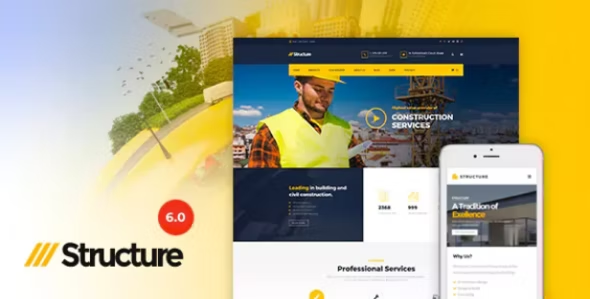
Stuck on your Structure WordPress theme? Let's fix it.
No endless back-and-forth. Just send us the details and we'll get it done.
No obligation · Replies within 1 hour · Quote within 1 day
Setup · Customization · Bug fixes · WooCommerce integration
About Structure WP Theme
Structure is a multipurpose WordPress theme built by ThemeMove. It ships with a visual page builder, a wide set of pre-built demos, and tight WooCommerce integration. The theme targets agencies, freelancers, and businesses that want a polished site without writing custom code from scratch.
ThemeMove built Structure on a clean foundation with Elementor compatibility, WPML support, and a modular layout system. Header and footer builders are included, and the demo importer makes initial setup fast. Performance-wise it sits in the mid-range out of the box, though it responds well to optimisation. If you need a flexible theme that covers most business use cases without heavy plugin dependencies, Structure is a solid starting point.
Get matched with a Structure developer in under one day
Tell us about your Structure project. Small fixes, Structure theme customization, or a full website build, whatever you need, we've got it covered.
We'll connect you to the right Structure developers, define the scope, and get everything 100% clear.
You'll get one estimate, hire your preferred developer, and start collaborating.
Most Structure problems come down to one thing: the theme can do what you need, but getting there requires someone who knows the codebase. FoxyConcept connects you with vetted Structure developers through Codeable, a curated network where every developer is reviewed before they can take projects. You post your project, get matched within 24 hours, and receive a free estimate before any commitment. No bidding wars, no junior developers learning on your budget.
Pros
- Comes with 30+ pre-built demo sites covering a wide range of industries
- Native Elementor integration with custom widgets specific to the theme
- Includes a built-in header and footer builder without needing a third-party plugin
- WPML and Polylang compatible for multilingual site builds
- WooCommerce support is solid with dedicated product page layout options
Cons
- Demo import can be unreliable on some hosting environments, requiring manual setup
- Theme options panel overlaps with Elementor controls, creating occasional conflicts
- Update frequency has slowed, with some compatibility gaps on newer WordPress versions
- Documentation is thin on advanced customisation and filter hooks
- Out-of-the-box page speed scores are mediocre and need deliberate optimisation work
Who is Structure for?
Creative Agency
Structure’s portfolio layouts and flexible grid system make it a practical choice for creative agencies. A Structure developer can build custom project archive pages, filterable case study grids, and team member sections that match your brand without starting from zero. The Elementor integration keeps ongoing content updates manageable for non-technical staff.
WooCommerce Store
The theme ships with WooCommerce-ready templates for product pages, category archives, and the cart. A Structure specialist can push further by customising the checkout flow, adjusting product card layouts, and integrating payment or shipping plugins cleanly. It’s a workable base for small to mid-sized stores that want design flexibility alongside standard WooCommerce features.
Freelancer Portfolio
For freelancers, Structure offers clean single-page layouts and portfolio demo options that present work clearly. Setup is fast if you stick close to the demo design. A Structure developer can tailor the contact section, add custom project detail pages, and configure the theme for strong single-keyword local or niche SEO without a large plugin overhead.
Corporate Business Site
Corporate sites need reliable navigation, clear service pages, and fast load times. Structure covers the layout side well. A Structure expert can build out multi-level mega menus, integrate CRM forms, and set up a news or blog section that matches the overall design. The header builder handles complex navigation structures without requiring a separate plugin.
SaaS or Tech Product
SaaS landing pages need feature sections, pricing tables, and clear CTAs. Structure includes Elementor widgets for all three. A Structure developer can build a full marketing site with dedicated landing pages for different audience segments, integrate a help desk or live chat plugin cleanly, and keep the overall layout lightweight for fast load times.

Customizing Structure
Structure gives you a lot of control through its theme options panel and Elementor. You can adjust typography, colour schemes, header layouts, and sidebar configurations without touching code. That said, there are limits. Custom post type layouts, advanced WooCommerce modifications, and pixel-precise section builds often need a Structure expert to get right.
Common customisation work includes building bespoke page templates, creating custom Elementor widgets, modifying the checkout flow, and integrating third-party APIs. A Structure developer can also extend the theme’s built-in header builder when the out-of-the-box options stop short of what your design requires. If you’ve hit a wall with the theme options panel, working with a specialist is the fastest route forward.
Recommended plugins for Structure
Structure works well with a focused plugin stack. Elementor Pro unlocks additional widgets and dynamic content features. For stores, WooCommerce plus a dedicated cart plugin like CartFlows handles most checkout needs.
Speed is worth addressing early. Structure benefits from proper caching, image optimisation, and a CDN setup. See our WordPress performance service for a full breakdown. If you’re running a content-heavy site, pairing Structure with a solid schema and metadata workflow matters. Our WordPress SEO optimisation service covers that end of things. Keep the plugin count lean and test compatibility after each addition.
Not sure which plugins to use? This WordPress plugins directory covers the most popular options with reviews and setup guides.
Structure common issues
Structure theme demo import not working
Demo import failures in Structure are usually caused by server timeout limits, memory restrictions, or missing required plugins. First, confirm all required plugins listed in the theme documentation are active. Then increase the PHP memory limit to at least 256MB and raise the max execution time. If the import still fails partially, use the manual XML import method and import widgets and settings separately through the customiser.
Structure header not showing on mobile
If the Structure header disappears or breaks on mobile, check the header builder settings under each breakpoint. ThemeMove’s header builder has separate controls for desktop, tablet, and mobile. Make sure the mobile header row is enabled and that the menu toggle widget is added. Also check for conflicting CSS from a child theme or custom code. If the issue persists after a plugin conflict test, our WordPress bug fixing service can diagnose it quickly.
Structure theme Elementor widgets missing after update
After a Structure or Elementor update, custom theme widgets can disappear from the Elementor panel. This usually means there’s a version conflict between the theme and the current Elementor release. Clear all caches, deactivate and reactivate Elementor, then regenerate the Elementor CSS files under Elementor > Tools. If widgets are still missing, check the ThemeMove changelog for compatibility notices and roll back Elementor temporarily if needed.
Structure WooCommerce product page layout broken
Broken WooCommerce product page layouts in Structure are often caused by a missing WooCommerce template override or a plugin conflict affecting the loop. Go to WooCommerce > Status > System and check for outdated template files. Run the WooCommerce template update tool if prompted. If you’ve customised the product template via a child theme, re-check it against the current WooCommerce template version. Our WordPress bug fixing service handles these layout conflicts regularly.
Structure theme slow page speed score
Structure’s default page speed isn’t its strong point. Start by enabling a caching plugin like WP Rocket or LiteSpeed Cache. Serve images in WebP format and set explicit dimensions. Defer non-critical JavaScript, especially slider scripts loaded on every page. Disable Structure’s bundled Google Fonts if you’re loading them separately or using a system font stack. These steps alone typically lift Core Web Vitals scores significantly without modifying theme files.
Structure mega menu not working properly
Structure’s mega menu requires the mega menu option to be enabled per menu item inside Appearance > Menus. Open the menu item toggle and look for the mega menu checkbox. If the panel isn’t showing, a JavaScript conflict may be blocking the menu builder scripts in the admin. Test with plugins disabled. Also confirm the correct header row is set to use the main navigation widget, since some demo imports assign menus to the wrong header row.
Structure theme white screen after update
A white screen after a Structure update almost always points to a PHP error, a memory limit issue, or a conflict with a plugin that hooked into a function the new version changed. Enable WordPress debug mode by adding WP_DEBUG true to wp-config.php and check the error log. If the error names a specific plugin, deactivate it. If it points to the theme, re-upload the theme files via FTP and check if a child theme override is causing the problem.
Structure footer columns not aligning correctly
Footer column alignment issues in Structure are typically a CSS specificity problem or a result of the footer builder rows being set to unequal column widths. Open the footer builder under Appearance > Structure > Footer Builder and check each column’s width setting. If everything looks correct there, inspect with browser dev tools to find which rule is overriding the layout. Custom CSS added in the wrong section can also collapse footer columns unexpectedly.
Structure theme WPML language switcher not displaying
When WPML’s language switcher doesn’t appear in Structure, the most common cause is that the switcher widget hasn’t been added to the correct header or footer row in the Structure builder. WPML provides a dedicated Elementor widget and a classic widget. Add the appropriate one to the header row you’re using. Also confirm the WPML String Translation and Multilingual CMS plugins are both active and that the current page is fully translated in WPML’s status screen.
Structure custom CSS not applying in Elementor
Custom CSS entered in Elementor’s page settings or the WordPress Customiser sometimes fails to apply due to caching or CSS specificity. First, clear all plugin and server caches. Then check selector specificity. Elementor’s custom CSS field applies styles scoped to the widget or section, so targeting a child element may need a more specific selector. For global CSS, use the Additional CSS field in the Customiser rather than individual Elementor widget CSS boxes.
Structure FAQ
Yes, Structure is built to work with both the free Elementor plugin and Elementor Pro. The theme includes its own custom Elementor widgets on top of standard ones. Elementor Pro’s Theme Builder also works with Structure, allowing dynamic headers, footers, and archive templates. Check the ThemeMove changelog for which Elementor version is currently tested against before updating.
Always use a child theme for customisations. If you’ve edited the parent theme files directly, an update will overwrite them. Before updating, back up your site fully, note any custom code in the parent theme, then run the update. Reapply any necessary changes to the parent theme files after. A Structure developer can migrate your customisations to a child theme properly if you haven’t done so yet.
Yes. Structure includes WooCommerce templates for shop, product, cart, and checkout pages. The theme’s layout options extend to product page design and shop archive grids. It’s compatible with most WooCommerce extension plugins. For heavily modified stores, a Structure specialist can handle deeper customisation of the WooCommerce templates beyond what the theme options panel offers.
Structure produces clean HTML output and supports standard SEO plugins like Yoast and Rank Math without conflict. Schema markup, meta control, and sitemap generation all work as expected. The main SEO risk with Structure is page speed, which needs active optimisation work. Pairing it with a caching plugin and an image compression tool brings it to a competitive baseline.
Purchase Structure from ThemeForge or ThemeMove’s site, download the installable ZIP file, then go to Appearance > Themes > Add New > Upload Theme in your WordPress dashboard. Activate the theme and follow the setup wizard to install required plugins. From there, use the demo importer to load a starter layout or build from scratch using the Elementor page builder.
Structure is WPML and Polylang compatible. The theme’s header builder supports WPML’s language switcher widget, and string translations can be managed through WPML’s String Translation module. For full multilingual builds, a Structure specialist familiar with WPML’s setup process will save you time, particularly when translating dynamic content and custom Elementor template sections.
Structure supports custom post types, though dedicated archive and single templates for CPTs require either Elementor Pro’s Theme Builder or custom PHP templates added via a child theme. The theme does not ship with a built-in CPT manager, so you’ll need a plugin like Custom Post Type UI to register new types, then build the display layer separately.
Structure recommends Elementor as its primary page builder and includes its own companion plugin for theme-specific widgets and settings. WooCommerce is optional but supported. Beyond that, the theme works without mandatory plugins. ThemeMove typically bundles Revolution Slider and some premium widgets as optional additions. Keep only what you actively use to avoid bloating the plugin stack.
Create a child theme folder in wp-content/themes with a style.css that declares the parent theme as Structure and a functions.php that enqueues the parent stylesheet. Upload it via FTP or a file manager, then activate it in Appearance > Themes. All your custom CSS and PHP overrides go into the child theme. This keeps your changes safe when the parent theme updates.
ThemeMove continues to release updates for Structure, though the pace has slowed compared to earlier years. The theme still receives WordPress core compatibility patches and periodic bug fixes. Before purchasing or committing to a long-term build on Structure, check the ThemeForest changelog and the last update date. For sites already on Structure, a maintenance plan helps keep it stable.
Hire a Structure Developer
Whether you need a full site build, a single layout fix, or help extending Structure beyond its defaults, working with a specialist saves time. FoxyConcept works exclusively through Codeable, so you get a developer with a verified track record on WordPress projects. Get a free estimate and describe what you need. No obligation, no upfront payment, and you’ll hear back within 24 hours.
You'll need a free Codeable account so developers can ask questions and send their quotes.