FoodBakery WordPress Theme
by Chimpstudio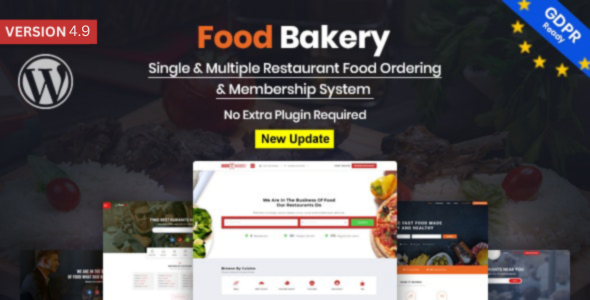
Stuck on your FoodBakery WordPress theme? Let's fix it.
No endless back-and-forth. Just send us the details and we'll get it done.
No obligation · Replies within 1 hour · Quote within 1 day
Setup · Customization · Bug fixes · WooCommerce integration
About FoodBakery WP Theme
FoodBakery is a WordPress theme built by Chimpstudio for food delivery and restaurant directory websites. It ships with multi-restaurant ordering, a real-time order tracking system, and a built-in food delivery marketplace structure that puts it closer to a full application than a standard theme.
The theme supports multiple restaurant owners, each with their own menu, working hours, delivery zones, and payout settings. Front-end restaurant registration, AJAX-powered search filters, and a checkout flow built around WooCommerce make it a serious option for anyone building a local food delivery platform or restaurant listing site. It is sold on ThemeForest and maintained actively by Chimpstudio.
Get matched with a FoodBakery developer in under one day
Tell us about your FoodBakery project. Small fixes, FoodBakery theme customization, or a full website build, whatever you need, we've got it covered.
We'll connect you to the right FoodBakery developers, define the scope, and get everything 100% clear.
You'll get one estimate, hire your preferred developer, and start collaborating.
FoodBakery is not a theme you configure in an afternoon. The marketplace logic, WooCommerce integration, and delivery zone system all have moving parts that interact in non-obvious ways. A specialist who has worked with the theme before can set it up correctly the first time, without the trial-and-error that usually comes with complex multi-vendor food platforms. Codeable connects you with vetted WordPress developers who know themes like FoodBakery in depth, with no bidding wars and a fixed-rate escrow process that protects your budget from the start.
Pros
- Built-in multi-restaurant marketplace with per-vendor menus, hours, and delivery zones
- Real-time order tracking system included without needing extra plugins
- Front-end restaurant registration lets new vendors sign up without admin access
- WooCommerce-based checkout supports multiple payment gateways out of the box
- Active development from Chimpstudio with regular compatibility updates
Cons
- Heavy page weight due to bundled scripts and map libraries slows initial load times
- Limited flexibility in checkout flow customization without touching theme PHP files
- Some theme options panel settings override CSS in ways that are hard to track in a child theme
- Documentation covers basics but skips advanced use cases like custom payout rules or delivery fee formulas
- Vendor dashboard UI looks dated compared to modern marketplace themes and may need front-end work
Who is FoodBakery for?
Local Food Delivery Marketplace
FoodBakery was designed for exactly this. Multiple restaurants, each with their own menus, delivery zones, and pricing, managed from a single WordPress install. A FoodBakery developer can configure commission structures, automated payouts via WooCommerce, and custom delivery fee rules so the platform runs with minimal admin overhead.
Restaurant Directory with Online Ordering
If the goal is a Yelp-style directory where restaurants can be browsed, filtered, and ordered from directly, FoodBakery handles that structure natively. A FoodBakery specialist can build out category filters, map-based search, and review systems that make the directory genuinely useful for end users rather than just a listing page.
Cloud Kitchen or Dark Kitchen Platform
Cloud kitchens operating multiple brands from one location can use FoodBakery to present each brand as a separate restaurant with its own menu and branding. A FoodBakery expert can configure the backend so a single kitchen team manages all orders from one admin view while customers see distinct storefronts.
Catering and Event Food Booking Site
Catering businesses often need date-based ordering, minimum order values, and lead time settings that standard food delivery themes ignore. FoodBakery’s WooCommerce base makes it possible for a FoodBakery developer to wire in booking plugins and custom order fields that support catering-specific workflows without rebuilding the whole site.
Bakery or Specialty Food Brand Website
A single-brand bakery or specialty food shop can use FoodBakery as a polished storefront with local delivery support. The theme’s product gallery, category filtering, and delivery zone settings work well at smaller scale. A FoodBakery specialist can strip out the marketplace complexity and focus the site purely on converting local customers.

Customizing FoodBakery
FoodBakery gives you a lot out of the box, but getting it to match a specific brand or business model usually requires more than toggling theme options. The built-in panel covers colors, fonts, homepage layouts, and map settings, but anything beyond that means working with child themes, custom CSS, or PHP hooks.
A FoodBakery expert can handle the configurations that trip up most site owners: custom delivery fee logic, modified payout rules, branded email templates, or a completely reworked homepage built on the included page builder support. If you need to change how menus display, add extra restaurant fields, or integrate a third-party payment gateway, working with a FoodBakery specialist saves significant time and avoids breaking core functionality.
Recommended plugins for FoodBakery
FoodBakery pairs well with several supporting plugins. WooCommerce subscriptions can add paid restaurant listing plans. WPML handles multi-language menus and location pages. For speed, a caching layer and image optimization are essential given the volume of restaurant images and map scripts the theme loads. See our WordPress performance service for how to approach that.
For directories targeting local search, structured data and location-based SEO matter a lot. Our WordPress SEO service covers schema markup for restaurants, review aggregation, and local landing page optimization that FoodBakery sites benefit from directly.
Not sure which plugins to use? This WordPress plugins directory covers the most popular options with reviews and setup guides.
FoodBakery common issues
FoodBakery checkout not working after WooCommerce update
WooCommerce updates frequently break checkout templates in themes that override WooCommerce core files. In FoodBakery, check whether the theme’s WooCommerce template folder has outdated versions of checkout/form-checkout.php or cart/cart.php. Compare them against the current WooCommerce templates. Updating those files in a child theme usually resolves the issue. If the checkout breaks silently, enable WooCommerce logging to catch the exact error before editing files.
Restaurant not showing on FoodBakery map
This usually comes down to a missing or invalid Google Maps API key, or a restaurant post that has not had coordinates saved properly. Go to the restaurant’s edit screen and confirm the address has been geocoded and the map pin is visible in the location field. Also check that your Google Maps API key has the Geocoding API and Maps JavaScript API both enabled in the Google Cloud Console. A billing account must be active for the key to function.
FoodBakery delivery fee not calculating correctly
FoodBakery calculates delivery fees based on delivery zones and distance rules set per restaurant. If the fee is wrong, check the restaurant’s delivery settings and confirm the zone boundaries are correct. Also verify that the WooCommerce shipping configuration is not conflicting with FoodBakery’s own delivery fee system. These two can clash if WooCommerce shipping zones were set up separately. For persistent delivery logic problems, our WordPress bug fixing service can trace the conflict directly in the code.
FoodBakery order emails not being sent
Missing order emails in FoodBakery are usually a server email delivery issue rather than a theme bug. Install WP Mail SMTP and connect it to a transactional mail provider like Mailgun, SendGrid, or Postmark. Once SMTP is configured, use the plugin’s test tool to confirm emails send. Also check WooCommerce email settings to make sure the relevant order status emails are enabled and the recipient addresses are correct for vendor and admin notifications.
FoodBakery vendor dashboard showing blank page
A blank vendor dashboard usually means a PHP error is being suppressed, or a required plugin is missing or deactivated. Enable WP_DEBUG in wp-config.php and reload the dashboard to surface the error. Common causes include a missing WooCommerce version, a deactivated FoodBakery child plugin, or a permissions issue with the vendor user role. Check that the vendor user has the correct role assigned and that no security plugin is blocking frontend dashboard access. Our WordPress bug fixing service handles these kinds of blank-screen issues regularly.
FoodBakery search filter returning no results
FoodBakery’s AJAX search filters depend on specific taxonomy terms being assigned to restaurant posts. If filters return nothing, check that the cuisine, location, or feature terms are properly assigned to restaurants and that the AJAX handler URL is correct. Also confirm that your server is not caching POST requests, which blocks AJAX calls. A caching plugin configured incorrectly is the most common cause. Exclude the search endpoint from caching rules in your caching plugin settings.
FoodBakery menu items not saving
Menu items failing to save in FoodBakery are often caused by a PHP memory limit that is too low, a nonce timeout on long form sessions, or a conflict with a security plugin blocking the save request. Increase PHP memory to at least 256MB in wp-config.php. Check the browser console for a 403 or 500 response on the save action. If a security plugin like Wordfence or iThemes Security is active, temporarily disable it and test again to confirm whether it is blocking the request.
FoodBakery payment gateway not appearing at checkout
If a payment gateway is not showing at FoodBakery checkout, start by confirming the gateway is enabled in WooCommerce payment settings and that it has valid API credentials. Some gateways also require SSL to display. Check that your site has a valid SSL certificate and that WordPress is loading over HTTPS. If you are using Stripe or PayPal, their WordPress plugins also need to be configured separately from the WooCommerce setting toggle. Our WordPress bug fixing service can resolve gateway conflicts quickly.
FoodBakery mobile layout broken on restaurant pages
FoodBakery mobile layout issues on restaurant pages are typically caused by the theme’s custom CSS conflicting with the responsive breakpoints, or a third-party plugin injecting styles that override the theme. Open Chrome DevTools on the broken element and inspect which CSS rule is causing the overflow or misalignment. If the issue appeared after a plugin install, deactivate plugins one at a time to isolate the conflict. Adding targeted CSS in a child theme’s stylesheet is the correct fix rather than editing the theme directly.
FoodBakery slow page load on homepage
FoodBakery loads Google Maps, multiple jQuery plugins, and a large number of restaurant images on the homepage, all of which add to page weight. Start by enabling lazy loading for images, deferring non-critical JavaScript, and setting up a page cache. Use a CDN for static assets. If the map is the main bottleneck, consider loading it only on scroll or user interaction rather than on page load. For a full audit and implementation, see our WordPress performance service.
FoodBakery FAQ
Yes, if you are building a multi-restaurant platform or local delivery directory. FoodBakery includes delivery zone management, per-restaurant menus, order tracking, and a WooCommerce checkout. For a single restaurant with basic ordering needs, it may be more setup than you need, but it handles the full marketplace model well.
Yes. FoodBakery is built on WooCommerce and uses it for order management, payment processing, and checkout. Most major WooCommerce payment gateways work with it. Keep WooCommerce updated and check theme template compatibility after major WooCommerce version updates to avoid checkout issues.
Yes, that is the core use case. Each restaurant gets its own menu, delivery settings, operating hours, and vendor dashboard. A FoodBakery expert can configure commission rates, payout schedules, and front-end registration so new restaurants can join the platform without admin intervention.
Delivery zones in FoodBakery are set per restaurant inside the restaurant edit screen. You can define zones by radius or draw custom polygon areas on the map. Each zone can have its own delivery fee and minimum order value. You will need a valid Google Maps API key with the Geocoding and Maps JavaScript APIs enabled.
Yes. FoodBakery includes a built-in order tracking system that lets customers follow their order through preparation, dispatch, and delivery stages. Restaurants update the status from their dashboard. No additional plugin is required for basic tracking, though custom integrations with dispatch software need development work.
FoodBakery has general WPML compatibility but it requires careful setup. Menu items, restaurant names, and location taxonomy terms all need to be translated manually. Some dynamic strings pulled via AJAX may need extra configuration in WPML’s String Translation module. A FoodBakery specialist can handle the full WPML setup correctly.
FoodBakery developer rates on Codeable typically range based on project scope. A basic setup and configuration runs lower than a full custom marketplace build with modified payout logic and custom integrations. Post your project for a free estimate and get a clear quote from a vetted FoodBakery developer before committing to anything.
You can, and it works well for a single restaurant with local delivery. The multi-vendor features can be ignored. You get a polished menu display, delivery zone control, and WooCommerce ordering. If you want to remove the marketplace UI elements for a cleaner single-brand experience, a FoodBakery developer can handle that quickly.
Yes, always use a child theme with FoodBakery. Theme updates will overwrite any changes made directly to the parent theme files. Create a child theme before customizing templates or adding custom CSS. This protects your work and lets you apply Chimpstudio’s updates without losing your modifications.
FoodBakery requires WooCommerce for ordering and payments, and a Google Maps API key for location and delivery zone features. Some features also work better with Contact Form 7 for vendor inquiry forms. The theme bundles several premium plugins including Revolution Slider. Keep all bundled plugins updated through the theme’s update panel.
Hire a FoodBakery Developer
Whether you need a full FoodBakery setup, a specific feature built out, or an existing site fixed and optimized, we match you with a developer who has done it before. Work is scoped clearly, delivered through Codeable, and backed by a risk-free estimate process. Get a Free Estimate and describe your project today — no obligation to hire.
You'll need a free Codeable account so developers can ask questions and send their quotes.