Wavo WordPress Theme
by Ninetheme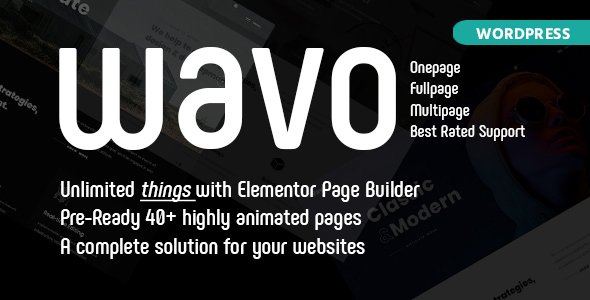
Stuck on your Wavo WordPress theme? Let's fix it.
No endless back-and-forth. Just send us the details and we'll get it done.
No obligation · Replies within 1 hour · Quote within 1 day
Setup · Customization · Bug fixes · WooCommerce integration
About Wavo WP Theme
Wavo is a music WordPress theme built by Ninetheme, aimed at DJs, musicians, bands, and music producers who want a professional web presence without custom development costs. It ships with a visual page builder, pre-built demo content, and a layout designed around audio playback, event listings, and artist portfolios.
The theme supports WooCommerce for selling merch or digital downloads, includes multiple header styles, and is built on a Bootstrap grid. It uses Elementor for page editing, which keeps customization accessible without touching code. The design leans into dark aesthetics and full-width visuals typical of music industry sites. Overall, Wavo gives musicians a solid starting point, though getting beyond the demo often requires a developer who knows the theme well.
Get matched with a Wavo developer in under one day
Tell us about your Wavo project. Small fixes, Wavo theme customization, or a full website build, whatever you need, we've got it covered.
We'll connect you to the right Wavo developers, define the scope, and get everything 100% clear.
You'll get one estimate, hire your preferred developer, and start collaborating.
Most Wavo issues come down to one thing: the theme does more than the documentation explains, and less than you assumed. A developer who has worked inside Wavo’s structure knows where Elementor ends and Ninetheme’s custom code begins. Through Codeable, you get access to vetted WordPress specialists who have handled Wavo builds before. No guesswork, no junior developers, and a free estimate before any commitment. That’s a faster path to a working site than forum threads.
Pros
- Purpose-built for music sites with native dark theme aesthetics and audio player integration
- Elementor-based editing means most layout changes don't require code
- Pre-built demo content covers DJ, band, and producer use cases with minimal setup
- WooCommerce support is baked in, making merch and digital download stores straightforward
- Ninetheme provides regular updates and responds to support tickets on ThemeForest
Cons
- Demo import can fail or import incomplete content depending on server configuration
- The built-in audio player lacks advanced playlist features without additional plugins
- Heavy reliance on Elementor means performance can suffer without proper optimisation
- Some styling options are buried in the theme options panel rather than exposed in Elementor
- Documentation is functional but thin on advanced use cases and custom development scenarios
Who is Wavo for?
DJ Portfolio Site
Wavo’s dark layouts and full-width visuals suit DJ portfolios well. A Wavo developer can set up a booking enquiry form, embed a mix player, display upcoming gigs via The Events Calendar, and structure the site so promoters and venue managers can quickly find what they need.
Band or Artist Website
Bands need tour dates, a discography, a press kit section, and social integration. Wavo covers all of these with the right setup. A Wavo specialist can configure the event listing, link streaming platforms, and ensure the homepage communicates the band’s identity rather than looking like an untouched demo.
Music Producer Showcase
Producers use their site to attract sync licensing clients and artist collaborations. Wavo’s portfolio sections can be adapted for beat or sample pack showcases. A developer can add a contact form tied to specific service tiers and display audio demos without relying on third-party embed codes.
Record Label Website
A record label needs artist pages, release archives, and possibly a WooCommerce store for physical and digital media. Wavo’s custom post type support and Elementor flexibility make this achievable, though a Wavo developer is typically needed to build the multi-artist structure cleanly.
Music Merch and Digital Download Store
WooCommerce and Wavo work together reasonably well for selling merchandise and digital downloads. A developer can configure product pages to match the theme’s visual style, set up download delivery for digital files, and integrate payment options suited to an international music audience.

Customizing Wavo
Out of the box, Wavo gives you Elementor controls for layout, typography, and colour. But the real work starts when the demo import does not match your branding, or when you need sections the bundled widgets do not cover natively.
A Wavo expert can rework the homepage hero, restructure the event listing layout, set up custom post types for releases or tour dates, and wire up WooCommerce correctly for digital music sales. Child theme setup is strongly recommended before any code-level changes, since Ninetheme pushes theme updates that can overwrite modifications. Working with a Wavo specialist from the start avoids those conflicts and keeps the site maintainable long-term.
Recommended plugins for Wavo
Wavo pairs well with a focused set of plugins. For audio, the built-in player covers basics, but AudioIgniter or WP-Playlist give more control over tracklist display. For event management, The Events Calendar integrates cleanly with the theme’s listing pages.
If you’re selling music or merchandise, WooCommerce with a payment gateway like Stripe is the standard route. On the technical side, caching and image optimisation matter on media-heavy sites. See our WordPress performance services for help there. If your site needs to rank for artist or venue searches, structured WordPress SEO work makes a measurable difference.
Not sure which plugins to use? This WordPress plugins directory covers the most popular options with reviews and setup guides.
Wavo common issues
Wavo demo import not working
Demo import failures in Wavo are usually caused by PHP memory limits, execution timeouts, or a missing one-click import plugin. First, increase memory_limit to at least 256MB and max_execution_time to 300 in your PHP configuration. Make sure the required plugins listed in the theme documentation are installed and active before importing. If the import still stalls, try importing XML files manually via WordPress Tools rather than the one-click method. If problems persist, a developer can handle this without data loss.
Wavo audio player not showing on mobile
Wavo’s audio player occasionally breaks on mobile due to CSS conflicts with the theme’s responsive stylesheets or JavaScript loading order. Check whether the issue is isolated to specific browsers. Clearing the cache and disabling caching plugins temporarily helps rule out stale files. If the player uses a custom Ninetheme widget, check the Elementor widget settings for mobile visibility toggles. For persistent mobile audio issues, the WordPress bug fixing service can trace the exact script conflict.
Wavo Elementor widgets missing after update
After a Wavo or Elementor update, custom widgets from Ninetheme can disappear from the Elementor panel if the theme’s widget registration code is not compatible with the updated Elementor API. Deactivate and reactivate Elementor first. Then regenerate the Elementor CSS cache under Elementor settings. If widgets remain missing, the theme may need a patch from Ninetheme. Check their ThemeForest comments for a known fix or pending update addressing that version conflict.
Wavo theme header not displaying correctly
Header display issues in Wavo are often caused by conflicting header style settings between the Theme Options panel and per-page Elementor overrides. Check the global header setting in Wavo’s theme options first, then inspect whether individual pages have a different header template assigned. Sticky header CSS can also break after plugin updates. Clearing all caches and reviewing any custom CSS in the Additional CSS field usually resolves visual inconsistencies without deeper changes.
Wavo WooCommerce pages not styled
WooCommerce pages in Wavo may lose theme styling when WooCommerce updates its template files and the theme’s bundled WooCommerce templates fall out of sync. Go to WooCommerce Status under Tools and check for outdated templates. Ninetheme periodically releases updates to resync these. In the meantime, a developer can manually update the outdated template files inside the theme folder. For ongoing template management, the WordPress bug fixing service handles this cleanly.
Wavo event listing page showing wrong layout
Wavo’s event listing layout depends on The Events Calendar plugin being active and configured to match the theme’s template expectations. If the layout looks wrong, first confirm The Events Calendar is installed and updated. Then check whether Wavo provides a custom events template and whether it is being loaded correctly. Page template settings on the events archive page can also override the theme’s design. Resetting the events page template assignment in page settings often resolves this.
Wavo custom fonts not loading
Custom fonts failing to load in Wavo typically means the font files are not being enqueued properly, or a caching layer is serving an older stylesheet. If you are using Google Fonts through the theme options, check for a blocked request in your browser console, which can happen when a security plugin blocks external font connections. For locally hosted fonts, confirm the font file paths are correct and that the CSS referencing them is not being overridden by a child theme or plugin stylesheet.
Wavo slider not working on homepage
The Wavo homepage slider breaking usually points to a JavaScript conflict with another plugin or a missing dependency. Open your browser console and look for JavaScript errors referencing slider scripts. Deactivating plugins one by one helps isolate the conflict. The slider may also fail if the required images are below the recommended dimensions specified in Wavo’s documentation. Regenerating thumbnails after uploading correctly sized images with the Regenerate Thumbnails plugin is a quick first step.
Wavo child theme not inheriting styles
A Wavo child theme that is not picking up parent styles is usually missing the correct wp_enqueue_scripts setup in its functions.php file. The child theme must enqueue the parent stylesheet explicitly rather than relying on CSS @import. Check that the child theme’s stylesheet header correctly references Wavo as the template. If you are making Elementor-based changes, some global style settings are stored in Elementor’s database rather than the stylesheet, so those will carry over regardless of the child theme.
Wavo contact form not sending emails
Contact form emails not sending from a Wavo site are almost always a hosting-level issue rather than a theme problem. Most shared hosts block default PHP mail. Install an SMTP plugin such as WP Mail SMTP and connect it to a transactional email service like Mailgun or SMTP2GO. Configure the from address to match your domain. Test the connection using the plugin’s built-in mail test tool. If you’re using Contact Form 7 or WPForms bundled with the theme demo, reconfigure their mail settings after SMTP is active.
Wavo FAQ
Wavo is a solid choice for DJs, bands, producers, and record labels. It ships with audio player support, event listings, portfolio sections, and dark visual layouts suited to music branding. Getting the most out of it beyond the demo usually requires some development work, but the foundation is strong for music-focused sites.
Yes, Wavo is built around Elementor. Most page layouts and sections are constructed using Elementor templates, and Ninetheme includes custom Elementor widgets specific to Wavo. You need Elementor installed and active for the theme to function as intended. The free version of Elementor covers most of what the theme requires.
Wavo includes WooCommerce support for selling merchandise and digital downloads. The theme has basic WooCommerce templates styled to match its design. For a more complete shop experience, some template customisation is recommended. WooCommerce template files may need updating after major WooCommerce version upgrades to stay visually consistent.
Wavo includes a one-click demo import tool accessed through the theme options panel. Before importing, install all required plugins listed in the Wavo documentation. Ensure your host’s PHP memory limit is at least 256MB. If the one-click import fails, you can use the WordPress XML importer manually with the demo content files provided in the theme package.
Wavo is built on Bootstrap and is designed to be responsive across devices. That said, audio players and sliders occasionally need adjustments on smaller screens depending on the browser. Testing on real devices after setup is recommended, and any CSS tweaks for mobile are typically minor and handled through Elementor’s responsive controls.
Wavo is compatible with The Events Calendar plugin and is designed to use it for tour dates and gig listings. Ninetheme has styled the event archive and single event pages to match the theme’s visual design. Make sure you are using a version of The Events Calendar that matches the current Wavo release to avoid template conflicts.
The fastest route is posting your project on Codeable, where vetted WordPress developers with theme-specific experience are matched to your project within 24 hours. You receive a free estimate before committing. Alternatively, get a free estimate here and describe your Wavo project in detail.
Yes, and using a child theme is strongly recommended if you plan to modify any template files or add custom PHP. Wavo updates from Ninetheme can overwrite changes made directly to the parent theme. A child theme keeps your modifications intact through updates. Setting one up correctly takes about 15 minutes and prevents significant headaches later.
Wavo uses Elementor as its primary page builder. Ninetheme has built custom Elementor widgets that come bundled with the theme for music-specific sections like audio players, artist bios, and event counters. Elementor Free covers the core functionality, though some third-party Elementor addons can extend what is available.
Like most Elementor-based themes, Wavo can load slowly without proper optimisation. Music sites add weight through audio files, large background images, and video embeds. A caching plugin, image compression, and lazy loading make a measurable difference. See our WordPress performance service for a structured approach to speed improvements.
Hire a Wavo Developer for Your Music Site
Whether you need a full Wavo build from demo to launch, a specific feature added, or something broken fixed, a dedicated Wavo developer saves time and avoids the mistakes that come from trial and error. Post your project, get matched with a specialist within 24 hours, and receive a free estimate with no obligation to hire. Get a Free Estimate and describe exactly what your site needs.
You'll need a free Codeable account so developers can ask questions and send their quotes.