Digiqole WordPress Theme
by trippleS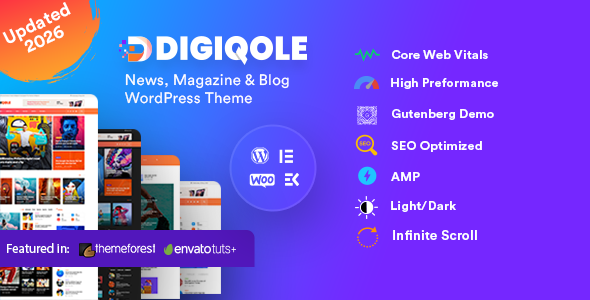
Stuck on your Digiqole WordPress theme? Let's fix it.
No endless back-and-forth. Just send us the details and we'll get it done.
No obligation · Replies within 1 hour · Quote within 1 day
Setup · Customization · Bug fixes · WooCommerce integration
About Digiqole WP Theme
Digiqole is a premium WordPress theme by trippleS, built specifically for news, magazine, and blog-focused websites. It ships with multiple pre-built demo sites, a clean block-based layout system, and deep integration with Elementor. The theme handles high content volume without making pages feel cluttered, which matters when you’re publishing dozens of articles per week.
Out of the box you get multiple header styles, dark mode support, sticky navigation, a mega menu builder, and ad management zones. Post formats cover standard articles, videos, audio, and galleries. The theme is translation-ready and supports RTL layouts, making it a practical choice for multilingual publishers. Performance is reasonable for a feature-heavy theme, though some optimisation work is usually needed for real-world traffic loads.
Get matched with a Digiqole developer in under one day
Tell us about your Digiqole project. Small fixes, Digiqole theme customization, or a full website build, whatever you need, we've got it covered.
We'll connect you to the right Digiqole developers, define the scope, and get everything 100% clear.
You'll get one estimate, hire your preferred developer, and start collaborating.
Digiqole is feature-dense. Getting the most out of it means knowing which options to ignore as much as which ones to use. Codeable connects you with vetted WordPress developers who have worked on themes like Digiqole before. You post your project, get a transparent estimate, and only move forward if the scope and cost make sense. No chasing freelancers, no surprises. Just a developer who knows the theme and can deliver.
Pros
- Multiple pre-built demos cover news, tech, lifestyle, and sports niches out of the box
- Built-in dark mode toggle works across the entire theme without additional plugins
- Mega menu builder handles complex navigation structures typical on large magazine sites
- Dedicated ad management zones make it straightforward to place and manage display advertising
- RTL language support and translation-ready structure suit multilingual editorial teams
Cons
- Theme options panel is large and poorly documented, making initial configuration slow
- Elementor dependency means page performance takes a hit without careful optimisation
- Some demo content imports incompletely, requiring manual cleanup after installation
- Mobile layout adjustments often need custom CSS despite the responsive claims
- Update history has had occasional breaking changes that affect customised installs
Who is Digiqole for?
Online News Portal
Digiqole handles high post volume well. Category pages, tag archives, and breaking news tickers are all built in. For a news portal publishing multiple stories per day, the theme’s grid layouts and featured post slots give editors the flexibility to surface the right content. A Digiqole developer can configure archive templates to match your editorial workflow exactly.
Tech Blog
The tech demo from trippleS is one of the stronger pre-built layouts. It suits review sites, how-to blogs, and product news outlets. Post ratings, comparison-style layouts, and sidebar ad placement all work cleanly. A Digiqole specialist can extend the single post template to include structured data for review snippets in search results.
Lifestyle Magazine
Digiqole’s lifestyle demo uses large imagery and clean typography to suit fashion, food, and travel content. The theme supports video and audio post formats natively. If your content mix includes both long-form articles and visual galleries, Digiqole manages both without needing separate templates. Custom category layouts help keep different content verticals visually distinct.
Sports News Site
Sports sites need fast updates and clear visual hierarchy for scores, match reports, and transfers. Digiqole’s breaking news ticker and sticky header suit this workflow. The mega menu can handle league structures and team categories across a deep navigation tree. A Digiqole expert can build out custom post types for fixtures or standings if needed.
Niche Content Publisher
Digiqole works for focused niche publishers covering topics like finance, health, gaming, or parenting. The theme’s monetisation-friendly layout makes it easier to integrate AdSense, direct ads, or affiliate content naturally within the editorial design. A Digiqole developer can help you set up the right mix of content zones and ad slots for your specific audience.

Customizing Digiqole
Digiqole gives you control through the WordPress Customizer, Elementor page builder, and its own theme options panel. You can build custom layouts for categories, author archives, and single posts without writing code. Header and footer builders let you rearrange elements visually.
That said, the sheer number of options can be disorienting if you haven’t worked with the theme before. A Digiqole expert can cut through that and set things up correctly the first time. Customising the mega menu, configuring the ad zones correctly, and building a homepage that performs well on mobile all take familiarity with how trippleS structured the theme. Hiring a Digiqole specialist means you skip the trial and error and get a build that actually matches your editorial vision from day one.
Recommended plugins for Digiqole
Digiqole works well with a standard plugin stack for news and magazine sites. WooCommerce integration lets you add subscriptions or merchandise. Elementor Pro extends the template builder significantly. For serious publishers, pairing the theme with a solid caching setup and image optimisation plugin is not optional.
Check out the WordPress performance service if your Digiqole site is slow under real traffic. If you’re building organic reach through search, the WordPress SEO optimisation service covers structured data, sitemap configuration, and on-page improvements that work specifically with news-heavy WordPress setups.
Not sure which plugins to use? This WordPress plugins directory covers the most popular options with reviews and setup guides.
Digiqole common issues
Digiqole homepage not showing posts after setup
This usually happens when the homepage template is set to a static page but no page is assigned in Settings > Reading. Go to Settings > Reading and make sure both the homepage and posts page are set correctly. If you’re using one of Digiqole’s custom homepage templates built in Elementor, also check that the template is published and assigned via the theme’s homepage settings inside the Customizer.
Digiqole demo import fails or loads blank pages
Demo imports in Digiqole require the trippleS importer plugin to be active alongside the theme. If the import stalls, increase PHP memory limit and max execution time in your php.ini or wp-config.php. Try importing content, widgets, and settings separately rather than all at once. If pages still load blank after import, a conflict with a caching plugin is the most common culprit. Disable caching, re-import, then re-enable.
Digiqole mega menu not working on mobile
Digiqole’s mega menu relies on a JavaScript handler that can conflict with some mobile menu scripts. First check if the issue appears with all plugins disabled. If it resolves, reactivate plugins one at a time to isolate the conflict. Also verify that the correct menu location is assigned under Appearance > Menus. If the problem persists, a WordPress bug fixing specialist can trace the script conflict and apply a targeted fix.
Digiqole dark mode not applying to all elements
Dark mode in Digiqole uses CSS custom properties to swap colour values. If certain blocks or widgets don’t respond, they likely have hardcoded colour values either set in Elementor or inline via the Customizer. Review each affected element and replace fixed hex values with the theme’s colour variables. Custom CSS added through child theme stylesheets should also reference these variables rather than static values to ensure dark mode works throughout.
Digiqole breaking news ticker not displaying
The breaking news ticker requires posts to be tagged with a specific tag or assigned to a category you’ve designated in the theme settings. Open the Customizer, navigate to the Breaking News section, and confirm the source is set and the display toggle is enabled. Also check that the widget isn’t hidden via display conditions if you’re using Elementor Pro. Clear any page cache after saving changes.
Digiqole Elementor widgets missing after update
After a Digiqole or Elementor update, custom widgets from trippleS can disappear from the Elementor panel if the theme’s plugin dependency isn’t current. Update the trippleS companion plugin to the latest version. If widgets still don’t show, deactivate and reactivate the companion plugin, then regenerate Elementor’s CSS cache under Elementor > Tools. If this breaks existing layouts, get professional help before pushing the fix to a live site.
Digiqole featured image not showing on single post
A missing featured image on single posts usually points to the post thumbnail being disabled in the single post template settings. In Digiqole’s theme options, look for the single post layout section and confirm featured image display is turned on. If it’s enabled there but still not showing, check whether the specific post has an image assigned and that it meets the minimum dimensions required by the theme’s registered image sizes.
Digiqole slow loading on shared hosting
Digiqole loads multiple scripts and stylesheets by default. On shared hosting without object caching, this creates noticeable delays. Start by enabling a caching plugin like WP Rocket or LiteSpeed Cache. Minify and combine CSS and JS where Digiqole doesn’t break when you do. Disable theme features you’re not using, particularly social share scripts and font loaders. For a full performance audit, the WordPress bug fixing service can identify exactly what’s slowing your specific install.
Digiqole custom fonts not loading correctly
Custom fonts in Digiqole are loaded through Google Fonts by default. If fonts aren’t rendering, check for a privacy plugin blocking Google Fonts requests, which is common in EU-based setups. You can self-host fonts using a plugin like OMGF and update the font references in Digiqole’s Customizer to point to local files. Also check for CSS specificity conflicts if a custom font is set but being overridden by Elementor’s font settings on specific elements.
Digiqole ad zones showing empty or misaligned
Empty ad zones in Digiqole often result from the ad code not being saved correctly in the theme’s ad management panel, or a content blocker stripping the output. Test in an incognito window with extensions disabled. For misalignment, the ad zone containers have fixed dimensions set in the theme CSS. If your ad creative doesn’t match those dimensions, you’ll see whitespace or overflow. Adjust either the creative size or override the container CSS in a child theme stylesheet.
Digiqole FAQ
Digiqole is built for news portals, online magazines, and content-heavy blogs. It handles high post volumes and includes features like breaking news tickers, mega menus, ad zones, and multiple article layout styles. It suits publishers who need an editorial-style site without building everything from scratch.
Yes. Digiqole is built with Elementor as its primary page builder. The theme ships with custom Elementor widgets for news tickers, post grids, and other magazine-specific elements. Elementor Free works for basic use, but Elementor Pro unlocks the full template builder and additional widget functionality.
Digiqole has basic WooCommerce compatibility. You can add a shop, product pages, and cart to a Digiqole site. It’s not a dedicated ecommerce theme, so complex shop layouts may need custom styling. Most publishers use it for selling digital subscriptions, merchandise, or branded products alongside editorial content.
Install the trippleS companion plugin first, then go to Appearance > Import Demo Data. Select your demo and choose whether to import all content or just specific parts. Increase PHP memory and execution time limits before running a full import. Importing on a fresh install avoids conflicts with existing content or settings.
Digiqole can work with Google News, but the theme itself doesn’t guarantee inclusion. You need a valid XML sitemap configured for news, correct article structured data, and consistent publishing frequency. A dedicated SEO setup is required. The theme provides the right structural foundation, but technical configuration still needs to be done correctly.
Digiqole is designed around Elementor. While standard posts and pages will work without it, the pre-built demos and most homepage layouts depend on Elementor. Removing it means rebuilding those layouts using other tools. For new setups, working with Elementor as intended is the more practical path.
Create a child theme by making a new folder in wp-content/themes, adding a style.css file with a Template header pointing to digiqole, and a functions.php that enqueues the parent stylesheet. Any CSS overrides or template file modifications go in the child theme. This protects your changes when trippleS releases theme updates.
Digiqole is translation-ready and supports RTL layouts. It works with WPML and Polylang for multilingual setups. Some Elementor-based templates may need to be duplicated and translated separately within your multilingual plugin. String translations for theme-specific text are handled through the standard .po/.mo file system.
Start with a caching plugin, image compression, and disabling unused theme features in the options panel. Digiqole loads several scripts by default that may not be needed on every page. Self-hosting Google Fonts reduces external requests. For deeper gains, server-level caching and a CDN make a significant difference on high-traffic news sites.
Codeable is the most reliable option for finding a vetted Digiqole developer. Post your project, get matched with a specialist within 24 hours, and receive a transparent estimate before committing. FoxyConcept connects clients with experienced WordPress developers through Codeable for Digiqole builds, fixes, and customisation work.
Hire a Digiqole Expert Developer
Whether you need a full site built on Digiqole, a custom layout for a specific content type, or fixes to an existing setup that isn’t working right, the right developer makes the difference. Our free estimate process connects you with a vetted Digiqole specialist through Codeable. Describe your project, get a clear estimate within 24 hours, and hire only if it fits. No obligation, no risk.
You'll need a free Codeable account so developers can ask questions and send their quotes.