VidoRev WordPress Theme
by beeteam368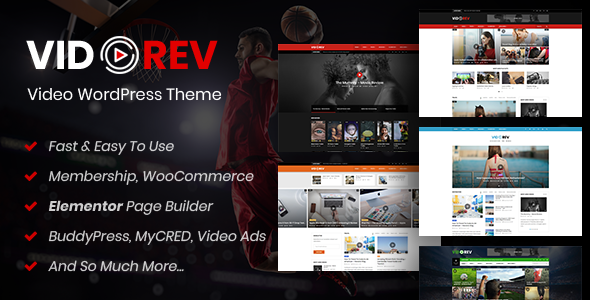
Stuck on your VidoRev WordPress theme? Let's fix it.
No endless back-and-forth. Just send us the details and we'll get it done.
No obligation · Replies within 1 hour · Quote within 1 day
Setup · Customization · Bug fixes · WooCommerce integration
About VidoRev WP Theme
VidoRev is a WordPress theme built specifically for video-heavy websites. Developed by beeteam368, it supports YouTube, Vimeo, Dailymotion, and self-hosted video formats out of the box. The theme is built around a video-first layout with auto-playing featured videos, video sliders, and category-based browsing that suits media publishers and video bloggers.
VidoRev includes a custom video importer that pulls content from external channels automatically. Combined with its built-in review system, ad slots, and monetization-ready layouts, it targets sites that generate revenue from video content. It works with Elementor and includes WooCommerce compatibility for selling video courses or memberships. Performance depends heavily on configuration, but the foundation is solid for sites where video is the primary content type.
Get matched with a VidoRev developer in under one day
Tell us about your VidoRev project. Small fixes, VidoRev theme customization, or a full website build, whatever you need, we've got it covered.
We'll connect you to the right VidoRev developers, define the scope, and get everything 100% clear.
You'll get one estimate, hire your preferred developer, and start collaborating.
VidoRev has more configuration depth than most themes. Between the video importer, ad system, layout options, and third-party integrations, there are many places where things can go wrong or underperform. Working with a vetted VidoRev developer through Codeable means you get someone who has worked with complex WordPress themes before and knows where the problems hide. You post the project, get a free estimate within 24 hours, and only move forward if the scope and price work for you.
Pros
- Built-in video importer pulls content automatically from YouTube channels and playlists
- Supports multiple video sources: YouTube, Vimeo, Dailymotion, and self-hosted MP4
- Ad placement zones are built into the layout, making monetization straightforward to configure
- Includes a native review and rating system suited for video review sites
- WooCommerce compatible, allowing memberships or paid video content sales without major customization
Cons
- Options panel is large and poorly organized, making it easy to miss settings that affect behavior
- Auto-import feature can create duplicate or low-quality content if not configured carefully
- Default page speed scores are low out of the box, especially on mobile
- Elementor compatibility exists but is limited, and some sections don't translate cleanly into the builder
- Support from beeteam368 can be slow, and documentation doesn't cover edge cases well
Who is VidoRev for?
Video Review Sites
VidoRev’s built-in rating and review system makes it a natural fit for sites reviewing films, games, software, or products via video. The layout supports featured review scores, embedded video, and category browsing. A VidoRev specialist can configure the review fields and archive pages to match how your content is structured.
YouTube Channel Websites
The auto-import feature was built for this. VidoRev can pull videos directly from a YouTube channel and publish them automatically with thumbnails and metadata. A VidoRev developer can set up import schedules, category mapping, and post formatting so the site stays current without manual effort.
Movie and TV Show Databases
With custom fields for cast, genre, release year, and ratings, VidoRev can function as a database-style site for films or TV. The category and tag system supports deep filtering. A VidoRev expert can build out the taxonomy structure and adjust archive templates to support a large content library.
Online Video Magazines
VidoRev’s multi-column layouts and video slider components suit editorial video publications. It handles mixed content well, including articles alongside video posts. For publishers managing multiple editors and content types, a VidoRev developer can configure user roles and editorial workflows to match the team’s process.
Video Course Portals
Paired with WooCommerce or MemberPress, VidoRev can gate video content behind a paywall or membership plan. The theme’s layout supports course-style pages with video players and structured content. A VidoRev specialist handles the integration between the theme, the membership plugin, and payment processing.

Customizing VidoRev
VidoRev ships with a visual options panel covering layouts, color schemes, typography, ad placements, and video settings. Most changes can be made without touching code. But the theme has enough moving parts that getting it to match a specific design or workflow takes time.
A VidoRev expert can speed this up significantly. Custom homepage layouts, branded color systems, modified video card styles, and sidebar configurations all require understanding how the theme’s template files interact with its settings panel. If you want auto-import rules set up correctly, custom player controls, or category archive pages redesigned, a VidoRev specialist will get it done without trial and error. Customization also extends to mobile layouts, which often need extra attention on video-heavy themes like this one.
Recommended plugins for VidoRev
VidoRev integrates with several plugins that extend its core functionality. Ad inserters like Advanced Ads work well with the theme’s built-in ad zones. For membership or course features, WooCommerce and MemberPress fit cleanly into the existing layout structure.
On the technical side, video sites carry a real performance cost. Pairing VidoRev with a proper caching and optimization setup is not optional if you want fast load times. See the WordPress performance service for what that involves. VidoRev also supports SEO plugins like Yoast and Rank Math, but schema and metadata for video content needs careful configuration. The WordPress SEO service covers that in detail.
Not sure which plugins to use? This WordPress plugins directory covers the most popular options with reviews and setup guides.
VidoRev common issues
VidoRev video not playing on mobile
Mobile video playback issues in VidoRev usually come from autoplay restrictions in mobile browsers or incorrect player settings. Go to VidoRev Settings and disable autoplay for mobile specifically. If self-hosted videos are affected, check that the video file is in a mobile-compatible format like H.264 MP4. iFrame embed issues with YouTube can sometimes be resolved by switching the embed method in the theme settings.
VidoRev auto import not working
When VidoRev’s auto importer stops working, the most common causes are an expired or incorrect YouTube API key, hitting the API quota limit, or a cron job failure. Verify the API key is active in the Google Cloud Console and that the YouTube Data API v3 is enabled. Then check that WordPress cron is running correctly using WP Crontrol. If the issue persists, a WordPress bug fixing specialist can trace the import log and identify the exact failure point.
VidoRev homepage layout broken after update
Homepage layout breaks after a VidoRev update usually indicate a conflict between the updated theme files and saved widget or customizer settings. Try resetting the homepage template in Appearance > Customize and reassigning your widget areas. If you are using a child theme, check that template overrides are still compatible with the updated parent. Clearing all caches after the update is also required before diagnosing layout issues.
VidoRev thumbnail not showing for YouTube videos
Missing YouTube thumbnails in VidoRev are typically caused by a failed API call during post creation or an incorrect thumbnail size setting. Open the post and use the Regenerate Thumbnails plugin to reprocess the featured image. If thumbnails are missing site-wide, the YouTube API key may be rate-limited or inactive. Re-entering a valid key in VidoRev settings and re-importing affected posts usually resolves it.
VidoRev slider not displaying correctly
VidoRev slider display problems often come from JavaScript conflicts with other plugins or incorrect slider settings. Open the browser console and look for JS errors pointing to a specific plugin. Temporarily deactivate plugins one by one to isolate the conflict. Also check the slider’s minimum post count setting, since sliders can break visually if there are fewer posts assigned than the minimum slide count requires.
VidoRev slow loading speed
VidoRev loads slowly because video sites are inherently heavy. Start by enabling a caching plugin like WP Rocket or LiteSpeed Cache and configuring lazy loading for videos and images. Defer non-critical JavaScript and avoid loading the full YouTube iframe on page load by using a facade approach. Hosting quality matters significantly here. If you are on shared hosting, a server upgrade will have more impact than any plugin configuration.
VidoRev related videos not showing
When related videos stop appearing in VidoRev, check the related videos settings under VidoRev Options. They can be set to pull by tag, category, or custom field, and if the posts lack matching terms, no results appear. Make sure your video posts are consistently tagged and categorized. If the section is missing entirely after an update, a WordPress bug fixing service can check whether the template section was removed or broken during the update.
VidoRev ads not displaying in correct positions
VidoRev has built-in ad zones that accept shortcodes or raw HTML ad code. If ads are not displaying, first verify the ad code is pasted correctly without extra line breaks. Check that any ad blocker is disabled during testing. If you are using a plugin like Advanced Ads alongside VidoRev’s native zones, there can be conflicts with placement priority. Consolidate to one ad management method to avoid overlap issues.
VidoRev Elementor compatibility issues
VidoRev has partial Elementor support. The homepage and some archive templates are not Elementor-native and can break when you try to edit them in the builder. For these areas, use the theme’s own layout system and reserve Elementor for single page or post templates. If you need full Elementor control over theme-managed sections, a VidoRev developer can build custom Elementor templates that replicate the theme’s video layout components.
VidoRev white screen after update
A white screen after updating VidoRev usually means a PHP fatal error caused by a compatibility conflict. Enable WordPress debug mode by adding define('WP_DEBUG', true); to wp-config.php and reload the page to see the error. Common causes include PHP version mismatches or plugin conflicts with the updated theme code. If you cannot access the admin, restore the previous theme version via FTP. A WordPress bug fixing expert can resolve this quickly.
VidoRev FAQ
Yes, VidoRev was built with YouTube aggregation in mind. The auto importer connects to the YouTube API and pulls videos from channels or playlists on a schedule. You assign them to categories automatically. For a clean setup with proper category mapping and import rules, having a VidoRev specialist configure it from the start saves significant troubleshooting later.
VidoRev has limited Elementor support. You can use Elementor on standard pages, but the theme’s core video templates and homepage sections are managed through VidoRev’s own system. Trying to replace those with Elementor often causes conflicts. A VidoRev developer can help you find a workable hybrid approach if needed.
The auto importer requires a valid YouTube Data API v3 key from Google Cloud Console. Once added in VidoRev Settings, you configure the channel ID, import frequency, post status, and category assignment. WordPress cron must be functioning for scheduled imports to run. Test with a manual import first before relying on the automated schedule.
Yes. VidoRev is WooCommerce compatible, and plugins like MemberPress or Paid Memberships Pro can be used alongside it to gate video content. The theme doesn’t have native membership features, so this requires a plugin integration. A VidoRev developer can configure the paywall logic and make sure the restricted content layout looks correct.
VidoRev is compatible with Yoast SEO and Rank Math. However, video schema markup and Open Graph tags for video content need specific configuration to work correctly. Out of the box, the SEO setup is basic. Proper video SEO, including structured data for video objects, requires manual setup or a specialist.
Yes, VidoRev supports WooCommerce. It is commonly used to sell access to video content, courses, or digital downloads. The WooCommerce pages inherit the theme’s styles reasonably well, though some styling adjustments are usually needed on checkout and product pages to match the rest of the site.
VidoRev works best with its own built-in layout options for video-specific pages. Elementor works on standard pages. The Classic Editor and the theme’s custom post meta fields are central to how video posts are managed. Gutenberg is supported for basic content but is not the primary editing interface for video posts.
Start with a caching plugin, image optimization, and lazy loading for videos. Avoid loading YouTube iframes on page load by using a video facade or click-to-play approach. Use a CDN for static assets. VidoRev sites on shared hosting rarely perform well. A quality VPS or managed WordPress host makes a measurable difference.
Migrating an existing video site to VidoRev is possible but involves mapping your current post structure to VidoRev’s custom fields and taxonomy system. If your current site uses a different video post type setup, a developer will need to write a migration script. The WordPress migration service covers this type of structured content move.
VidoRev was developed by beeteam368, a ThemeForest author. The theme has been updated over the years but support response times can be inconsistent. For critical issues or ongoing maintenance, relying solely on the developer’s support forum is not always practical. A dedicated WordPress maintenance plan is a more reliable option for production video sites.
Hire a VidoRev Expert Developer
Whether you need a VidoRev developer for initial setup, a redesign, or fixing something that broke, FoxyConcept matches you with a vetted specialist through Codeable. Work is scoped clearly before anything starts. No retainers, no guesswork. Get a free estimate and describe what you need. You’ll hear back within 24 hours with a clear plan and price.
You'll need a free Codeable account so developers can ask questions and send their quotes.