Olympus WordPress Theme
by Crumina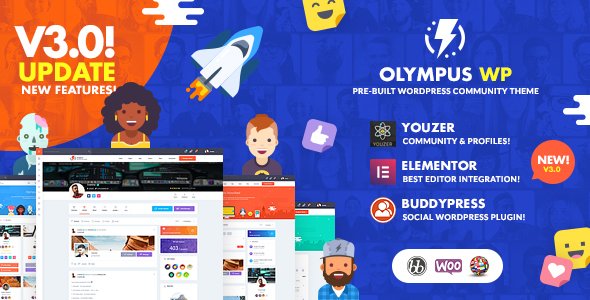
Stuck on your Olympus WordPress theme? Let's fix it.
No endless back-and-forth. Just send us the details and we'll get it done.
No obligation · Replies within 1 hour · Quote within 1 day
Setup · Customization · Bug fixes · WooCommerce integration
About Olympus WP Theme
Olympus is a social community WordPress theme built by Crumina. It ships with a BuddyPress and BbPress integration, making it a solid starting point for membership sites, forums, and niche social networks. The theme uses a modular page builder approach with pre-built demo content, so you can launch a community site without writing code.
Crumina built Olympus around a dark and light color scheme switcher, customizable profile pages, activity feeds, and group functionality. It supports WooCommerce, so you can add a shop layer to your community. The codebase is translation-ready and WPML compatible. Performance out of the box is acceptable, though like most feature-heavy themes it benefits from proper caching and optimization work once the community grows.
Get matched with a Olympus developer in under one day
Tell us about your Olympus project. Small fixes, Olympus theme customization, or a full website build, whatever you need, we've got it covered.
We'll connect you to the right Olympus developers, define the scope, and get everything 100% clear.
You'll get one estimate, hire your preferred developer, and start collaborating.
Finding an Olympus developer who knows both the Crumina theme layer and BuddyPress internals is not straightforward. Most generalist developers can handle basic styling, but custom community features, member permission logic, and activity feed hooks require specific experience.
Codeable connects you with vetted WordPress specialists who have worked on BuddyPress and social community builds. Post your project, get a transparent estimate, and only hire when you are ready. No bidding wars, no guesswork.
Pros
- Deep BuddyPress and BbPress integration out of the box
- Dark and light mode switcher built into the theme core
- WooCommerce compatible for community plus shop setups
- Multiple pre-built demo sites covering different community niches
- WPML and translation-ready for multilingual communities
Cons
- Heavy page weight by default due to bundled scripts and social components
- Template overrides are complex and easy to break on theme updates
- Customizer options are extensive but poorly documented in places
- BuddyBoss platform compatibility requires manual adjustments
- Limited free support; deeper issues require developer intervention
Who is Olympus for?
Niche Social Networks
Olympus suits niche social networks where users expect profile pages, activity feeds, and group spaces. The BuddyPress layer handles the core social logic, while the theme provides a polished frontend. An Olympus developer can extend member profiles with custom fields specific to your community’s subject matter.
Online Learning Communities
Pair Olympus with a learning plugin like LearnDash or LifterLMS to build a community around your courses. Students get profile pages, discussion groups, and an activity feed alongside their course content. The combination works well for cohort-based programs where peer interaction is part of the product.
Gaming and Esports Hubs
The dark mode, bold typography, and group features make Olympus a natural fit for gaming communities. Teams can have group pages, members can post achievements, and a WooCommerce layer can handle merchandise or tournament entry fees. An Olympus specialist can customize the profile cards to display gaming stats.
Professional Networking Sites
Professional networks built on Olympus can mirror LinkedIn-style functionality using BuddyPress profile fields for job titles, industries, and portfolios. Private messaging and group directories make it useful for associations, alumni networks, or industry communities where verified membership matters.
Fan and Hobby Forums
BbPress integration means Olympus handles traditional forum structures well. Fan communities around books, TV shows, sports teams, or hobbies get a social layer on top of the forums. Members interact through both threaded discussions and the activity feed, giving the site more engagement surface area.

Customizing Olympus
Olympus ships with a lot of options inside the WordPress Customizer, but pushing it beyond the defaults takes real knowledge of how BuddyPress templates work. Profile layouts, group pages, activity stream styling, and notification components all have their own template files that need to be overridden carefully to avoid conflicts on update.
An Olympus expert can restructure the member directory, add custom profile fields that feed into search filters, wire up custom post types to the activity feed, or rebuild the registration flow. If you want a white-labeled community platform that looks nothing like the demo, you need a developer who has worked with Crumina’s template hierarchy before and understands where BuddyPress ends and the theme begins.
Recommended plugins for Olympus
Olympus works with the main BuddyPress extension plugins including BP Group Hierarchy, BP Profile Search, and BuddyBoss integrations. WooCommerce adds a store layer, and with some configuration you can tie purchases to membership levels using plugins like Paid Memberships Pro or MemberPress.
Plugin bloat is a real risk with a theme this heavy. Before stacking extensions, audit what you actually need. Proper WordPress performance optimization matters here since activity feeds and member queries hit the database hard. For community sites that also target organic traffic, pairing Olympus with a solid WordPress SEO strategy will help your forum threads and group pages rank.
Not sure which plugins to use? This WordPress plugins directory covers the most popular options with reviews and setup guides.
Olympus common issues
Olympus theme activity feed not loading
Activity feed failures in Olympus usually trace back to a JavaScript conflict with another plugin or a failed AJAX request. Open your browser console and check for JS errors on the activity page. Deactivate plugins one at a time to isolate the conflict. If the feed broke after a BuddyPress update, the theme template files may be out of date and need regenerating from the Crumina template folder.
BuddyPress profile page showing wrong layout in Olympus
BuddyPress profile layout issues in Olympus typically happen when a child theme or plugin is loading an older template file that overrides the theme’s version. Check your active plugins for any BuddyPress template packs. Clear any page caching after changes. If you have customized profile templates directly in the theme folder, those will need updating after each theme upgrade to stay in sync.
Olympus dark mode not working after update
Dark mode in Olympus is controlled through the Customizer and a body class toggle. If it stopped working after an update, the most common cause is a cached stylesheet serving old CSS or a JavaScript file that handles the toggle being blocked. Clear server and browser cache first. If the toggle button itself has disappeared, check whether a theme update reset the Customizer settings to defaults.
Olympus WooCommerce shop page broken styling
WooCommerce styling breaks in Olympus after WooCommerce major version updates because the theme may ship with outdated template overrides. Go to WooCommerce > Status > System Status and look for outdated templates. Update any flagged templates or remove the overrides if you do not need custom shop layouts. If you need help untangling the conflict, a WordPress bug fixing service can resolve it quickly.
Member directory not displaying in Olympus
If the BuddyPress member directory is not showing in Olympus, first confirm that the Members component is active under BuddyPress Settings > Components. Next check that the Members page is correctly assigned under BuddyPress Settings > Pages. Permalink conflicts or a missing page assignment are the two most common causes. Resave your permalinks under Settings > Permalinks as a first step.
Olympus theme slowing down site with too many plugins
Olympus loads significant assets by default for its social features. When combined with multiple plugins, page load times suffer. Start by auditing which scripts are loading on pages where they are not needed using a tool like Query Monitor. Implement asset deferral and use a caching plugin. If performance is critical, a developer can conditionally dequeue Olympus scripts on non-community pages to reduce overhead.
BbPress forum pages not styled correctly in Olympus
BbPress forum pages losing their Olympus styling usually means the theme’s BbPress template files are not being picked up correctly. Check that you have not accidentally placed template files in the wrong directory. The theme expects BbPress templates in a specific location within its folder structure. After any theme update, confirm these templates are still present. Reach out to a WordPress bug fixing specialist if the issue persists across reinstalls.
Olympus theme customizer settings not saving
Customizer settings failing to save in Olympus are often caused by a REST API error or a permissions conflict. Check that your WordPress REST API is accessible by visiting yoursite.com/wp-json/ in a browser. A 403 or 401 error points to a security plugin blocking the request. Also check for JavaScript errors in the Customizer panel itself. Disabling security plugins temporarily will confirm whether one is the cause.
Notifications not working in Olympus BuddyPress
BuddyPress notification issues in Olympus can stem from email delivery failures, a caching layer that prevents real-time notification counts from updating, or a conflict between the theme’s notification component and a separate plugin handling the same hooks. Start by checking if email notifications are sending at all via a test plugin like WP Mail SMTP. For UI notification counts, disable caching on BuddyPress pages. A WordPress bug fixing service can trace the exact hook conflict.
Olympus theme update broke custom CSS
If a theme update wiped your custom CSS in Olympus, the most likely explanation is that you added CSS directly to the theme files instead of using the Additional CSS field in the Customizer or a child theme. Always use a child theme for any code customization. Going forward, keep custom styles in the child theme’s stylesheet so they survive every update. If you lost changes, check your server backups or any version control you had in place.
Olympus FAQ
Crumina updates Olympus periodically, but there is often a lag between major BuddyPress releases and a compatible theme update. Always check the changelog before updating BuddyPress on a live site. Running a staging environment first is recommended. If you are on an older version of Olympus, a developer can patch template compatibility issues without waiting for a full theme update.
You can run Olympus without BuddyPress, but you lose most of what makes the theme distinctive. Without BuddyPress, it functions as a standard blog or portfolio theme. The social layout components in the homepage and inner page templates are designed around BuddyPress data, so they will appear empty or require manual content replacement.
Olympus is not officially built for BuddyBoss platform, which has its own theme layer. Some users run Olympus alongside BuddyBoss components, but styling conflicts are common. BuddyBoss recommends using their own theme for full compatibility. An Olympus specialist can bridge some gaps, but a full BuddyBoss integration requires custom work.
Olympus includes a one-click demo importer accessible from the theme options panel after activation. You select a demo, and the importer pulls in pages, widgets, and settings. Make sure you are on a clean WordPress install before importing to avoid content conflicts. The import can take several minutes depending on your server speed.
Olympus outputs reasonable semantic HTML but is not built with SEO as a primary focus. The community and social features generate significant JavaScript that can slow load times, which affects Core Web Vitals scores. Pairing it with a dedicated SEO plugin and a performance optimization setup will make a meaningful difference for organic visibility.
Olympus can handle large communities, but the default configuration will struggle at scale. Activity feeds, member queries, and notification checks become expensive as the database grows. You will need server-side caching, object caching with Redis or Memcached, and query optimization. A developer experienced with BuddyPress at scale should audit the setup before you hit performance ceilings.
Create a folder in your themes directory named olympus-child. Add a style.css file with the correct template header pointing to Olympus as the parent theme, then add a functions.php file that enqueues the parent stylesheet. Activate the child theme from the WordPress admin. All custom code and template overrides go into the child theme from that point forward.
Olympus has limited official multisite support. Basic functionality carries over to multisite networks, but per-site BuddyPress configuration and theme option inheritance can behave unexpectedly. If you are building a multisite community network, test thoroughly on staging before going live and budget time for resolving network-specific conflicts.
Migrating an existing community to Olympus is possible but involves more than a standard theme swap. BuddyPress data, member profiles, groups, and forum content need to transfer correctly, and the new theme’s templates need to map to your existing data structure. A planned WordPress migration with a developer who knows Olympus will reduce the risk of data loss or broken layouts.
Olympus developer rates on Codeable typically reflect the complexity of BuddyPress and community platform work, which sits above standard theme customization. Simple styling changes cost less than custom BuddyPress functionality or performance work. Post a project to get a specific estimate based on your actual requirements rather than guessing from general market rates.
Hire an Olympus Developer
Whether you need layout changes, custom BuddyPress functionality, or a full community platform built on Olympus, the right developer makes a significant difference. Describe your project and get a clear estimate before committing to anything. Get a Free Estimate and get matched with an Olympus specialist who has handled community builds before.
You'll need a free Codeable account so developers can ask questions and send their quotes.