Broker WordPress Theme
by commercegurus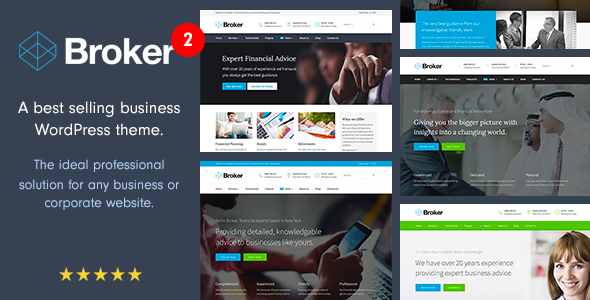
Stuck on your Broker WordPress theme? Let's fix it.
No endless back-and-forth. Just send us the details and we'll get it done.
No obligation · Replies within 1 hour · Quote within 1 day
Setup · Customization · Bug fixes · WooCommerce integration
About Broker WP Theme
Broker is a WordPress theme built by CommerceGurus, designed specifically for real estate agencies, property listing sites, and independent agents. It ships with a purpose-built property listings system, advanced search filters, Google Maps integration, and mortgage calculator widgets out of the box.
The theme is built on a clean, fast-loading foundation and integrates tightly with the CommerceGurus plugin ecosystem. Listings can be managed without third-party plugins, which keeps the stack lean. It supports single-agent portfolios and multi-agent setups with individual profile pages.
Broker works well with Elementor for page building and is compatible with popular SEO plugins. If you need a property site that looks professional without excessive configuration, Broker is a practical starting point.
Get matched with a Broker developer in under one day
Tell us about your Broker project. Small fixes, Broker theme customization, or a full website build, whatever you need, we've got it covered.
We'll connect you to the right Broker developers, define the scope, and get everything 100% clear.
You'll get one estimate, hire your preferred developer, and start collaborating.
Broker has enough moving parts that generic WordPress advice rarely applies. Property search logic, map API configuration, listing taxonomies, and agent role management each require specific knowledge of how CommerceGurus built the theme. A vetted Broker developer on Codeable has worked through these problems before and can scope your project accurately from day one. You get a fixed estimate, no bidding wars, and a developer who knows the theme rather than learning it on your budget.
Pros
- Built-in property listings system removes the need for a separate listings plugin
- Google Maps integration is included and configurable without extra plugins
- Mortgage calculator widget ships with the theme and works without third-party tools
- Multi-agent support with individual profile pages works out of the box
- Clean codebase loads faster than general-purpose real estate themes with equivalent features
Cons
- Customisation beyond the Customizer settings requires developer knowledge of CommerceGurus-specific hooks
- The built-in listings system is not as feature-rich as dedicated plugins like WP All Import for bulk property imports
- Limited third-party documentation outside CommerceGurus' own support channels
- Google Maps API key setup and billing requirements catch non-technical users off guard
- Elementor compatibility is functional but some theme sections do not expose all controls inside the page builder
Who is Broker for?
Independent Real Estate Agent
A solo agent can use Broker to run a personal listing portfolio with a professional property search, contact forms tied to individual listings, and a mortgage calculator that gives buyers a quick affordability check. The single-agent profile setup means the whole site can present one person’s brand consistently.
Property Management Company
Property managers with multiple units across locations need filtered search, map views, and clear contact routing. Broker’s taxonomy system handles property type, location, and status filters well. A Broker developer can extend it to include tenant enquiry forms and availability status fields specific to rental management.
Real Estate Agency with Multiple Agents
Agencies with several agents benefit from Broker’s multi-agent profile system. Each agent gets a dedicated page with their listings attached. Lead routing can be configured so enquiries go directly to the responsible agent rather than a general inbox, which matters for team accountability.
Holiday Rental Listings Site
Holiday rental sites need seasonal availability, nightly pricing, and location-based search. Broker’s base feature set covers the listing structure. A Broker specialist can integrate booking plugins or custom availability calendars to turn it into a functional short-term rental site without switching themes.
Commercial Property Portal
Commercial property listings have different data requirements than residential. Floor area, zoning, lease terms, and yield figures need dedicated fields. Broker’s custom fields system can be extended by a developer to support these, making it usable for office, retail, and industrial property portals.

Customizing Broker
Broker’s Customizer gives you control over typography, colour schemes, header layout, and listing display options. You can configure search filter fields, choose map styles, set currency formats, and control which listing metadata appears on archive and single property pages.
Beyond the defaults, a Broker expert can extend the theme significantly. Custom listing taxonomies, saved search functionality, agent dashboard pages, and conditional display logic all require hands-on PHP and template work. If you want Broker to behave like a fully bespoke property portal rather than a standard theme install, working with a Broker specialist saves you weeks of trial and error.
CommerceGurus also provides child theme support, so any customisation can be done safely without touching core theme files.
Recommended plugins for Broker
Broker pairs well with a focused set of plugins. For performance, caching with WP Rocket or LiteSpeed Cache works cleanly alongside the theme’s scripts. Image optimisation is important given how many property photos listings typically carry. Visit our WordPress performance service if load times are a concern.
For search visibility, Broker’s listing pages need structured data and well-configured meta tags. A properly configured SEO setup makes property pages rankable for local search terms. See our WordPress SEO service for specialist help with that.
Not sure which plugins to use? This WordPress plugins directory covers the most popular options with reviews and setup guides.
Broker common issues
Broker theme property search not returning results
This is usually a permalink flush issue or a conflict with search filter settings. Go to Settings > Permalinks and click Save Changes without changing anything. If the problem persists, check that your listing post type is set to public and that the search widget is pointing to the correct post type. Plugin conflicts with caching or query modification plugins are also common causes.
Google Maps not showing on Broker theme listing pages
Broker requires a valid Google Maps API key with the Maps JavaScript API and Places API both enabled. Go to your CommerceGurus theme settings, paste your API key, and confirm billing is active on your Google Cloud project. A missing or restricted key is the cause in most cases. If the key is correct but maps still fail, check browser console errors for API quota or domain restriction issues. Our WordPress bug fixing service can diagnose this quickly.
Broker theme mortgage calculator not working
The mortgage calculator relies on JavaScript that can be blocked by caching plugins or script optimisation tools. Disable JS minification temporarily and test. If it works, exclude the calculator script from minification in your cache plugin settings. Also confirm the calculator widget is placed inside the correct template zone as specified in Broker’s documentation.
Broker theme listing images not displaying correctly
Check that your listing images meet the recommended dimensions in the theme settings. Regenerate thumbnails using the Regenerate Thumbnails plugin after changing image sizes. If images are distorted rather than missing, review the CSS for the listing card template, which may be overriding object-fit settings introduced in a recent theme update.
Broker theme slow to load on mobile
Broker loads map scripts and listing images on mobile the same way it does on desktop by default. Enable lazy loading for images, defer non-critical scripts, and configure a caching plugin with mobile-specific rules. Unoptimised property photos are the most common cause of poor mobile load times. See our WordPress performance service for a full audit. Our bug fixing team can also identify script bottlenecks.
Broker theme contact form not sending emails
Broker’s listing contact forms depend on WordPress’s built-in mail function, which fails on most shared hosting without SMTP configuration. Install WP Mail SMTP, connect it to a transactional mail service like Mailgun or SendGrid, and test with the plugin’s built-in send test. Also check spam folders before assuming mail is broken.
Broker theme agent profile page showing 404 error
A 404 on agent profile pages is almost always a permalink issue. Go to Settings > Permalinks and save. If the 404 persists, check that the agent post type is registered correctly and has not been deactivated by a plugin conflict. Deactivating all plugins except the CommerceGurus theme plugin and retesting will isolate the cause.
Broker theme custom fields not saving on listings
Custom field data not saving on listings is typically a user permissions issue or a conflict with a security plugin blocking the save request. Check that the logged-in user has the correct role to edit listings. Also review your security plugin’s settings for blocked admin-ajax requests, as Broker uses ajax calls during the listing save process.
Broker theme Elementor sections not displaying properly
Broker and Elementor can conflict when theme-specific sections are loaded inside Elementor’s canvas. Check that you are using the correct page template, either full width or the Broker default. Elementor’s own CSS sometimes overrides Broker’s listing grid styles. Adding targeted CSS in the Elementor global stylesheet to restore display properties usually resolves layout breaks without touching theme files.
Broker theme update broke listing archive page layout
Theme updates can reset template overrides if you are not using a child theme. Compare your listing archive template against the updated version to identify changes. Going forward, all template modifications should live in a child theme so updates do not overwrite them. If the layout is broken immediately after an update, switching to a child theme and restoring your customisations is the correct fix.
Broker FAQ
Yes. Broker is purpose-built for real estate, with built-in listings management, advanced property search, map integration, and agent profiles. It is more efficient for property sites than adapting a general-purpose theme because the core functionality is already structured around how real estate data works.
Broker is compatible with Elementor for building standard pages. Some theme-specific listing templates and archive layouts are not fully editable inside Elementor. For listing detail pages and archive templates, direct template editing or a Broker developer’s help is often needed to achieve specific designs.
Broker includes a custom fields system in the listing editor. You can add fields through the CommerceGurus settings panel for common property attributes. For more complex field types or conditional logic, a Broker specialist can register custom fields programmatically using the theme’s hooks and keep them update-safe in a child plugin.
Yes. The map feature requires a Google Maps API key with the Maps JavaScript API and Places API enabled. Google requires billing to be active on your Cloud project even if usage stays within the free tier. You enter the key in the theme settings panel inside WordPress.
Yes. Broker supports multiple agents with individual profile pages and listing attribution. Each agent can have their own photo, bio, contact details, and listings archive. This makes it suitable for small to medium agency sites without needing a separate CRM or membership plugin for basic agent management.
Broker is not a WooCommerce theme and does not include WooCommerce-specific templates. You can install WooCommerce alongside it, but listing transactions and property purchases are not natively handled. A Broker developer can integrate WooCommerce for specific use cases like paid listing submissions.
Create a folder in wp-content/themes with a name like broker-child, add a style.css with the required theme header including Template: broker, and enqueue the parent theme stylesheet in a functions.php file. CommerceGurus recommends this approach for all customisations so theme updates do not overwrite your changes.
Migrating existing listings to Broker depends on where they currently live. If they are in a plugin like WP All Import or another property theme’s custom post type, a developer can map the data to Broker’s listing structure. There is no one-click migration tool, so professional migration help is usually the fastest route.
Broker does not include native IDX integration. IDX requires a third-party IDX plugin or service that pulls MLS data. Some IDX providers offer WordPress plugins that can be used alongside Broker, but layout consistency requires custom template work by a Broker developer to match the IDX output to the theme’s design.
Cost depends on scope. Simple configuration work or bug fixes are typically a few hundred dollars. A full custom Broker site with extended functionality runs higher. Through Codeable, you post your project and receive a specific estimate from a vetted Broker developer before committing. Get a Free Estimate to see what your project would cost.
Hire a Broker WordPress Expert
Whether you need a full Broker site built from scratch, custom listing functionality added, or an existing site brought up to standard, the right developer makes the difference. Our Broker specialists work through Codeable, so you get a vetted developer, a clear estimate, and no obligation to proceed. Get a Free Estimate and describe what you need. You’ll have a developer matched within 24 hours.
You'll need a free Codeable account so developers can ask questions and send their quotes.