Wolmart WordPress Theme
by don-themes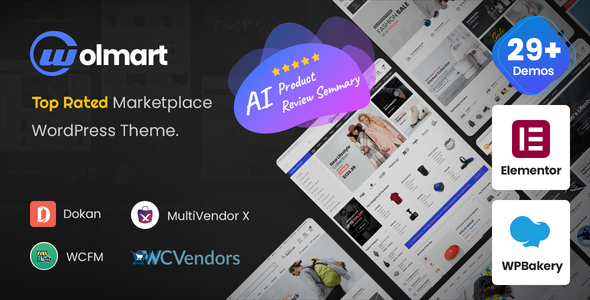
Stuck on your Wolmart WordPress theme? Let's fix it.
No endless back-and-forth. Just send us the details and we'll get it done.
No obligation · Replies within 1 hour · Quote within 1 day
Setup · Customization · Bug fixes · WooCommerce integration
About Wolmart WP Theme
Wolmart is a multi-vendor marketplace theme built by Don Themes for WooCommerce. It ships with a dedicated multi-vendor plugin that works alongside Dokan, WC Vendors, and WCFM, making it one of the few themes purpose-built for marketplace setups rather than adapted from a standard shop template.
The theme includes over 15 pre-built demo stores covering electronics, fashion, furniture, and grocery niches. Each demo is importable in one click. Wolmart also bundles its own header builder, mega menu system, and product filter sidebar, reducing the need for third-party plugins in many standard store builds.
Performance and layout flexibility are handled through a custom page builder integration alongside Elementor support. The theme is regularly updated and has accumulated strong ratings on ThemeForest, where it has been a consistent bestseller in the marketplace category.
Get matched with a Wolmart developer in under one day
Tell us about your Wolmart project. Small fixes, Wolmart theme customization, or a full website build, whatever you need, we've got it covered.
We'll connect you to the right Wolmart developers, define the scope, and get everything 100% clear.
You'll get one estimate, hire your preferred developer, and start collaborating.
Wolmart is a capable theme but it has a steep configuration curve, especially for multi-vendor setups. Small mistakes in vendor permissions, commission logic, or checkout flow can directly affect revenue. Working with a vetted Wolmart developer through Codeable means you get someone who has shipped marketplace stores before, not someone learning the theme on your project. Codeable only accepts around 2% of applicants, so the developers available have demonstrated real WordPress and WooCommerce depth. You get a free estimate before committing to anything.
Pros
- Purpose-built for multi-vendor marketplaces with native support for Dokan, WCFM, and WC Vendors
- 15+ one-click demo stores covering major ecommerce niches, each with real product layouts
- Built-in header builder and mega menu system reduces plugin dependencies for navigation
- Dedicated vendor dashboard styling that integrates visually with the front-end store
- Active development history with regular updates and a large ThemeForest user base for community support
Cons
- Heavy asset load out of the box slows page speed on shared hosting without caching configuration
- Customizing vendor storefronts beyond the defaults requires PHP template overrides
- The built-in page builder elements are separate from Elementor widgets, leading to inconsistency in some builds
- Demo import can leave placeholder content and widgets that take time to clean up properly
- Documentation covers basic setup well but lacks depth on advanced multi-vendor configuration scenarios
Who is Wolmart for?
Electronics Marketplace
Wolmart’s electronics demo ships with comparison tables, spec-focused product cards, and category-level mega menus built for large SKU catalogs. A Wolmart developer can extend this with brand filtering, warranty information fields, and vendor-specific return policy displays that electronics buyers expect before purchasing.
Fashion Multi-Vendor Store
The fashion demo includes lookbook-style galleries, size guide integration points, and color swatch support. A Wolmart specialist can configure per-vendor product attributes, set up filterable collections by vendor brand, and customize the checkout flow for stores handling multiple fashion sellers with different shipping rules.
Furniture and Home Decor Shop
Wolmart handles furniture stores well through its large image product cards and room-category navigation structure. For stores selling across multiple vendors, a Wolmart expert can configure shipping cost logic per vendor, set up assembly or delivery option fields at checkout, and build category landing pages with lifestyle imagery sections.
Grocery and Food Delivery Store
The grocery demo is one of Wolmart’s more complete layouts, with delivery zone indicators, product weight fields, and quick-add cart behavior. A Wolmart developer can integrate local delivery plugins, configure minimum order amounts per vendor, and set up recurring order options for household staple categories.
Digital Products Marketplace
Wolmart supports digital product sales through WooCommerce’s built-in download system. For a digital marketplace, a Wolmart specialist can configure per-vendor file delivery, license key delivery on purchase, and product preview functionality for items like design assets, templates, or software tools.

Customizing Wolmart
Wolmart gives you a lot out of the box, but getting it to match a specific brand or product structure takes real configuration work. The header builder supports multiple rows and sticky states, but complex mobile header behavior often needs custom CSS or PHP overrides. Mega menus with dynamic product categories require careful setup to avoid layout breaks.
A Wolmart expert can cut through the trial-and-error that comes with customizing vendor dashboards, product card layouts, and commission structures when running a multi-vendor store. Tweaking the built-in filter system for large catalogs, adjusting single product page templates per category, and integrating third-party payment gateways without breaking the checkout flow are all common tasks where developer involvement saves significant time.
If you need brand-specific typography, custom homepage sections beyond the demo content, or a non-standard product layout, a Wolmart specialist can build those efficiently without patching over theme defaults in ways that break on updates.
Recommended plugins for Wolmart
Wolmart pairs well with performance plugins like WP Rocket or LiteSpeed Cache, but the theme’s heavy asset load from sliders and product carousels means configuration needs to be deliberate. Lazy loading, CSS deferral, and image optimization all need tuning specific to how Wolmart renders product grids. See our WordPress performance service for help getting Core Web Vitals scores where they need to be for a marketplace store.
On the SEO side, Wolmart’s category pages and vendor storefronts generate a lot of indexed URLs. Canonical tag management, schema markup for products, and thin content on filter pages are all issues that need active management. Our WordPress SEO service covers these specifically for WooCommerce-based stores.
Not sure which plugins to use? This WordPress plugins directory covers the most popular options with reviews and setup guides.
Wolmart common issues
Wolmart homepage not showing after demo import
After a Wolmart demo import, the homepage often fails to display because the static front page setting in WordPress hasn’t been updated. Go to Settings > Reading and set the front page to the imported homepage. If the page still looks wrong, check that the required plugins listed in the import notice were all activated before importing. Missing the Wolmart Core plugin or WooCommerce is the most common cause of broken post-import layouts.
Wolmart product filter not working on shop page
Wolmart’s product filter relies on the Wolmart Core plugin and proper WooCommerce attribute configuration. If filters appear but don’t change results, check that product attributes are set to be used for filtering under Products > Attributes. Also verify the shop page is using the Wolmart shop template and not a custom page template that bypasses the filter sidebar. Caching plugins can also serve stale pages that ignore filter query strings.
Wolmart mega menu not displaying on mobile
Wolmart’s mega menu is built through the theme’s header builder and uses a desktop-first layout. On mobile, mega menus collapse into an accordion by default. If the mobile menu isn’t opening at all, check for JavaScript console errors, which often point to a plugin conflict. If the menu opens but content is missing, the mobile menu may need to be configured separately in the Wolmart header builder as a distinct mobile header layout.
Wolmart checkout page layout broken
Checkout layout breaks in Wolmart are frequently caused by plugin conflicts, particularly with checkout field editor plugins or payment gateway plugins that inject their own styles. Disable plugins one at a time to isolate the cause. Also check if your active child theme has overridden any WooCommerce checkout templates that are now out of date. If you need structured help, our WordPress bug fixing service can diagnose and resolve this efficiently.
Wolmart vendor dashboard showing blank white screen
A blank vendor dashboard in Wolmart usually means a permission or plugin conflict. First, confirm the multi-vendor plugin (Dokan, WCFM, or WC Vendors) is active and updated. Then check whether the vendor role has been assigned correctly to the user account. PHP errors in the error log often reveal the real cause. If the dashboard was working before a recent update, rolling back the multi-vendor plugin version temporarily can confirm whether it’s a compatibility issue.
Wolmart sliders not loading images correctly
Wolmart uses a custom slider component that depends on specific JavaScript libraries bundled with the Wolmart Core plugin. If images aren’t loading in sliders, check the browser console for 404 errors on slider script files. This often happens when plugin files are partially updated or when a CDN is serving cached versions of older scripts. Clearing all caches and reloading the Wolmart Core plugin files usually resolves it. Also verify image URLs in the slider settings haven’t been broken by a site URL change.
Wolmart add to cart button not working
Add to cart failures in Wolmart are most often caused by JavaScript conflicts, particularly with poorly coded plugins that load scripts on all pages. Open the browser console and look for JS errors when clicking the button. Also check that the product is in stock and that the product type (simple, variable, grouped) is fully configured. For variable products, all required attribute selections must be present before the add to cart button becomes functional. Our WordPress bug fixing service can trace JS conflicts quickly.
Wolmart product page showing wrong layout after update
After a Wolmart update, single product page layouts can change if the theme has updated its default template structure. If you’re using a child theme with overridden WooCommerce templates, those overrides may now be out of date. Compare your child theme’s woocommerce folder against the updated theme files and merge changes manually. If you’re not using a child theme and the layout changed unexpectedly, check whether a Wolmart update reset any product page layout settings in the theme customizer.
Wolmart search bar not returning results
Wolmart’s search bar can fail to return results for a few reasons. If using the AJAX live search feature, check that the Wolmart Core plugin is active and that no security plugins are blocking the AJAX requests. For standard search, WordPress’s default search only searches post titles and content, not product SKUs or custom fields. If search results are empty for terms that should match products, consider that WooCommerce’s own product search function may need to be enabled through Wolmart’s theme settings. Our WordPress bug fixing service handles search configuration issues.
Wolmart WooCommerce notices displaying in wrong position
WooCommerce notices appearing in unexpected positions in Wolmart are usually a template override issue. Wolmart repositions some WooCommerce notices through its own template files. If notices are stacking incorrectly or appearing twice, check for duplicate notice hooks, often caused by a plugin also hooking into woocommerce_before_shop_loop or similar actions. Removing duplicate hook calls in the child theme’s functions.php or deactivating conflicting plugins resolves most cases.
Wolmart FAQ
Wolmart is one of the stronger marketplace theme options available. It ships with built-in vendor dashboard styling and native compatibility with Dokan, WC Vendors, and WCFM. That said, a complex multi-vendor setup with custom commission logic or vendor verification workflows will still need developer configuration beyond what the theme handles automatically.
Yes, Wolmart is built with Dokan compatibility in mind. The vendor dashboard, storefront pages, and product submission flow all render correctly with Dokan active. Some advanced Dokan modules like the store support ticket system or subscription plans may require minor CSS adjustments to match the Wolmart design, but core functionality works without modification.
After activating Wolmart and installing the required plugins, go to Wolmart > Demo Import in the WordPress admin. Select the demo you want and click Import. The process installs demo content, widgets, and customizer settings. It can take several minutes. Make sure all required plugins are active before importing or some sections will not render correctly after the import completes.
Wolmart supports Elementor but uses its own page builder components for some sections. This means some demo content is built outside Elementor and not editable through the Elementor editor directly. For new pages, Elementor works as expected. A Wolmart developer can rebuild demo sections inside Elementor if you want a fully consistent editing experience across the site.
Rates for a Wolmart developer through Codeable typically range depending on project complexity. Simple fixes and configuration tasks are priced differently from full marketplace builds. You can post your project and receive a free, no-obligation estimate before committing. Codeable developers provide transparent scoping so you know what you’re paying for before work starts.
Yes, Wolmart supports digital products through WooCommerce’s native downloadable product functionality. Vendors can upload files, set download limits, and manage access through the vendor dashboard. For more complex digital delivery requirements like license key generation or time-limited access, additional plugins are needed alongside Wolmart.
Out of the box, Wolmart scores poorly on Core Web Vitals due to its heavy use of sliders, carousels, and unoptimized asset loading. With proper caching, image optimization, and script deferral configured specifically for the theme, passing Core Web Vitals is achievable. A standard install without performance tuning will not pass without work.
Yes. Wolmart functions as a standard WooCommerce theme if you don’t activate any multi-vendor plugin. The single-vendor shop layouts, product pages, and checkout all work independently of the marketplace features. Many stores use Wolmart purely for its WooCommerce design quality without any vendor functionality enabled.
Create a new folder in wp-content/themes with your child theme name. Add a style.css file with the Template header pointing to the Wolmart parent theme folder name, and a functions.php that enqueues the parent stylesheet. Activate the child theme in Appearance > Themes. All customizations go in the child theme to survive Wolmart updates without being overwritten.
Wolmart is compatible with WooCommerce Subscriptions as a plugin. The theme doesn’t include subscription functionality natively, but the standard product pages and checkout render subscription products correctly. Vendor-level subscription management in a multi-vendor context may need additional configuration depending on which multi-vendor plugin you’re using alongside WooCommerce Subscriptions.
Hire a Wolmart Developer for Your Marketplace Project
Whether you need a Wolmart expert to configure a multi-vendor marketplace from scratch, fix a broken layout, or extend the theme with custom functionality, we match you with a developer who knows the theme well. Work is scoped and priced transparently before any work begins. Get a Free Estimate and describe your project. No obligation to hire.
You'll need a free Codeable account so developers can ask questions and send their quotes.