Dentalia WordPress Theme
by orionthemes_com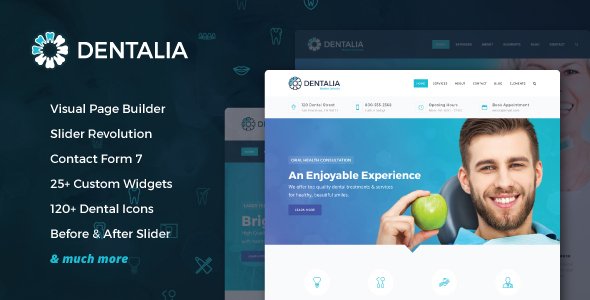
Stuck on your Dentalia WordPress theme? Let's fix it.
No endless back-and-forth. Just send us the details and we'll get it done.
No obligation · Replies within 1 hour · Quote within 1 day
Setup · Customization · Bug fixes · WooCommerce integration
About Dentalia WP Theme
Dentalia is a dental clinic WordPress theme by OrionThemes, built specifically for dentists, orthodontists, and dental practices. It ships with a clean medical layout, appointment booking integration, service pages, and a team section designed to build patient trust.
The theme uses Visual Composer (WPBakery) for page building and includes pre-built demo content that covers everything from single-practice clinics to multi-location dental groups. It supports popular booking plugins and includes custom post types for services, staff, and testimonials.
Dentalia is a solid starting point for any dental website, but getting the most out of it usually requires some hands-on configuration, especially when connecting booking systems, customizing the appointment flow, or adapting the demo to match an existing brand.
Get matched with a Dentalia developer in under one day
Tell us about your Dentalia project. Small fixes, Dentalia theme customization, or a full website build, whatever you need, we've got it covered.
We'll connect you to the right Dentalia developers, define the scope, and get everything 100% clear.
You'll get one estimate, hire your preferred developer, and start collaborating.
Dentalia is straightforward for experienced developers but can be frustrating without WPBakery knowledge or familiarity with dental booking flows. A vetted Dentalia developer on Codeable can scope your project, give you a straight estimate, and get started within 24 hours. No agencies, no bidding, no guesswork on who you’re working with. Every developer on the platform has passed a technical review process, so you’re not taking a chance on quality.
Pros
- Purpose-built for dental practices with relevant page templates included
- Pre-built demo content installs quickly and covers most dental site structures
- Compatible with popular booking plugins including Bookly and Simply Schedule Appointments
- Custom post types for services, team members, and testimonials are already set up
- Clean, professional layout that communicates trust without heavy customization
Cons
- Built on WPBakery, which feels dated compared to block-based editors
- Demo content requires significant editing before it looks like a real practice's site
- Booking functionality depends on third-party plugins, none of which are included
- Limited documentation makes troubleshooting harder for non-developers
- Page load times need optimization work — the theme isn't lightweight by default
Who is Dentalia for?
General Dentistry Practice
Dentalia’s default layout suits a general practice well. The services section, team profiles, and appointment form cover what patients look for. A Dentalia developer can configure the booking flow, connect it to your calendar system, and make sure the contact forms route to the right staff member.
Orthodontic Clinic
Orthodontic clinics often need before-and-after galleries and detailed treatment pages. Dentalia’s structure supports both. A specialist can build out case study pages, add a filterable gallery, and set up consultation booking that fits an orthodontic intake process rather than a generic appointment form.
Cosmetic Dentistry Studio
Cosmetic dental practices need a site that feels premium. Dentalia’s clean layout is a good base, but the branding work matters. A Dentalia expert can apply custom typography, refined colour palettes, and high-quality image layouts that position the practice correctly without rebuilding from scratch.
Pediatric Dental Office
Pediatric offices need a warmer, more approachable tone. Dentalia’s layout can be adapted with friendlier visuals, adjusted copy sections, and a simplified booking form suited to parents scheduling for their children. A developer handles the visual adjustments without touching core theme files.
Multi-Location Dental Group
Larger groups need location pages, multiple team listings, and sometimes separate service menus per location. A Dentalia specialist can structure the site to handle this without duplicating pages manually, using custom post types and taxonomy filters to keep everything manageable as the group grows.

Customizing Dentalia
Out of the box, Dentalia covers the essentials. But most dental practices have specific requirements — a particular booking workflow, custom colour schemes matching their brand, or a homepage that doesn’t look like the stock demo.
A Dentalia expert can handle the parts that get time-consuming: rebuilding page sections in WPBakery without breaking the layout, integrating booking plugins like Bookly or Simply Schedule Appointments, setting up child themes to protect customizations from updates, and configuring the appointment form to route correctly.
If you need the theme to reflect your practice’s identity rather than a generic dental template, working with a Dentalia specialist means the site gets there faster and without the trial-and-error that comes with doing it solo.
Recommended plugins for Dentalia
Dentalia works well with a focused plugin stack. For booking, Bookly Pro is the most common pairing. For patient contact forms, WPForms handles the job cleanly. Adding a caching layer and image optimization will make a real difference on mobile — details covered in our WordPress performance service.
Local SEO matters a lot for dental practices. Schema markup for medical businesses, Google Business Profile alignment, and page-level optimization are all worth doing properly. Our WordPress SEO service covers this specifically. Keep the plugin count lean — Dentalia doesn’t need much beyond booking, forms, SEO, and security.
Not sure which plugins to use? This WordPress plugins directory covers the most popular options with reviews and setup guides.
Dentalia common issues
Dentalia appointment form not sending emails
This is almost always a server-level mail issue, not the form plugin itself. WordPress sends email through PHP mail by default, which most hosts block or throttle. Install WP Mail SMTP and connect it to a transactional email service like SendGrid or Mailgun. Test with the plugin’s built-in tool. If the form still fails, check that the booking plugin’s notification settings point to a valid address. If you need a hand, our WordPress bug fixing service covers this quickly.
Dentalia theme demo import fails or stops halfway
Demo imports fail for a few common reasons: PHP memory limits set too low, max execution time cutting the process short, or the import file being blocked by the server. Start by setting memory_limit to at least 256MB and max_execution_time to 300 in your php.ini or via the host’s control panel. If the host won’t allow that, try importing the demo XML manually through WordPress’s built-in importer. A bug fix specialist can resolve persistent import failures without losing your existing content.
Dentalia page layout broken after WordPress update
WPBakery layouts can break when WordPress or the theme updates and shortcodes shift. Check first whether a child theme is in use — if not, any direct theme edits are gone. For layout breaks without direct edits, the issue is usually a deprecated shortcode or a CSS conflict introduced in the update. Clear all caches, check the browser console for errors, and compare the broken section against the original demo. Roll back the update via a staging environment if the issue is widespread.
Dentalia slow loading on mobile devices
Dentalia loads several scripts and styles that aren’t always necessary on every page. Start by running a PageSpeed Insights report to identify the largest offenders. Install a caching plugin like WP Rocket, enable lazy loading for images, and defer non-critical JavaScript. Compress images before uploading — the theme doesn’t resize aggressively by default. A CDN makes a noticeable difference for practices with patients in different regions. These steps alone usually cut mobile load time significantly.
Dentalia FAQ
Yes, for most dental practices it’s a practical choice. It comes with the page structure a dental site needs — services, team, testimonials, and appointment booking support. The main limitation is that it uses WPBakery, which is older technology. If you want a modern Gutenberg-based setup, you’d need a developer to adapt it or consider alternatives.
Dentalia doesn’t include a booking plugin but is compatible with Bookly, Simply Schedule Appointments, and similar tools. You’ll need to purchase and configure the booking plugin separately. The integration usually requires some CSS adjustment to match the theme’s style, and a Dentalia developer can handle that as part of the setup.
Not really without workarounds. The theme’s layout system is built around WPBakery shortcodes. Switching to the block editor would break most of the demo pages. If you want to use the Gutenberg editor, you’d need a developer to rebuild the page templates using blocks, which is a significant rebuild rather than a simple setting change.
Go to Appearance, then Theme Options or the OrionThemes panel, and look for a demo import option. You’ll need one-click demo import functionality, which may require the recommended companion plugin. Set your PHP memory limit to at least 256MB before starting. If the import stalls, check your server’s max execution time setting and increase it through your hosting control panel.
Dentalia’s built-in forms are basic. For GDPR compliance, you’ll need a dedicated form plugin like WPForms or Gravity Forms, which support consent checkboxes, data retention settings, and integration with cookie consent tools. You’ll also want a proper privacy policy page and a cookie notice plugin configured for your region’s requirements.
Hire a Dentalia Developer
Whether you need the demo set up cleanly, a booking system connected, or a full custom build on top of Dentalia, a specialist can handle it without the back-and-forth. Work is delivered through Codeable, where every developer is pre-vetted and you get a fixed estimate before any work begins. Get a Free Estimate and describe what your practice needs — no obligation to proceed.
You'll need a free Codeable account so developers can ask questions and send their quotes.