MaisonCo WordPress Theme
by Opal_WP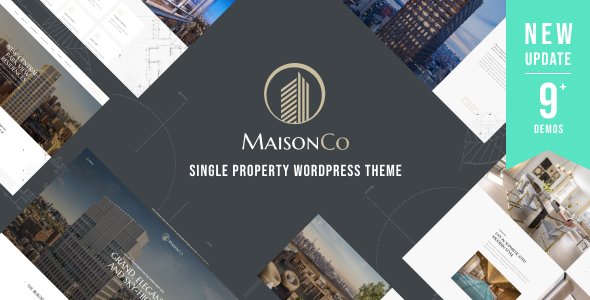
Stuck on your MaisonCo WordPress theme? Let's fix it.
No endless back-and-forth. Just send us the details and we'll get it done.
No obligation · Replies within 1 hour · Quote within 1 day
Setup · Customization · Bug fixes · WooCommerce integration
About MaisonCo WP Theme
MaisonCo is a real estate WordPress theme built by Opal_WP. It targets agencies, independent agents, and property listing sites that need a professional presentation without starting from scratch. The theme ships with property listing layouts, search filters, agent profile pages, and pre-built demo content that can be imported in a few clicks.
Built on a clean foundation with Elementor compatibility, MaisonCo gives you visual control over most front-end elements. It supports WP Geolocation, advanced property search, and mortgage calculator widgets out of the box. For anyone running a real estate business on WordPress, it covers the core requirements without requiring a fully custom build.
Get matched with a MaisonCo developer in under one day
Tell us about your MaisonCo project. Small fixes, MaisonCo theme customization, or a full website build, whatever you need, we've got it covered.
We'll connect you to the right MaisonCo developers, define the scope, and get everything 100% clear.
You'll get one estimate, hire your preferred developer, and start collaborating.
Opal_WP builds polished themes, but no theme ships ready for every business. A MaisonCo developer who has worked with the theme before can cut setup time significantly, avoid known compatibility issues, and build out features the demo doesn’t cover. Through Codeable, you get matched with vetted WordPress specialists within 24 hours. Free estimate, no obligation.
Pros
- Pre-built real estate demo with property listings, agent pages, and search filters ready to import
- Compatible with Elementor for front-end layout editing without writing code
- Includes a built-in mortgage calculator and property comparison feature
- Supports advanced property search with filters for price, location, type, and size
- Regular updates from Opal_WP with continued compatibility for current WordPress versions
Cons
- Heavy demo content can slow the site down without proper performance optimization
- Some advanced search features rely on specific plugin combinations that need manual setup
- Documentation covers basics but leaves gaps for more complex customizations
- Map integration requires third-party API keys and configuration outside the theme panel
- Design flexibility is limited outside Elementor, making non-standard layouts harder to implement
Who is MaisonCo for?
Independent Real Estate Agents
MaisonCo gives independent agents a professional property listing site with agent profile pages, contact forms, and search functionality. It covers what a solo agent needs to present listings credibly and capture leads without paying for a custom build. A MaisonCo developer can tailor it to match your personal brand and service area.
Property Rental Agencies
Rental agencies benefit from MaisonCo’s filtering system, which lets visitors search by location, price, and property type. The theme handles multiple listings cleanly and supports availability details. A MaisonCo specialist can extend this with booking inquiry forms or calendar integrations if your workflow requires them.
Real Estate Brokerages
Brokerages with multiple agents can use MaisonCo’s team pages and per-agent listing filters to present their full roster. The property taxonomy supports categorization by agent, area, or property type. Custom work from a MaisonCo expert can add CRM integration and automated lead routing to the workflow.
New Development Projects
Developers launching a new residential or mixed-use project can use MaisonCo to showcase units, floor plans, and pricing before construction completes. The theme supports visual galleries and property detail pages that work well for pre-sale campaigns. A MaisonCo developer can customize the layout to match project branding.
Commercial Property Listings
Commercial property companies listing office spaces, retail units, or industrial sites can adapt MaisonCo’s listing structure to their needs. The advanced search fields accommodate commercial-specific filters like square footage and lease type. A MaisonCo specialist can configure those taxonomies and adjust the search logic accordingly.

Customizing MaisonCo
MaisonCo ships with a solid set of defaults, but most agencies need adjustments before the site reflects their brand. Customization typically involves tweaking the property listing layouts, configuring the search filter logic, setting up agent profiles, and connecting a CRM or lead capture form.
Elementor makes visual edits accessible, but more structural changes like custom post type fields, map integrations, or conditional search logic require someone who knows the theme’s architecture. A MaisonCo expert can work through those requirements cleanly without breaking existing functionality.
If you need custom property taxonomies, multi-language support, or a design that goes beyond the demo, hiring a MaisonCo specialist saves significant time compared to trial and error.
Recommended plugins for MaisonCo
MaisonCo works alongside several plugins that extend its functionality. For property pages with heavy image galleries and map embeds, load time is a genuine concern. Pairing the theme with a caching layer and image optimization plugin matters. See our guide on WordPress performance for practical steps.
If you’re using MaisonCo to generate organic leads, property pages need proper schema markup, meta descriptions, and indexable listing content. Our WordPress SEO optimisation service covers that end-to-end. The theme itself doesn’t block good SEO, but it needs proper configuration to perform well in search.
Not sure which plugins to use? This WordPress plugins directory covers the most popular options with reviews and setup guides.
MaisonCo common issues
MaisonCo property search not working after update
Property search failures after an update usually trace back to a plugin conflict or a database query that changed with the new version. Start by checking for JavaScript errors in the browser console, then deactivate non-essential plugins one at a time to isolate the conflict. If the search relies on a specific Opal_WP companion plugin, confirm it updated at the same time as the theme. Persistent issues are best handled through our WordPress bug fixing service.
MaisonCo map not showing listings on property pages
Map display problems in MaisonCo almost always come down to an expired or misconfigured Google Maps API key. Open your Google Cloud Console, confirm the API key is active, and check that the Maps JavaScript API and Geocoding API are both enabled. Also verify the key is entered correctly in the theme settings panel. If the map loads but listings don’t appear, check the coordinates saved against each property post. Our WordPress bug fixing service can diagnose this quickly.
MaisonCo Elementor layouts broken or not loading
Broken Elementor layouts in MaisonCo typically follow a theme or Elementor version mismatch. Open Elementor’s Tools panel and run the database update if prompted. Then regenerate CSS under Elementor settings. If specific widgets are missing, the Opal_WP companion plugin may need to be active. Clearing the server cache after any update often resolves visual inconsistencies without further changes.
MaisonCo demo import fails or is missing content
Demo import failures usually result from server memory limits, execution timeouts, or a missing required plugin. Before importing, install all plugins listed in the theme’s requirements, then increase PHP memory to at least 256MB and max execution time to 300 seconds in your hosting configuration. If the import completes but pages are blank, check that permalink settings have been saved after the import finished.
MaisonCo FAQ
Opal_WP releases updates for MaisonCo to maintain WordPress compatibility. Before updating, check the theme changelog on ThemeForest for notes on tested WordPress versions. It is always good practice to test updates on a staging environment first, especially if you have customizations applied, to avoid unexpected issues on your live site.
MaisonCo is built with Elementor compatibility as a primary feature. Most page layouts and template sections are designed to be edited through Elementor. The classic block editor works for basic content, but the theme’s full design flexibility is only accessible through Elementor and the Opal_WP page builder widgets bundled with it.
Some MaisonCo features, including custom property post types, advanced search widgets, and agent profiles, depend on the Opal_WP plugin that ships with the theme. Without it, those sections will not function correctly. The plugin is free and included with your ThemeForest purchase, so there is no reason to run the theme without it.
MaisonCo supports custom property fields through its built-in property meta options. For more advanced field requirements, pairing the theme with a plugin like Advanced Custom Fields gives you greater control. A MaisonCo developer can set up custom taxonomies and field groups that feed into the search filter system properly.
MaisonCo does not block good SEO, but it needs configuration to perform well. Property pages should include schema markup, clean URLs, and optimized images. The theme does not handle all of this automatically. Pairing it with an SEO plugin and reviewing technical SEO fundamentals will significantly improve how listing pages rank in search results.
Hire a MaisonCo Developer
Whether you need a full site setup, custom property search filters, or fixes to an existing MaisonCo installation, working with an experienced developer gets you there faster. Post your project and get a free estimate with no commitment. Get a Free Estimate and describe what you need. A vetted MaisonCo specialist will review your project and come back with a clear quote.
You'll need a free Codeable account so developers can ask questions and send their quotes.