Socialize WordPress Theme
by GhostPool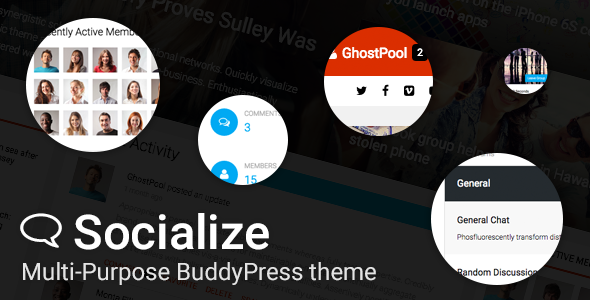
Stuck on your Socialize WordPress theme? Let's fix it.
No endless back-and-forth. Just send us the details and we'll get it done.
No obligation · Replies within 1 hour · Quote within 1 day
Setup · Customization · Bug fixes · WooCommerce integration
About Socialize WP Theme
Socialize is a WordPress theme built by GhostPool, designed specifically for community-driven websites and social networks. It integrates tightly with BuddyPress and bbPress, making it a solid choice for sites that need user profiles, activity feeds, groups, and forums out of the box.
The theme ships with a front-end submission system, a drag-and-drop page builder, and support for WooCommerce, giving site owners a flexible foundation for paid memberships or digital downloads. The design is clean and modern, with a focus on keeping social interactions front and centre. It works best when you want to build a niche community rather than a generic social platform. Setup is straightforward for developers, but customising it beyond the default options takes real WordPress knowledge.
Get matched with a Socialize developer in under one day
Tell us about your Socialize project. Small fixes, Socialize theme customization, or a full website build, whatever you need, we've got it covered.
We'll connect you to the right Socialize developers, define the scope, and get everything 100% clear.
You'll get one estimate, hire your preferred developer, and start collaborating.
Socialize is not a theme you configure once and forget. Community sites evolve constantly, and the codebase needs to keep up. Whether it’s a BuddyPress conflict after an update, a custom registration flow, or a payment integration, having an experienced Socialize developer on call matters.
Through Codeable, you get matched with vetted WordPress specialists who have real experience with community themes. Post your project, get a free estimate within 24 hours, and only proceed if you’re happy with the proposal. No obligation, no risk.
Pros
- Deep BuddyPress and bbPress integration out of the box
- Front-end submission system lets users post content without wp-admin access
- Built-in WooCommerce support for monetising community features
- Active feed, groups, messaging, and profiles all handled within a single theme
- GhostPool provides regular updates and dedicated theme support
Cons
- Heavy feature set can slow down sites without proper caching and optimisation
- BuddyPress template overrides require developer knowledge to customise correctly
- Design customisation beyond the options panel requires CSS and PHP edits
- Some bundled plugins conflict with popular third-party membership or SEO tools
- Documentation covers basics but gaps appear when implementing advanced configurations
Who is Socialize for?
Niche Online Communities
Socialize is built for focused communities around shared interests, whether that’s fitness, photography, gaming, or local neighbourhoods. BuddyPress groups, activity feeds, and member directories give users real reasons to return. A Socialize specialist can configure privacy settings, onboarding flows, and content moderation tools so your community runs with minimal admin overhead.
Membership and Subscription Sites
Pair Socialize with Paid Memberships Pro or WooCommerce Memberships to gate premium content, forums, or group access. A Socialize developer can set up tiered memberships, automate member role assignments, and ensure the checkout and account flows match your brand. It’s a practical setup for coaches, educators, or content creators monetising an audience.
Industry Forums and Discussion Boards
The bbPress integration makes Socialize a strong base for topic-based forums with user reputations, categories, and threaded discussions. Combined with BuddyPress profiles, members carry a social identity across forum activity. A Socialize expert can customise forum layouts, set up moderator roles, and add subscription notifications to keep threads active.
Freelancer and Professional Networks
Socialize works well as a lightweight LinkedIn alternative for industry-specific networks. Member profiles, direct messaging, and group workspaces support professional interaction. A Socialize developer can add custom profile fields relevant to your industry, build a searchable member directory with filters, and integrate job board plugins for a complete professional platform.
Fan Sites and Brand Communities
Brands and creators building loyal audiences can use Socialize to host their own community rather than relying on social media platforms. Members get profiles, can post updates, and join topic groups. A Socialize specialist can match the theme design precisely to brand guidelines and build moderation workflows that keep the community on-topic and engaged.

Customizing Socialize
Socialize gives you a visual page builder and a theme options panel, but serious customisation goes well beyond those tools. Adjusting BuddyPress templates, creating custom profile fields, or reworking the activity feed layout all require hands-on PHP and CSS work.
A Socialize expert can help you restructure the member directory, set up custom group types, restrict content by membership level, or integrate third-party plugins without breaking the theme’s existing functionality. If you need a unique colour scheme, custom post types for community content, or a registration flow that matches your brand, working with a Socialize developer saves significant time. Off-the-shelf settings only take you so far on a community platform where user experience directly affects engagement and retention.
Recommended plugins for Socialize
Socialize pairs well with several plugins that extend its core functionality. BuddyPress add-ons like BP Group Documents or BuddyBoss features can deepen community engagement. WooCommerce Memberships or Paid Memberships Pro work cleanly alongside the theme for gated content.
For platform growth, paying attention to WordPress performance is critical since community sites with active feeds and user-generated content can slow down quickly under load. If you want your community to attract organic traffic, investing in WordPress SEO for profile pages, group pages, and forum threads makes a measurable difference in discoverability.
Not sure which plugins to use? This WordPress plugins directory covers the most popular options with reviews and setup guides.
Socialize common issues
Socialize theme BuddyPress activity feed not loading
Activity feed failures in Socialize are usually caused by a JavaScript conflict, a failed BuddyPress update, or a caching plugin serving stale pages. Start by deactivating caching and checking the browser console for JS errors. Confirm BuddyPress and Socialize versions are compatible. If the issue appeared after a plugin update, isolate it by deactivating plugins one by one. Persistent feed issues often need a developer to trace the root cause properly. Our WordPress bug fixing service can diagnose and resolve this quickly.
Socialize WordPress theme showing blank page after update
A blank page after a Socialize update usually points to a PHP fatal error triggered by a conflict between the updated theme and an existing plugin or custom code. Enable WP_DEBUG in wp-config.php to surface the error message. Check if a child theme or custom functions.php modification is the source. Rolling back the theme update via FTP and re-applying carefully often resolves it. If you can’t access the site at all, our WordPress bug fixing service handles emergency recovery.
Socialize theme member directory search not working
Search failures in the Socialize member directory usually come down to an AJAX configuration issue, a conflict with a caching or security plugin blocking requests, or a corrupted BuddyPress database table. Check your site’s AJAX URL is correctly set and that your caching plugin isn’t blocking dynamic requests. Running a database repair via wp-admin or WP-CLI can also resolve index issues that break search queries on large member databases.
WooCommerce checkout broken on Socialize theme
WooCommerce checkout problems on Socialize are often caused by a theme JavaScript file conflicting with WooCommerce’s checkout scripts. Open the browser console on the checkout page and look for JS errors. Switching temporarily to a default theme confirms if Socialize is the source. Common fixes include loading WooCommerce scripts correctly via wp_enqueue or disabling conflicting Socialize scripts on checkout pages using conditional loading in functions.php.
Socialize FAQ
GhostPool updates Socialize to maintain BuddyPress compatibility, but there can be a lag after major BuddyPress releases. Always check the theme changelog before updating BuddyPress on a live site. Testing on a staging environment first is strongly recommended. If you’re on an older version of Socialize, a Socialize developer can audit compatibility before you update.
Socialize is built around BuddyPress and most of its core features depend on it. You can technically activate the theme without BuddyPress, but you’ll lose member profiles, activity feeds, groups, and messaging. The result would be a basic WordPress site with limited functionality. If BuddyPress isn’t part of your plan, Socialize is probably not the right theme choice.
Socialize ships with its own drag-and-drop page builder. It doesn’t officially support Elementor or WPBakery, and running multiple page builders on the same site creates conflicts. If you need Elementor for specific pages, a Socialize specialist can configure selective loading so builders don’t interfere with each other, though this requires careful implementation.
Create a child theme folder in wp-content/themes, add a style.css with the correct template header referencing Socialize as the parent, and a functions.php that enqueues the parent stylesheet. Upload via FTP or the WordPress theme uploader, then activate the child theme. Any customisations go into the child theme to survive Socialize updates safely.
Yes, Socialize works well for membership sites when paired with a plugin like Paid Memberships Pro or WooCommerce Memberships. It handles content restriction, gated community areas, and member tiers effectively. The setup requires some developer work to wire the membership logic correctly with BuddyPress groups and profile access. A Socialize expert can configure this cleanly.
Hire a Socialize Expert Developer
Need help setting up, customising, or troubleshooting Socialize? Whether you’re building a niche community from scratch or fixing an issue on an existing site, a dedicated Socialize developer can get it done properly. Work is delivered through Codeable, a vetted WordPress network with a no-obligation process. Get a Free Estimate today and describe what you need. You’ll have a qualified specialist ready to start within 24 hours.
You'll need a free Codeable account so developers can ask questions and send their quotes.