Squaretype WordPress Theme
by codesupplyco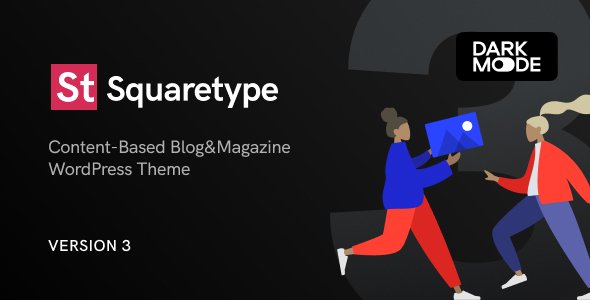
Stuck on your Squaretype WordPress theme? Let's fix it.
No endless back-and-forth. Just send us the details and we'll get it done.
No obligation · Replies within 1 hour · Quote within 1 day
Setup · Customization · Bug fixes · WooCommerce integration
About Squaretype WP Theme
Squaretype is a modern WordPress blog theme by CodeSupply Co., built around clean typography, minimal layouts, and a grid-based design system. It targets writers, journalists, and content-heavy publications that want a polished look without heavy page builders.
The theme ships with multiple header styles, a handful of post formats, and a category color system that adds visual variety without extra plugins. It relies on the WordPress Customizer for most settings, keeping the setup straightforward for non-technical users.
Performance is reasonable out of the box. The codebase is lean, and CodeSupply Co. maintains active updates. That said, getting the most out of Squaretype often means adjusting defaults, adding custom CSS, or integrating third-party tools that the theme does not handle natively.
Get matched with a Squaretype developer in under one day
Tell us about your Squaretype project. Small fixes, Squaretype theme customization, or a full website build, whatever you need, we've got it covered.
We'll connect you to the right Squaretype developers, define the scope, and get everything 100% clear.
You'll get one estimate, hire your preferred developer, and start collaborating.
Not every WordPress developer knows Squaretype’s template structure or CodeSupply Co.’s customization hooks. On Codeable, you get matched with vetted developers who have worked with editorial and magazine themes at this level. No generalist guesswork. Post a project, get a free estimate within 24 hours, and only hire if the scope and price make sense for you. Zero obligation.
Pros
- Clean, typography-first design that works well for text-heavy content without custom CSS
- Category color system built into the theme settings, no plugin required
- Multiple header and layout variations included, reducing the need for page builder add-ons
- Actively maintained by CodeSupply Co. with regular compatibility updates
- Lightweight codebase compared to multipurpose magazine themes, better baseline performance
Cons
- Limited block editor integration, many layout options still depend on the Classic Editor or shortcodes
- No built-in mega menu or advanced navigation options without third-party plugins
- Customizer-only settings mean some changes require custom CSS or child theme edits
- Documentation is basic and does not cover advanced use cases or hook references
- Not suited for e-commerce or heavy membership builds without significant custom development
Who is Squaretype for?
Personal Blog
Squaretype’s single-column and grid layouts suit personal bloggers who want a clean reading experience. A Squaretype developer can strip back the defaults, set up a minimal header, and configure post formats so the focus stays on writing rather than navigation chrome.
Online Magazine
For multi-author magazines, the category color system and archive layouts give editors visual tools to separate content verticals. A Squaretype specialist can extend this with custom author pages, contributor bios, and featured post logic that the default theme only partially handles.
News Publication
News sites need fast load times and clear content hierarchy. Squaretype’s lean codebase is a good starting point, but a Squaretype expert can add breaking news bars, custom post expiry logic, and structured data markup that editors cannot configure through the Customizer alone.
Niche Content Site
Niche sites covering food, travel, finance, or lifestyle content benefit from Squaretype’s focused design. A developer can build out category-specific templates, integrate affiliate disclosure blocks, and tune the layout to match content density without making the site feel cluttered.
Editorial Portfolio
Journalists and writers using their site as a portfolio need clean article presentation and easy navigation by topic or publication. A Squaretype developer can add portfolio-style filtering, PDF tearsheet support, and a byline-focused homepage layout that goes beyond what the theme ships with.

Customizing Squaretype
Squaretype gives you solid starting points, but most serious sites need work beyond the Customizer. A Squaretype expert can adjust the typography scale, rework the header layout, add custom post meta, or build out category templates that match your brand instead of the defaults.
Common customization requests include custom color schemes per category, modified archive layouts, sticky sidebar tweaks, and integration with newsletter or membership tools. These changes range from straightforward CSS edits to PHP template modifications depending on scope.
If you want Squaretype to behave like a genuinely custom publication site rather than a theme demo, targeted developer work is the fastest route. A Squaretype specialist can scope and deliver those changes without touching code you do not need to touch.
Recommended plugins for Squaretype
Squaretype pairs well with a focused plugin stack. For speed, combining a caching plugin with image optimization and a CDN closes the gap between a good Lighthouse score and a great one. A Squaretype developer can configure these correctly so they do not conflict with the theme’s lazy loading or grid rendering. See our WordPress performance service for specifics.
On the SEO side, Squaretype supports structured data for articles, but schema output and meta control still benefit from a dedicated plugin properly configured for the theme’s post formats. Our WordPress SEO service covers that setup end to end.
Not sure which plugins to use? This WordPress plugins directory covers the most popular options with reviews and setup guides.
Squaretype common issues
Squaretype featured image not showing on homepage
This usually comes down to image size registration. Squaretype defines specific image sizes for its grid and featured slots. If your images were uploaded before the theme was active, WordPress may not have generated the correct crops. Regenerate thumbnails using a plugin, then check your featured image dimensions match what the theme expects. If the issue persists after regenerating, a WordPress bug fixing specialist can trace whether a plugin conflict or template override is suppressing the output.
Squaretype custom fonts not loading correctly
Squaretype loads Google Fonts through the Customizer font settings. If custom fonts are not rendering, the most common causes are a caching plugin stripping the font request, a content security policy blocking the Google Fonts domain, or a conflict with another plugin enqueuing fonts separately. Clear all caches first. If the problem persists, check the browser console for blocked requests. A WordPress bug fixing service can isolate the conflict and apply a clean fix.
Squaretype sidebar disappearing on mobile
Squaretype hides the sidebar below certain breakpoints by default. If yours is disappearing earlier than expected or not appearing at all on tablet, check whether your Customizer sidebar layout setting is set to a full-width option. Also confirm that your mobile CSS is not overriding the sidebar column width. If a recent plugin or theme update changed the behavior, roll back to identify the change, then apply a targeted CSS fix in your child theme.
Squaretype category colors not saving in Customizer
Category color settings that do not save are almost always a permissions or caching issue. First, confirm your WordPress user role has full admin access. Then flush all caches, including server-side and CDN caches, before testing again. If the Customizer appears to save but the colors do not appear on the front end, a theme conflict or partial page caching may be serving a stale version. Disabling caching plugins temporarily will confirm whether that is the source.
Squaretype FAQ
Squaretype works for small to mid-size news sites. It handles multiple post formats, category color coding, and archive layouts well. For larger operations needing breaking news features, custom workflows, or heavy traffic optimisation, you will need a Squaretype developer to extend the theme beyond its defaults.
Squaretype has partial Gutenberg support. Core blocks render cleanly, but the theme’s layout options, featured areas, and some post format features still work better with the Classic Editor. Full block-based editing for every template is not yet a strength of the theme. A Squaretype specialist can bridge gaps where needed.
Squaretype is not built for e-commerce. WooCommerce will install and basic product pages will render, but there is no dedicated shop styling in the theme. If you need a blog and a shop on the same site, a Squaretype developer would need to add custom WooCommerce templates to make the experience consistent.
Create a new folder in your wp-content/themes directory with a style.css file that declares the parent theme as Squaretype and a functions.php that enqueues the parent stylesheet. Activate the child theme from the WordPress dashboard. All custom CSS and template overrides go into the child theme folder to survive parent theme updates.
Squaretype outputs clean HTML and supports basic article structured data, which is a reasonable SEO starting point. For full control over meta tags, open graph, schema markup, and XML sitemaps, you still need a dedicated SEO plugin configured for the theme. Our WordPress SEO service covers that setup properly.
Hire a Squaretype Developer
Whether you need a Squaretype expert for a one-off fix, a full site build, or ongoing customization work, the process is straightforward. Post your project and get matched with a developer who knows the theme. No retainers, no vague proposals. Get a free estimate and see exactly what your project will cost before you commit.
You'll need a free Codeable account so developers can ask questions and send their quotes.