Urna WordPress Theme
by thembay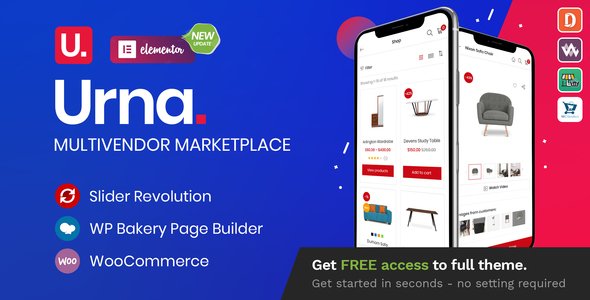
Stuck on your Urna WordPress theme? Let's fix it.
No endless back-and-forth. Just send us the details and we'll get it done.
No obligation · Replies within 1 hour · Quote within 1 day
Setup · Customization · Bug fixes · WooCommerce integration
About Urna WP Theme
Urna is a multi-concept WooCommerce theme by Thembay, built for online stores that need flexibility without starting from scratch. It ships with over 30 pre-built demos covering fashion, electronics, furniture, beauty, and more. Each demo is importable in one click, giving you a working layout fast.
The theme is built on a custom page builder integration and supports Elementor, giving front-end control without touching code. It includes a mega menu builder, product filter system, AJAX cart, and multiple header styles out of the box. Performance depends heavily on how the demo is configured, but the foundation is solid for a WooCommerce build. Urna works best for store owners who want a polished, feature-rich theme without commissioning a fully custom build.
Get matched with a Urna developer in under one day
Tell us about your Urna project. Small fixes, Urna theme customization, or a full website build, whatever you need, we've got it covered.
We'll connect you to the right Urna developers, define the scope, and get everything 100% clear.
You'll get one estimate, hire your preferred developer, and start collaborating.
Urna is feature-heavy, and that’s both its strength and its complication. Configuring it cleanly, avoiding plugin conflicts, and getting consistent results across demo sections takes real experience with the theme’s structure. Codeable connects you with vetted WordPress developers who have worked with WooCommerce themes like Urna before. No guesswork, no generic freelancers. You post your project, get matched, and receive a fixed estimate before any work begins.
Pros
- 30+ one-click demo imports covering a wide range of eCommerce niches
- Built-in mega menu builder with drag-and-drop column control
- AJAX product filtering and cart work without page reloads
- Elementor compatibility gives non-developers real layout control
- Regular updates from Thembay with WooCommerce version compatibility maintained
Cons
- Demo import can bring in a large volume of dummy content that needs manual cleanup
- Multiple shortcode systems and widget types create a steep learning curve for new users
- Page speed requires optimization work out of the box due to bundled assets
- Some demo styles use custom CSS that is difficult to override cleanly without a child theme
- Plugin conflict risk increases when stacking third-party WooCommerce extensions
Who is Urna for?
Fashion and Apparel Stores
Urna’s fashion demo includes a full-width lookbook layout, product hover effects, and a size guide shortcode. It’s a practical starting point for clothing brands that want a styled store without a custom design budget. An Urna specialist can adapt the layout for seasonal campaigns or bundle it with a subscription plugin for fashion boxes.
Electronics and Tech Retail
The electronics demo ships with a comparison tool, spec table layout, and a filter sidebar configured for technical attributes like RAM or screen size. For stores selling hardware, phones, or accessories, this saves significant setup time. A developer familiar with Urna can extend the spec display to match your exact product data structure.
Home Furniture and Decor
Urna’s furniture demos use wide product images, room-scene galleries, and clean category grids that suit high-ticket home goods. The layouts are designed to let product photography carry the page. An Urna developer can customize the single product page to include material swatches, delivery info tabs, and interior design callouts.
Beauty and Cosmetics
Beauty store demos in Urna feature soft typography, promotional banner blocks, and a wishlist integration that fits cosmetics shopping behavior. The theme handles variable products like shades and sizes cleanly. An Urna specialist can configure bundle deals, ingredient disclosure tabs, and loyalty program integrations for beauty brands.
Multi-Vendor Marketplaces
Urna can be paired with Dokan or WC Vendors to run a marketplace. The theme’s flexible header and category structure supports vendor storefronts without major layout conflicts. A developer experienced with Urna and multi-vendor plugins can configure vendor pages, commission displays, and payout dashboards that integrate with the theme’s existing styling.

Customizing Urna
Urna has a lot of built-in options, but getting them to behave exactly how you want takes time. The theme customizer covers colors, typography, layout, and header configuration, but deeper changes like custom product card layouts, modified checkout flows, or non-standard mega menu structures usually require a developer.
An Urna expert can work with the theme’s shortcode system and widget areas to build layouts that go beyond the demo defaults. If you need a custom demo mix, a modified single product page, or a unique homepage that doesn’t match any of the included templates, hiring an Urna specialist saves hours of trial and error. Custom CSS and child theme work keeps your changes intact through updates.
Recommended plugins for Urna
Urna integrates with the main WooCommerce plugin ecosystem. It works with WooCommerce Subscriptions, WPML for multilingual stores, and popular review plugins. For marketing, it supports WooCommerce Points and Rewards and newsletter integrations.
If you’re running paid ads or relying on organic traffic, pairing Urna with proper WordPress SEO setup makes a real difference to product page visibility. For stores with large catalogs, image optimization and caching configuration covered in a WordPress performance audit are worth addressing early before traffic scales.
Not sure which plugins to use? This WordPress plugins directory covers the most popular options with reviews and setup guides.
Urna common issues
Urna theme demo import fails or gets stuck
Demo import failures in Urna are usually caused by server memory limits, timeout settings, or missing required plugins. Check that WP memory is at least 256MB and that the server PHP timeout is above 300 seconds. Required plugins like WPBakery or Elementor must be installed before importing. If the import still stalls, try the XML import method manually. For persistent issues, WordPress bug fixing can resolve server-level and plugin dependency conflicts quickly.
Urna mega menu not showing on mobile
Urna’s mega menu relies on a combination of custom classes and JavaScript that can break on mobile if a caching plugin is serving a desktop-cached version, or if a CSS minification tool strips required selectors. First, clear all caches and test in an incognito window. Check whether a third-party mobile menu plugin is conflicting with Urna’s built-in mobile navigation. If the issue persists after ruling out caching, inspect the menu markup in browser DevTools to find the missing class or script. A bug fix specialist can trace the exact conflict.
Urna WooCommerce product page layout broken after update
After a WooCommerce or Urna theme update, product page layout shifts are usually caused by outdated template overrides in a child theme, or shortcode changes that no longer match the new structure. Compare your child theme’s woocommerce folder files against the updated plugin templates. Remove or update overrides that no longer match. If you are not using a child theme, direct theme edits may have been wiped by the update, which is a sign to set up a proper child theme going forward.
Urna theme slow loading speed on product category pages
Category page slowness in Urna typically comes from unoptimized product images, multiple simultaneous AJAX filter requests, or heavy widget areas loading on every category page. Start by running a query monitor to identify slow database queries on category archives. Compress images using a modern format like WebP, and enable object caching. Disabling unused widgets in the sidebar also reduces load time noticeably. A full performance review gives you a prioritized list of fixes specific to your setup.
Urna FAQ
Urna is built specifically for WooCommerce. It includes AJAX cart and filters, a mega menu builder, product comparison, wishlists, and 30+ store demos. It handles standard WooCommerce features well out of the box. Performance and reliability depend on how the site is configured and which third-party plugins are added alongside it.
Yes. Urna supports Elementor and includes Elementor-compatible section templates. You can build and edit pages using Elementor’s visual editor. Some theme-specific elements like the mega menu and product shortcodes sit outside Elementor, so full control of every feature still requires familiarity with Urna’s own settings panel alongside Elementor.
Before importing, install all required plugins listed in the Urna documentation. Set server PHP memory to at least 256MB and increase the max execution time to 300 seconds or more. Use the theme’s built-in one-click importer first. If it times out, use the manual XML import. Avoid importing on shared hosting with strict resource limits.
Urna does not include multi-vendor functionality natively, but it is compatible with plugins like Dokan and WC Vendors. The theme’s layout and styling can be adapted to support vendor storefronts and product listings. Getting this working cleanly usually requires an Urna developer familiar with both the theme structure and your chosen marketplace plugin.
Urna developer rates on Codeable typically range based on project scope. A simple configuration or bug fix costs less than a full custom store build. You post your project for free, receive a fixed estimate, and only pay if you choose to proceed. There is no obligation and no hourly surprises. Get a free estimate to see what your project costs.
Hire an Urna Developer for Your WooCommerce Store
Whether you need a full Urna setup, a customized demo, or fixes to an existing store, working with an experienced Urna developer gets the job done without back-and-forth. From header configuration to checkout customization, a specialist handles it properly the first time.
Describe your project and get a free estimate with no obligation to hire. All developers are vetted, and your payment is held in escrow until you approve the work.
You'll need a free Codeable account so developers can ask questions and send their quotes.