AutoRide WordPress Theme
by QuanticaLabs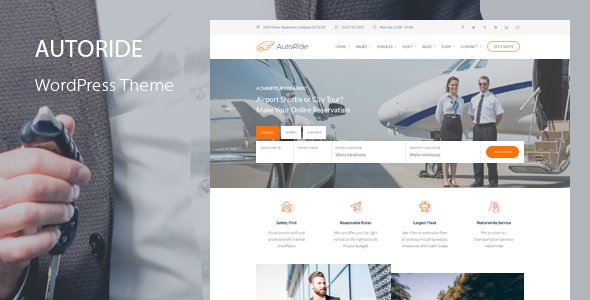
Stuck on your AutoRide WordPress theme? Let's fix it.
No endless back-and-forth. Just send us the details and we'll get it done.
No obligation · Replies within 1 hour · Quote within 1 day
Setup · Customization · Bug fixes · WooCommerce integration
About AutoRide WP Theme
AutoRide is a WordPress theme built by QuanticaLabs for car dealerships, auto rental businesses, and automotive service providers. It ships with a vehicle listing system, advanced search filters by make, model, year, and price, and a layout designed specifically around how car buyers browse online.
The theme includes pre-built pages for inventory listings, single vehicle details, comparison tools, and dealer contact forms. It integrates with WooCommerce for deposit or booking payments and supports custom fields for vehicle specifications. QuanticaLabs keeps the codebase maintained and has released consistent updates since launch. If you are building a site that needs to display vehicle inventory cleanly and convert visitors into leads, AutoRide is a focused, purpose-built option worth considering.
Get matched with a AutoRide developer in under one day
Tell us about your AutoRide project. Small fixes, AutoRide theme customization, or a full website build, whatever you need, we've got it covered.
We'll connect you to the right AutoRide developers, define the scope, and get everything 100% clear.
You'll get one estimate, hire your preferred developer, and start collaborating.
QuanticaLabs built AutoRide to handle most dealership setups without custom code. Most, not all. When your requirements go beyond the theme’s default options, you need an AutoRide developer who has worked inside the template files and understands how the listing system is structured. Through Codeable, you get matched with vetted WordPress specialists who have hands-on experience with automotive themes. No generalist freelancers, no guesswork. Post your project, get a free estimate, and know exactly what the work involves before you commit to anything.
Pros
- Purpose-built vehicle listing system with filters for make, model, year, mileage, and price — no plugin required
- Single vehicle detail pages include a full spec table, image gallery, and dealer contact form out of the box
- Built-in vehicle comparison tool lets visitors stack up to three cars side by side
- WooCommerce integration supports deposit payments and test drive or rental bookings
- QuanticaLabs provides consistent theme updates and dedicated documentation for the automotive feature set
Cons
- The admin panel for managing listings is separate from standard WordPress post management, which creates a learning curve for non-technical clients
- Default styling is fairly generic and requires real CSS work to look distinctive rather than template-like
- Vehicle search relies on custom taxonomy and meta structures that can conflict with some SEO plugins if not configured carefully
- No built-in financing calculator or loan estimation tool — this requires a third-party plugin or custom development
- Page builder compatibility is limited; some sections do not work cleanly with Elementor or Divi without theme file modifications
Who is AutoRide for?
Independent Car Dealerships
AutoRide fits independent dealerships that need to display inventory online without a custom build. The listing system handles stock updates, and the vehicle detail pages give buyers the spec information they need to make contact. An AutoRide developer can connect the theme to a dealer management system or add lead tracking if the default forms are not enough.
Car Rental Companies
Car rental businesses can use AutoRide’s WooCommerce integration to handle bookings and availability. The vehicle listing pages work well for displaying a rental fleet with pricing tiers and category filters. An AutoRide specialist can modify the booking flow to match your specific rental logic, deposit rules, or vehicle class structure.
Auto Classifieds and Listing Portals
AutoRide’s search and filter system makes it a workable base for classifieds portals where multiple sellers list vehicles. Combined with a front-end submission plugin, it can handle user-generated listings. This use case requires more development work, and an AutoRide expert can scope that out against your specific business model.
Motorcycle and Powersports Dealers
The vehicle spec fields and listing templates are not limited to cars. Motorcycle dealers and powersports shops can use AutoRide with modified taxonomies to list bikes, ATVs, and personal watercraft. Custom spec fields for engine displacement, seat height, and fuel type require an AutoRide developer to set up correctly.
Automotive Service and Repair Shops
Service and repair shops can use AutoRide’s framework for a professional automotive presence even without a vehicle inventory. The theme’s service page templates, contact forms, and scheduling integration work for businesses focused on repairs, MOTs, or detailing rather than sales. A lighter setup compared to a full dealer build.

Customizing AutoRide
AutoRide gives you control over colors, fonts, header layouts, and homepage sections through the WordPress Customizer, but the deeper configuration happens inside the theme’s own settings panel. Vehicle listing layouts, search filter fields, currency and unit settings, and dealer profile options all live there.
Out of the box, the defaults work for a generic dealership. If you need custom taxonomy structures, modified search logic, unique vehicle spec fields, or a branded layout that goes beyond the Customizer, you need someone who knows the theme’s architecture. An AutoRide expert can extend the listing templates, hook into the search system, and build on top of what QuanticaLabs has already done without breaking future updates. That distinction matters when your inventory grows or your business model does not fit the standard dealer setup.
Recommended plugins for AutoRide
AutoRide handles layout and listings. What it does not handle is how fast those listings load or how well they rank. A large vehicle inventory with images, filters, and comparison scripts adds real weight to page load times. Pairing AutoRide with proper caching, image optimization, and a tuned hosting setup makes a measurable difference. See our WordPress performance service for how that works in practice.
For search visibility, AutoRide’s individual vehicle pages are indexable but need structured data, meta configuration, and internal linking work to perform well. Our WordPress SEO service covers that end of the build.
Not sure which plugins to use? This WordPress plugins directory covers the most popular options with reviews and setup guides.
AutoRide common issues
AutoRide vehicle listings not showing on the frontend
This usually comes down to permalink settings or a conflict with a caching plugin. Go to Settings > Permalinks and save without changing anything to flush rewrite rules. If listings still do not appear, check that the custom post type is set to public in the theme settings. A plugin conflict is another common cause. Deactivate plugins one by one to isolate it. If the issue persists after basic checks, our WordPress bug fixing service can diagnose the root cause quickly.
AutoRide search filters returning no results
AutoRide’s search filters depend on correctly assigned taxonomy terms and custom field values on each listing. If a vehicle is missing its make, model, or year assignment, it will not appear in filtered results. Check individual listings for incomplete field data first. If all fields are populated and filters still fail, the issue is likely a JavaScript conflict or a misconfigured search template. Our WordPress bug fixing service covers this type of frontend logic issue.
AutoRide images not displaying correctly in listing grid
Image display issues in AutoRide are most often caused by incorrect image sizes not being generated after the theme was activated. Run a thumbnail regeneration using a plugin like Regenerate Thumbnails. If images are still cropped incorrectly or missing from the grid, check the image size settings in the AutoRide theme panel and compare them against what was uploaded. Very large image files can also cause timeout issues during regeneration on lower-tier hosting.
AutoRide WooCommerce booking not working after update
AutoRide WooCommerce integration can break after a WooCommerce major version update if the theme has not been updated to match the new template structure. Check the QuanticaLabs changelog to confirm compatibility with your current WooCommerce version. If the theme is behind, update it. If you are already on the latest version, the conflict may be in a WooCommerce extension rather than AutoRide itself. Test by deactivating additional WooCommerce plugins and retesting the booking flow.
AutoRide FAQ
AutoRide is one of the more focused dealership themes available on ThemeForest. It includes a proper listing system, vehicle search, comparison tools, and WooCommerce booking support. It works well for small to mid-size dealerships. Larger operations with complex inventory management needs may require custom development on top of the theme’s defaults.
AutoRide has partial Elementor compatibility. Standard page sections can be edited with Elementor, but the vehicle listing templates and custom post type layouts are theme-controlled and do not open cleanly in the Elementor editor. If your build depends heavily on Elementor, an AutoRide developer can advise on what is editable and what requires template file work.
AutoRide can handle several hundred vehicle listings without major issues on decent hosting. Performance degrades when inventory scales into the thousands and images are not optimized. Query-heavy search pages are the main bottleneck. Proper caching, lazy loading, and database optimization help significantly. An AutoRide specialist can audit performance at your current inventory size.
AutoRide includes dealer profile functionality, but multi-location or multi-dealer setups are not a core feature. You can assign listings to different dealers using the built-in dealer post type, but a true multi-location directory with separate dashboards requires custom development. An AutoRide developer can build that out if your business model needs it.
AutoRide provides a set of default vehicle specification fields. Adding custom fields requires either using the theme’s built-in custom field options in the settings panel or adding fields programmatically via a child theme. For straightforward additions like towing capacity or fuel economy, the theme panel usually covers it. For conditional fields or grouped spec sections, you need an AutoRide specialist to modify the templates.
Hire an AutoRide Developer
Whether you need vehicle listing customization, a modified search filter, WooCommerce booking integration, or a full AutoRide build from scratch, the right developer makes the difference between a site that works and one that converts. Our free estimate process is straightforward: describe your project, get matched with an AutoRide specialist through Codeable, and receive a clear scope before any work begins. No obligation, no risk.
You'll need a free Codeable account so developers can ask questions and send their quotes.