Burst WordPress Theme
by Mikado-Themes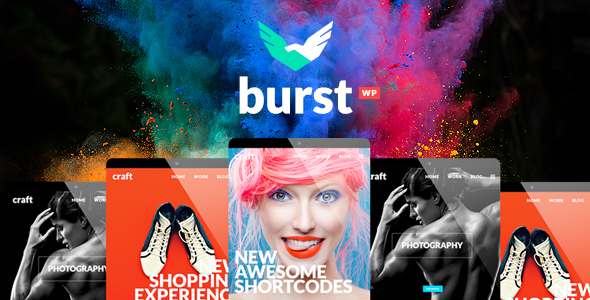
Stuck on your Burst WordPress theme? Let's fix it.
No endless back-and-forth. Just send us the details and we'll get it done.
No obligation · Replies within 1 hour · Quote within 1 day
Setup · Customization · Bug fixes · WooCommerce integration
About Burst WP Theme
Burst is a multi-purpose WordPress theme built by Mikado-Themes, a studio known for polished, feature-rich designs. It ships with a large collection of pre-built demos covering creative agencies, portfolios, corporate sites, and more. The theme integrates with Elementor and the Mikado Core plugin, giving you visual control over layouts, typography, and colour schemes without touching code.
Under the hood, Burst follows standard WordPress conventions, making it straightforward for developers to extend. It supports WooCommerce, custom post types for portfolios and team members, and a header builder with multiple styles. If you want a theme that covers a wide range of use cases out of the box and still gives a developer room to customise, Burst is a solid starting point.
Get matched with a Burst developer in under one day
Tell us about your Burst project. Small fixes, Burst theme customization, or a full website build, whatever you need, we've got it covered.
We'll connect you to the right Burst developers, define the scope, and get everything 100% clear.
You'll get one estimate, hire your preferred developer, and start collaborating.
Mikado-Themes themes have their own logic. Burst uses proprietary plugins, custom shortcodes, and a layered options system that takes time to learn properly. Mistakes during setup or customisation can cascade across templates and break on updates.
Through Codeable, you get access to vetted WordPress developers who have worked with Burst and similar Mikado builds. No guesswork, no junior freelancers, no long back-and-forth. Post a project, get matched with a specialist, and receive a clear estimate before any work begins.
Pros
- Large library of pre-built demos covering diverse niches, reducing initial setup time significantly
- Native Elementor integration gives non-developers reliable drag-and-drop control over page layouts
- Built-in WooCommerce support with dedicated product and shop template styling
- Granular per-page settings let you override global header, footer, and sidebar options on any page
- Actively maintained by Mikado-Themes with regular updates and a structured support channel
Cons
- Heavy reliance on the Mikado Core plugin creates lock-in and complicates switching themes later
- Default page weight is high due to bundled sliders and animation libraries loading across all pages
- Proprietary shortcodes mean content built in Burst looks broken if you migrate to another theme
- The options panel is large and can be confusing for clients managing the site without developer support
- Some demo content requires importing XML and plugin data separately, which can lead to incomplete setups if steps are missed
Who is Burst for?
Creative Agency
Burst suits creative agencies well. Its animated section transitions, multi-column service layouts, and team member post types give agencies the visual depth clients expect. A Burst developer can strip unnecessary demo content, tighten the colour system to brand guidelines, and configure the portfolio archive to showcase work effectively without slowing the site down.
Freelance Portfolio
Freelancers benefit from Burst’s portfolio post type and flexible single-project templates. You can present case studies with image galleries, video embeds, and project detail fields. A Burst specialist can configure filtered portfolio grids, add a contact form tied to a specific service, and make sure the site loads fast enough to hold a client’s attention on mobile.
Online Store
Burst’s WooCommerce compatibility covers product pages, shop archives, and cart styling out of the box. It won’t replace a purpose-built WooCommerce theme for large catalogues, but for stores with a focused product range it works well. A Burst expert can configure product layouts, add custom fields, and handle the checkout flow without conflicts from Mikado’s bundled scripts.
Corporate Business Site
Corporate sites need reliable structure over visual flair. Burst’s header builder, mega menu support, and multiple page layout options give developers enough control to build a clean, professional site. A Burst developer can configure the options panel to match brand standards, lock down the client’s editing access, and ensure the site holds up under regular content updates.
Photography Studio
Photography sites live or die on image presentation. Burst includes fullscreen gallery layouts, masonry grids, and lightbox support that work well for showcasing visual work. A Burst specialist can fine-tune image loading behaviour, configure lazy loading, and set up gallery categories so photographers can manage their own portfolios without needing developer access for every update.

Customizing Burst
Burst customisation goes well beyond swapping colours in the WordPress Customizer. The theme’s options panel controls header layouts, footer columns, typography pairs, sidebar behaviour, and per-page settings. Elementor handles most front-end building, but the Mikado Core plugin adds proprietary shortcodes and widgets that require familiarity to use properly.
For anything beyond surface-level changes, a Burst expert can save significant time. Custom child themes, bespoke WooCommerce templates, non-standard header logic, and performance-related CSS overrides all require working knowledge of how Mikado structures its code. Getting this wrong means style conflicts or broken updates. A Burst specialist handles it cleanly from the start.
Recommended plugins for Burst
Burst pairs well with standard WordPress plugins, but a few areas benefit from dedicated attention. WooCommerce stores built on Burst need careful configuration to keep page speed in check, especially with Mikado’s slider and animation assets loading site-wide. A proper WordPress performance audit can identify and eliminate unnecessary scripts.
For visibility in search, Burst is compatible with Yoast SEO and Rank Math, but schema, structured data, and crawlability still need manual attention. A focused WordPress SEO optimisation pass ensures the theme’s JavaScript-heavy elements don’t undermine your rankings.
Not sure which plugins to use? This WordPress plugins directory covers the most popular options with reviews and setup guides.
Burst common issues
Burst theme not loading styles after update
Style failures after a Burst update usually point to a caching issue or a conflict between the theme and a child theme CSS file. Clear all cache layers first, including server-side, plugin, and CDN. If styles are still missing, check whether the Mikado Core plugin version matches the current theme version. Version mismatches after updates are a common cause. If the issue persists, a WordPress bug fixing specialist can isolate the conflict and restore the correct styles without data loss.
Mikado Core plugin conflict breaking Burst page layouts
Mikado Core is tightly coupled to Burst’s shortcodes and widgets. When the plugin conflicts with another installed plugin, layouts often collapse or render incorrectly. Start by deactivating other plugins one by one to identify the source. Common culprits include page builders running alongside Elementor and security plugins blocking script execution. If deactivation testing doesn’t resolve it, a WordPress bug fixing expert can trace the conflict at the code level and apply a targeted fix.
Burst theme slow page speed on mobile
Burst loads slider libraries, icon fonts, and animation scripts globally by default, even on pages that don’t use them. This is the primary cause of poor mobile performance scores. Start by auditing which scripts actually load on each page type using browser developer tools. Disable unused sliders, switch to system fonts where possible, and enable lazy loading for images. A dedicated WordPress performance review will identify the highest-impact changes specific to your Burst build.
Burst demo import not working or incomplete
Burst demo imports require both the XML content file and the accompanying Mikado options import to be run in the correct order. Missing the options import means menus, widget areas, and theme settings won’t match the demo. Also check that all required plugins are installed and activated before importing. PHP memory limits below 256MB frequently cause partial imports to fail silently. If the import still produces an incomplete result, a Burst specialist can manually configure the settings to match your chosen demo.
Burst FAQ
Burst is manageable for beginners using a pre-built demo, but its options panel is large and the Mikado Core plugin adds complexity. Simple content edits through Elementor are straightforward. Anything involving header layouts, custom templates, or performance tuning will require developer help. If you’re new to WordPress and want a polished result quickly, working with a Burst expert from the start avoids common setup mistakes.
Yes, Burst has native Elementor integration. Most page-level layouts are built and edited through Elementor’s visual editor. However, certain theme-specific elements like the portfolio grid, team members, and header builder are controlled through Mikado’s own system rather than Elementor widgets. A Burst developer familiar with both tools can work across both systems without conflicts.
Burst requires the Mikado Core plugin to function correctly. This plugin handles shortcodes, custom post types, and theme-specific widgets. The theme also recommends installing Elementor and Contact Form 7. WooCommerce is optional but supported. Some demos may require additional plugins such as WPBakery or Revolution Slider depending on which demo you import. Always check the recommended plugins list for your chosen demo before importing.
Yes. Burst includes WooCommerce styling for product pages, shop archives, cart, and checkout. It works well for small to medium stores with a focused catalogue. For larger stores with complex filtering, custom product types, or high traffic, you may need additional WooCommerce configuration. A Burst specialist can handle product layout adjustments, checkout customisation, and performance tuning specific to your store setup.
Mikado-Themes provides support through their dedicated support forum for licensed users. For customisation beyond standard theme options, their support team won’t assist with bespoke development. For custom work, hiring a Burst developer through Codeable gives you access to vetted specialists who know the theme well. You get a clear estimate before any work starts with no obligation to proceed.
Hire a Burst Developer or Expert
Whether you need a Burst expert to set up a new site from a demo, customise layouts, fix a broken update, or integrate WooCommerce properly, the right developer makes the difference. Work is delivered through Codeable, a vetted WordPress developer network with a no-obligation estimate process.
Get a Free Estimate and describe your project. You’ll be matched with a Burst specialist within 24 hours, with full transparency on scope and cost before anything starts.
You'll need a free Codeable account so developers can ask questions and send their quotes.