Satellite7 WordPress Theme
by QODE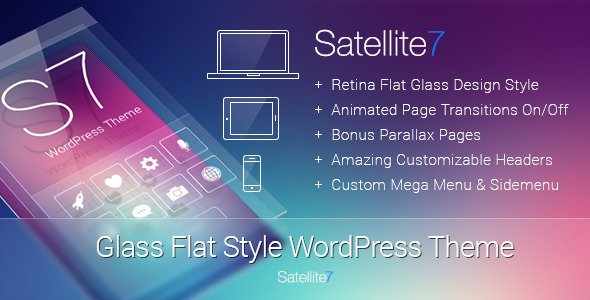
Stuck on your Satellite7 WordPress theme? Let's fix it.
No endless back-and-forth. Just send us the details and we'll get it done.
No obligation · Replies within 1 hour · Quote within 1 day
Setup · Customization · Bug fixes · WooCommerce integration
About Satellite7 WP Theme
Satellite7 is a multi-purpose WordPress theme built by QODE Interactive. It ships with a large library of pre-built demo sites covering agencies, portfolios, corporate layouts, and more. The theme is built on QODE’s own framework and integrates tightly with their Qode Composer page builder.
Out of the box you get header variations, mega menus, parallax sections, WooCommerce support, and a full-screen slider. It targets businesses and freelancers who want a polished site without building from scratch. That said, the sheer number of options in the backend can slow down setup, and the reliance on QODE’s proprietary tools means standard WordPress workflows don’t always apply. For teams without Satellite7 experience, customisation work can take longer than expected.
Get matched with a Satellite7 developer in under one day
Tell us about your Satellite7 project. Small fixes, Satellite7 theme customization, or a full website build, whatever you need, we've got it covered.
We'll connect you to the right Satellite7 developers, define the scope, and get everything 100% clear.
You'll get one estimate, hire your preferred developer, and start collaborating.
Most Satellite7 issues come down to one thing: not knowing which of the theme’s hundreds of options controls what you’re trying to change. A developer who has worked inside the QODE framework before will find and fix problems faster than someone learning it on your project’s budget.
Through Codeable, you can post your project and get matched with a vetted Satellite7 specialist within 24 hours. No guesswork on freelancer quality, no risk.
Pros
- Large library of pre-built demo sites makes initial setup fast for many niches
- WooCommerce integration is solid and covers most standard shop requirements
- Header and footer builder offers genuine flexibility without needing extra plugins
- Regular updates from QODE keep the theme compatible with current WordPress versions
- Mega menu functionality is built-in and works well for content-heavy navigation structures
Cons
- Heavy default asset loading requires performance work before the site is production-ready
- Relies on QODE's proprietary plugins, creating dependency on their update schedule
- The admin panel has hundreds of options with limited documentation on which override others
- Gutenberg compatibility is limited; most layouts still depend on Qode Composer shortcodes
- Moving away from Satellite7 to another theme is difficult without significant rework
Who is Satellite7 for?
Creative Agencies
Satellite7 suits agency sites well. The full-screen layouts, animated section transitions, and portfolio post types give agencies the visual weight they want. A Satellite7 developer can build out case study templates and custom grid layouts that match the agency’s branding without relying entirely on demo content.
Portfolio Sites
Photographers, designers, and illustrators use Satellite7 for its portfolio layouts and image-forward templates. The theme handles galleries and filterable portfolio grids natively. A Satellite7 specialist can customise these templates to match a specific presentation style or client filtering requirement.
Corporate and Business Sites
Corporate sites benefit from Satellite7’s structured header options, mega menus, and multi-page demo layouts. The theme handles services pages, team sections, and contact forms without needing heavy plugin stacks. A Satellite7 expert can configure these sections to match corporate brand guidelines accurately.
WooCommerce Stores
Satellite7’s WooCommerce support covers product pages, cart, checkout, and account areas. The theme applies its own styling to WooCommerce templates, so a Satellite7 developer is often needed to customise product layouts, adjust shop archive grids, or fix styling conflicts introduced by WooCommerce updates.
Event and Conference Sites
Event and conference sites need countdown timers, speaker grids, and schedule layouts. Satellite7’s demo library includes event-style templates that cover most of these. A Satellite7 specialist can extend these with real event data, ticketing integrations, and custom post types for speakers or sessions.

Customizing Satellite7
Satellite7 customisation goes well beyond changing colours and fonts. The theme controls headers, footers, typography, and layout through its own admin panel rather than the native WordPress Customizer. Getting consistent results across breakpoints requires knowing where each setting actually lives.
A Satellite7 expert can set up custom post type layouts, build out portfolio or shop templates, and connect third-party plugins without breaking the theme’s styling. QODE’s shortcode system still features heavily in older installs, so migrating those to block-based or Gutenberg-compatible structures is a common job. If you need custom functionality layered on top of the theme, a Satellite7 developer can write child theme code that survives updates and keeps the site maintainable long-term.
Recommended plugins for Satellite7
Satellite7 pairs with WooCommerce for shop builds, Contact Form 7 or WPForms for lead capture, and WPML for multilingual sites. QODE also releases companion plugins like Qode Core and their own slider plugin, which the theme depends on for certain demo features.
Performance needs attention on Satellite7 sites because the theme loads substantial CSS and JavaScript by default. A WordPress performance audit can identify unused scripts and cut load times significantly. For sites targeting organic traffic, pairing the theme with a solid WordPress SEO strategy is worth prioritising early, not as an afterthought.
Not sure which plugins to use? This WordPress plugins directory covers the most popular options with reviews and setup guides.
Satellite7 common issues
Satellite7 page builder not loading in WordPress editor
When Qode Composer fails to load, the most common causes are a plugin conflict, a PHP memory limit that’s too low, or a missing QODE Core plugin. Check that Qode Core is active and up to date. Raise the PHP memory limit to at least 256MB in wp-config.php. If the issue persists after that, deactivate other plugins one at a time to isolate the conflict. For persistent or complex cases, a WordPress bug fixing specialist can diagnose the problem without trial and error.
Satellite7 theme slowing down site speed and failing Core Web Vitals
Satellite7 loads significant CSS and JavaScript across all pages by default, including scripts tied to features you may not be using. Start by enabling asset minification and combining files through a caching plugin. Remove or conditionally load QODE’s slider scripts on pages that don’t use them. Image optimisation and lazy loading also help. These changes can require child theme work to implement properly. A WordPress performance fix can identify the highest-impact changes specific to your install.
Satellite7 header not showing correctly on mobile
Satellite7 mobile header behaviour is controlled through the theme’s header settings panel, not standard CSS breakpoints. Check the mobile header style setting and confirm the breakpoint is set at the right screen width. If custom CSS has been added directly to the theme, it may be overriding the responsive styles. Use browser dev tools to check which rules are winning at mobile sizes, then adjust either the theme settings or the child theme stylesheet.
Satellite7 demo import failing or not completing
Failed demo imports in Satellite7 are usually caused by server timeout limits, insufficient PHP memory, or missing required plugins like Qode Core or the QODE slider plugin. Increase max_execution_time and memory_limit in your PHP configuration before retrying. Make sure all QODE companion plugins are installed and activated. If the import partially completes but leaves broken layouts, a manual import of the XML content file followed by widget and settings import often works better than the one-click option.
Satellite7 FAQ
Satellite7 was built around Qode Composer, a shortcode-based page builder, not Gutenberg. The block editor is available for basic content areas, but most layout and design work happens in Qode Composer. If you want a fully block-based workflow, Satellite7 is not the right fit. A Satellite7 specialist can advise on what’s achievable within the existing architecture.
Technically no, but practically yes for anything beyond basic content. The theme’s demo layouts, portfolio templates, and most visual sections are built with Qode Composer shortcodes. Without it, those sections display raw shortcode text. If you want to move away from Qode Composer, a Satellite7 developer can help migrate key pages to a compatible builder or to native blocks.
Yes, Satellite7 includes WooCommerce support covering shop archives, product pages, cart, and checkout. The theme applies its own styling to WooCommerce templates. Some WooCommerce updates can break that styling, particularly around blocks-based cart and checkout. A Satellite7 developer can keep those templates aligned after major WooCommerce releases.
Always use a child theme for customisations. Changes made directly to Satellite7’s parent theme files will be overwritten on update. If you haven’t been using a child theme, a developer can create one and migrate your existing customisations before the next update runs. Theme option settings saved in the database are preserved across updates, but file-level changes are not.
QODE Interactive continues to release updates for Satellite7, and it remains available on ThemeForest. Update frequency is moderate. The theme is not being retired, but QODE’s newer themes like Bridge receive more frequent feature additions. For long-term projects, factor in that QODE’s support and update pace may shift over time.
Hire a Satellite7 Expert Developer
Whether you need a full Satellite7 build, a specific layout fixed, or existing customisations cleaned up, working with a specialist saves real time. Our developers know the QODE framework, understand how Satellite7 handles its own styling and scripts, and can deliver clean work that holds up after updates.
Get a Free Estimate and describe your project. No commitment required, and you’ll have a clear scope before any work begins.
You'll need a free Codeable account so developers can ask questions and send their quotes.