MIES WordPress Theme
by pixelgrade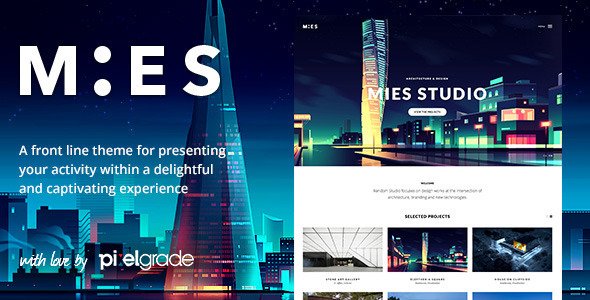
Stuck on your MIES WordPress theme? Let's fix it.
No endless back-and-forth. Just send us the details and we'll get it done.
No obligation · Replies within 1 hour · Quote within 1 day
Setup · Customization · Bug fixes · WooCommerce integration
About MIES WP Theme
MIES is a minimal WordPress theme by Pixelgrade built around editorial photography and clean grid layouts. It takes its name from Ludwig Mies van der Rohe, and the design philosophy follows suit: strip everything back, let the content carry the page. The theme uses a masonry-style portfolio grid, full-screen image display, and a type-first approach that works well for photographers, visual artists, and agencies that want their work to speak without interference from heavy UI. Built on Pixelgrade’s proprietary Pixelcare framework, MIES ships with tight theme options, a custom widget area, and support for the WordPress Customizer. It loads fast, looks sharp on retina displays, and keeps the backend simple enough that non-technical users can manage it without much training.
Get matched with a MIES developer in under one day
Tell us about your MIES project. Small fixes, MIES theme customization, or a full website build, whatever you need, we've got it covered.
We'll connect you to the right MIES developers, define the scope, and get everything 100% clear.
You'll get one estimate, hire your preferred developer, and start collaborating.
Pixelgrade themes follow specific structural patterns that differ from standard WordPress theme development. If you’re hitting limits with MIES, a developer familiar with the Pixelgrade ecosystem will move faster and make fewer mistakes than a generalist. Through Codeable, you can post your MIES project and receive a scoped estimate from a vetted WordPress specialist within 24 hours. No bidding wars, no guesswork on quality. The estimate is free and there’s no obligation to proceed.
Pros
- Minimal, distraction-free design that puts visual work front and center
- Masonry portfolio grid renders cleanly across screen sizes without plugin dependency
- Fast default load times due to lightweight theme architecture
- Clean, semantic HTML markup that supports good SEO foundations
- Simple Customizer interface keeps day-to-day content management accessible to non-developers
Cons
- Limited built-in theme options mean more custom development is needed for anything beyond the basics
- Pixelgrade's proprietary framework creates a learning curve for developers unfamiliar with their conventions
- No native WooCommerce styling support, so selling prints or services requires additional CSS work
- Portfolio filtering and category views are not included out of the box
- Plugin compatibility can be inconsistent, particularly with page builders that conflict with the theme's grid logic
Who is MIES for?
Photography Portfolio
MIES was built for photographers first. The full-screen image display and masonry grid give photo portfolios the visual weight they need without crowding the layout with navigation or sidebars. Retina support means images stay sharp on high-density screens, and the fast load architecture keeps bounce rates low for image-heavy galleries.
Creative Agency
Agencies that need to show client work cleanly without an over-designed wrapper find MIES a practical fit. The theme’s restraint lets the case studies and campaign images do the talking. A MIES developer can extend it with project filtering, client list sections, or a services page that doesn’t break the visual language of the theme.
Graphic Design Studio
For graphic designers, MIES handles the portfolio grid without requiring complex setup. Projects display in a structured masonry layout, and the typographic defaults are clean enough to carry text-heavy case studies. Custom thumbnail ratios and hover states can be adjusted by a MIES specialist to match specific branding requirements.
Art Director Personal Site
Art directors often work across formats and need a site that reflects that range without visual noise. MIES keeps the chrome minimal so the work reads clearly. The theme supports full-screen project views that work well for presenting campaigns, editorial layouts, or brand identity work in a focused, distraction-free format.
Illustration and Visual Art
Illustrators and visual artists benefit from MIES’s image-forward grid and clean white-space defaults. The theme handles mixed aspect ratios in the portfolio grid better than most minimal themes. With some custom development, an illustrator can add print sales via WooCommerce, commission inquiry forms, or category-filtered views by style or medium.

Customizing MIES
Out of the box, MIES covers the basics: logo upload, color controls, typography settings, and portfolio grid configuration. But real customization quickly moves beyond what the Customizer handles natively. If you need custom post types, filtered portfolio views, client-facing password-protected galleries, or layout changes that the theme options don’t expose, you’ll need custom PHP, CSS overrides, or child theme work. A MIES expert can extend the grid logic, rework the header behavior on scroll, or add functionality without breaking the theme’s update compatibility. Pixelgrade’s framework has its own conventions, and working within them correctly matters. Hiring a MIES specialist saves time and avoids the common mistake of editing core theme files directly, which gets wiped on every update.
Recommended plugins for MIES
MIES is intentionally lean, which means any added functionality comes through plugins rather than built-in features. Jetpack works cleanly with MIES for contact forms, related posts, and basic stats. For galleries with e-commerce, WooCommerce integration requires some custom styling work to match the theme’s minimal aesthetic. If you’re running a photography business, pairing MIES with a proper caching setup and image optimization layer makes a real difference to load times. See our WordPress performance services for that. For photographers and creatives looking to rank in local or niche searches, the theme’s clean markup gives a solid foundation to build on with structured WordPress SEO work.
Not sure which plugins to use? This WordPress plugins directory covers the most popular options with reviews and setup guides.
MIES common issues
MIES portfolio grid not displaying correctly after WordPress update
Grid layout issues after a WordPress core update usually trace back to a JavaScript conflict or a change in how block editor handles post queries. First, check the browser console for JS errors. If you edited theme files directly, those changes are gone and the grid may be missing custom markup. A proper child theme prevents this. For persistent layout breaks, our WordPress bug fixing service can diagnose and resolve the issue without disrupting live content.
MIES theme customizer changes not saving
Customizer settings failing to save in MIES typically point to a permissions issue with the wp-config.php file, a PHP memory limit being hit during the save request, or a caching plugin serving a stale version of the page. Clear all caches first, then check your PHP error log for timeout or memory errors. If the problem persists across browsers and cache clears, our WordPress bug fixing team can trace the exact failure point.
MIES images blurry or wrong size on retina displays
Blurry images in MIES usually mean WordPress isn’t regenerating thumbnails at the correct dimensions after the theme was activated. Run the Regenerate Thumbnails plugin to rebuild all image sizes. If images still appear soft, check that your uploaded originals are large enough to meet the theme’s registered image size requirements. MIES uses specific dimensions for the masonry grid, and undersized source files will always look soft on retina screens.
MIES theme breaking on mobile after plugin install
Mobile layout breaks after installing a plugin are almost always CSS conflicts. The plugin is likely injecting its own styles that override MIES’s responsive rules. Open browser DevTools on a mobile viewport and inspect which styles are being applied to the broken element. Identify the conflicting plugin stylesheet and write a targeted CSS fix in your child theme. If you don’t have a child theme set up, any fix in the parent theme files will be overwritten on update.
MIES FAQ
Pixelgrade continues to maintain MIES with compatibility updates for current WordPress versions. However, Pixelgrade has shifted focus toward their newer Customify and Rosa themes in recent years. MIES still works well, but active feature development is limited. For continued support and custom development, working with a MIES specialist is the practical route.
MIES and Elementor can coexist, but conflicts are common. Elementor’s CSS resets and layout engine clash with MIES’s masonry grid and full-screen display logic. Most developers recommend keeping Elementor use limited to specific pages rather than the portfolio sections. A MIES developer can set up clean boundaries between where each system controls the layout.
MIES does not include native portfolio filtering. Adding it requires either a JavaScript filtering library like Isotope or MixItUp, plus custom code to output category data as filterable attributes on grid items. This is a common MIES customization request and is straightforward for a developer familiar with the theme’s portfolio post type structure.
WooCommerce installs alongside MIES without errors, but the shop pages, product pages, and cart will not inherit MIES’s styling. Custom CSS work is needed to bring WooCommerce templates in line with the theme’s minimal aesthetic. For photographers selling prints, this is a manageable amount of work for a MIES developer to scope and complete cleanly.
Create a folder in wp-content/themes/ named something like mies-child. Add a style.css with the correct Template: mies header and a functions.php that enqueues the parent stylesheet. Activate the child theme from the WordPress dashboard. All custom CSS and PHP changes go in the child theme to survive parent theme updates.
Hire a MIES Developer for Your Pixelgrade Project
Whether you need layout changes, new functionality, or a fix that’s been blocking your site, a MIES developer can scope and solve it properly. Work is matched through Codeable, where every developer is vetted and reviewed. You post the project, get a free estimate, and decide from there. No risk, no upfront commitment. Get a Free Estimate and have a developer review your MIES project today.
You'll need a free Codeable account so developers can ask questions and send their quotes.