BeTube WordPress Theme
by JoinWebs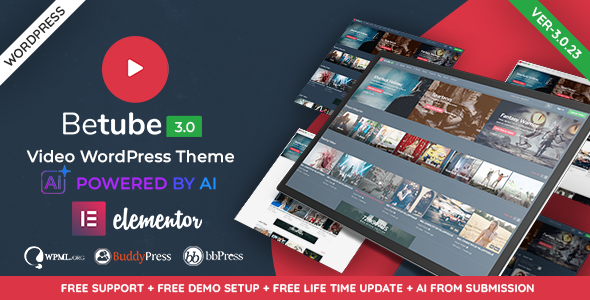
Stuck on your BeTube WordPress theme? Let's fix it.
No endless back-and-forth. Just send us the details and we'll get it done.
No obligation · Replies within 1 hour · Quote within 1 day
Setup · Customization · Bug fixes · WooCommerce integration
About BeTube WP Theme
BeTube is a video-focused WordPress theme developed by JoinWebs, built for sites that revolve around video content. Whether you’re running a YouTube-style portal, a streaming directory, or a niche video blog, BeTube provides a structured layout designed to showcase video thumbnails, categories, and channel-style archives out of the box.
The theme supports video embedding from YouTube, Vimeo, and self-hosted sources. It comes with a built-in video framework, category filtering, and a homepage that prioritizes visual content over text. BeTube is compatible with popular plugins and includes RTL support, making it viable for international audiences.
JoinWebs has positioned BeTube as a theme that works without heavy third-party dependencies, which keeps page weight manageable. For anyone building a video-centric WordPress site, it’s a focused starting point with a clear purpose.
Get matched with a BeTube developer in under one day
Tell us about your BeTube project. Small fixes, BeTube theme customization, or a full website build, whatever you need, we've got it covered.
We'll connect you to the right BeTube developers, define the scope, and get everything 100% clear.
You'll get one estimate, hire your preferred developer, and start collaborating.
Most BeTube setup questions come down to configuration decisions that aren’t obvious from the documentation. A developer who has worked with the theme before can skip the trial-and-error phase entirely.
Through Codeable, you get matched with a vetted BeTube specialist within 24 hours. Codeable screens every developer on the platform, so you’re not sorting through unknown freelancers. You get a free estimate before committing to anything. If the fit isn’t right, you walk away without spending a cent.
Pros
- Built specifically for video content with a dedicated video post type and playback framework
- Supports YouTube, Vimeo, Dailymotion, and self-hosted video embedding without extra plugins
- Category filtering and archive layouts designed for large video libraries
- RTL language support included, making it workable for Arabic, Hebrew, and Persian audiences
- Relatively lightweight compared to multipurpose themes, which benefits page load on media-heavy sites
Cons
- The design looks dated compared to current video portal standards without significant customization
- Built-in theme options are limited for users who need advanced layout control without touching code
- Documentation from JoinWebs is thin, which makes troubleshooting harder without developer help
- No built-in user video submission system, so community-driven video sites need additional plugin work
- Mobile responsiveness works but lacks the polished adaptive layouts found in newer media themes
Who is BeTube for?
YouTube Channel Companion Site
BeTube works well as a standalone site that mirrors or expands on a YouTube channel. You can embed your videos, organize them by series or topic, and build an audience off the YouTube platform. A BeTube developer can add newsletter capture, channel subscription prompts, and custom category archives to keep viewers on your site longer.
Niche Video Blog
For creators who produce video content around a specific topic, whether cooking, fitness, travel, or tech, BeTube provides the archive structure to organize content by category and date. A BeTube specialist can tailor the homepage to highlight recent uploads and featured series without cluttering the layout with unnecessary elements.
Video Tutorial Library
Online educators and course creators who prefer open access over a gated LMS can use BeTube to host tutorial series. Videos can be grouped by skill level or subject. With the right plugin configuration, a BeTube expert can add progress tracking or restrict certain content to registered users only.
Movie or TV Review Site
Review sites built on BeTube can combine embedded trailers with written reviews and ratings. The theme’s video-first layout keeps multimedia content prominent. A BeTube developer can integrate a custom rating system, genre filtering, and structured data markup to improve how review content appears in search results.
Local Media or News Video Portal
Local broadcasters or independent news outlets publishing video reports can use BeTube to create a simple video news portal. Content can be organized by date, topic, or location. A BeTube specialist can configure the layout to support breaking news highlights, a video ticker, and category-based navigation suited to news consumption patterns.

Customizing BeTube
BeTube ships with a theme options panel that covers layout choices, color schemes, typography, and widget areas. Most adjustments are done through the WordPress Customizer, which gives you a live preview as you work. That said, getting BeTube to match a specific brand identity often requires more than the built-in settings allow.
A BeTube expert can handle things like custom homepage layouts, modified video grid spacing, category page redesigns, and custom header or footer structures. If you need specific ad placements, membership gating for video content, or a custom submission system for user-uploaded videos, that work goes beyond what the options panel supports.
Hiring a BeTube specialist means getting those changes done cleanly, without hacking core theme files or creating update conflicts. Custom child theme development is the right approach for any modifications that need to survive theme updates.
Recommended plugins for BeTube
BeTube pairs well with several plugins that extend its core video functionality. WooCommerce can add paid video access or merchandise. bbPress works for community discussion threads under videos. Membership plugins like MemberPress or Restrict Content Pro can gate premium content.
On the technical side, video-heavy sites need careful attention to load times. A BeTube developer can configure caching, lazy loading for video thumbnails, and CDN integration to keep things fast. See our WordPress performance service for that work.
For sites that want search visibility, schema markup for videos and structured SEO configuration matters. Our WordPress SEO service covers the plugin setup and on-page work needed to get video content indexed properly.
Not sure which plugins to use? This WordPress plugins directory covers the most popular options with reviews and setup guides.
BeTube common issues
BeTube video not playing or showing blank player
A blank video player usually means a conflict between BeTube’s built-in video framework and a caching plugin, JavaScript optimization tool, or embed blocker. Start by disabling caching and testing in a private browser window. If the video loads without cache, adjust your caching plugin to exclude video post types. Cookie consent plugins that block third-party scripts can also prevent embeds from loading. If the issue persists, a WordPress bug fixing specialist can trace the specific script conflict causing the blank player.
BeTube homepage layout broken after WordPress update
BeTube homepage layouts can break after a WordPress core update if the theme relies on deprecated functions or if a widget area changes behavior. Check the browser console for JavaScript errors first. If the layout uses a built-in page builder or theme shortcodes, those sometimes need manual repair after major updates. A WordPress bug fixing service can identify whether the issue is a PHP compatibility problem, a broken widget, or a theme function that needs updating for the current WordPress version.
BeTube related videos not showing on single post page
BeTube’s related videos section pulls from category or tag matches depending on how the theme is configured. If it stops showing posts, check that your video posts are properly assigned to categories. Also verify that the related videos widget or template section hasn’t been accidentally removed from the single post template. A theme update or child theme conflict can overwrite template files. Reviewing the single.php or single-video.php file in the active theme will usually identify where the related posts function has been removed or broken.
BeTube theme slow to load on video category pages
Category pages with large numbers of video thumbnails are slow when images aren’t properly sized and lazy loading isn’t configured. BeTube generates thumbnails at specific sizes, and if those sizes aren’t regenerated after setup, WordPress serves full-size images instead. Run a thumbnail regeneration tool and enable lazy loading for images. Also check whether your hosting serves images through a CDN. For deeper performance work across the full site, our WordPress performance service covers server-level and plugin-level optimisation.
BeTube FAQ
BeTube is suited for video portal and video blog sites rather than actual streaming platforms. It handles embedded videos from YouTube, Vimeo, and similar sources well. If you need true streaming with adaptive bitrate playback, you’d need a dedicated video hosting solution alongside BeTube. For most content sites embedding external videos, it does the job without requiring a dedicated streaming infrastructure.
BeTube was not built with Elementor compatibility as a primary focus. Basic Elementor use on standard pages generally works, but the theme’s custom video post types and archive templates sit outside the page builder’s control. A BeTube developer can bridge that gap using a child theme and custom Elementor sections, but expect some friction compared to themes designed with page builder support from the start.
BeTube does not include a built-in user video submission system. You can add this functionality through plugins like WP User Frontend or VideoWhisper, but those require careful configuration to work with BeTube’s custom post types. A BeTube specialist can set up a submission workflow that feeds correctly into the theme’s video archive and category structure without breaking the existing layout.
JoinWebs has a mixed update history with BeTube. Update frequency has slowed compared to earlier years. Before purchasing or building a major project on BeTube, check the ThemeForest changelog for recent activity. If updates are infrequent, factor in the cost of developer maintenance to keep the theme compatible with new WordPress and PHP versions over time.
BeTube customization costs depend on the scope of the work. Simple color and layout adjustments through a child theme typically take a few hours. Custom page templates, membership integration, or a full site build can run significantly more. The best way to get an accurate number is to describe your specific requirements. You can get a free estimate from a vetted BeTube developer with no obligation to proceed.
Hire a BeTube Developer
If you need a BeTube expert to build, customize, or fix your video site, you can get matched with a vetted developer through our service. We work through Codeable, which means a real specialist reviews your project and provides an estimate before any work begins.
There’s no obligation to hire after the estimate. Submit your project details and see what’s possible. Get a Free Estimate and have a developer respond within 24 hours.
You'll need a free Codeable account so developers can ask questions and send their quotes.