One WordPress Theme
by Evolve-Themes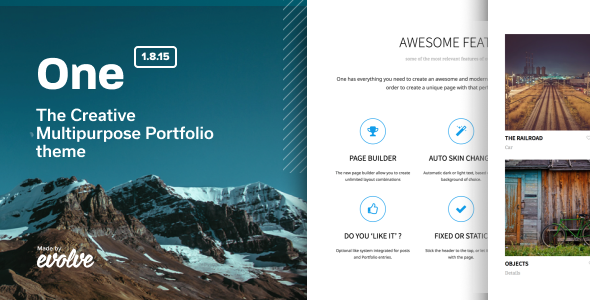
Stuck on your One WordPress theme? Let's fix it.
No endless back-and-forth. Just send us the details and we'll get it done.
No obligation · Replies within 1 hour · Quote within 1 day
Setup · Customization · Bug fixes · WooCommerce integration
About One WP Theme
One is a free multipurpose WordPress theme by Evolve-Themes. It ships with a clean, minimal design and a front-page builder that lets you stack sections without touching code. The theme supports the WordPress Customizer for live editing, is translation-ready, and works with WooCommerce out of the box.
It targets small businesses, freelancers, and agencies that want a polished single-page layout without paying for a premium theme. The codebase is lightweight, and the default styles are neutral enough to adapt to most niches. One also includes a Pro upgrade that unlocks additional section types, color controls, and typography options. For teams who want more control, the theme pairs well with page builders like Elementor.
Get matched with a One developer in under one day
Tell us about your One project. Small fixes, One theme customization, or a full website build, whatever you need, we've got it covered.
We'll connect you to the right One developers, define the scope, and get everything 100% clear.
You'll get one estimate, hire your preferred developer, and start collaborating.
The One theme is approachable, but getting it to match a specific design or business requirement takes real WordPress knowledge. Whether you need a custom section, a WooCommerce integration, or a performance overhaul, a vetted One developer on Codeable can scope the work accurately and deliver it cleanly. Every developer on Codeable is pre-screened, and you get a free estimate before committing to anything. No cold hires, no guesswork on quality.
Pros
- Free to use with no forced attribution or branding nag screens
- Front-page section manager makes layout reordering straightforward without a page builder
- Lightweight default markup keeps initial page load times low
- WooCommerce compatible out of the box with minimal styling conflicts
- Active Pro upgrade path means you can scale features without switching themes
Cons
- Free version locks several useful customization options behind the Pro upgrade
- Section builder is limited to the predefined block types with no custom section API
- Typography controls in the free version offer very limited font pairing options
- No built-in mega menu or advanced navigation options without a plugin
- Blog and inner page layouts are basic and require CSS work to differentiate from defaults
Who is One for?
Freelancer Portfolio
One’s hero, portfolio, and contact sections map directly onto what a freelancer needs. A One specialist can configure the section order to lead with work samples, add a custom skills block, and connect a contact form that routes inquiries properly. The minimal design keeps the focus on the work rather than the wrapper.
Small Business Landing Page
For a single-product or single-service business, One’s front-page builder covers the core layout needs: headline, features, social proof, and a call to action. A One developer can extend that with custom fields and conditional content to make the page convert rather than just inform.
Digital Agency Site
Agencies need a site that looks credible fast. One gives you a clean starting point. A One expert can build a child theme, add a case studies section, and wire up a client onboarding form. The Pro upgrade’s additional section types help here without needing to add a full page builder dependency.
Local Service Provider
Plumbers, electricians, and similar trades need a site that loads fast on mobile and gets found locally. One’s lightweight structure is a good base. Pair it with local SEO work and a click-to-call button, and a One developer can have a functional service site live quickly without overbuilding.
Simple WooCommerce Store
One’s WooCommerce compatibility means products, cart, and checkout pages inherit the theme’s clean styling. A One specialist can handle cart page customization, product layout adjustments, and payment gateway integration without the conflicts that affect heavier themes running WooCommerce.

Customizing One
The One theme gives you a front-page section manager where you can reorder, enable, or hide blocks like the hero, services, team, and contact areas directly from the Customizer. Colors, fonts, and layout widths are all adjustable without writing CSS.
That said, serious design changes require custom code. Overriding the default spacing, adding custom post types, or integrating third-party plugins cleanly takes developer knowledge. A One expert can build child themes, write targeted CSS and PHP overrides, and extend the section builder without breaking core updates. If you need the theme to behave differently from its defaults, working with a One specialist is the fastest route to a clean result.
Recommended plugins for One
One works with most major WordPress plugins without conflict. For e-commerce, WooCommerce slots in cleanly. Contact Form 7 and WPForms both render correctly inside the contact section.
For performance, caching plugins like WP Rocket and LiteSpeed Cache pair well with One’s light default markup. If your site carries a lot of images, a CDN and lazy loading setup will help. See our WordPress performance service for a full audit approach.
On the SEO side, Yoast and Rank Math both integrate without issues. A proper schema and meta setup on top of One’s structure can meaningfully improve search visibility. Our WordPress SEO service covers that end to end.
Not sure which plugins to use? This WordPress plugins directory covers the most popular options with reviews and setup guides.
One common issues
One theme front page sections not showing after update
After updating One, front-page sections sometimes stop rendering if the theme’s section settings conflict with cached Customizer data. Start by clearing any caching plugins and checking the Customizer section toggles are still enabled. If sections are still missing, deactivate plugins one at a time to isolate a conflict. Persistent layout breaks after updates often point to a child theme or PHP compatibility issue. Our WordPress bug fixing service can trace and resolve this quickly.
One theme header image not displaying correctly on mobile
Header image display issues on mobile are usually caused by fixed attachment settings or an image dimension that doesn’t match the theme’s responsive breakpoints. In the Customizer under Header Image, check whether the parallax or fixed options are enabled and disable them for mobile testing. If the image crops incorrectly, resizing the source image to the recommended dimensions usually resolves it. If the problem persists across devices, a WordPress bug fix can pinpoint whether it’s a CSS or theme conflict.
One theme WooCommerce shop page layout broken
WooCommerce layout breaks in One are typically triggered by a plugin or WooCommerce version update that changes template hooks the theme relies on. Check whether the shop page template is using an outdated WooCommerce override by navigating to WooCommerce > Status > Templates. Removing outdated overrides usually restores the layout. If you’ve made custom changes to the WooCommerce templates, those need to be manually updated to match the current WooCommerce version.
One theme Customizer changes not saving
Customizer changes failing to save in One usually point to a permissions issue, a PHP session problem, or a security plugin blocking the save request. Start by checking your browser console for a 403 or 500 error during the save action. Temporarily disabling security plugins like Wordfence can confirm if they’re the cause. If the issue is server-side, increasing PHP memory limit in wp-config.php often resolves it. A hosting environment running below PHP 7.4 can also cause silent save failures.
One FAQ
Yes, the One theme is available for free on the WordPress.org theme directory. It includes the front-page section builder, Customizer controls, and WooCommerce support at no cost. A paid Pro version is available from Evolve-Themes that unlocks additional sections, typography controls, and color options not included in the free release.
The free version covers the core layout sections and basic Customizer controls. One Pro adds more front-page section types, extended font and color controls, additional widget areas, and priority support from Evolve-Themes. For most simple sites the free version is sufficient, but agencies and businesses needing more design control typically upgrade or bring in a One developer to extend the free version.
Yes, the One theme is compatible with Elementor. You can use Elementor to build inner pages while keeping the One front-page section builder for the homepage, or switch entirely to Elementor for all page layouts. A One developer can set this up cleanly so neither the theme nor the page builder conflicts with the other.
The free version of One does not provide a custom section API. You’re limited to the built-in section types. Adding a genuinely custom section requires PHP work, either through a child theme or a custom plugin that hooks into the theme’s section system. A One specialist can build custom sections that survive theme updates without overwriting core files.
One produces clean HTML and loads quickly on default settings, both of which support good search rankings. It is compatible with Yoast SEO and Rank Math. That said, the theme itself does not generate schema markup or handle technical SEO automatically. Proper on-page SEO still requires plugin configuration and content work beyond what the theme provides.
Hire a One Theme Expert Developer
Need a One theme developer who knows the codebase, not just the Customizer? FoxyConcept works through Codeable, where every WordPress specialist is vetted and reviewed. Post your project, get matched with a One expert within 24 hours, and receive a free estimate before any work starts. Whether it’s a layout issue, a custom feature, or a full build, you’re covered. Get a Free Estimate and see exactly what your project needs.
You'll need a free Codeable account so developers can ask questions and send their quotes.