Reco WordPress Theme
by EstudioPatagon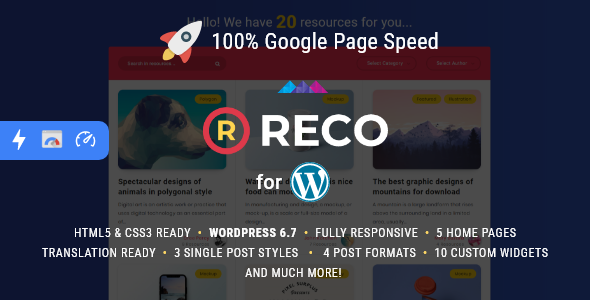
Stuck on your Reco WordPress theme? Let's fix it.
No endless back-and-forth. Just send us the details and we'll get it done.
No obligation · Replies within 1 hour · Quote within 1 day
Setup · Customization · Bug fixes · WooCommerce integration
About Reco WP Theme
Reco is a WordPress theme built by EstudioPatagon, a developer studio known for clean, performance-focused designs. Reco targets service businesses, agencies, and consultants who need a professional presence without a bloated setup. The theme ships with Elementor compatibility, multiple header layouts, and a straightforward options panel that does not require deep technical knowledge to operate.
EstudioPatagon themes are consistently well-coded, and Reco follows that pattern. Typography is handled carefully, spacing is consistent, and the overall structure loads quickly out of the box. It is a solid choice for anyone who wants a polished site without fighting the theme to get there. That said, like any commercial theme, Reco has a learning curve and specific quirks that are easier to handle with professional help.
Get matched with a Reco developer in under one day
Tell us about your Reco project. Small fixes, Reco theme customization, or a full website build, whatever you need, we've got it covered.
We'll connect you to the right Reco developers, define the scope, and get everything 100% clear.
You'll get one estimate, hire your preferred developer, and start collaborating.
EstudioPatagon builds themes with developers in mind, but client-side customization still hits limits quickly. When you need Reco to do something specific, whether that is a custom layout, a plugin conflict resolved, or a full site build from one of the demos, working with a vetted Reco developer through Codeable is the most direct path. Codeable screens every developer on its platform, so you are not rolling the dice on who picks up your project. You get a free estimate first, with no obligation to move forward.
Pros
- Clean, minimal code base from EstudioPatagon means faster baseline load times compared to many multipurpose themes
- Multiple pre-built demo layouts covering service, agency, and portfolio use cases, importable in one click
- Elementor compatibility is solid, with most default widgets rendering correctly inside Reco's layout structure
- Responsive design is well-handled across breakpoints without needing manual CSS fixes for most standard content types
- EstudioPatagon provides regular theme updates and maintains good documentation for their products
Cons
- Demo import does not always replicate exactly what is shown in the preview, especially with placeholder images and fonts
- WooCommerce styling is functional but limited; product pages need additional CSS work to match the rest of the design
- The theme options panel is not as extensive as some competitors, so complex layout changes require custom code
- Support is handled through the ThemeForest comments system, which can be slow for back-and-forth troubleshooting
- Limited third-party plugin compatibility documentation means some integrations require trial and error to get right
Who is Reco for?
Consulting and Professional Services
Reco’s structured layouts and clean typography work well for consultants and professional service firms. The theme presents credentials, services, and contact options in a format that reads as credible without appearing overdone. A Reco specialist can configure the demo to match your specific service offering and brand guidelines quickly.
Creative Agencies
Creative agencies need a site that shows the work without distracting from it. Reco handles portfolio sections cleanly and gives enough header and navigation flexibility to create a distinct brand impression. Elementor support means agency teams can manage content updates without a developer on standby for every edit.
Freelance Portfolios
For individual designers, developers, or photographers, Reco provides a professional foundation that does not look templated. The portfolio grid options and project detail layouts are flexible enough to present case studies or image-heavy work. A Reco developer can extend these sections if you need custom filtering or project category pages.
Local Service Businesses
Plumbers, electricians, landscapers, and similar businesses need a site that loads fast and converts visitors into calls or form submissions. Reco’s service-focused layouts cover this use case well. Pairing it with a click-to-call setup and a simple contact form handled by a Reco expert gets the site functional quickly.
SaaS and Tech Startups
Tech companies and SaaS products can use Reco’s feature section and hero layouts to present a product clearly. The theme handles pricing tables, feature grids, and CTA sections without requiring a page builder for every element. Custom integrations with tools like HubSpot or Intercom are manageable with the right developer.

Customizing Reco
Reco gives you a good set of starting options through the WordPress Customizer and the EstudioPatagon theme panel. You can adjust colors, fonts, header styles, footer layouts, and section spacing without touching code. For most standard setups, that is enough.
Where things get more involved is when you need layouts that deviate from the built-in demos, or when you want to integrate third-party plugins that were not tested against Reco specifically. A Reco expert can handle custom CSS, PHP template overrides, and Elementor widget conflicts without breaking your existing design. If you need a child theme, custom post type templates, or WooCommerce integration that fits Reco’s styling properly, working with a Reco specialist saves significant time and avoids messy workarounds.
Recommended plugins for Reco
Reco pairs well with WooCommerce for light shop setups, and it works alongside most major form and booking plugins. Contact Form 7, WPForms, and Amelia all integrate cleanly with the right configuration.
For performance, additional optimization is worth handling separately. Reco does not include built-in caching or image compression, so pairing it with a proper setup covered in our WordPress performance service makes a real difference on load times. If you are running a content-heavy site on Reco and need better search visibility, our WordPress SEO service covers technical and on-page work that complements what the theme provides structurally.
Not sure which plugins to use? This WordPress plugins directory covers the most popular options with reviews and setup guides.
Reco common issues
Reco theme demo import not working correctly in WordPress
Demo import failures in Reco usually come down to server memory limits, a missing required plugin, or a file permissions issue. Start by confirming all required plugins listed in the theme documentation are active before running the importer. Increase PHP memory limit to at least 256MB in your wp-config.php file. If the import stalls or returns errors, try importing content, widgets, and settings separately rather than all at once. If none of that resolves it, our WordPress bug fixing service can diagnose and complete the import cleanly.
Reco header layout not displaying properly on mobile
Mobile header issues in Reco are often caused by conflicting custom CSS, a cached stylesheet serving outdated rules, or a header layout option that does not translate well at smaller breakpoints. Open the Customizer and preview each header style on mobile before committing to one. Clear all caches including server-side, plugin, and browser cache after making changes. If the hamburger menu or logo is misaligned, check whether any custom CSS in the theme options is overriding the responsive rules. A Reco developer can isolate and fix the conflict without touching your live site directly.
Reco theme conflict with Elementor widgets or page builder
Elementor conflicts with Reco typically appear as styling inconsistencies, broken section padding, or widgets that render differently inside the page builder than in the theme’s native sections. Make sure both Reco and Elementor are updated to their latest versions. Deactivate other plugins temporarily to identify if a third-party plugin is injecting conflicting scripts. If the conflict persists, our WordPress bug fixing service can trace the source and apply a targeted fix without disrupting your existing page layouts.
Reco WordPress theme slow loading after adding plugins
Plugin-related slowdowns on Reco are usually tied to unoptimized images, render-blocking scripts, or lack of caching rather than the theme itself. Run a speed test with GTmetrix or PageSpeed Insights to identify the specific bottlenecks. Deactivate plugins one by one to find which ones add the most overhead. Install a caching plugin and configure lazy loading for images. For a structured approach to improving load times on your Reco site, review the options available through our WordPress performance service.
Reco FAQ
Reco does support WooCommerce but with basic styling out of the box. Product pages, cart, and checkout will function correctly, but the visual styling may not match your main site design without additional CSS work. For a shop that needs to feel fully integrated with the rest of your Reco site, a Reco developer can handle the styling adjustments and any plugin conflicts that come up.
Yes, Reco is compatible with Elementor. Most standard Elementor widgets render correctly within the theme’s layout. Some styling differences may appear depending on which Elementor version you are using and which Reco sections you are working inside. Keeping both updated reduces most compatibility friction. A Reco specialist can resolve any persistent styling conflicts between the two.
Reco includes a one-click demo importer accessible from the theme panel after installation. Activate all required plugins first, then run the import. If it does not complete, check your PHP memory limit and execution time settings in your hosting environment. Some hosts cap these values too low for theme imports. Contact your host or a developer if the process stalls repeatedly.
Reco’s code structure is clean and outputs valid HTML, which gives it a reasonable SEO foundation. It does not include built-in SEO settings, so you will need a plugin like Yoast or Rank Math for meta tags, schema, and on-page controls. For technical SEO beyond plugin configuration, our WordPress SEO service covers what the theme alone cannot handle.
Reco is compatible with WPML and Polylang, the two most widely used multilingual plugins for WordPress. The theme strings are translatable and the layout holds up across language variations in most cases. Right-to-left language support may need additional CSS adjustments. A Reco developer familiar with multilingual setups can configure this correctly from the start.
Hire a Reco WordPress Developer
Whether you need a full Reco site build, specific customizations, or a problem fixed that has been sitting on your list, the right developer makes the difference between a site that works and one that actually performs. Our vetted Reco specialists are available through Codeable, with free estimates and no commitment required to start. Get a Free Estimate and describe your project. You will hear back within 24 hours.
You'll need a free Codeable account so developers can ask questions and send their quotes.