Academist WordPress Theme
by Elated-Themes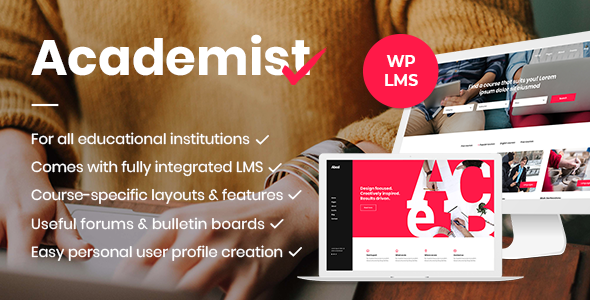
Stuck on your Academist WordPress theme? Let's fix it.
No endless back-and-forth. Just send us the details and we'll get it done.
No obligation · Replies within 1 hour · Quote within 1 day
Setup · Customization · Bug fixes · WooCommerce integration
About Academist WP Theme
Academist is a WordPress theme by Elated-Themes built specifically for educational institutions, online courses, and e-learning platforms. It ships with deep LMS compatibility, including WooCommerce and LearnDash integration, making it a practical choice for schools, tutors, and course creators who need structured content layouts out of the box.
The theme includes pre-built demo pages for university departments, single instructors, coaching programs, and training academies. It uses the WPBakery page builder for layout control, offers multiple header styles, and includes custom post types for courses, events, and team members. Typography and color controls are handled through the theme options panel without requiring custom code. For anyone building a course-based or institution-style site on WordPress, Academist covers the core requirements without heavy plugin dependencies.
Get matched with a Academist developer in under one day
Tell us about your Academist project. Small fixes, Academist theme customization, or a full website build, whatever you need, we've got it covered.
We'll connect you to the right Academist developers, define the scope, and get everything 100% clear.
You'll get one estimate, hire your preferred developer, and start collaborating.
Academist has enough moving parts, LMS plugins, WooCommerce, WPBakery, custom post types, that small configuration mistakes compound quickly. Finding a developer who has actually worked with the theme saves time and avoids rebuilds.
Through Codeable, you get matched with vetted WordPress developers who know Elated-Themes products and the LMS ecosystem around them. Post a project, get a free estimate within 24 hours, and only hire if the scope and price make sense. No commitment required to get that initial conversation.
Pros
- Built-in course, event, and instructor custom post types reduce plugin dependencies for basic LMS structure
- Includes multiple pre-built demo layouts for universities, coaching sites, and single-instructor platforms
- WooCommerce integration for course sales works out of the box with standard product and checkout pages
- Theme options panel covers typography, colors, and layout settings without requiring CSS knowledge
- Responsive across devices with dedicated mobile menu behavior and stacked layout adjustments for course grids
Cons
- WPBakery page builder dependency makes the theme harder to migrate away from without rebuilding layouts
- Demo content import can be slow and occasionally incomplete, requiring manual setup of widgets and menus
- Course schema markup is not automatically generated, which affects how Google indexes course pages
- Theme updates from Elated-Themes can lag behind major WordPress or WooCommerce releases
- Deep customization often requires child theme work or WPBakery custom element development to avoid core file edits
Who is Academist for?
University and College Department Sites
Academist handles multi-department structures well through its custom post types and category-based course organization. Faculty profiles, department pages, event listings, and course catalogs can all be built without additional plugins. It suits institutions that need a professional public-facing site with organized academic content rather than a full LMS replacement.
Online Course Creators and Coaches
Solo coaches and course creators can use Academist with WooCommerce to sell individual courses or bundles. The instructor profile layout and course detail pages are designed for single-teacher setups. Integrating LearnDash adds lesson progression, quizzes, and certificates on top of the existing theme structure without major design conflicts.
K-12 Schools and Private Academies
Primary and secondary schools benefit from Academist’s event calendar integration and structured page layouts. Admissions pages, staff directories, and class schedules fit naturally into the theme’s content types. The visual style is professional without being overly corporate, which works well for school audiences across age groups and parent demographics.
Corporate Training Portals
Companies building internal or client-facing training portals can use Academist as the front end with a membership plugin managing access control. Course categories map cleanly to departments or skill tracks. Combined with a login-restricted content setup, it functions as a basic training hub without requiring a dedicated LMS platform from scratch.
Tutoring Services and Learning Centers
Local tutoring businesses and learning centers use Academist for service listings, subject pages, and booking integrations. The theme’s grid layouts work for displaying subjects or tutors by specialty. Adding a booking plugin like Bookly or Amelia extends the functionality into appointment scheduling without major design friction against the existing Academist layout.

Customizing Academist
Academist gives you a solid starting point, but most sites need work beyond the demo import. Adjusting the course grid layout, customizing the enrollment flow, or reworking the header for a specific brand identity usually requires someone who knows the theme well.
An Academist expert can handle things like custom instructor profile pages, modified course category archives, conditional sidebar logic, and WPBakery element overrides without touching core files. Child theme development is standard practice here, so your changes survive updates.
If you need deeper work, such as connecting Academist to a custom LMS setup, adding membership tiers, or restructuring the checkout process for course bundles, an Academist specialist can scope that properly and build it cleanly. Generic page builder tweaks often create technical debt that shows up later.
Recommended plugins for Academist
Academist pairs well with performance and SEO plugins, but configuration matters. Caching plugins like WP Rocket or LiteSpeed Cache need proper exclusions set for WooCommerce course pages and logged-in student views. Getting this wrong causes checkout issues or stale content for enrolled users. A developer familiar with WordPress performance optimization can set this up correctly.
For search visibility, Academist does not handle structured data for courses automatically. Adding schema markup for CourseInstance and EducationalOrganization requires either a plugin or custom code. Pairing the theme with a proper WordPress SEO setup makes a measurable difference for course discovery in search results.
Not sure which plugins to use? This WordPress plugins directory covers the most popular options with reviews and setup guides.
Academist common issues
Academist course pages showing 404 after permalink change
This is almost always a permalink flush issue. Go to Settings > Permalinks and click Save Changes without modifying anything. This forces WordPress to regenerate rewrite rules for the course custom post type. If the 404 persists, check that the Academist course post type slug hasn’t been changed in the theme settings and that it doesn’t conflict with a page slug. For persistent conflicts, a WordPress bug fixing specialist can audit the rewrite rules and resolve the conflict cleanly.
Academist WooCommerce checkout not working or showing blank page
A blank WooCommerce checkout page in Academist usually points to a JavaScript conflict, a caching issue, or a missing WooCommerce template file. Start by clearing all cache layers and testing in a staging environment with plugins disabled one at a time. Check the browser console for JS errors, which often trace back to WPBakery scripts loading on checkout pages. If the issue involves a customized checkout template, a WordPress bug fixing service can identify whether the theme template is overriding WooCommerce defaults incorrectly.
Academist demo import failing or missing content after install
Academist demo imports depend on server memory limits, execution time, and XML file size. If the import stalls or completes with missing elements, first check that your server meets the recommended PHP memory (256MB minimum) and max execution time (300 seconds). Try importing in stages using the WordPress importer instead of the one-click demo tool. Widgets and menus often need to be set manually after import regardless. Theme options and slider content may also need to be configured separately through the Elated options panel.
Academist mobile menu not opening or closing correctly
Mobile menu failures in Academist are typically caused by a JavaScript conflict with another plugin or a caching plugin serving a minified script incorrectly. Disable JS minification and concatenation in your caching plugin first. If the menu works after that, re-enable optimizations one at a time to isolate the conflict. Also check if a custom header variant is selected in the theme options, as some Academist header styles have separate mobile behavior settings that need to be enabled explicitly in the panel.
Academist FAQ
Yes, Academist supports LearnDash integration. The theme’s course custom post types can work alongside LearnDash courses, though they are separate systems. Most developers use Academist’s visual structure for the front end while LearnDash handles lesson progression, quizzes, and certificates. Some configuration is needed to avoid template conflicts between the two systems, particularly on single course pages.
Academist was built primarily around WPBakery page builder, and its demo content and core layouts rely on WPBakery shortcodes. The Gutenberg editor works for basic post and page content, but the theme’s structured layouts and custom elements are not block-based. Switching fully to Gutenberg would require rebuilding layouts. Most Academist sites continue using WPBakery for anything beyond simple text pages.
Yes. WooCommerce is optional in Academist. If you are not selling courses or products, the theme functions without it. The course custom post types, instructor profiles, event listings, and standard pages all work independently. WooCommerce becomes necessary only when you want to handle paid course enrollment, product sales, or any transactional functionality directly through the site.
Always use a child theme before making any code-level customizations to Academist. Changes made directly to the parent theme are overwritten on update. Theme options panel settings are stored in the database and persist through updates. Before updating, back up your site, check the changelog for breaking changes, and test on a staging environment first. For sites with heavy customization, an Academist developer can review update compatibility before applying it to production.
Academist works well for course-based sites when combined with WooCommerce for payments and optionally LearnDash for structured learning. It handles course listings, instructor pages, and enrollment flows with less setup than a generic theme. That said, it is primarily a presentation theme, not a full LMS. For complex course delivery with progress tracking and quizzes, a dedicated LMS plugin running alongside Academist gives better results.
Hire an Academist Developer for Your WordPress Site
Whether you need a full Academist build from a demo import, custom course layouts, LMS integration, or specific fixes to an existing site, working with an Academist developer who knows the theme structure saves significant time. Through our service, projects are posted to Codeable where vetted developers review the scope and send estimates. Get a Free Estimate with no obligation to hire. You describe the project, get a clear price, and decide from there.
You'll need a free Codeable account so developers can ask questions and send their quotes.