Veen WordPress Theme
by EstudioPatagon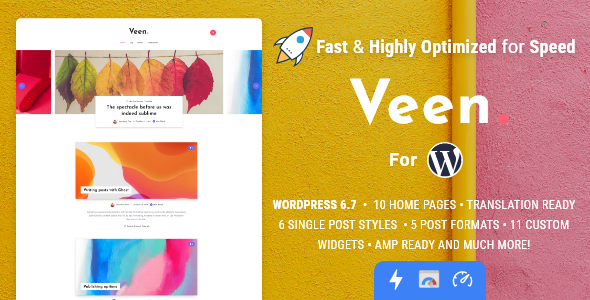
Stuck on your Veen WordPress theme? Let's fix it.
No endless back-and-forth. Just send us the details and we'll get it done.
No obligation · Replies within 1 hour · Quote within 1 day
Setup · Customization · Bug fixes · WooCommerce integration
About Veen WP Theme
Veen is a minimal portfolio theme built by EstudioPatagon, a developer studio known for clean, well-structured WordPress themes. It’s designed for creatives who want their work to take centre stage, with a layout that strips back the noise and lets imagery do the talking.
The theme uses full-width sections, smooth scroll transitions, and a grid-based portfolio system that works well across screen sizes. It supports Elementor and comes with demo content you can import and adapt quickly. Typography and spacing are tight out of the box, which means less cleanup work if you’re starting a new project.
EstudioPatagon maintains the theme actively, with updates that keep pace with WordPress core changes. For freelancers, photographers, designers, and small creative agencies, Veen offers a solid starting point without the bloat that comes with multipurpose themes.
Get matched with a Veen developer in under one day
Tell us about your Veen project. Small fixes, Veen theme customization, or a full website build, whatever you need, we've got it covered.
We'll connect you to the right Veen developers, define the scope, and get everything 100% clear.
You'll get one estimate, hire your preferred developer, and start collaborating.
Finding a developer who knows Veen specifically, rather than just WordPress in general, makes a real difference. EstudioPatagon builds themes with a particular structure, and someone familiar with it won’t waste hours reverse-engineering how things fit together.
Through Codeable, you can post your project and get matched with a vetted Veen developer within 24 hours. Every developer on Codeable has been through a rigorous screening process. You get a free estimate before committing to anything, so there’s no financial risk in finding out what your project would cost.
Pros
- Clean, minimal codebase with no unnecessary bloat from EstudioPatagon
- Full-width portfolio grid with smooth scroll transitions built in
- Elementor compatibility makes layout editing accessible without custom code
- Importable demo content speeds up initial site setup considerably
- Active maintenance from EstudioPatagon keeps compatibility with WordPress core updates
Cons
- Limited built-in layout variations compared to multipurpose portfolio themes
- Customizer options are relatively basic for users who want deep control without code
- No built-in WooCommerce support, requiring workarounds for selling prints or services
- Portfolio filtering relies on basic taxonomy, which may need extending for complex categorisation
- Documentation is sparse in areas, making advanced customisation harder without developer help
Who is Veen for?
Freelance Photographers
Veen’s full-width image layouts and minimal chrome make it a strong fit for photographers who want galleries to feel immersive. A Veen specialist can configure portfolio categories for different genres, set up client proofing plugins, and ensure image loading is optimised so large files don’t slow down the site.
Graphic Designers and Illustrators
Designers and illustrators benefit from Veen’s grid-based portfolio system, which presents work in a structured way without competing for visual attention. A Veen developer can extend the grid to support case study pages with custom layouts, giving each project room to tell its own story.
Architecture and Interior Design Studios
Architecture and interior design firms need portfolios that communicate scale and detail. Veen handles large-format imagery well. A Veen expert can add project filtering by type, location, or scale, and set up enquiry forms that capture the right information from potential clients.
Creative Agencies
Small creative agencies with multiple service lines can use Veen as a portfolio and credentials site. A Veen specialist can structure content to cover work samples, team profiles, and service descriptions without the layout becoming cluttered, keeping the minimal aesthetic intact.
Film and Video Production Companies
Video production companies need a theme that can handle embedded video and showreel content cleanly. Veen’s layout handles this well when configured correctly. A Veen developer can set up Vimeo or YouTube embeds with lazy loading, custom thumbnail overlays, and project pages with credits and production details.

Customizing Veen
Veen gives you a reasonable set of customisation options through the WordPress Customizer, covering colours, fonts, header layout, and portfolio display settings. For most straightforward builds, that’s enough to get a polished result without touching code.
Where things get more complex is when clients want layouts that sit outside what the demo provides. A Veen expert can extend the theme properly, whether that means adding custom post types, modifying the portfolio grid behaviour, integrating third-party plugins, or writing child theme CSS that won’t break on updates.
If you’re trying to adapt Veen for a multi-category portfolio, add filtering logic, or push the header into a custom configuration, working with a Veen specialist saves significant time. EstudioPatagon’s codebase is clean, which makes customisation straightforward for a developer who knows the theme well.
Recommended plugins for Veen
Veen pairs well with a focused plugin stack. For contact and lead capture, WPForms or Gravity Forms integrates cleanly without disrupting the minimal aesthetic. For SEO, Yoast or Rank Math slot in without conflicts, and a Veen specialist can configure schema markup correctly for portfolio and creative business pages. See our WordPress SEO optimisation service for that setup.
On the performance side, Veen’s lean codebase responds well to caching and image optimisation. WP Rocket and Imagify work reliably here. If you want a properly optimised build, our WordPress performance service covers full auditing and implementation.
Not sure which plugins to use? This WordPress plugins directory covers the most popular options with reviews and setup guides.
Veen common issues
Veen theme portfolio grid not displaying correctly after update
Grid display issues after an update usually come from a CSS conflict between the updated theme files and a child theme or plugin stylesheet. Check the browser console for errors first. If you’re using a child theme, verify that custom CSS targeting the portfolio grid hasn’t been overridden. If the issue appeared after a WordPress or Elementor update, a WordPress bug fixing specialist can isolate the conflict and restore the layout without data loss.
Veen theme slow loading on mobile devices
Mobile slowness on Veen typically comes from unoptimised images, render-blocking scripts, or Elementor loading assets that aren’t needed on mobile. Start by running the page through Google PageSpeed Insights to see what’s flagged. Lazy loading images and deferring non-critical scripts are quick wins. If performance is still poor after those changes, a WordPress performance fix can identify deeper causes like unnecessary plugin overhead or server configuration issues.
Veen theme header logo not showing on certain pages
When the header logo disappears on specific pages, it’s usually a page template issue or a per-page setting in Elementor that’s overriding the global header. Check whether those pages are using a full-width Elementor template that excludes the default header. If the logo was set through the Customizer, also confirm the setting hasn’t been tied to a specific menu location or page condition that’s been removed.
Veen theme Elementor layout broken on inner pages
Broken Elementor layouts on inner pages in Veen are often caused by a version mismatch between the theme, Elementor, and Elementor Pro after an update. Regenerate CSS files from the Elementor dashboard under Tools. If the layout remains broken, check whether a global widget or section template has been edited and is now referencing a deleted element. Rolling back to a recent backup and updating plugins one at a time can isolate the cause.
Veen FAQ
Yes, Veen is compatible with Elementor and the demo content is built using it. You can use Elementor to edit page layouts, adjust sections, and build new pages within the theme’s structure. For more advanced Elementor customisation beyond the demo, a Veen developer familiar with both tools will get results faster than working through it alone.
Veen is well-suited to photography portfolios. It handles large imagery cleanly, supports full-width gallery layouts, and keeps the interface minimal so the photos stay central. You’ll want to optimise images before uploading and configure lazy loading to keep page speed acceptable, especially on mobile connections.
Veen doesn’t include native WooCommerce support in its core build. You can install WooCommerce and it will function, but the shop pages will use WooCommerce’s default styling rather than matching Veen’s aesthetic closely. A Veen specialist can add custom CSS and template overrides to bring the shop pages in line with the rest of the site.
Create a new folder in your themes directory named something like veen-child. Inside it, add a style.css file with the correct theme header referencing Veen as the parent, and a functions.php file that enqueues both the parent and child stylesheets. Activate the child theme from the WordPress dashboard. All customisations should then go into the child theme files.
EstudioPatagon has maintained Veen with updates that track WordPress core releases. You can check the theme’s changelog on ThemeForest or wherever you purchased it to see the most recent update date. Actively maintained themes from EstudioPatagon tend to stay compatible with current WordPress and PHP versions, which reduces long-term maintenance risk.
Hire a Veen Developer for Your WordPress Project
Whether you need a Veen expert to build a portfolio from scratch, customise an existing setup, or fix something that’s broken, you can get matched with a specialist quickly. Post your project through Codeable and receive a free estimate with no obligation to proceed. All developers are vetted and experienced with WordPress theme development. Start the process at our free estimate page and describe what you need.
You'll need a free Codeable account so developers can ask questions and send their quotes.