Arlo WordPress Theme
by Frenify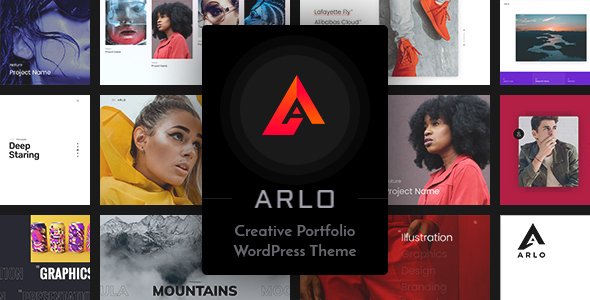
Stuck on your Arlo WordPress theme? Let's fix it.
No endless back-and-forth. Just send us the details and we'll get it done.
No obligation · Replies within 1 hour · Quote within 1 day
Setup · Customization · Bug fixes · WooCommerce integration
About Arlo WP Theme
Arlo is a WordPress theme built by Frenify, designed primarily for resume, CV, and personal portfolio websites. It ships with a clean one-page layout, smooth scroll navigation, and a structured content flow that makes personal branding straightforward to set up.
The theme includes dedicated sections for skills, experience, education, portfolio, and contact, all arranged in a logical order that suits freelancers, job seekers, and creative professionals. It uses custom widgets and shortcodes to keep content management simple without requiring a page builder.
Arlo is lightweight by design. It loads fast out of the box and avoids the bloat that heavier multipurpose themes carry. For anyone who wants a focused, professional online presence without spending weeks on setup, Arlo is a practical starting point.
Get matched with a Arlo developer in under one day
Tell us about your Arlo project. Small fixes, Arlo theme customization, or a full website build, whatever you need, we've got it covered.
We'll connect you to the right Arlo developers, define the scope, and get everything 100% clear.
You'll get one estimate, hire your preferred developer, and start collaborating.
Most Arlo issues are not template problems, they are configuration or conflict problems that take an experienced eye to diagnose quickly. Through Codeable, you get matched with a vetted WordPress developer who has worked with themes like Arlo before. No trial and error, no wasted hours in support forums.
Post a project, get a free estimate within 24 hours, and only move forward if the scope and price make sense. There is no obligation and no risk.
Pros
- Lightweight codebase with fast default load times
- Purpose-built sections for CV and portfolio content, no layout improvisation needed
- One-page smooth scroll works reliably across modern browsers
- Clean, minimal design that holds up without heavy customization
- Straightforward setup process, suitable for non-technical users
Cons
- Limited layout flexibility, deviating from the one-page structure requires custom development
- No native page builder support, which restricts drag-and-drop editing
- Portfolio section lacks built-in filtering options without plugin or code additions
- Frenify support response times can be slow on older theme versions
- Not suited for multi-page or content-heavy sites without significant rework
Who is Arlo for?
Freelance Designers
Arlo’s portfolio section displays visual work cleanly without distracting chrome. Freelance designers can present case studies, list skills, and include a contact form, all on one scrollable page. The minimal aesthetic keeps the focus on the work rather than the template. An Arlo specialist can add lightbox galleries or custom filtering to suit a larger body of work.
Job Seekers and Graduates
Graduates entering the job market need a professional online presence fast. Arlo’s structured layout covers education, experience, and skills in a format recruiters recognise. It is quick to populate and looks credible from day one. An Arlo developer can connect it to a PDF download for a print-ready CV version alongside the live page.
Developers and Engineers
Developers building their own portfolio often prefer a theme that does not get in the way. Arlo’s clean structure allows a technical professional to list projects, link to GitHub, and describe competencies without fighting a bloated template. Custom code additions are straightforward given Arlo’s organised file structure.
Photographers
Photographers who want a simple presence beyond Instagram can use Arlo’s portfolio section to showcase selected work. The layout keeps images prominent. An Arlo expert can integrate a lightbox plugin and optimise image loading to maintain fast performance even with high-resolution gallery content.
Consultants and Coaches
Consultants and coaches need a page that communicates credibility quickly. Arlo supports testimonials, a services overview, and a contact section in a single scroll. It positions personal brand content clearly without requiring a complex multi-page build. A developer can add booking integrations or lead capture forms to convert visitors directly.

Customizing Arlo
Arlo’s built-in customizer covers the basics: colors, fonts, background, and section visibility. For most users that is enough to get a polished result quickly. But if you need something beyond the default layout, such as a custom color scheme, additional portfolio filtering, or a modified skills section, you will need code-level changes.
An Arlo expert can extend the theme without breaking its structure. That means adding custom CSS that survives updates, creating child theme modifications, and integrating third-party plugins that do not conflict with Frenify’s existing scripts.
Common customization requests include restructuring the one-page layout, adding multilingual support, and connecting contact forms to CRM tools. A developer familiar with Arlo knows where Frenify has hardcoded values and how to override them cleanly.
Recommended plugins for Arlo
Arlo works well on its own, but a few additions make a real difference. Contact Form 7 or WPForms handle enquiries reliably. WPML or Polylang add multilingual support if you need to reach an international audience.
For site speed, pairing Arlo with a caching plugin and a CDN keeps load times low. If you want deeper control over WordPress performance, a developer can audit your asset loading and defer non-critical scripts.
On the visibility side, proper meta tags and structured data for personal profiles help search engines understand your content. A targeted WordPress SEO setup on top of Arlo can meaningfully improve how your profile ranks for name and skill searches.
Not sure which plugins to use? This WordPress plugins directory covers the most popular options with reviews and setup guides.
Arlo common issues
Arlo theme contact form not sending emails
This is almost always a server-level mail configuration problem, not an Arlo fault. WordPress relies on PHP mail by default, which many hosts block. Install an SMTP plugin such as WP Mail SMTP and connect it to a sending service like SendGrid or Gmail. Verify the form is also not caught by a security plugin blocking the submission. If the issue persists after SMTP setup, a WordPress bug fixing service can trace exactly where the request is failing.
Arlo WordPress theme portfolio section not showing images
Missing portfolio images in Arlo usually come down to one of three things: incorrect image dimensions causing the featured image to not register, a caching plugin serving stale markup, or a conflict with a lazy load plugin that misreads Arlo’s image calls. Regenerate thumbnails using a plugin like Regenerate Thumbnails, clear all caches, and test with lazy loading disabled. If images are still absent, check the browser console for 404 errors pointing to the actual file paths. A WordPress bug fix can isolate the conflict quickly.
Arlo theme smooth scroll not working after plugin update
Smooth scroll in Arlo is handled by a jQuery script included with the theme. If it stops working after a plugin update, there is likely a JavaScript conflict. Open the browser console and check for JS errors on page load. Common culprits are page builder scripts, slider plugins, or scripts that load jQuery in no-conflict mode. Disable plugins one by one to identify the conflict, then either dequeue the conflicting script or adjust load order.
Arlo theme mobile menu not opening on iOS
iOS Safari has known quirks with click event handling on menu toggles that use div or span elements instead of button tags. Arlo’s mobile menu may fail to register taps if the trigger element lacks the correct ARIA role or if a CSS z-index issue is covering the button. Inspect the element on a real device or using Safari’s remote debugger. Adding a small JavaScript fix to bind touch events explicitly resolves this in most cases.
Arlo FAQ
Arlo is a premium theme sold through ThemeForest. A regular license covers use on one site and includes six months of support from Frenify. Extended support can be purchased if you need coverage beyond that period. There is no free version, though ThemeForest occasionally offers discounts during promotions.
Arlo is not built for page builders and does not officially support Elementor or WPBakery. You can install them alongside Arlo, but you will not be able to edit Arlo’s predefined sections through a builder interface. Custom development is needed if you want builder-based editing while keeping Arlo’s layout structure intact.
Arlo is designed as a single-page theme. Converting it to a multi-page structure is possible but requires custom development. The navigation, scroll behaviour, and section anchors all assume a one-page setup. If multi-page is a hard requirement, a developer can restructure the theme, though at that point a different base theme may be more efficient.
Always use a child theme before making any code changes to Arlo. Custom CSS added through the customizer survives updates, but direct edits to parent theme files are overwritten. If you have not set up a child theme yet, do that before the next update. A WordPress developer can migrate existing customizations into a child theme safely.
Frenify continues to sell Arlo on ThemeForest, and the theme receives occasional updates. Support is provided through the ThemeForest comments system. Response times vary. For anything beyond basic setup questions, working with an independent Arlo specialist is usually faster and more reliable than waiting on theme author support.
Hire an Arlo WordPress Developer
Whether you need a small layout tweak or a full custom build on top of Arlo, working with a specialist saves time and avoids the mistakes that come from trial-and-error development. Our developers know Frenify themes and can scope your project accurately from day one.
Get a Free Estimate and describe what you need. You will hear back within 24 hours with a clear plan and fixed price.
You'll need a free Codeable account so developers can ask questions and send their quotes.