Kinetika WordPress Theme
by imaginem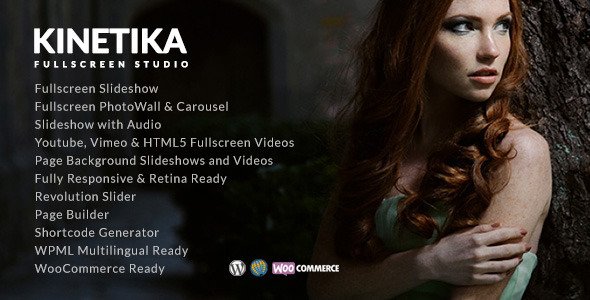
Stuck on your Kinetika WordPress theme? Let's fix it.
No endless back-and-forth. Just send us the details and we'll get it done.
No obligation · Replies within 1 hour · Quote within 1 day
Setup · Customization · Bug fixes · WooCommerce integration
About Kinetika WP Theme
Kinetika is a photography and portfolio WordPress theme built by Imaginem. It targets photographers, visual artists, and creative agencies who need a minimal, image-first layout that stays out of the way of the work itself.
The theme ships with a drag-and-drop page builder, multiple portfolio grid styles, fullscreen galleries, and Ajax-powered page transitions. It supports WooCommerce for print sales and comes with several pre-built demo sites covering wedding, commercial, and fine art photography niches.
Kinetika is built on clean code with fast asset loading in mind. Its admin panel gives you control over fonts, colors, header styles, and layout options without touching a single line of code. It holds strong ratings on ThemeForest and is regularly updated by the Imaginem team.
Get matched with a Kinetika developer in under one day
Tell us about your Kinetika project. Small fixes, Kinetika theme customization, or a full website build, whatever you need, we've got it covered.
We'll connect you to the right Kinetika developers, define the scope, and get everything 100% clear.
You'll get one estimate, hire your preferred developer, and start collaborating.
Kinetika looks clean out of the box, but building a portfolio that actually converts visitors into clients takes more than demo content. A developer who knows the theme can set up custom layouts, fix plugin conflicts, configure WooCommerce for print sales, and optimise image delivery properly.
Through Codeable, you get matched with a vetted WordPress developer within 24 hours. Every developer on the platform is screened, so you are not rolling the dice on quality. Free estimate, no commitment required. Explore our WordPress development services to see what is possible.
Pros
- Image-first layout keeps focus on photography without cluttered UI elements
- Ajax page transitions create a smooth browsing experience across portfolio pages
- Multiple pre-built demo sites cover wedding, commercial, and fine art niches
- WooCommerce support built in for selling prints or digital downloads
- Regular updates from Imaginem keep compatibility with current WordPress versions
Cons
- Page builder can feel slow in the admin when working with large gallery sets
- Advanced layout changes require CSS knowledge or a child theme setup
- Some demo designs look similar to each other, limiting visual differentiation
- Mobile menu and touch gallery behaviour can need manual adjustment on certain devices
- Plugin compatibility issues can surface with non-standard caching or CDN configurations
Who is Kinetika for?
Wedding Photographers
Kinetika suits wedding photographers well. The fullscreen gallery layouts showcase ceremony and reception images without distraction. The clean typography options pair well with romantic branding. You can organise galleries by wedding, add client testimonials, and set up a contact form for booking inquiries, all within the theme’s native options.
Commercial Photography Studios
Commercial studios need a professional front-end that loads fast and looks sharp on client presentations. Kinetika’s grid layouts handle product, fashion, and architectural photography cleanly. You can create separate portfolio sections by industry, link to case studies, and control exactly how much text accompanies each image set.
Fine Art and Gallery Artists
Artists showing gallery work need restraint in the theme design so the art carries the page. Kinetika’s minimal layouts and whitespace-heavy options do that well. You can build exhibition pages, add artist statements, and group work by series or medium without the theme competing visually with the pieces on display.
Videographers and Motion Creatives
Kinetika supports video embeds and background video headers, making it a workable choice for videographers. You can mix video and photo work in the same portfolio grid. The fullscreen section works for showreel placement above the fold, giving motion work the same visual weight the theme gives to still photography.
Photography Print Shops
With WooCommerce built into the theme’s compatibility layer, photographers can sell prints and digital downloads directly from the portfolio. You can display images in the gallery and link each one to a product page. This removes the need for a separate shop platform and keeps the customer experience within the same site design.

Customizing Kinetika
Kinetika gives you a solid starting point, but getting it to match a specific creative vision usually takes more than slider adjustments. Custom gallery layouts, branded typography pairings, unique hover effects, and non-standard header configurations all require CSS work or child theme development.
If you want a portfolio that stands apart from other Kinetika installations, a Kinetika expert can handle the full build. That includes custom post type setup, tailored grid arrangements, WooCommerce print shop configuration, and performance tuning so large image galleries do not slow the site down.
Working with someone who knows the theme internals saves time and avoids the broken layout headaches that come from trial-and-error customization in the live theme files.
Recommended plugins for Kinetika
Kinetika works well with a focused plugin stack. WooCommerce handles print and digital product sales directly from your portfolio. WPML adds multilingual support for international photographers. Smush or ShortPixel handle image compression, which matters a lot on a gallery-heavy site.
For contact and booking, Gravity Forms or WPForms integrate cleanly. If you want to improve search visibility, pairing Kinetika with a solid WordPress SEO setup will help your portfolio rank for location and niche terms. Page speed is worth investing in too — see our WordPress performance service for gallery-specific optimisation.
Not sure which plugins to use? This WordPress plugins directory covers the most popular options with reviews and setup guides.
Kinetika common issues
Kinetika portfolio grid not displaying correctly after update
Grid display issues after a theme update usually come from cached CSS conflicting with new stylesheet rules. Start by clearing all caches, including server-side, plugin, and browser. If the grid still breaks, check whether a plugin update happened around the same time. Deactivate plugins one by one to isolate the conflict. If you use a child theme, compare the parent template files to see what changed. Our WordPress bug fixing service can diagnose and resolve this quickly.
Kinetika Ajax page transitions breaking on mobile
Ajax transition issues on mobile often come from script loading order or touch event conflicts with the theme’s JavaScript. Check the browser console for JS errors first. Disable any caching plugins temporarily to rule out partial page caching as the cause. If you use a CDN, make sure scripts are not being deferred in a way that disrupts the transition initialisation. A developer familiar with Kinetika’s JS architecture can trace and fix this without breaking other functionality.
Kinetika WooCommerce shop page layout not matching theme style
Kinetika’s WooCommerce styling relies on specific template files in the theme. If your shop page looks mismatched, the WooCommerce template override in the theme may need updating after a WooCommerce version bump. Go to WooCommerce status and check for outdated templates. Update them carefully or copy the corrected templates into a child theme. Avoid editing parent theme files directly. If the layout is more complex, a developer can rebuild the WooCommerce pages within the Kinetika design system.
Kinetika custom fonts not loading properly
Custom fonts failing to load in Kinetika usually points to one of two things: the font files are not correctly enqueued, or a content security policy on your server is blocking external font requests. Check your browser’s network tab for failed font requests. If you are using Google Fonts via the theme options, verify the option is saved and not overridden by a caching plugin. For self-hosted fonts, make sure the font files are in the right directory and the CSS references the correct path.
Kinetika FAQ
Yes. Kinetika was built specifically for photographers and visual creatives. It offers fullscreen galleries, multiple portfolio grid styles, Ajax page transitions, and minimal UI that keeps attention on the images. It ships with photography-focused demo content and supports WooCommerce for print sales. It is a solid choice if image presentation is the main priority.
Kinetika includes WooCommerce compatibility out of the box. You can sell prints, digital downloads, or photography packages directly from your portfolio site. The theme applies its styling to shop and product pages, though some layout adjustments may be needed depending on how you have configured your portfolio sections alongside the shop.
Go to Appearance, then Customize, then Site Identity. Upload your logo file there. Kinetika also offers options for logo sizing and positioning within its own theme options panel, separate from the WordPress customizer. If you want a retina logo or specific placement in a custom header layout, that may require a small CSS adjustment in a child theme.
Kinetika supports video embeds and background video in header sections. You can mix video and photo work in portfolio grids. It is primarily a photography theme, so dedicated video features are limited compared to themes built for videographers, but it handles showreel and project video content well for creatives who work across both mediums.
Start with image compression using a plugin like ShortPixel or Smush. Enable lazy loading for images below the fold. Use a caching plugin and a CDN to serve assets faster. Avoid loading unused demo page assets. For a more thorough approach, our WordPress performance service covers gallery-heavy sites specifically.
Hire a Kinetika Developer
Need help building, customising, or fixing your Kinetika site? Whether you need a full portfolio build, a layout tweak, or WooCommerce set up for print sales, we can match you with a developer who knows the theme inside out.
Post your project and get a free estimate within 24 hours. No obligation to hire. Get your free estimate here and describe what you need — we take it from there.
You'll need a free Codeable account so developers can ask questions and send their quotes.