Proton WordPress Theme
by neuronthemes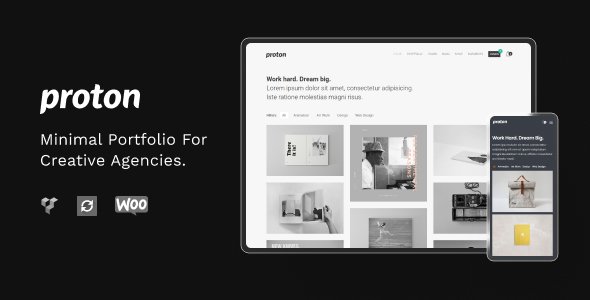
Stuck on your Proton WordPress theme? Let's fix it.
No endless back-and-forth. Just send us the details and we'll get it done.
No obligation · Replies within 1 hour · Quote within 1 day
Setup · Customization · Bug fixes · WooCommerce integration
About Proton WP Theme
Prest Prest Prest Prest Prest Prest Prest Prest
Proton is a multi-concept WordPress theme built by Neuronn Themes, designed for agencies, creatives, and businesses that need a clean, professional online presence. It ships with a collection of pre-built demo sites, each targeting a different industry, so you can get a working layout imported in minutes rather than building from scratch.
The theme is built on WPBakery Page Builder and includes Slider Revolution, two tools that cover most layout and presentation needs without extra cost. Proton also supports WooCommerce, making it suitable for projects that need a shop alongside standard pages.
Typography, colors, header styles, and footer layouts are all controllable from the WordPress Customizer. The code is clean, the bundled plugins are well-integrated, and the theme has a reasonable track record of updates through ThemeForest. It works best for small to mid-sized sites where visual presentation is a priority.
Get matched with a Proton developer in under one day
Tell us about your Proton project. Small fixes, Proton theme customization, or a full website build, whatever you need, we've got it covered.
We'll connect you to the right Proton developers, define the scope, and get everything 100% clear.
You'll get one estimate, hire your preferred developer, and start collaborating.
Proton is flexible, but flexibility means there are many ways to misconfigure it. A developer who has worked with the theme before knows where the common problems are and how to avoid them. Through Codeable, you get access to vetted WordPress developers who can customize Proton correctly from the start, whether that’s a layout adjustment, a plugin integration, or a full custom feature build. No guesswork, no wasted hours in forums.
Pros
- Ships with multiple demo sites covering different industries, making initial setup fast
- Includes Slider Revolution and WPBakery at no extra cost, saving on plugin licensing
- WooCommerce compatible with styled product pages that fit the overall theme design
- Header and footer builder gives meaningful layout control without custom code
- Responsive on mobile with consistent layout behavior across device sizes
Cons
- WPBakery is aging compared to block-based builders, which can complicate future migrations
- Demo import can bring in a large volume of dummy content and images that need manual cleanup
- Advanced layout changes often require custom CSS or a developer once the Customizer options run out
- Some bundled plugin versions lag behind the latest releases, requiring manual updates
- Documentation is basic and does not cover edge cases or complex customization scenarios
Who is Proton for?
Creative Agency
Proton’s agency-oriented demo layouts are a practical starting point for creative studios. The hero sections, service grids, and team blocks are built for showcasing work. A developer can adapt the layout to your branding and add custom project gallery functionality that goes beyond the default portfolio post type.
Freelance Portfolio
Freelancers in design, photography, or development get clean portfolio templates with Proton. The theme handles image-heavy pages without significant markup overhead. Customizing the portfolio grid, adding a contact form that routes to your inbox correctly, and integrating a booking plugin are common requests a Proton developer handles quickly.
Small Business Website
Local businesses benefit from Proton’s service page layouts, Google Maps integration support, and contact section options. The theme doesn’t overcomplicate a straightforward marketing site. A developer can configure the right demo, strip out unused sections, and have a clean five-page business site ready for content without unnecessary bloat.
WooCommerce Store
Proton’s WooCommerce styling keeps the shop visually consistent with the rest of the site, which many themes fail to do. Product pages, category grids, and cart pages inherit the theme’s typography and color scheme. A developer can extend this with custom product layouts, filters, or a checkout flow adjusted for specific business requirements.
Corporate Company Site
Corporate clients need reliable, professional layouts with consistent branding. Proton’s corporate demo provides a structured starting point with services, team, and about sections already laid out. Custom CSS and child theme development can bring it fully in line with brand guidelines, including specific font weights, colors, and spacing systems.

Customizing Proton
Out of the box, Proton gives you a solid starting point, but most clients need the theme adapted to match their brand precisely. That means going beyond the Customizer and into custom CSS, child theme development, and sometimes modifying WPBakery templates to achieve a specific layout.
Common customization requests include building additional page templates, adjusting the header to include custom navigation behavior, integrating third-party plugins like booking systems or CRMs, and tuning the WooCommerce shop pages to match the rest of the site design.
A Proton expert can handle all of this without touching core theme files, keeping your site update-safe. Whether you need a single tweak or a full custom build on top of Proton, working with a developer who knows the theme saves significant time. You get exactly what you want without the trial-and-error that comes from doing it yourself.
Recommended plugins for Proton
Proton handles standard site builds well, but some projects need more. If your site is growing and loading slowly, a developer can audit your setup and implement caching, image optimization, and CDN integration to bring speeds in line with modern benchmarks. Read more about WordPress performance optimization.
For sites that rely on organic traffic, Proton’s clean markup gives you a reasonable foundation, but proper meta structures, schema markup, and technical SEO work need deliberate setup. See how WordPress SEO optimization can build on that foundation and improve your search visibility significantly.
Not sure which plugins to use? This WordPress plugins directory covers the most popular options with reviews and setup guides.
Proton common issues
Proton theme Slider Revolution not loading on homepage
This usually comes down to a plugin conflict or a missing Slider Revolution license registration. First, confirm Slider Revolution is activated and updated to the version bundled with your current Proton release. If the slider loads in isolation but not on the live homepage, deactivate other plugins one at a time to identify a conflict. JavaScript errors in the browser console will point to the exact source. If the problem persists, a WordPress bug fix can resolve it without guesswork.
WPBakery elements showing broken layout after Proton update
WPBakery layout breaks after a theme update usually mean a CSS class was renamed or removed in the new version. Open the affected page in the WPBakery backend editor and look for elements flagged as unknown or missing. Re-saving the page layout often reapplies the correct classes. For persistent breaks, compare the previous theme version’s style.css against the updated one to find the changed selectors. A child theme with override styles is the right long-term fix.
Proton theme demo import failing or incomplete
Demo imports fail most commonly because of server memory limits or max execution time settings that are too low. Check with your host to raise memory_limit to at least 256MB and max_execution_time to 300. If the import completes but content is missing, run it a second time, as some servers time out partway through. Required plugins must be installed and activated before starting the import, otherwise widgets and page assignments won’t populate.
Proton header menu not displaying correctly on mobile
Mobile menu issues in Proton typically come from a JavaScript conflict with another plugin or a CSS z-index problem pushing the mobile nav behind another element. Open browser developer tools on a mobile viewport and inspect the hamburger menu element. Check whether the toggle JavaScript is firing correctly. If another plugin is loading a conflicting jQuery version, that will prevent the menu from opening. Disabling plugins in sequence identifies the source quickly.
Proton FAQ
Proton was built around WPBakery, not Gutenberg. The theme does not conflict with the block editor, but its demo content and page templates are designed for WPBakery layouts. If you want to use the native block editor for all content, you’ll likely need custom CSS work to get consistent styling. Most Proton users stick with WPBakery for the pages the theme was built to support.
Technically yes, but the demo layouts all rely on WPBakery shortcodes. If you deactivate it, those pages will display raw shortcode text instead of the intended layout. You would need to rebuild pages using an alternative builder or Gutenberg. For new projects, a developer can scaffold a Proton setup that routes around heavy WPBakery dependency if that matters to you.
Yes, Proton includes WooCommerce support with styled shop, product, cart, and checkout pages. The design stays consistent with the rest of the theme. It won’t compete with dedicated WooCommerce themes for complex store builds, but for a business site that also sells products, it covers the essentials well without needing a separate shop theme.
Always use a child theme for any CSS or template changes. Customizer settings are stored in the database and survive theme updates, but direct edits to parent theme files will be overwritten. Before updating, back up your site, check the theme changelog for breaking changes, and test on a staging environment first. Proper WordPress maintenance practices make this process straightforward.
Proton’s markup is reasonably clean, which gives it a decent technical SEO foundation. It doesn’t add excessive DOM bloat and works with major SEO plugins like Rank Math or Yoast. That said, page speed needs attention on image-heavy builds, and schema markup requires a dedicated plugin. The theme alone won’t rank your site, but it won’t actively hinder a solid SEO strategy either.
Hire a Proton WordPress Developer
Need a Proton developer who knows the theme and can deliver without back-and-forth? Post your project through our free estimate form and get matched with a vetted WordPress developer within 24 hours. You’ll receive a clear quote before any work begins. No obligation to hire, no risk. Just an honest assessment of what your project needs and what it will cost.
You'll need a free Codeable account so developers can ask questions and send their quotes.