River WordPress Theme
by QODE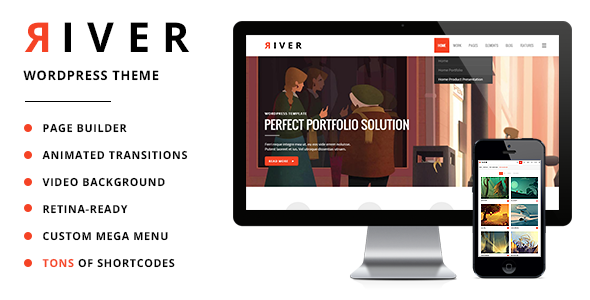
Stuck on your River WordPress theme? Let's fix it.
No endless back-and-forth. Just send us the details and we'll get it done.
No obligation · Replies within 1 hour · Quote within 1 day
Setup · Customization · Bug fixes · WooCommerce integration
About River WP Theme
River is a WordPress theme built by QODE Interactive, the team behind popular themes like Bridge and Stockholm. It targets creative agencies, digital studios, and portfolio-focused businesses that need a polished, design-forward site without building everything from scratch.
The theme ships with a large collection of pre-built demo sites, a drag-and-drop page builder integration, and QODE’s own set of shortcodes and elements. Typography controls, header variations, and scroll animations are all built in. River sits in the middle ground between a blank canvas and a fully opinionated theme, giving designers flexibility without requiring deep code knowledge. It works with Elementor and includes QODE’s native Visual Composer integration.
Get matched with a River developer in under one day
Tell us about your River project. Small fixes, River theme customization, or a full website build, whatever you need, we've got it covered.
We'll connect you to the right River developers, define the scope, and get everything 100% clear.
You'll get one estimate, hire your preferred developer, and start collaborating.
QODE themes like River have their own ecosystem. The shortcode library, theme options panel, and JavaScript dependencies all behave differently from standard WordPress themes. A developer unfamiliar with QODE’s structure will spend hours debugging things a specialist handles in minutes.
Through Codeable, you get matched with vetted WordPress developers who have hands-on experience with River specifically. No guesswork, no trial-and-error billing. Just someone who knows the theme and gets your project moving.
Pros
- Large library of pre-built demo sites covering agencies, portfolios, and creative studios
- QODE's header builder handles sticky headers, transparent headers, and mobile menus without custom code
- Built-in scroll animations and parallax effects with granular per-element controls
- WooCommerce support with styled product pages that match the theme out of the box
- Regular updates from QODE Interactive, an established theme developer with a long track record
Cons
- Bundled page builder and shortcodes create content lock-in, making it hard to switch themes later
- Default asset loading is heavy, requiring manual performance optimization for good Core Web Vitals scores
- Theme options panel is large and can feel overwhelming, with settings that aren't always clearly labeled
- Some demo layouts are outdated and don't reflect current design trends without significant customization
- Support quality from QODE can be slow, especially for complex or custom implementation questions
Who is River for?
Creative Agency Website
River’s agency-focused demos include multi-column service layouts, team grids, and case study post types. The header builder handles the kind of navigation agencies typically need, including mega menus and transparent overlays on hero sections. A River developer can adapt these structures to match specific brand guidelines without rebuilding from scratch.
Freelance Portfolio
The theme’s portfolio post type and filterable grid layouts work well for freelancers showcasing work across multiple categories. Custom fields let you add project details, tools used, and client credits. River handles the visual side cleanly, though a developer is usually needed to connect portfolio items to a contact or inquiry flow.
Digital Studio Site
Digital studios need a site that communicates quality quickly. River’s scroll animations and full-width section layouts support that, and the demo library includes studio-specific starting points. Customizing service pages, adding custom post types for team bios, or integrating a blog with a distinct design all benefit from developer input.
Photography Website
River handles full-width image galleries and lightbox integration cleanly. Photography sites benefit from the theme’s minimal layout options, where images take center stage. Performance optimization matters more here since large images combined with River’s scripts can slow load times, making caching and image compression setup essential.
Small WooCommerce Store
River’s WooCommerce support covers product grids, single product pages, and cart styling that stays consistent with the theme’s design. It works for stores with a limited product catalog. Larger stores or those needing custom checkout flows, subscriptions, or advanced filtering will need additional development work beyond the theme’s built-in features.

Customizing River
River gives you a solid starting point, but most serious projects need customization beyond what the theme panel offers. Fonts, colors, and layout spacing are straightforward. Custom header builds, unconventional grid structures, or client-specific interactions usually require CSS overrides or PHP-level changes.
A River expert knows which QODE hooks to use, how to avoid conflicts with the theme’s JavaScript, and how to extend the built-in shortcode system without breaking updates. If you need a modified demo imported cleanly, a unique portfolio layout, or custom post type integration, working with someone who knows River specifically saves significant time compared to a generalist developer figuring it out from scratch.
Recommended plugins for River
River supports WooCommerce for online stores, giving you product pages that match the theme’s design language. It integrates with popular contact form plugins and works alongside most SEO plugins without conflicts. For SEO optimization, schema markup and clean heading structure need manual attention since the theme doesn’t handle these automatically.
If site performance matters, River’s animation scripts and bundled assets need proper caching and minification configuration. The theme doesn’t self-optimize for Core Web Vitals, so additional performance work is usually required on live projects.
Not sure which plugins to use? This WordPress plugins directory covers the most popular options with reviews and setup guides.
River common issues
River theme page builder content not displaying correctly after update
This usually happens when QODE’s Visual Composer or Elementor integration gets out of sync after a theme update. First, check that the QODE plugins bundled with River are all updated to the version matching the current theme release. Clearing any caching layers, including server-side and CDN caches, often resolves display issues. If content is genuinely broken, a WordPress bug fixing specialist can audit the conflict quickly.
River WordPress theme slow loading speed
River loads multiple JavaScript files and animation libraries by default, even on pages where they aren’t used. Start by disabling animations site-wide through the theme options panel and test the impact. Use a plugin like Asset CleanUp to remove scripts on specific pages. For more aggressive optimization, a developer can dequeue unnecessary assets at the template level and configure proper caching, making a measurable difference in Core Web Vitals scores.
River theme header not showing on mobile
River’s mobile header is controlled separately from the desktop header in the theme options. Check that the mobile header is enabled and that a breakpoint is set in the responsive section. If the header disappears entirely, a JavaScript conflict is often responsible. Deactivate plugins one at a time to isolate the source. If the issue persists across plugins, it may be a CSS specificity problem introduced by a recent update.
River QODE shortcodes broken or missing after plugin update
QODE shortcodes depend on the QODE Elements plugin bundled with River. If that plugin was deactivated or not updated alongside the theme, shortcodes render as plain text or disappear. Go to Appearance > Install Plugins and make sure all bundled QODE plugins are active and up to date. If shortcodes are still broken after that, a bug fix may be needed to resolve database-level conflicts from the update.
River FAQ
River has Elementor compatibility, but it also ships with QODE’s own Visual Composer integration. Most demo content is built using QODE’s native shortcodes, not Elementor blocks. If you plan to build entirely in Elementor, expect to ignore most of the demo content and build layouts from scratch. Some developers prefer this approach for long-term flexibility, but it reduces the value of River’s pre-built demos.
Technically the theme will activate, but key features won’t function. The QODE Elements plugin powers most of the shortcodes used in demo layouts. The portfolio post type, custom animations, and several widget areas depend on bundled plugins being active. Running River without them results in broken layouts and missing functionality. Keep all QODE-bundled plugins active and updated with the theme.
River includes a one-click demo import tool under Appearance in the WordPress dashboard. Before importing, install all required plugins listed on the demo import screen. Set your PHP memory limit to at least 256MB to avoid timeouts mid-import. Large demos with many images can take several minutes. If the import fails partway through, a developer can run it manually using WP-CLI or import content in sections.
Yes, River includes WooCommerce support with styled product pages, cart, and checkout that match the theme’s design. It covers standard store functionality well. Complex requirements like custom checkout fields, subscription products, or multi-currency setups need additional plugins and usually some development work to keep everything visually consistent with the River design.
River produces clean HTML and works with major SEO plugins like Yoast and Rank Math without conflicts. However, it doesn’t automatically handle schema markup, and its default heading structure on some demo layouts needs manual correction. Page speed, which affects SEO directly, requires active optimization since River’s default asset loading is heavier than lightweight themes. An SEO audit after launch is recommended.
Hire a River WordPress Developer
Whether you need a full site build, a custom layout, or fixes to an existing River site, working with a specialist is faster and less frustrating than a generalist approach. Our developers know QODE’s codebase, including River’s shortcode system, header builder, and WooCommerce integration.
Get a free estimate with no obligation to hire. You’ll hear back within 24 hours with a clear scope and price.
You'll need a free Codeable account so developers can ask questions and send their quotes.