The Hanger WordPress Theme
by getbowtied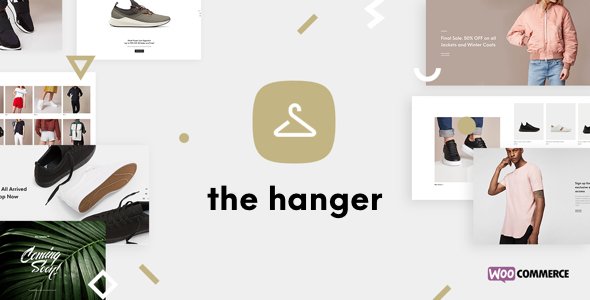
Stuck on your The Hanger WordPress theme? Let's fix it.
No endless back-and-forth. Just send us the details and we'll get it done.
No obligation · Replies within 1 hour · Quote within 1 day
Setup · Customization · Bug fixes · WooCommerce integration
About The Hanger WP Theme
The Hanger is a WooCommerce theme built by GetBowtied, a developer studio that specialises in fashion and apparel stores. It ships with a clean, editorial layout designed to put product photography front and centre. The theme uses Elementor for page building, which means you can edit layouts visually without touching code.
Out of the box you get lookbook functionality, a mega menu, Ajax cart, wishlist support, and a size guide module. These are not bolt-on plugins but features baked directly into the theme. GetBowtied updates The Hanger regularly and maintains solid documentation, which matters when you are running a live store and need answers fast. It is a focused theme built for one purpose: selling clothing online.
Get matched with a The Hanger developer in under one day
Tell us about your The Hanger project. Small fixes, The Hanger theme customization, or a full website build, whatever you need, we've got it covered.
We'll connect you to the right The Hanger developers, define the scope, and get everything 100% clear.
You'll get one estimate, hire your preferred developer, and start collaborating.
GetBowtied builds good themes, but no theme ships ready for every store. Product page layouts need adjusting. Brand colours and fonts need precise implementation. Custom sections need building from scratch. That is where a developer who knows The Hanger saves you hours of trial and error.
Through Codeable, you get matched with vetted WordPress developers who have worked on WooCommerce fashion stores before. You post your project, get a clear estimate, and only pay if you decide to proceed. No risk, no obligation.
Pros
- Built specifically for WooCommerce fashion stores, not adapted from a general-purpose theme
- Lookbook and size guide features are native to the theme, no extra plugin needed
- Elementor integration means visual editing without needing a developer for layout changes
- GetBowtied maintains regular updates and provides detailed documentation
- Ajax cart and wishlist work out of the box without plugin conflicts
Cons
- Heavily tied to Elementor, which makes switching page builders or going block-based difficult later
- Demo import does not always replicate exactly, requiring manual cleanup after setup
- Some advanced filtering requires a third-party plugin on top of the theme
- Limited layout variety outside the fashion vertical, which restricts use for other store types
- Licence is per site, so multi-store setups need multiple purchases
Who is The Hanger for?
Independent Fashion Boutiques
Independent boutiques need a storefront that looks considered without requiring a large budget. The Hanger’s editorial layouts let small teams present seasonal collections professionally. The built-in lookbook feature works well for styling editorial content that drives traffic and keeps customers browsing longer before checkout.
Streetwear and Apparel Brands
Streetwear stores rely heavily on visual identity. The Hanger supports full-width imagery, custom typography, and bold product grid layouts that suit drop-based selling. The Ajax cart keeps the shopping experience fast, which matters for customers buying limited stock before it sells out.
Luxury and Designer Clothing Stores
Luxury stores need detail, not clutter. The Hanger’s clean product page templates keep the focus on photography and product information. A developer can extend these templates with custom sizing tables, fabric detail sections, and refined checkout flows that match the brand’s positioning.
Children's Clothing Retailers
Children’s clothing retailers need clear size filtering and a layout that is easy to navigate for parents shopping quickly. The Hanger’s size guide module and category structure handle this well. Product variation display is clean and works without plugins for most standard size and colour combinations.
Multi-brand Fashion Marketplaces
Multi-brand stores need flexible product pages and strong filtering. The Hanger can support this with the right plugin stack, but it does require developer input to configure brand-level filtering and custom vendor layouts. The theme provides a solid base that a developer can extend without building from scratch.

Customizing The Hanger
The Hanger gives you a lot through the WordPress Customizer and Elementor, but serious store builds usually need work beyond the defaults. Custom product filters, branded checkout flows, specific typography pairings, and unique homepage sections all require someone who knows the theme’s structure well.
A The Hanger expert will know where GetBowtied’s custom hooks sit, how the theme handles WooCommerce template overrides, and which Elementor widgets are theme-specific versus core. That knowledge saves time and avoids the messy conflicts that come from working around a theme you do not fully understand. Whether you need a full build or a specific customization, working with someone experienced in The Hanger makes the difference between a store that looks generic and one that converts.
Recommended plugins for The Hanger
The Hanger pairs well with plugins that extend WooCommerce without conflicting with GetBowtied’s built-in features. For filtering, FacetWP or YITH WooCommerce Ajax Product Filter work cleanly. For subscriptions or bookings, the official WooCommerce extensions integrate without issue.
If site speed is a concern, a proper caching setup and image optimisation go a long way on fashion stores that load heavy photography. See our WordPress performance service for that. For stores targeting organic traffic, structured data and on-page SEO work matters. Our WordPress SEO service covers both.
Not sure which plugins to use? This WordPress plugins directory covers the most popular options with reviews and setup guides.
The Hanger common issues
The Hanger mega menu not showing on mobile
The mega menu in The Hanger is controlled by a combination of theme settings and CSS breakpoints. On mobile, it typically collapses to a standard toggle menu. If the menu is not appearing at all, check the Customizer under Header settings to confirm the mobile menu is enabled. Conflicts with caching plugins that serve stale CSS can also cause this. Clear all caches and test in a private browser window before investigating further.
The Hanger product images not displaying correctly after update
Image display issues after a theme update are usually caused by thumbnail size mismatches. The Hanger registers specific image sizes for product grids and single product pages. After an update, go to Settings > Media and verify the registered sizes. If sizes have changed, you need to regenerate thumbnails using the Regenerate Thumbnails plugin. This re-crops existing images to match the theme’s current registered dimensions.
The Hanger Ajax cart not working
The Hanger’s Ajax cart depends on WooCommerce’s cart fragments script. If this is dequeued by a performance plugin or theme option, the cart will stop updating without a page reload. Check your caching plugin settings and confirm cart fragments is not excluded. Also verify that the REST API is accessible, as some security plugins block the endpoints WooCommerce uses for fragment updates. Our bug fixing service can resolve this quickly.
The Hanger Elementor widgets missing after theme switch
GetBowtied ships custom Elementor widgets with The Hanger. These widgets are registered by the theme itself, not by a standalone plugin. If you switch themes and switch back, or if the theme deactivates unexpectedly, those widgets lose their registration and display as missing. Reactivating The Hanger restores them. If elements still show as broken, resave the affected pages in Elementor to re-render the widget output correctly.
The Hanger FAQ
Yes. The Hanger is built specifically for WooCommerce and includes fashion-focused features like lookbooks, size guides, wishlist support, and Ajax cart. It is maintained by GetBowtied, a studio that focuses on WooCommerce themes. For clothing and apparel stores, it is one of the more purpose-built options available without requiring heavy plugin additions.
Yes. The Hanger is built around Elementor and includes custom widgets specific to the theme. You edit page layouts, section content, and product presentations directly through Elementor’s visual editor. Some theme-specific widgets only appear when The Hanger is active, so they are not portable if you change themes later.
Technically yes, but it is not ideal. The Hanger’s design language, demo content, and built-in features are all oriented toward clothing retail. Using it for a very different store type means working against the theme’s assumptions rather than with them. A more general WooCommerce theme would be a better starting point for non-fashion products.
Before updating, back up your site files and database. Check GetBowtied’s changelog for breaking changes, particularly around Elementor compatibility or WooCommerce template overrides. If you have customised any theme template files directly, those changes will be overwritten. Use a child theme for any code-level modifications to avoid losing work during updates.
Like most Elementor-based themes, The Hanger loads a reasonable amount of assets by default. Fashion stores with large product images are more likely to have speed issues from image weight than from the theme itself. Proper image compression, a caching layer, and a CDN will have more impact than theme tweaks. See our WordPress performance service for a full audit.
Hire a The Hanger Developer
If you need custom work done on a The Hanger store, whether that is a full build, a specific feature, or fixing something that has broken, we can match you with a developer who knows the theme. Work is scoped clearly, priced fairly, and delivered through a vetted network of WordPress professionals.
Get a free estimate and describe what you need. You will hear back within 24 hours.
You'll need a free Codeable account so developers can ask questions and send their quotes.