IvyPrep WordPress Theme
by ThimPress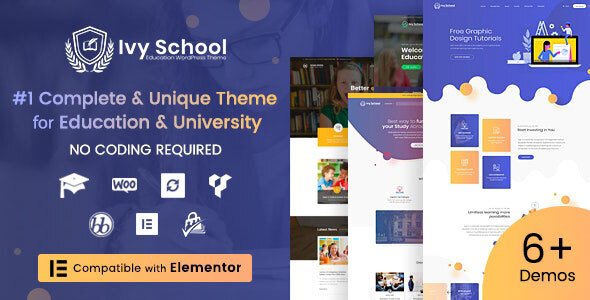
Stuck on your IvyPrep WordPress theme? Let's fix it.
No endless back-and-forth. Just send us the details and we'll get it done.
No obligation · Replies within 1 hour · Quote within 1 day
Setup · Customization · Bug fixes · WooCommerce integration
About IvyPrep WP Theme
IvyPrep is a WordPress theme built by ThimPress specifically for education websites. It ships with LearnPress integration out of the box, making it a practical starting point for online course platforms, tutoring centers, and academic prep schools.
The theme includes multiple homepage layouts, pre-built inner pages for courses, instructors, and events, plus compatibility with Elementor for visual editing. It handles the core structure of an education site without requiring you to build everything from scratch.
ThimPress maintains regular updates and keeps IvyPrep aligned with current WordPress standards. That said, the theme works best when configured by someone who understands how LearnPress and Elementor interact — otherwise you can end up with layout conflicts and slow page loads that take real time to untangle.
Get matched with a IvyPrep developer in under one day
Tell us about your IvyPrep project. Small fixes, IvyPrep theme customization, or a full website build, whatever you need, we've got it covered.
We'll connect you to the right IvyPrep developers, define the scope, and get everything 100% clear.
You'll get one estimate, hire your preferred developer, and start collaborating.
IvyPrep is not a difficult theme, but education sites have specific requirements around course structure, user roles, and payment flows that require real WordPress experience to get right. A misconfigured LearnPress setup can break enrollment entirely or create checkout errors that cost you students.
Developers on Codeable are vetted and specialize in themes like IvyPrep. You get a free estimate before committing to anything, and the work comes with accountability built in. If your site needs to work properly from day one, that matters.
Pros
- Includes native LearnPress integration with course, lesson, and quiz templates pre-built
- Multiple homepage layouts ship with the theme, reducing initial design work
- Elementor compatibility allows visual page editing without touching code
- Instructor profile pages and course archive layouts are designed for education use cases
- ThimPress provides regular updates and maintains compatibility with current WordPress versions
Cons
- Relies heavily on LearnPress, so switching LMS plugins later requires significant rework
- Some styling is hardcoded in the theme files, making certain Elementor overrides unreliable
- Demo content import can be slow and occasionally fails on shared hosting environments
- Default page load speed with all bundled features active tends to be on the slower side
- ThimPress support response times vary and documentation for edge cases is thin
Who is IvyPrep for?
Online Course Platform
IvyPrep works well for instructors and course creators who want to sell individual courses or bundles. With LearnPress handling the LMS layer and WooCommerce for payments, you get a functional course marketplace without building from scratch. The course archive and single course pages are designed for this purpose and need minimal structural changes.
Test Prep and Academic Tutoring
Tutoring centers and test prep companies benefit from IvyPrep’s structured course layouts and instructor pages. You can list tutors with qualifications, display subject-specific courses, and use LearnPress quizzes for practice tests. The enrollment flow handles individual student registration without much additional configuration.
Private School or Academy Website
Private schools and academies can use IvyPrep as a full website, not just an LMS. The theme includes sections for programs, faculty, events, and admissions pages. A developer can extend these with custom post types or ACF fields to cover admissions forms, term calendars, and faculty directories specific to your institution.
Corporate Training Portal
Companies running internal training programs can use IvyPrep to deliver structured learning paths to employees. LearnPress supports user role restrictions, so content can be gated by department or clearance level. Certificates on course completion are available through a LearnPress add-on and work within this setup without custom development.
Language Learning School
Language schools can organize courses by language, level, and format using IvyPrep’s category and course filtering. Instructor profiles work well for listing teachers by language specialty. Zoom integration through a LearnPress add-on allows live lesson scheduling alongside recorded course content in the same platform.

Customizing IvyPrep
Out of the box, IvyPrep gives you a solid foundation. Getting it to look and behave exactly the way your school or tutoring business needs is a different job. Most customization work falls into a few categories: adjusting the course archive layout, modifying the instructor profile pages, setting up custom color schemes and typography that match your brand, and configuring LearnPress settings properly.
An IvyPrep expert will also know where ThimPress has hardcoded styles that fight with Elementor overrides — a common frustration for DIY users. They can also set up conditional logic for course enrollment, membership restrictions, and payment gateway flows that the default setup does not handle cleanly.
If you want the theme to do more than its demo, working with someone who knows IvyPrep saves a significant amount of trial and error.
Recommended plugins for IvyPrep
IvyPrep pairs with several plugins that expand what the theme can do. LearnPress add-ons for certificates, Zoom integration, WooCommerce payments, and course bundles are the most commonly used. WPForms or Gravity Forms handle contact and enrollment inquiry forms. For events, The Events Calendar drops in cleanly with the theme’s existing event page templates.
If site speed is a concern after adding these plugins, a WordPress performance audit is worth running. For schools targeting organic search traffic, pairing IvyPrep with proper WordPress SEO work makes a measurable difference in how course pages rank.
Not sure which plugins to use? This WordPress plugins directory covers the most popular options with reviews and setup guides.
IvyPrep common issues
IvyPrep course page layout broken after update
Layout breaks after a ThimPress update usually happen when the update changes template files that you or a previous developer had customized directly in the theme folder. The fix is to move those customizations into a child theme so future updates do not overwrite them. If you are not using a child theme already, that needs to be set up first. Our WordPress bug fixing service handles exactly this kind of post-update breakage.
LearnPress checkout not working with IvyPrep theme
LearnPress checkout failures with IvyPrep often come down to a plugin conflict or a misconfigured payment gateway. Start by checking which version of LearnPress and WooCommerce you are running — they need to be compatible. Disable other active plugins temporarily to isolate the conflict. If the issue persists, it is usually a JavaScript error in the checkout flow that requires a developer to diagnose properly through the browser console.
IvyPrep homepage not matching demo after import
The demo import process in IvyPrep depends on specific plugins being active before import runs. If those plugins were not installed in the right order, or if the import timed out on your server, you will get a partial result that does not match the demo. The solution is usually to reset, ensure all required plugins are active, increase PHP memory and execution limits, then run the import again. Shared hosting often causes this problem.
IvyPrep slow loading with Elementor and LearnPress active
Running IvyPrep with Elementor and LearnPress active adds considerable page weight. The main culprits are unoptimized images, unused CSS from both the theme and Elementor, and multiple render-blocking scripts. A proper fix involves a caching plugin configured correctly, image compression, and ideally CSS file optimization. Elementor’s own asset loading settings also need to be reviewed. See our WordPress performance service for a structured approach.
IvyPrep FAQ
IvyPrep is available in both a free version on WordPress.org and a paid Pro version sold through ThimPress. The free version includes basic layouts and LearnPress compatibility. The Pro version adds additional homepages, more template options, and priority support. Most serious education sites end up needing the Pro version for full functionality.
Technically yes, but IvyPrep is designed around LearnPress. Without it, the course-related pages and templates serve no purpose, and you lose the main reason to use this theme over a general-purpose one. If you are not using LearnPress, a different theme is likely a better fit for your site.
WooCommerce and IvyPrep can work together, but WooCommerce alone does not replace LearnPress as an LMS. Most IvyPrep sites use both: LearnPress handles the course and lesson structure, while WooCommerce processes payments. Running WooCommerce without LearnPress means you lose all the course management features the theme is built around.
IvyPrep includes a one-click demo import through the ThimPress demo importer plugin. You need to install required plugins first, then go to Appearance > Import Demo. The process takes a few minutes and requires adequate PHP memory and execution time limits on your server. Shared hosting environments sometimes cause timeouts during this step.
Migrating an existing course site to IvyPrep depends on which LMS you are currently using. If you are already on LearnPress, the theme swap is straightforward. Moving from a different LMS like LifterLMS or Teachable requires exporting and reformatting course data, which is a manual process. Our WordPress migration service can handle this properly.
Hire an IvyPrep Developer
Whether you need a full IvyPrep setup, a customization that is stuck, or a fix for something that broke after an update, we can match you with a developer who knows the theme. Work is scoped upfront so you know exactly what you are paying for. Get a free estimate and have a developer ready within 24 hours. No commitment required.
You'll need a free Codeable account so developers can ask questions and send their quotes.