Industrium WordPress Theme
by Artureanec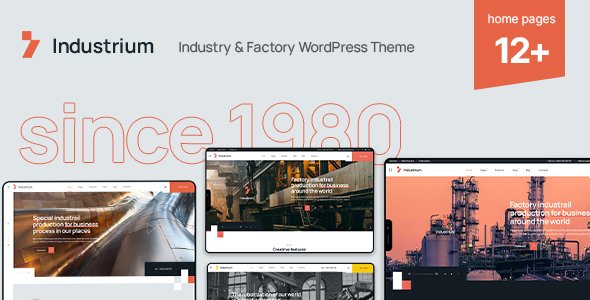
Stuck on your Industrium WordPress theme? Let's fix it.
No endless back-and-forth. Just send us the details and we'll get it done.
No obligation · Replies within 1 hour · Quote within 1 day
Setup · Customization · Bug fixes · WooCommerce integration
About Industrium WP Theme
Industrium is a WordPress theme built by Artureanec, designed specifically for industrial, manufacturing, and engineering companies. It ships with a large library of pre-built demo pages, a drag-and-drop page builder, and a clean set of industry-specific widgets that cover services, team members, project portfolios, and equipment showcases.
The theme is built on WPBakery Page Builder and includes a dedicated plugin called Industrium Plugin, which adds custom post types and shortcodes. It supports WooCommerce for parts or product sales, Contact Form 7 for lead capture, and WPML for multilingual sites. Performance out of the box is reasonable, though sites with many demo elements loaded can slow down without optimization. Overall, it is a solid starting point for heavy industry brands that want a professional presence without building from scratch.
Get matched with a Industrium developer in under one day
Tell us about your Industrium project. Small fixes, Industrium theme customization, or a full website build, whatever you need, we've got it covered.
We'll connect you to the right Industrium developers, define the scope, and get everything 100% clear.
You'll get one estimate, hire your preferred developer, and start collaborating.
Industrium has a specific architecture. Its custom plugin, Redux options panel, and WPBakery integration mean that generic WordPress advice often does not apply cleanly. Small mistakes in the child theme or plugin load order can break layouts site-wide.
Our developers on Codeable have worked with Industrium builds across manufacturing, logistics, and construction clients. They know the theme’s structure and can customize, fix, or extend it without trial and error. Post your project and get a clear estimate within 24 hours, no obligation attached.
Pros
- Large library of industry-specific demo pages covering manufacturing, engineering, logistics, and construction
- Dedicated Industrium Plugin adds project portfolios, service grids, and team post types without third-party dependencies
- WooCommerce compatibility built in, useful for companies selling parts, equipment, or branded merchandise
- WPML compatible for multilingual industrial sites targeting international markets
- Active updates from Artureanec with consistent WordPress core compatibility maintained over time
Cons
- WPBakery Page Builder creates heavy shortcode markup that makes switching page builders or themes very difficult later
- Redux Framework options panel is dense and not intuitive for non-technical site owners managing their own edits
- Demo import can be slow and occasionally fails on shared hosting due to memory limits and execution time constraints
- Default page weight is high when demo content is loaded, requiring caching and image optimization before going live
- Custom post type templates for Projects and Services are not easily restyled without editing PHP files or building a child theme
Who is Industrium for?
Manufacturing Companies
Industrium’s service grids and project portfolio post type work well for manufacturers that need to showcase production capabilities, certifications, and past contracts. The WooCommerce integration also suits companies selling branded merchandise or replacement parts directly from their site.
Engineering Firms
Engineering practices benefit from the clean project case study layout, which supports images, specs, and client details in a structured format. The team member post type lets firms highlight individual engineers and credentials, which matters for trust in B2B sales cycles.
Construction and Contracting
Construction companies get strong use from the project gallery and before-and-after image layouts. Service pages can be built quickly from existing demo content, and the contact forms integrate with CRM tools via third-party plugins like Gravity Forms or Fluent CRM.
Industrial Equipment Suppliers
Suppliers selling equipment or industrial parts can combine the WooCommerce product catalog with Industrium’s visual layout to present technical specifications cleanly. The theme handles both catalog browsing and lead generation forms on the same site without layout conflicts.
Logistics and Freight Businesses
Logistics businesses get a professional look from the freight-focused demo pages. Route maps, service area descriptions, and fleet showcases can be built using the existing modules. The theme’s dark color scheme options suit transport brands that want a strong, direct visual identity.

Customizing Industrium
Industrium gives you a Theme Options panel built on the Redux Framework, where you can control colors, typography, header layouts, footer columns, and sidebar positions globally. Most sections can also be overridden at the page level using WPBakery rows and modules.
That said, the options panel is dense. Non-technical users often struggle to map panel settings to what they see on the front end. Custom post types like Projects, Services, and Team Members each have their own archive and single-page templates, and adjusting those requires either PHP edits or a child theme.
If you need changes beyond what sliders and color pickers can do, working with an Industrium expert saves significant time. A developer familiar with the theme knows exactly which template files to touch and how to extend the Industrium Plugin without breaking future updates.
Recommended plugins for Industrium
Industrium integrates with several popular plugins out of the box. WooCommerce support means you can sell industrial products or spare parts directly from the site. Revolution Slider is bundled for hero and banner sections. The Industrium Plugin adds project galleries, service grids, and testimonial carousels as native post types.
For sites that need more, plugins like WP Rocket or LiteSpeed Cache pair well for speed gains. Yoast SEO or Rank Math work without conflicts for on-page optimization. If your team manages content across multiple languages, WPML is the recommended route. Need deeper speed work or SEO structure improvements? See our WordPress performance service and WordPress SEO service.
Not sure which plugins to use? This WordPress plugins directory covers the most popular options with reviews and setup guides.
Industrium common issues
Industrium demo import not working
Demo import failures in Industrium usually come down to PHP memory limits or max execution time settings on the server. Set memory_limit to at least 256M and max_execution_time to 300 in your php.ini or via a hosting control panel. Also confirm the Industrium Plugin is activated before importing, as the demo data depends on its custom post types being registered. On shared hosting, importing in parts rather than all at once often resolves timeout failures. If the issue persists, a developer can import the XML manually via WP All Import.
Industrium header layout broken after update
Header layout breaks in Industrium after an update are usually caused by a conflict between the theme’s header module and a cached version of its CSS. Clear all caches first, including server-side cache, plugin cache, and CDN. If the issue persists, check whether the Industrium Plugin is also updated to match the theme version, as the two are version-dependent. A mismatch between theme and plugin is the most common cause of structural layout issues after updates. If you need reliable update management, our WordPress maintenance service handles this.
Industrium slow page load speed
Industrium’s default install loads several CSS and JavaScript files from WPBakery, Revolution Slider, and the Industrium Plugin simultaneously. Start by running the site through PageSpeed Insights to identify the heaviest assets. Install WP Rocket or LiteSpeed Cache and enable CSS/JS minification and combination. Serve images in WebP format and enable lazy loading. Disable Revolution Slider on pages where it is not used, as its scripts load globally by default. For deeper gains, see our WordPress performance service.
Industrium custom fonts not loading correctly
If custom fonts are not loading in Industrium, check first whether the font is set in the Redux Theme Options panel under Typography, not just in WPBakery element settings. Google Fonts require an active internet connection or a local font hosting plugin like OMGF if you want to avoid external requests. If you have uploaded a custom font via a plugin like Use Any Font, confirm the font name in the CSS matches exactly what the theme panel expects. Browser console errors pointing to 404s on font files usually mean a file path issue after a migration or domain change.
Industrium FAQ
Artureanec updates Industrium regularly to maintain compatibility with current WordPress releases. Before updating either the theme or WordPress core on a live site, test on a staging environment first. The Industrium Plugin must also be kept in sync with the theme version, as mismatched versions are a common source of layout and functionality issues after major updates.
Industrium is built around WPBakery. Its demo layouts, custom modules, and shortcodes all depend on it. Removing WPBakery would leave most page content as raw shortcode text. You could theoretically rebuild pages using a different builder, but it would require significant development effort. If you prefer Elementor or Gutenberg, Industrium is not the right base theme for that workflow.
Yes. Industrium includes WooCommerce styling and template support. Product pages, shop archives, and cart and checkout pages are styled to match the theme. It works well for industrial suppliers selling parts or equipment. You may need minor CSS adjustments for full visual consistency, depending on which WooCommerce blocks or shortcodes you use on specific pages.
Create a folder in wp-content/themes/ named something like industrium-child. Add a style.css with the correct Template: industrium header and a functions.php that enqueues the parent theme stylesheet. Activate the child theme in the WordPress dashboard. All custom CSS and PHP overrides go into the child theme, keeping your changes safe when the parent theme updates.
Industrium migrations generally go smoothly if you move the full database and file structure together and update the site URL correctly. Issues typically appear when serialized URLs in the database are not updated using a tool like WP-CLI search-replace. WPBakery shortcodes store absolute paths in some configurations. Run a full search-replace after migration and clear all caches. For complex moves, our WordPress migration service handles this reliably.
Hire an Industrium Developer
Whether you need a full Industrium setup, a custom child theme, specific layout changes, or a fix for something broken, we match you with a vetted developer who knows this theme. Work is handled through Codeable, which means fixed pricing, no bidding wars, and a satisfaction guarantee. Get a free estimate and describe what you need. You will hear back within 24 hours with a clear scope and cost, with no obligation to proceed.
You'll need a free Codeable account so developers can ask questions and send their quotes.