Subway WordPress Theme
by QODE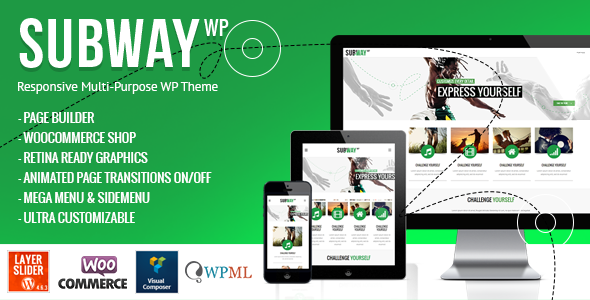
Stuck on your Subway WordPress theme? Let's fix it.
No endless back-and-forth. Just send us the details and we'll get it done.
No obligation · Replies within 1 hour · Quote within 1 day
Setup · Customization · Bug fixes · WooCommerce integration
About Subway WP Theme
Subway is a WordPress theme built by QODE Interactive, designed primarily for restaurant and food-related businesses. It ships with a clean layout structure, a full-screen menu display, and a reservation form built in. QODE has packed it with their usual set of shortcodes, multiple header styles, and a page builder compatible design.
Out of the box, Subway gives restaurants a working site without needing much setup. You get menu sections with pricing, a gallery, staff profiles, and a contact form. It runs on QODE’s own framework, which means updates and support come from the same team. For a food business that wants something polished without building from scratch, Subway covers the basics well. That said, making it look genuinely unique takes some work beyond the default settings.
Get matched with a Subway developer in under one day
Tell us about your Subway project. Small fixes, Subway theme customization, or a full website build, whatever you need, we've got it covered.
We'll connect you to the right Subway developers, define the scope, and get everything 100% clear.
You'll get one estimate, hire your preferred developer, and start collaborating.
QODE’s framework is not standard WordPress. It has its own options system, custom post types, and shortcode logic that behave differently from themes built on Elementor or the block editor. If something breaks or you need the site to do something specific, a generic WordPress developer will spend time just learning the structure.
Developers on Codeable who know Subway have already worked inside that framework. They know where the hooks are, how the child theme should be set up, and which parts are safe to modify. That saves time and avoids mistakes that cost more to fix later.
Pros
- Includes a built-in restaurant menu section with categories, pricing, and descriptions
- Reservation form is included out of the box without needing a third-party plugin
- Multiple header styles give layout flexibility without custom coding
- QODE's shortcode library adds a wide range of content blocks through a visual interface
- Full-screen food and interior photography layouts are well-suited to hospitality branding
Cons
- Built on QODE's proprietary framework, which limits portability if you switch themes later
- Page load times can be slow without additional performance optimization work
- Not compatible with Elementor or Gutenberg blocks in any meaningful way
- Support and updates depend entirely on QODE staying active with this older theme
- Customizing beyond the options panel requires QODE-specific PHP and CSS knowledge
Who is Subway for?
Independent Restaurants
Subway’s built-in menu post type and reservation form make it a practical starting point for independent restaurants. You can display dishes by category, add pricing, and let customers book a table without extra plugins. The full-width gallery sections work well for showcasing interiors and food photography that drive walk-in traffic.
Cafes and Coffee Shops
Cafes need a site that loads fast, shows opening hours clearly, and looks good on mobile. Subway handles all three with its clean layout and typography options. The homepage sections can be rearranged to prioritize a daily specials area or a loyalty program signup form without heavy development work.
Food Delivery Services
Food delivery businesses can use Subway’s structured menu sections to display available dishes and link out to ordering platforms. With some customization, WooCommerce can be added for direct ordering. A Subway developer can wire up delivery zones and product variations to match your actual service model.
Catering Companies
Catering companies need to communicate packages, pricing, and availability clearly. Subway’s pricing table shortcodes and contact form sections translate well into a catering enquiry workflow. A developer can add a custom quote request form that captures event type, guest count, and date in one step.
Bar and Nightlife Venues
Bars and nightlife venues benefit from Subway’s dark, full-screen image support and bold typography. Event sections can be used to list nights and DJ lineups. The theme handles large hero images well, which suits the visual-first approach most nightlife venues need to attract a weekend crowd.

Customizing Subway
Subway’s options panel gives you control over fonts, colors, header layout, and footer style. You can swap logos, adjust menu columns, and change section backgrounds without touching code. QODE’s shortcode library adds sliders, buttons, pricing tables, and icon blocks through a visual editor.
Where things get more specific, like restructuring the reservation section, adding custom post types, or integrating third-party booking plugins, you will need a Subway expert who knows the QODE framework well. Modifying the theme’s PHP templates or overriding styles without breaking updates requires proper child theme setup. A Subway expert can also help with WooCommerce integration if you want to add online ordering or gift vouchers to the site.
Recommended plugins for Subway
Subway works with most major WordPress plugins. WooCommerce handles online orders or merchandise sales. OpenTable and Reservations widgets drop in via shortcode areas. Contact Form 7 and WPForms both integrate cleanly into the booking section.
For performance, image optimization and caching plugins like WP Rocket or Smush help reduce load times, which matter on food sites with large photo galleries. QODE themes can get heavy without proper tuning. If you want better search visibility, pairing Subway with Yoast or Rank Math covers structured data and meta management. You can read more about WordPress performance and WordPress SEO on our service pages.
Not sure which plugins to use? This WordPress plugins directory covers the most popular options with reviews and setup guides.
Subway common issues
Subway theme reservation form not sending emails
This is usually an email delivery issue rather than a form bug. WordPress’s default mail function fails on many hosts. Install an SMTP plugin like WP Mail SMTP and connect it to your email provider. If the form still does not send, check that QODE’s contact form settings have the correct recipient address saved in the options panel. Also verify no security plugin is blocking the form submission.
Subway WordPress theme slow loading on mobile
Subway loads several scripts and large image assets by default. Start by running it through PageSpeed Insights to see the specific bottlenecks. Install a caching plugin and enable lazy loading for images. If QODE’s bundled sliders are active but not used on a page, dequeue their scripts. A proper WordPress performance audit will identify which assets are causing the most delay on mobile connections.
Subway theme menu section not displaying correctly
Menu display issues in Subway are often caused by missing required plugins. QODE themes depend on their own plugins being active. Check that QODE Essential Addons and any bundled plugins are installed and up to date. If menu items show but layout breaks, a CSS conflict with a third-party plugin is likely. Disable plugins one at a time in a staging environment to isolate the conflict.
Subway theme not updating in WordPress dashboard
Subway updates through ThemeForest, not the standard WordPress update system. You need to download the latest version from your ThemeForest account and install it manually, or use the Envato Market plugin which handles automatic updates. Before updating, back up your site. If you are using a child theme, your customizations will be safe. If not, check WordPress maintenance best practices before proceeding.
Subway FAQ
Subway still works as a functional restaurant theme. It includes a menu system, reservation form, and gallery layouts that cover what most restaurant sites need. The main concern is that it runs on QODE’s older framework, which is not as flexible as modern block-based themes. If your priority is a fast setup with a food-focused design, it remains a usable choice. For more complex requirements, evaluate whether the framework limitations will cause problems later.
No. Subway is built on QODE’s own shortcode and options framework. It is not designed to work with Elementor and mixing the two causes conflicts. If you want Elementor-based restaurant design, you would need a different theme. Subway works through its own visual editor and shortcode system, which handles most layout tasks but does not share the Elementor ecosystem of widgets and templates.
The most direct way is to install WooCommerce and configure products as menu items. A Subway developer can set up product categories to mirror your menu sections and configure a checkout flow. Alternatively, you can embed a third-party ordering platform like Square or Toast using an iframe or plugin. Which approach works better depends on whether you need payments processed on-site or through your existing POS system.
Yes, moving a Subway site to a new host follows the same process as any WordPress migration. Export your database, copy your files, update your wp-config.php with new database credentials, and update URLs using a search-replace tool. QODE’s theme files and settings move with the database and uploads folder without any special steps. You can read more about the process on our WordPress migration service page.
Rates for a Subway WordPress developer vary by task. Fixing a specific bug typically costs less than a full site build. On Codeable, you post your project for free and receive an estimate before committing. Developers are vetted, so you are not guessing on quality. The cost reflects the actual scope of your project rather than a fixed package price. Get a free estimate to see what your specific work would cost.
Hire a Subway WordPress Developer
Whether you need a Subway site built from scratch, an existing site fixed, or new features added, working with someone who knows the QODE framework makes the job faster and cleaner. Post your project and get matched with a vetted Subway developer through Codeable. You will receive an estimate before any work starts, with no obligation to proceed. Get a free estimate and see what is possible for your project.
You'll need a free Codeable account so developers can ask questions and send their quotes.