Empathy WordPress Theme
by pixelwars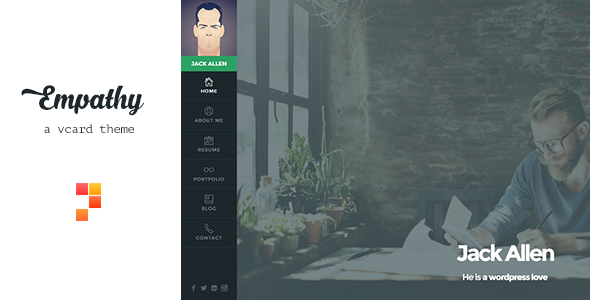
Stuck on your Empathy WordPress theme? Let's fix it.
No endless back-and-forth. Just send us the details and we'll get it done.
No obligation · Replies within 1 hour · Quote within 1 day
Setup · Customization · Bug fixes · WooCommerce integration
About Empathy WP Theme
Empathy is a WordPress theme built by Pixelwars. It’s designed for nonprofits, charities, and cause-driven organizations that need a clean, emotionally resonant website without sacrificing usability.
The theme ships with a drag-and-drop page builder, pre-built demo content, and a layout focused on storytelling. Donation integration, event listings, and volunteer sign-up sections are baked in from the start.
Empathy is responsive across all screen sizes and supports popular plugins like WooCommerce and Contact Form 7. The code is clean, and the theme follows WordPress coding standards, which keeps customization straightforward. If you want a site that communicates purpose and drives action, Empathy gives you a solid starting point without needing to build from scratch.
Get matched with a Empathy developer in under one day
Tell us about your Empathy project. Small fixes, Empathy theme customization, or a full website build, whatever you need, we've got it covered.
We'll connect you to the right Empathy developers, define the scope, and get everything 100% clear.
You'll get one estimate, hire your preferred developer, and start collaborating.
Empathy has a specific architecture. Knowing where Pixelwars stores custom options, how the builder handles shortcodes, and which hooks are safe to use takes time to learn. A developer who has worked with the theme before moves faster and makes fewer mistakes.
Through Codeable, you get matched with vetted WordPress developers who know themes like Empathy in detail. No agencies, no guesswork. Post your project, get a clear estimate within 24 hours, and only pay if you decide to move forward. See our full WordPress development services.
Pros
- Pre-built demo content for nonprofits loads in minutes and gives a real starting point
- Built-in campaign and donation section layouts reduce the need for extra plugins
- Responsive design handles mobile layouts well without extra configuration
- Follows WordPress coding standards, making child theme development reliable
- Event and volunteer sections are native to the theme, not bolted on
Cons
- Page builder creates shortcode lock-in, making it harder to switch themes later
- Limited documentation from Pixelwars compared to larger theme marketplaces
- Some layout options require custom CSS to override default spacing and font sizes
- Update history has been inconsistent, with longer gaps between releases
- Demo content import can conflict with existing content if not done on a clean install
Who is Empathy for?
Nonprofit Organizations
Empathy’s layout prioritizes storytelling and impact stats, which is exactly what nonprofits need. Team pages, mission sections, and calls to action are all built into the default templates. Organizations can publish program updates, annual reports, and donation appeals without needing custom development from day one.
Charity Fundraising Campaigns
Campaign-specific landing pages work well with Empathy’s goal tracker sections and donation call-to-action blocks. Paired with GiveWP, you can run multiple simultaneous fundraisers with individual targets and donor counts. The visual design keeps focus on the cause rather than cluttering the page with unnecessary elements.
Community Events and Volunteering
The built-in event post type and volunteer sign-up sections make Empathy a practical choice for groups that run regular community programs. You can display upcoming events in a clean grid or list format, and contact forms integrate easily for volunteer registration without custom plugin configuration.
Faith-Based Groups
Faith-based organizations need warmth without excess. Empathy’s typography and whitespace-focused design suits sermon archives, community announcements, and giving pages. The theme handles media well, so audio or video sermon content displays cleanly alongside written posts and upcoming service schedules.
Social Enterprises
Social enterprises need to communicate both purpose and commercial credibility. Empathy balances those needs with sections for impact reporting alongside WooCommerce product pages. You can present your mission clearly while running a functional online shop, without the two sides of the business feeling visually disconnected.

Customizing Empathy
Out of the box, Empathy gives you decent control through the WordPress Customizer. You can swap colors, fonts, and header layouts without touching code. The built-in page builder handles most structural changes well.
Beyond the basics, things get more technical. Custom post types for team members, campaigns, and events need careful handling if you want them to behave differently from the defaults. Child themes are strongly recommended before making deeper changes.
An Empathy expert can configure donation flows, integrate third-party CRMs, or rebuild sections to match your brand precisely. If you need work that goes beyond surface-level edits, hiring a developer familiar with the Empathy theme saves significant time and avoids common mistakes that break layouts or lose settings on update.
Recommended plugins for Empathy
Empathy pairs well with several plugins that extend its core functionality. WooCommerce turns it into a merchandise or donation store. Give WP or GiveWP adds dedicated fundraising tools with campaign goals and donor management.
For performance, caching plugins like WP Rocket and image optimization tools make a real difference on pages with large hero images and video backgrounds. You can read more on our WordPress performance service page.
On the SEO side, Yoast and Rank Math both integrate cleanly. Structured data for events and causes helps with search visibility. See our WordPress SEO service for details on getting that right.
Not sure which plugins to use? This WordPress plugins directory covers the most popular options with reviews and setup guides.
Empathy common issues
Empathy theme page builder not loading in WordPress editor
This is usually caused by a JavaScript conflict with another plugin. Start by deactivating plugins one at a time while testing the builder. Security plugins and caching tools are common culprits. Also check that your PHP version meets the theme’s requirements. If the issue persists after plugin checks, a theme file may have been corrupted during an update. Reinstalling the theme files from a clean download often resolves it. See our WordPress bug fixing service if you need hands-on help.
Empathy theme donation section not displaying correctly on mobile
Donation section display issues on mobile are almost always a CSS specificity problem. Empathy’s default styles sometimes conflict with plugin-injected styles from GiveWP or WooCommerce on smaller screens. Open browser DevTools on mobile view, identify which styles are overriding the layout, and apply targeted CSS fixes in a child theme. Avoid editing the parent theme directly. If the layout is broken after a recent plugin update, rolling back the plugin version temporarily confirms whether that’s the source.
Demo content not importing properly on Empathy theme
Failed demo imports on Empathy are usually tied to server limits. PHP memory, max execution time, and file upload size all need to be high enough to handle the full import package. Ask your host to raise these temporarily, or use a plugin like WP Migrate to import in smaller batches. Always import to a clean WordPress install with no existing content. Importing over an existing site causes ID conflicts that corrupt menu structures and page templates.
Empathy theme slowing down page load speed
Empathy can be slow out of the box if large images are used in hero sections and sliders. Run the site through PageSpeed Insights to identify the biggest offenders. Compress images before uploading, enable lazy loading, and use a caching plugin like WP Rocket. If the theme loads scripts and styles on pages that don’t need them, a developer can conditionally dequeue those assets. Our WordPress performance service covers this in full.
Empathy FAQ
Yes. Empathy was built specifically with nonprofits and charities in mind. It includes layout sections for campaigns, team members, events, and donation calls to action. The visual tone is warmer than generic business themes, and the structure supports storytelling, which matters for cause-driven organizations. It works well for small to mid-sized nonprofits that don’t need a fully custom build.
Empathy is compatible with WooCommerce. You can add a shop to sell branded merchandise, event tickets, or accept one-off payments. The styling integration is functional but may need CSS adjustments to match your site’s design exactly. A developer can tighten up the visual consistency between WooCommerce pages and the rest of the Empathy theme without much difficulty.
Go to Appearance, then Import Demo Data if the theme includes an import tool. If not, use the WordPress default importer under Tools with the XML file provided by Pixelwars. Before importing, make sure you’re on a fresh WordPress install and that your server’s PHP memory limit is set to at least 256MB. Contact your host if you’re unsure how to adjust those settings before starting the import.
You can use Empathy with the standard WordPress block editor for basic content pages. However, many of the theme’s pre-built layouts and sections are tied to the bundled page builder. Switching to Gutenberg-only means rebuilding those sections manually. It’s doable but requires more effort. If you want a fully block-editor workflow, discuss it with a developer before committing to the theme.
Pixelwars has released updates for Empathy, but the cadence is slower than larger theme shops. Before buying or committing to a major build, check the changelog for recent activity. If updates have stalled, factor in the cost of ongoing maintenance and compatibility work. Our WordPress maintenance service can keep the theme running safely even if upstream updates slow down.
Hire an Empathy WordPress Developer
Whether you need a full site build, a specific feature added, or something fixed that stopped working, an experienced Empathy developer gets it done cleanly. Work is handled through Codeable, so you only deal with vetted professionals.
Post your project, get a free estimate, and decide from there. No obligation, no risk. Get your free estimate today and have a developer matched within 24 hours.
You'll need a free Codeable account so developers can ask questions and send their quotes.