Homeo WordPress Theme
by ApusTheme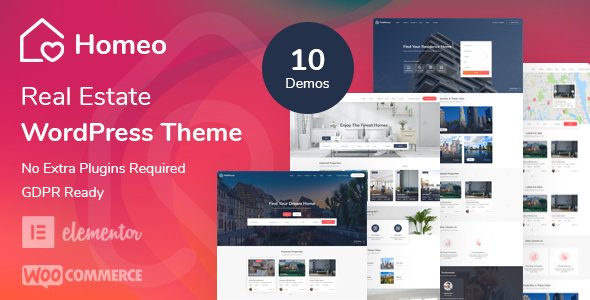
Stuck on your Homeo WordPress theme? Let's fix it.
No endless back-and-forth. Just send us the details and we'll get it done.
No obligation · Replies within 1 hour · Quote within 1 day
Setup · Customization · Bug fixes · WooCommerce integration
About Homeo WP Theme
Homeo is a real estate WordPress theme built by ApusTheme. It is designed specifically for property listings, real estate agencies, and agents who need a fully functional property portal without custom development from scratch.
The theme ships with pre-built property listing pages, advanced search filters, agent profiles, and Google Maps integration. It works with the Homeo core plugin to manage property data through a dedicated custom post type system.
Homeo supports WPBakery Page Builder and includes multiple homepage layouts targeting different real estate niches. It also integrates with Mortgage Calculator and properties comparison tools out of the box, which saves significant setup time for new real estate websites.
Get matched with a Homeo developer in under one day
Tell us about your Homeo project. Small fixes, Homeo theme customization, or a full website build, whatever you need, we've got it covered.
We'll connect you to the right Homeo developers, define the scope, and get everything 100% clear.
You'll get one estimate, hire your preferred developer, and start collaborating.
Homeo has a specific plugin ecosystem and a customization layer that behaves differently from standard WordPress themes. Generic WordPress developers often underestimate the setup time. Working with someone who has shipped real estate sites on Homeo before means fewer revisions and cleaner code.
Through Codeable, you get matched with vetted WordPress developers who have relevant experience. Every project starts with a free estimate, and you only proceed if the scope and price work for you. No risk, no retainer, no guessing.
Pros
- Built specifically for real estate with property CPT, agent profiles, and search filters included
- Multiple pre-built homepage layouts covering residential, commercial, and rental niches
- Google Maps integration with property pins works out of the box
- Includes property comparison and mortgage calculator tools without extra plugins
- Active theme updates and dedicated support from ApusTheme
Cons
- Heavy reliance on the Homeo core plugin creates update dependency risk
- WPBakery Page Builder is aging and slower than block-based alternatives
- Advanced search filter customization requires PHP knowledge, not just settings
- Default page load times are slow without performance optimization work
- IDX or MLS feed integration is not included and requires third-party tools or custom development
Who is Homeo for?
Residential Real Estate Agency
Homeo suits residential agencies that need to list multiple properties with photos, specs, and agent contact details. The built-in property search with filters for bedrooms, price range, and location covers most buyer journey needs without custom code. Agencies can manage listings directly from the WordPress dashboard.
Property Rental Portal
Rental portals benefit from Homeo’s property status system, which distinguishes available, rented, and pending units. Combined with a contact form per listing and map view, it handles short-term and long-term rental businesses well. Adding a paid listing submission flow via WooCommerce is a straightforward extension.
Independent Real Estate Agent
Solo agents get a professional online presence without needing a custom build. Homeo’s agent profile pages, property portfolio display, and lead capture forms cover the essentials. A simple single-agent setup can be live quickly using one of the included homepage templates with minimal customization.
Commercial Property Listings
Commercial property brokers can adapt Homeo’s property types and custom fields to list office space, industrial units, and retail properties. The advanced search filters can be reconfigured for commercial-specific criteria like floor area and lease type with some developer assistance.
New Development Sales Site
Developers launching a new residential project can use Homeo to showcase floor plans, availability by unit, and pricing. The gallery and map features present a development site clearly. A custom unit availability table or reservation flow would need additional development work on top of the base theme.

Customizing Homeo
Homeo gives you a solid starting point, but most real estate sites need adjustments before they go live. Color schemes, typography, header layouts, and property card styles all need to match your brand, and the theme options panel only goes so far.
More complex work, like custom search filter logic, currency or unit switchers, agent dashboard modifications, or restructured listing pages, requires PHP and CSS knowledge. A Homeo expert can handle those customizations cleanly without breaking the core theme structure.
If you are adding IDX feed integration, custom map clustering, or mortgage calculator modifications, working with someone who knows the Homeo codebase specifically will save you significant time and avoid conflicts with future theme updates.
Recommended plugins for Homeo
Homeo connects naturally with several tools that extend what a real estate site can do. WooCommerce can handle paid listing submissions or featured property upgrades. Contact Form 7 and WPForms both work well for lead capture on property pages.
For site speed, caching plugins like WP Rocket pair well with Homeo, though image optimization is important given how many property photos a typical listing site carries. See our WordPress performance service for help there.
If organic search traffic matters to your agency, pairing Homeo with a proper WordPress SEO setup will improve indexing of individual property pages significantly.
Not sure which plugins to use? This WordPress plugins directory covers the most popular options with reviews and setup guides.
Homeo common issues
Homeo property search not filtering results correctly
Search filter issues in Homeo are usually caused by a mismatch between property custom fields and the search widget configuration. Check that the field names in the Homeo settings match what is stored against your property posts. If you recently updated the theme or plugin, a database cache flush often helps. Persistent issues with faceted search logic typically need a developer to inspect the query arguments. Our WordPress bug fixing service can diagnose and resolve this quickly.
Homeo Google Maps not showing on listing pages
A missing or incorrect Google Maps API key is the most common cause. Go to Homeo theme settings and verify the API key is entered correctly with Maps JavaScript API and Geocoding API both enabled in your Google Cloud Console. If the key is correct, check for JavaScript conflicts from other plugins using your browser console. A Content Security Policy header set on your server can also block Maps from loading.
Homeo plugin update breaking layout or property data
Homeo’s core plugin updates occasionally change template hooks or property meta structures. Before updating, always back up your database and files. If a layout breaks after an update, check whether your child theme templates are overriding files that changed in the new version. Replacing outdated template overrides with the updated versions usually resolves visual breakage. For data loss issues, restore from backup and test the update on a staging site first.
Homeo theme slow loading on property listing pages
Listing pages with many property images load slowly without optimization. Start by enabling lazy loading for property gallery images and compressing uploads before they go in. WP Rocket or LiteSpeed Cache with object caching reduces database queries from the property search and map components. Removing unused WPBakery shortcode assets on non-builder pages also cuts render-blocking scripts. Full performance tuning is covered under our WordPress performance service.
Homeo FAQ
Homeo is a solid choice for real estate sites that need property listings, agent profiles, and search filters without building from scratch. It handles the core requirements well. The main trade-off is a dependency on the Homeo plugin and WPBakery, which limits flexibility compared to a fully custom build. For most agency sites and portals, it covers what you need.
Homeo is built around WPBakery Page Builder, not Elementor. Some users run Elementor alongside it for content pages, but the property templates and core layouts are WPBakery-dependent. Replacing WPBakery with Elementor across the whole theme is not straightforward and would require significant custom development work to maintain property functionality.
No. The Homeo plugin manages property custom post types, custom fields, search functionality, and agent profiles. Without it, the property-related pages and templates have nothing to pull data from. The plugin and theme are designed to work together. Removing it effectively disables all the real estate-specific features the theme is built around.
Homeo does not include IDX or MLS feed support natively. You need a third-party IDX plugin such as Showcase IDX, iHomefinder, or dsIDXpress. These create their own listing pages separately from Homeo’s property system. Integrating the IDX display into Homeo’s design and search experience requires custom CSS and sometimes template work from a developer.
Migrating an existing site to Homeo depends on where your property data lives. If listings are in a different real estate plugin, you will need to map and import that data into Homeo’s property CPT structure. Content migration is manageable with the right tools, but schema differences often need manual cleanup. Our WordPress migration service handles this type of complex transfer.
Hire a Homeo Developer
Whether you need a full Homeo site built from scratch, specific customizations on an existing setup, or help fixing something that stopped working, a specialist is faster than trial and error.
Post your project and get a free estimate from a vetted Homeo developer within 24 hours. No obligation to hire. Get your free estimate here and describe exactly what you need.
You'll need a free Codeable account so developers can ask questions and send their quotes.