Nestin WordPress Theme
by BoldThemes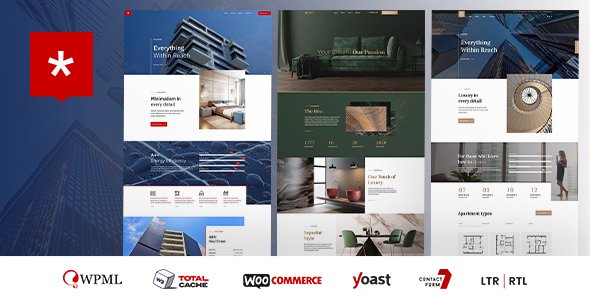
Stuck on your Nestin WordPress theme? Let's fix it.
No endless back-and-forth. Just send us the details and we'll get it done.
No obligation · Replies within 1 hour · Quote within 1 day
Setup · Customization · Bug fixes · WooCommerce integration
About Nestin WP Theme
Nestin is a real estate WordPress theme built by BoldThemes. It’s designed specifically for property listing sites, agencies, and individual agents who need a clean, functional front-end without spending months in development.
The theme ships with a built-in property listings system, advanced search filters, agent profile pages, and multiple homepage layouts. It integrates with BoldThemes’ own Bold Page Builder and supports Elementor, giving you decent flexibility on layout.
Nestin handles the core real estate use case well: searchable listings, map integration via Google Maps, mortgage calculator, and currency options. It’s a focused theme rather than a general-purpose one, which works in its favour. If you’re building a property site in WordPress and don’t want to bolt on a separate real estate plugin from scratch, Nestin gives you a working foundation out of the box.
Get matched with a Nestin developer in under one day
Tell us about your Nestin project. Small fixes, Nestin theme customization, or a full website build, whatever you need, we've got it covered.
We'll connect you to the right Nestin developers, define the scope, and get everything 100% clear.
You'll get one estimate, hire your preferred developer, and start collaborating.
Nestin is built for a specific job, and when the default setup doesn’t quite fit your business, you need someone who knows the theme’s structure. Generic WordPress developers often spend hours figuring out how BoldThemes handles property meta, listing loops, or the built-in search. A vetted Nestin developer on Codeable already knows where those pieces live.
Work is scoped clearly, priced fairly, and you only pay when you’re confident in the estimate. No guesswork, no wasted time on discovery that should have been done before the first invoice.
Pros
- Built-in property listings system with no extra plugin required
- Advanced search filters including location radius, price range, and property type
- Google Maps integration with property pin markers included out of the box
- Supports both Elementor and Bold Page Builder for layout flexibility
- Front-end property submission forms included, useful for multi-agent sites
Cons
- Listing search relies on the theme's own system, which limits compatibility with some third-party real estate plugins
- The built-in Bold Page Builder feels dated compared to modern alternatives
- Deep customization of property fields requires PHP knowledge or developer help
- Documentation is functional but thin on advanced use cases and hooks
- Demo content import can be slow and occasionally incomplete without manual cleanup
Who is Nestin for?
Real Estate Agency Website
Nestin fits a full agency setup well. Multiple agents, property categories, searchable listings by location and price, and individual property pages with galleries and floor plans. The built-in agent profiles link to each agent’s active listings, which is exactly what a small to mid-size agency needs without custom development from scratch.
Independent Property Agent
A solo agent can use Nestin to build a professional property site quickly. One agent profile, a filtered listing archive, a contact form on each property, and Google Maps integration. It’s more than enough for someone listing 20 to 50 properties and wanting to look credible to buyers and vendors without a big agency budget.
Holiday Rental Listings
Holiday rental sites need location-based search, property photo galleries, and clear pricing. Nestin handles all three. Adding booking integration requires an extra plugin like Lodgify or direct calendar embeds, but the property listing structure maps cleanly onto short-term rental use cases with some configuration work.
Property Developer Portfolio
Property developers launching new builds or showcasing completed projects can use Nestin’s layout options to present developments with full-width imagery, floor plans, and specification details. The theme supports custom property types, so you can differentiate between development stages and unit types without forcing everything into a standard listing format.
Commercial Real Estate Listings
Commercial property listings have different data points than residential. Nestin supports custom property fields, so floor area, zoning, lease terms, and EPC ratings can all be added. It takes some configuration, but the structure is there. A developer can set up the right field schema and display templates to make commercial listings work properly.

Customizing Nestin
Nestin comes with a range of customization options through the WordPress Customizer and its built-in options panel. You can adjust colours, fonts, header layouts, and listing card styles without touching code. The theme supports multiple property types, custom fields, and front-end submission forms if you need agents or users to submit listings directly.
That said, deeper customization, such as modifying search filter logic, adding custom property attributes, or integrating a third-party CRM, requires PHP and theme-level work. A Nestin expert can handle those changes cleanly without breaking the theme’s update path.
If you want custom map clusters, saved search functionality, or a members-only listings area, those aren’t available out of the box and need development work. Hiring a Nestin expert means those features get built properly the first time.
Recommended plugins for Nestin
Nestin works well alongside several plugins that extend its core functionality. WooCommerce can handle paid listing submissions or featured property upgrades. WPML adds multilingual support for international real estate sites. Contact Form 7 or Gravity Forms handles lead capture from listing pages.
For site speed, Nestin can be paired with a caching plugin and optimised image delivery. If your listings page is slow, that’s worth addressing directly. See our WordPress performance service for details.
If SEO matters to your property site, structured data for listings and proper meta handling are areas worth attention. Our WordPress SEO service covers that specifically.
Not sure which plugins to use? This WordPress plugins directory covers the most popular options with reviews and setup guides.
Nestin common issues
Nestin property search not returning results
This usually comes down to permalink settings or a conflict with a caching plugin. Go to Settings > Permalinks and save without changing anything to flush rewrite rules. If that doesn’t fix it, check whether a caching plugin is serving stale results or blocking AJAX requests. The Nestin search relies on AJAX, so plugins that cache AJAX calls will break it. Disable caching on search pages specifically. If the issue persists, our bug fixing service can trace the exact cause.
Nestin Google Maps not showing on listing pages
Google Maps issues in Nestin are almost always caused by a missing or restricted API key. Since July 2018, Google requires a billing-enabled API key for Maps to load. Go to Nestin’s theme options, locate the Google Maps API field, and enter a valid key with the Maps JavaScript API and Geocoding API both enabled. Also check that your domain is listed under the key’s HTTP referrer restrictions. An incorrect restriction will block the map silently.
Nestin homepage slider not working after update
Slider breakage after a theme update usually means a JavaScript conflict introduced by the update or a plugin that hooks into the same scripts. Open your browser console and check for JS errors on the homepage. Common culprits are jQuery version conflicts or a page builder plugin loading duplicate scripts. Try disabling plugins one at a time to isolate the conflict. If the slider worked before a specific update, a child theme may be the right solution to avoid this happening again.
Nestin front-end property submission form not sending email
If the front-end submission form loads but emails aren’t arriving, the issue is almost always with WordPress email delivery. WordPress uses PHP mail by default, which most hosts block or send to spam. Install an SMTP plugin like WP Mail SMTP and connect it to a transactional email service such as SendGrid or Mailgun. Also check your spam folder and confirm the form’s recipient address is correct in Nestin’s submission settings. See our maintenance service if you need ongoing monitoring.
Nestin FAQ
Yes, Nestin supports Elementor. BoldThemes added Elementor compatibility to allow more flexible page building alongside their own Bold Page Builder. You can build listing pages, homepages, and inner pages with Elementor widgets. However, some Nestin-specific components like property search bars work better through the theme’s own shortcodes rather than Elementor widgets, so a hybrid approach is common.
Yes. You can use Elementor or the classic WordPress block editor instead of Bold Page Builder. The theme’s core features, including listings, search, and agent profiles, all function through shortcodes and template files independently of whichever page builder you choose. Bold Page Builder is included but not required. Most developers recommend sticking to one page builder to avoid script conflicts.
Nestin is listed as WPML-compatible. Property listings, agent profiles, and theme strings can all be translated through WPML. You will need both the WPML core plugin and WPML String Translation for full coverage. Some theme-level strings may need manual registration in WPML’s config, which a developer can handle if the automatic scan misses anything.
Nestin has a built-in custom fields system under its property settings. You can add fields like parking spaces, floor number, or energy rating through the theme’s admin panel. For more complex field logic or conditional display, you may need to edit template files or use a plugin like Advanced Custom Fields alongside Nestin’s own system. A developer can set this up cleanly.
Migrating to Nestin from another property theme or platform is doable but requires planning. Listing data, images, and custom fields need to be mapped from your current structure to Nestin’s. If you’re moving from a plugin like WP-Property or Essential Real Estate, a developer can write an import script to transfer data cleanly. Our WordPress migration service covers this type of work.
Hire a Nestin Developer
Need a Nestin developer who knows the theme properly? FoxyConcept works through Codeable, connecting you with vetted WordPress specialists who have real experience with real estate themes and BoldThemes builds.
You post your project, get a clear estimate within 24 hours, and decide whether to proceed. No obligation, no upfront payment. Get a free estimate and describe what you need. We’ll match you with the right person for the job.
You'll need a free Codeable account so developers can ask questions and send their quotes.