PeakShops WordPress Theme
by fuelthemes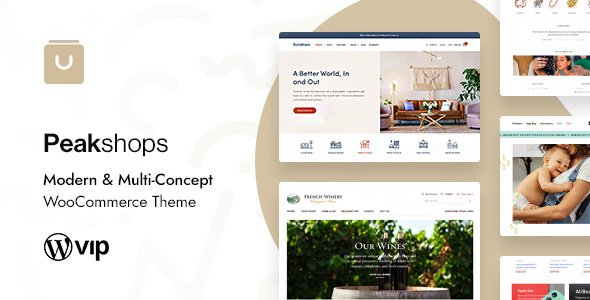
Stuck on your PeakShops WordPress theme? Let's fix it.
No endless back-and-forth. Just send us the details and we'll get it done.
No obligation · Replies within 1 hour · Quote within 1 day
Setup · Customization · Bug fixes · WooCommerce integration
About PeakShops WP Theme
PeakShops is a WooCommerce theme built by fuelthemes, designed specifically for online stores that need a clean, conversion-focused layout without a lot of setup overhead. It ships with a modular homepage builder, multiple header styles, and product page layouts that work well for physical goods, apparel, and niche retail.
The theme is built on a lightweight base, which keeps page weight low compared to multipurpose themes that carry features you never use. Product filtering, cart behavior, and checkout flow are all handled with sensible defaults. It integrates directly with standard WooCommerce, so you are not locked into proprietary page builders or custom shortcodes that break during updates. For store owners who want a professional result without hiring a developer for every small change, PeakShops is a practical starting point.
Get matched with a PeakShops developer in under one day
Tell us about your PeakShops project. Small fixes, PeakShops theme customization, or a full website build, whatever you need, we've got it covered.
We'll connect you to the right PeakShops developers, define the scope, and get everything 100% clear.
You'll get one estimate, hire your preferred developer, and start collaborating.
Most WooCommerce issues are not theme problems. They are integration problems, configuration gaps, or conflicts introduced during updates. A developer who has worked with PeakShops knows where those gaps appear and how to close them without rebuilding your store from scratch.
Through Codeable, you get matched with vetted WordPress developers who have real WooCommerce experience. No bidding, no guesswork. Post your project, get an honest estimate, and decide from there. The process takes less than 24 hours to get started.
Pros
- Lightweight codebase keeps store load times faster than most multipurpose WooCommerce themes
- Built specifically for WooCommerce, so product pages and shop layouts follow standard hooks without heavy overrides
- Multiple homepage section styles let you build a varied layout without a separate page builder plugin
- Clean Customizer integration means non-technical store owners can handle basic branding changes themselves
- Maintained by fuelthemes with regular WooCommerce compatibility updates, reducing breakage after WooCommerce releases
Cons
- Fewer third-party tutorials and community resources compared to themes like Flatsome or Astra
- Advanced layout customization requires PHP knowledge of the WooCommerce template hierarchy
- No built-in mega menu, which limits navigation options for stores with large category trees
- Demo content import can leave behind placeholder images and dummy products that need manual cleanup
- Limited native support for complex product types like bundles or configurable composites without additional plugins
Who is PeakShops for?
Apparel and Fashion Stores
PeakShops handles variable products cleanly, which is important for clothing stores dealing with size and color combinations. The product image gallery supports multiple views, and the layout stays readable on mobile where most apparel browsing happens. A developer can extend the variation display to show swatches instead of dropdowns with minimal custom work.
Home Goods and Decor
For home goods stores, product photography matters more than most other categories. PeakShops gives images room to breathe without cluttering the layout with unnecessary UI. The homepage sections work well for seasonal collections and featured product rows. Stores with large inventories benefit from adding an ajax filter plugin alongside the theme.
Outdoor and Sports Equipment
Outdoor and sports retailers often carry products with complex specifications. PeakShops product pages support custom tabs, which lets you add spec sheets, sizing guides, and compatibility notes without affecting the core layout. The theme holds up well when WooCommerce product attributes are used to organize technical details across a broad catalog.
Specialty Food and Beverage
Specialty food stores need clear product descriptions, strong imagery, and a checkout that handles both one-time purchases and subscriptions. PeakShops works cleanly with WooCommerce Subscriptions for recurring orders. Stores selling across regions can pair it with multi-currency plugins without major layout disruption.
Independent Bookshops and Print Media
Bookshops and print media stores usually have deep catalogs with consistent product types. PeakShops handles this well with its filtering and sorting defaults. The minimal aesthetic suits literary brands that want the product to lead rather than the design. Custom author pages or series collections can be built with standard WooCommerce taxonomies.

Customizing PeakShops
Out of the box, PeakShops covers the basics through the WordPress Customizer. You can adjust typography, colors, header layout, and homepage sections without touching code. Most store owners hit a wall when they need custom product layouts, conditional display logic, or non-standard checkout flows.
That is where a PeakShops expert makes a real difference. Instead of forcing your store into the default structure, a developer who knows the theme well can extend its template hierarchy, override WooCommerce hooks cleanly, and add custom functionality without breaking future updates. Whether you need a custom product builder, a wholesale pricing layer, or a branded checkout, working with someone who knows PeakShops specifically saves time and avoids the messy workarounds that come from generic WordPress advice.
Recommended plugins for PeakShops
PeakShops pairs well with standard WooCommerce extensions like WooCommerce Subscriptions, WooCommerce Bookings, and third-party filter plugins such as FiboFilters or YITH WooCommerce Ajax Product Filter. For stores handling large catalogs, adding a dedicated search solution like SearchWP or FiboSearch improves the buyer experience noticeably.
If site speed is a concern, pairing PeakShops with a proper caching setup and image optimization is worth the effort. You can read more about WordPress performance improvements that apply directly to WooCommerce stores. For stores relying on organic traffic, structured data and on-page optimization matter too. See our WordPress SEO service for details.
Not sure which plugins to use? This WordPress plugins directory covers the most popular options with reviews and setup guides.
PeakShops common issues
PeakShops product page layout broken after WooCommerce update
WooCommerce updates occasionally deprecate template files, and PeakShops may ship with older versions of those files. Check the WooCommerce status screen under WooCommerce > Status > System Status for any outdated templates flagged in the theme. Update those template files to match the current WooCommerce versions. If you are not comfortable editing PHP, a WordPress bug fixing service can handle this without disrupting your live store.
PeakShops homepage sections not showing on mobile
Homepage section visibility issues on mobile are usually caused by a CSS conflict with another plugin or a custom stylesheet that applies display: none at certain breakpoints. Open browser dev tools on the affected device or using responsive mode and inspect which rule is hiding the element. Check if a caching plugin is serving a stale stylesheet. Clear all caches after any CSS change. If the issue appeared after a plugin install, deactivate recently added plugins to isolate the conflict.
PeakShops add to cart button not working
A non-functional add to cart button is almost always a JavaScript conflict. Open the browser console and look for JS errors when the button is clicked. Common causes include jQuery being loaded twice, a plugin that modifies WooCommerce AJAX calls, or a security plugin blocking the cart nonce. Deactivate plugins one at a time to find the source. If the issue is on a specific product type only, check WooCommerce product settings for that item, particularly stock status and purchasable settings.
PeakShops checkout page styling looks wrong
Checkout page styling breaks most often when a plugin injects its own styles that conflict with the theme’s checkout template. Check whether WooCommerce’s default checkout blocks are being used instead of the classic shortcode layout, as PeakShops may not fully support block-based checkout. Switching back to the shortcode-based checkout page usually resolves visual inconsistencies. If custom fields or payment gateway elements look broken, the gateway plugin may need its own styling adjustments.
PeakShops FAQ
fuelthemes releases updates to maintain WooCommerce compatibility, but there is usually a short gap after major WooCommerce releases before the theme catches up. Always check the theme changelog before updating WooCommerce on a live store. Running a staging environment for updates is the safest approach. If you have outdated template files flagged in WooCommerce system status, those should be addressed before or immediately after updating.
PeakShops does not officially bundle Elementor, but the theme is generally compatible with it for non-WooCommerce pages. Using Elementor to modify core shop, product, or cart templates is not recommended without WooCommerce Builder support, which requires Elementor Pro. For straightforward landing pages or content pages, standard page builder integration works without issues. Stick to the theme’s own shop templates for product and checkout pages.
PeakShops does not handle currency switching natively. Multi-currency functionality requires a separate plugin such as WPML with WooCommerce Multilingual, Aelia Currency Switcher, or a payment gateway that manages currency server-side. The theme’s layout accommodates currency symbols and formatted prices from these plugins without significant styling issues in most cases.
Customizations made through the WordPress Customizer are stored in the database and survive theme updates. Changes made directly to theme files will be overwritten. Use a child theme for any code-level modifications before updating the parent theme. Keep regular backups before applying updates. If you need help setting up a child theme or managing safe updates, a WordPress maintenance plan covers this as standard practice.
PeakShops handles moderate catalogs well. For stores with thousands of SKUs, performance depends more on your hosting, database optimization, and search setup than on the theme itself. Adding a dedicated product search plugin and a proper caching layer matters more at scale than which theme you choose. The theme’s filtering relies on WooCommerce defaults, so stores with complex filtering needs should add a dedicated filter plugin alongside it.
Hire a PeakShops Developer
If your PeakShops store needs custom functionality, layout changes, or performance work, the fastest path is working with a developer who already knows the theme. Through our free estimate process, you describe what you need and get a clear scope and cost before committing to anything. No obligation, no upfront payment. Most projects are matched within 24 hours. Whether it is a single fix or a full build, you only pay when you are ready to proceed.
You'll need a free Codeable account so developers can ask questions and send their quotes.