Nostalgia WordPress Theme
by QuanticaLabs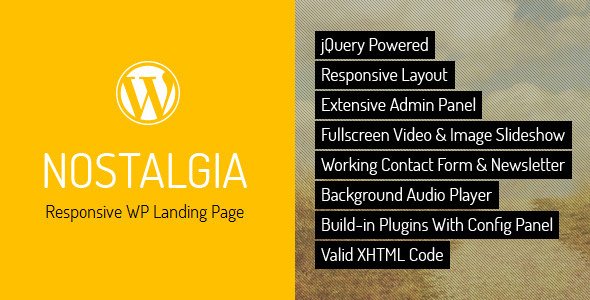
Stuck on your Nostalgia WordPress theme? Let's fix it.
No endless back-and-forth. Just send us the details and we'll get it done.
No obligation · Replies within 1 hour · Quote within 1 day
Setup · Customization · Bug fixes · WooCommerce integration
About Nostalgia WP Theme
Nostalgia is a WordPress theme built by QuanticaLabs with a clean, vintage-inspired aesthetic that works particularly well for lifestyle blogs, personal portfolios, and creative publications. It ships with a refined typographic layout, warm colour palettes, and a structured grid that keeps content readable without heavy customisation out of the box.
The theme is built on solid WordPress standards, making it compatible with the block editor and most major plugins. QuanticaLabs has a track record of well-coded themes, and Nostalgia follows that pattern with organised template files and good documentation. If you want a site that feels warm, editorial, and personal without hiring a designer from scratch, Nostalgia gives you a strong starting point.
Get matched with a Nostalgia developer in under one day
Tell us about your Nostalgia project. Small fixes, Nostalgia theme customization, or a full website build, whatever you need, we've got it covered.
We'll connect you to the right Nostalgia developers, define the scope, and get everything 100% clear.
You'll get one estimate, hire your preferred developer, and start collaborating.
QuanticaLabs themes are well-structured, but every site has specific requirements that go beyond what a theme ships with. Whether you need a custom child theme, a tricky layout built out, or WooCommerce integrated to match Nostalgia’s style, working with an experienced developer on Codeable means you get someone who has worked inside themes like this before. No guesswork, no trial and error on your live site.
Pros
- Clean, editorial design that works well for content-heavy blogs without needing a page builder
- Warm typographic defaults that are readable on both desktop and mobile out of the box
- QuanticaLabs provides organised template files making child theme development straightforward
- Lightweight base with no bundled page builder bloat keeping initial load times low
- Compatible with the WordPress block editor allowing flexible content layouts per post
Cons
- Customiser options are limited so meaningful design changes require custom CSS or a child theme
- WooCommerce integration works but default shop page styling clashes with the vintage aesthetic
- No built-in mega menu or complex navigation options which can be limiting for larger sites
- Documentation covers basics but lacks guidance on advanced customisation or plugin conflicts
- The vintage design style is distinctive and may not suit all brand identities without significant rework
Who is Nostalgia for?
Personal Lifestyle Blog
Nostalgia’s editorial grid and warm typography make it a natural fit for personal blogs covering travel, culture, or daily life. The layout puts written content first, which suits bloggers who publish regularly and want a site that feels personal rather than corporate. Category pages and archive layouts are clean and easy for readers to navigate.
Food and Recipe Website
Food sites need strong visual presentation and readable recipe formatting. Nostalgia handles both well, with featured image areas that let photography stand out and a typographic scale that keeps ingredient lists and instructions easy to scan. Pairing it with a recipe plugin like WP Recipe Maker gives a professional result without heavy customisation work.
Photography Portfolio
Photographers who want a warmer, more editorial portfolio rather than a stark white gallery site will find Nostalgia’s aesthetic a good match. Full-width featured images and a minimal chrome around content let photos take focus. Some child theme work is recommended to remove post meta that is irrelevant for a portfolio context.
Independent Online Magazine
Independent publications covering arts, culture, or niche topics benefit from Nostalgia’s structured multi-column grid. Category-based navigation and featured post options allow editors to surface priority content. The theme scales reasonably well for sites with large post archives without requiring significant performance intervention.
Vintage or Antique Shop
A vintage or antique retailer can use Nostalgia’s aesthetic to reinforce brand identity in a way that most generic WooCommerce themes cannot. The warm palette and retro typography feel intentional for this kind of shop. WooCommerce integration needs styling work to feel cohesive, which is manageable for an experienced developer.

Customizing Nostalgia
Nostalgia exposes most of its visual controls through the WordPress Customizer, where you can adjust typography, colours, header layout, and sidebar behaviour. QuanticaLabs also includes theme-specific options panels for things like post meta display and featured image sizing.
Beyond the defaults, getting Nostalgia to match a specific brand identity usually requires custom CSS or child theme work. Font pairings, spacing adjustments, and layout tweaks that fall outside the Customizer options are where most clients hit a wall. A Nostalgia expert can build a proper child theme, wire up custom post types, or restructure page templates so the site fits your content rather than forcing your content to fit the theme.
Recommended plugins for Nostalgia
Nostalgia pairs well with WooCommerce for simple shop setups, though the default styling needs adjustments to match the theme’s editorial feel. WPForms and Mailchimp for WordPress drop in cleanly. For SEO, the theme outputs clean markup that works well with an SEO optimisation setup. On the performance side, Nostalgia loads reasonably light, but image-heavy blogs benefit from proper caching and optimisation covered in a WordPress performance review. Elementor works but is not the recommended approach given the theme’s native block support.
Not sure which plugins to use? This WordPress plugins directory covers the most popular options with reviews and setup guides.
Nostalgia common issues
Nostalgia theme header not showing logo correctly
Logo display issues in Nostalgia are usually caused by an uploaded image that exceeds the theme’s recommended dimensions or a browser cache showing an outdated version. Check the Customizer under Site Identity and confirm the image dimensions match QuanticaLabs’ specifications in the documentation. Clearing your browser cache and any server-side cache plugin usually resolves it. If the logo appears but is misaligned, a small CSS adjustment in a child theme fixes the positioning without touching core theme files.
Nostalgia WordPress theme mobile menu not working
A non-functional mobile menu in Nostalgia typically points to a JavaScript conflict with another plugin or a caching plugin serving a stale script. Start by deactivating plugins one at a time to isolate the conflict. Check the browser console for JS errors which will identify the conflicting script. If you are running a caching plugin, clear all caches after each change. Persistent issues may require a WordPress bug fixing review to trace the conflict properly.
Nostalgia theme sidebar not showing on posts
Sidebar visibility in Nostalgia is controlled per page template. If your sidebar has disappeared, check that the correct template is selected in the post editor’s Page Attributes or Template settings. Nostalgia offers full-width and sidebar layouts, and switching templates accidentally is a common cause. Also confirm widgets are assigned to the correct sidebar in Appearance > Widgets. If the sidebar shows as empty there, re-adding your widgets will restore it immediately.
Nostalgia theme WooCommerce shop page layout broken
WooCommerce shop pages breaking in Nostalgia usually happen after a WooCommerce update that changes default template structure. Nostalgia does not always bundle overriding WooCommerce templates, so the mismatch shows as missing columns or broken product grids. The fix involves either adding compatible WooCommerce template overrides inside a child theme or applying targeted CSS corrections. Avoid editing theme files directly. A developer can resolve this quickly and future-proof it against further updates.
Nostalgia FAQ
Yes, Nostalgia supports the WordPress block editor. You can use standard blocks for post content and take advantage of block-based layout options within posts and pages. However, some of the theme’s specific layout behaviours, like featured post grids and sidebar assignments, are still controlled through theme settings rather than blocks, so the experience is a mix of both approaches.
WooCommerce can be activated on a Nostalgia site and basic shop functionality works. The main limitation is that default WooCommerce page styling does not match Nostalgia’s vintage aesthetic cleanly. Product pages, cart, and checkout all need CSS work to look consistent with the rest of the site. For a small catalogue it is manageable; for a larger shop, custom development is recommended.
Creating a child theme for Nostalgia follows the standard WordPress process. You need a new folder in your themes directory containing a style.css file that declares the parent theme as Nostalgia and a functions.php file that enqueues the parent stylesheet. QuanticaLabs documentation covers the basics. Working inside a child theme protects your changes from being overwritten when Nostalgia updates.
QuanticaLabs has maintained Nostalgia through WordPress core updates, though update frequency varies. Before purchasing or building a new project on it, check the theme’s changelog on ThemeForest to confirm recent activity. For sites already running Nostalgia, keeping WordPress core, plugins, and the theme updated is covered as part of a WordPress maintenance plan.
Switching to Nostalgia does not affect your posts, pages, or media since WordPress stores content in the database independently of the theme. What changes is how that content is displayed. You may need to reconfigure widgets, menus, and page templates after switching. If you are also moving between hosting providers, a WordPress migration should be handled carefully to avoid data loss during the switch.
Hire a Nostalgia WordPress Developer
If you need Nostalgia set up properly, customised beyond the defaults, or integrated with other tools, working with a specialist saves time and avoids costly mistakes. FoxyConcept delivers WordPress work through Codeable, a vetted developer network where you get a free estimate before committing to anything. Get a free estimate and describe what you need. No obligation, no risk.
You'll need a free Codeable account so developers can ask questions and send their quotes.