Creote WordPress Theme
by SteelThemes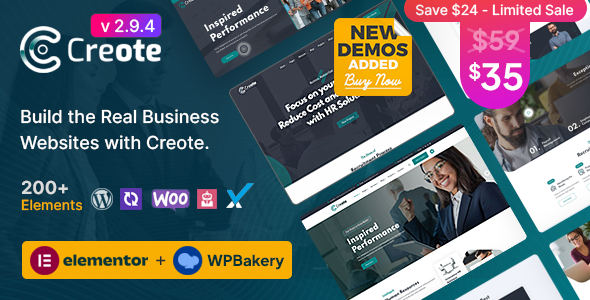
Stuck on your Creote WordPress theme? Let's fix it.
No endless back-and-forth. Just send us the details and we'll get it done.
No obligation · Replies within 1 hour · Quote within 1 day
Setup · Customization · Bug fixes · WooCommerce integration
About Creote WP Theme
Creote is a WordPress theme built by SteelThemes, targeting construction companies, architecture firms, and engineering businesses. It ships with over 20 pre-built demo sites, a drag-and-drop page builder integration, and purpose-built sections for services, projects, team profiles, and testimonials.
The theme uses Elementor as its primary page builder, making layout edits accessible without touching code. It includes a built-in project portfolio system, dedicated service pages, and a request-a-quote form out of the box. WooCommerce support is included for businesses selling products or taking deposits online.
Creote is regularly updated by SteelThemes and has strong documentation. It suits businesses that need a professional site quickly without hiring a developer from scratch, though custom work still requires someone who knows the theme well.
Get matched with a Creote developer in under one day
Tell us about your Creote project. Small fixes, Creote theme customization, or a full website build, whatever you need, we've got it covered.
We'll connect you to the right Creote developers, define the scope, and get everything 100% clear.
You'll get one estimate, hire your preferred developer, and start collaborating.
Creote has a lot of moving parts. Between Elementor, custom post types, the portfolio system, and the theme’s own widget library, it takes time to learn what’s where. A developer on Codeable who has worked with Creote before won’t spend your budget figuring out the basics. They’ll know which demo elements to strip, how to fix the mobile nav, and how to get your quote form working correctly on day one. That’s the difference between a site that looks like a demo and one that works for your business.
Pros
- 20+ niche-specific demo sites built for construction, architecture, and engineering
- Built-in project portfolio with category filtering and custom fields
- Elementor-based page builder with Creote-specific widgets included
- Request-a-quote form built into the theme, no extra plugin needed
- Active updates and responsive support from SteelThemes
Cons
- Heavy out of the box, needs performance tuning before going live
- Elementor dependency means switching page builders is not practical
- Some demo sections require manual cleanup before they look professional
- Advanced layout changes require Elementor Pro, which is sold separately
- Multilingual setup requires additional plugins and developer configuration
Who is Creote for?
Construction Company
Creote was built with construction businesses in mind. The project portfolio system lets you showcase completed builds with photos, categories, and custom details. The services section handles everything from groundworks to fit-out. A developer can tailor the homepage, add a project inquiry form, and connect the site to your existing CRM or email workflow.
Architecture Firm
Architecture firms need a portfolio that communicates quality. Creote’s full-width project layouts, image sliders, and clean typography work well here. A developer can strip the construction-specific language, build a filterable portfolio by project type, and ensure the site loads fast enough that large image galleries don’t hurt the user experience.
Engineering Consultancy
Engineering consultancies often need service pages that explain technical offerings clearly. Creote’s structured service layout handles this well. Add icons, downloadable documents, and a contact form tailored to project inquiries and you have a site that converts. A developer can also add team profiles with qualifications and certifications as custom fields.
Interior Design Studio
Interior design studios need visual impact. Creote’s grid-based portfolio and full-screen image sections work for this niche with some adjustment. A developer can rework the color scheme, switch fonts, and rebuild the portfolio categories to reflect residential, commercial, and hospitality work rather than construction categories.
Roofing and Trades Business
Trades businesses like roofers, landscapers, and electricians benefit from Creote’s built-in quote request form and local service structure. A developer can set up location-specific service pages, add Google reviews integration, and configure the site for local SEO so the business appears in searches for their specific area and trade.

Customizing Creote
Creote offers a solid starting point, but most construction businesses need changes beyond what the demo provides. That includes custom project filtering, branded color schemes, unique header layouts, and service pages built around specific offerings rather than placeholder content.
The theme customizer covers the basics, but deeper changes require familiarity with Elementor, Creote’s custom widgets, and the theme’s hook system. A Creote expert can rebuild demo sections to match your brand, connect contact and quote forms to your CRM, add Google Maps for multiple locations, and ensure the mobile layout actually works for your clients on site.
Getting the most out of Creote means knowing which parts to use and which to replace entirely. That’s where an experienced developer saves real time.
Recommended plugins for Creote
Creote works well with several plugins that extend its core functionality. For contact and quote forms, WPForms or Gravity Forms integrate cleanly. WPML and Polylang handle multilingual setups for firms working across regions.
For speed, pairing Creote with a caching plugin and a CDN is essential given the theme’s heavy use of images and sliders. A developer can also add schema markup for local SEO, which matters for construction businesses targeting specific areas. See our WordPress performance services and WordPress SEO services for that work.
Not sure which plugins to use? This WordPress plugins directory covers the most popular options with reviews and setup guides.
Creote common issues
Creote mobile menu not working
Mobile menu issues in Creote usually come down to a JavaScript conflict with another plugin, or a caching plugin serving an old version of the page. Start by clearing all caches and testing in an incognito window. If the issue persists, deactivate plugins one at a time to identify the conflict. A misconfigured sticky header setting in the Creote theme options can also break mobile nav behaviour. Our WordPress bug fixing service can resolve this quickly.
Creote portfolio not displaying correctly
Portfolio display problems in Creote are often caused by incorrect post type settings, missing featured images, or a mismatch between the Elementor widget settings and the portfolio category slugs. Check that your portfolio items are assigned to the correct categories and that the widget filter matches those exact slugs. If you imported a demo, verify the sample data imported fully. Partial imports often leave empty category relationships that break the grid layout.
Creote slow loading after installing demo
Creote demo content imports large images, sliders, and multiple scripts that add up quickly. After importing, run an image compression tool like ShortPixel, enable lazy loading, and configure a caching plugin. The Revolution Slider that comes with some Creote demos is a known performance issue. A developer can replace heavy sliders with lighter alternatives and set up a CDN. See our WordPress performance services for a full audit.
Creote Elementor widgets not showing
If Creote’s custom Elementor widgets are missing from the panel, the most common cause is that the Creote Core companion plugin is either not installed or not activated. This plugin registers the theme’s custom widgets. Install it from the theme’s plugin installer in the WordPress dashboard. If it is active and widgets still don’t appear, check for an Elementor version conflict and update both Elementor and Creote to their latest versions before testing again.
Creote FAQ
Yes. Creote works with both the free version of Elementor and Elementor Pro. However, some advanced layout features like the popup builder, form widget, and theme builder templates require Elementor Pro, which is sold separately. The theme’s own custom widgets are available regardless of which Elementor tier you use, as they are registered by the Creote Core companion plugin.
Creote can work for related industries like interior design, landscaping, or property development with some customization. The structure is fairly flexible since it runs on Elementor. That said, the default terminology, icons, and demo content are construction-focused. A developer will need to rework sections to avoid the site looking like a repurposed template, which is noticeable to visitors if left as-is.
Some Creote demos use Revolution Slider, which is bundled with the theme at no extra cost. You can install it through the theme’s recommended plugins screen in the WordPress dashboard. Note that Revolution Slider adds weight to the page. If you don’t need it, a developer can replace it with a lighter solution without breaking the rest of the theme layout.
Demo content is imported through the theme’s one-click demo installer, found under Appearance in the WordPress dashboard. Before importing, install all recommended plugins including Creote Core and Elementor. The import pulls in pages, posts, images, and widget settings. Large demos can take several minutes. If the import fails partway, check your PHP memory limit and max execution time in your hosting settings.
Yes, Creote can be migrated to a new host. Since it runs on standard WordPress, a plugin like Duplicator or All-in-One WP Migration handles the move. The main things to check after migration are that Elementor’s font and style settings are regenerated, license keys for bundled plugins are reactivated, and any hardcoded URLs are updated with a search-replace tool. See our WordPress migration service if you need help.
Hire a Creote Developer
Whether you need a full site build, specific customizations, or fixes on an existing Creote site, working with a specialist saves time and avoids costly mistakes. Our developers know the theme inside out, from Elementor widget conflicts to custom portfolio setups.
Projects are matched through Codeable, a vetted WordPress developer network. You get a free estimate within 24 hours with no obligation to proceed. Get your free estimate here and tell us what you need.
You'll need a free Codeable account so developers can ask questions and send their quotes.