Universal WordPress Theme
by ForBetterWeb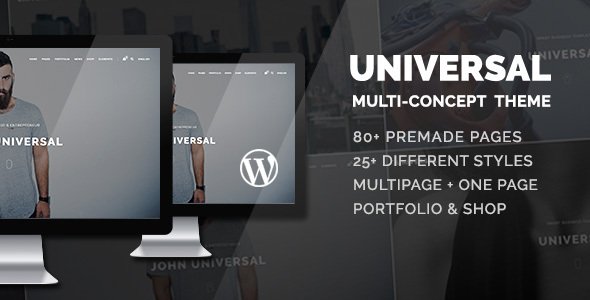
Stuck on your Universal WordPress theme? Let's fix it.
No endless back-and-forth. Just send us the details and we'll get it done.
No obligation · Replies within 1 hour · Quote within 1 day
Setup · Customization · Bug fixes · WooCommerce integration
About Universal WP Theme
Universal is a multipurpose WordPress theme built by ForBetterWeb. It ships with a drag-and-drop page builder, making it accessible to non-developers while staying flexible enough for custom builds. The theme covers a wide range of site types, from business and portfolio to e-commerce and agency sites.
It integrates with WooCommerce, supports multiple header and footer layouts, and comes with a solid library of pre-built sections. Performance is reasonable out of the box, though it benefits from some configuration. Universal has been around long enough to have a mature codebase, regular updates, and a large user base. If you want a theme that handles most use cases without requiring a complete rebuild from scratch, Universal is a practical starting point.
Get matched with a Universal developer in under one day
Tell us about your Universal project. Small fixes, Universal theme customization, or a full website build, whatever you need, we've got it covered.
We'll connect you to the right Universal developers, define the scope, and get everything 100% clear.
You'll get one estimate, hire your preferred developer, and start collaborating.
Universal is flexible, but that flexibility means there are many ways to get the setup wrong. An experienced developer knows which customizations belong in a child theme, which plugins conflict with Universal’s builder, and how to structure templates for long-term maintainability.
Through Codeable, every developer is vetted before working with clients. That means no guesswork on quality. If you need a reliable Universal developer without spending weeks screening freelancers, Codeable is the practical option for getting the work done properly.
Pros
- Comes with a built-in drag-and-drop page builder, reducing reliance on third-party page builder plugins
- Wide library of pre-built demo sections and full demo imports that speed up initial site setup
- WooCommerce support is baked in, including dedicated product page and shop layout options
- Frequent updates from ForBetterWeb mean compatibility with current WordPress and PHP versions
- Large user base means many community resources, tutorials, and documented solutions to common problems
Cons
- The built-in page builder is less mature than Elementor or Gutenberg, so complex layouts sometimes require workarounds
- Default theme load includes scripts and styles for features you may not use, which needs cleanup for performance
- Some advanced layout options are locked behind the premium version, which is not always obvious until you hit the limit
- Documentation quality is inconsistent, with some sections being outdated compared to the current theme version
- Customizer options are extensive but not always logically organised, making it time-consuming to find specific settings
Who is Universal for?
Small Business Website
Universal suits small business sites well. The demo library includes service-based layouts with contact sections, team pages, and testimonials already structured. A developer can take one of these demos and adapt it to match your branding without rebuilding from scratch. Most small business sites can be delivered quickly on Universal with proper child theme setup.
WooCommerce Online Store
The theme’s WooCommerce integration covers product pages, cart, checkout, and category templates. It handles standard store requirements without heavy customisation. For stores needing custom product layouts, subscription functionality, or a specific checkout flow, a Universal developer can extend what the theme provides rather than replacing it entirely.
Agency or Creative Portfolio
Universal includes portfolio post types and grid layouts that work for agencies and creatives. Case study pages, service listings, and client logo sections are all manageable within the theme. If your portfolio needs a distinctive visual style, a developer can build custom templates in a child theme that go well beyond the default Customizer options.
Non-Profit or Charity Site
Non-profits often need donation integration, event listings, and clear calls to action. Universal handles page structure and layout well for this use case. Pairing it with GiveWP for donations and The Events Calendar for events gives a solid foundation. A developer can wire these plugins into the theme cleanly without layout conflicts.
Freelancer or Consultant Site
Freelancers and consultants need a site that loads fast, looks professional, and converts visitors into enquiries. Universal’s single-page demo layouts and contact section templates suit this well. With some performance tuning and a focused content structure, it delivers a credible professional site without overengineering the build.

Customizing Universal
Universal exposes most of its settings through the WordPress Customizer, covering colors, fonts, layout widths, header styles, and widget areas. The built-in page builder handles basic drag-and-drop layouts, but more specific work, like custom post type templates, pixel-perfect header designs, or WooCommerce tweaks, requires PHP and CSS knowledge.
Child themes are supported and recommended before making any code-level changes. A Universal expert can help you build a proper child theme, extend the builder with custom elements, or integrate third-party plugins cleanly. If your site has grown beyond what the Customizer can handle, or if you are starting a project that needs a custom design on top of Universal, working with a developer from the start saves significant time later.
Recommended plugins for Universal
Universal works well with most major WordPress plugins. WooCommerce integration is built in, making it a common choice for store builds. Elementor and WPBakery can be added, though the theme has its own builder so overlapping tools sometimes cause conflicts.
For contact forms, WPML for translation, and membership plugins like MemberPress, Universal holds up fine. To get the most out of the theme, pairing it with a good caching plugin and image optimization tool is worth doing early. If site speed is a priority, a WordPress performance audit can identify bottlenecks specific to your Universal setup. For search visibility, WordPress SEO work alongside the theme gives measurable results.
Not sure which plugins to use? This WordPress plugins directory covers the most popular options with reviews and setup guides.
Universal common issues
Universal theme page builder not loading in WordPress admin
This is usually caused by a JavaScript conflict with another plugin. Start by deactivating plugins one at a time and reloading the page builder. If that isolates the conflict, check whether the plugin has known incompatibilities with Universal. Also clear your browser cache and any server-side cache before testing. If the issue persists after plugin isolation, a WordPress bug fixing service can diagnose it at the code level.
Universal theme WooCommerce layout broken after update
WooCommerce layout breaks after updates are usually caused by template overrides in Universal becoming outdated. Check the WooCommerce system status page for any template warnings. If Universal’s template files are out of date, they need to be updated to match the current WooCommerce version. This should be done carefully in a child theme or staging environment to avoid breaking live store functionality.
Universal theme slow loading speed on mobile
Universal loads scripts for its page builder and multiple layout options on every page by default, which hurts mobile performance. Start by enabling a caching plugin and deferring non-critical scripts. Audit which page builder assets are loading on pages that do not use the builder and disable them conditionally. An image optimisation plugin helps further. For deeper work, a WordPress performance specialist can audit and implement the full fix.
Universal theme header not displaying correctly on smaller screens
Header display issues on smaller screens are often tied to custom CSS conflicting with Universal’s responsive breakpoints, or to a header layout setting that does not scale down correctly. Check the Customizer’s mobile preview and compare it with the live site. If a custom CSS snippet has been added, it may be overriding the responsive styles. Removing or adjusting that CSS usually resolves the issue without touching theme files directly.
Universal FAQ
Universal has both a free version available on the WordPress theme directory and a premium version sold by ForBetterWeb. The free version covers basic use cases. The premium version unlocks additional layout options, more header styles, and priority support. For most professional projects, the premium version is worth the cost given what it adds.
Universal has its own built-in page builder, so adding Elementor introduces two competing systems. It is technically possible, but running both increases page load times and can cause layout conflicts. If you prefer Elementor, it is generally cleaner to use a minimal theme designed for it rather than layering it on top of Universal.
Always use a child theme for any code-level changes before updating Universal. Customizations made directly in the parent theme files will be overwritten on update. Customizer settings and child theme files are safe. Before updating, test on a staging site first. If you have not been using a child theme, that should be set up before the next update.
Yes. Universal has dedicated WooCommerce support built in, including shop pages, product layouts, cart, and checkout styling. It handles standard store requirements without major workarounds. For stores with specific layout needs or custom functionality, a developer can extend the WooCommerce templates cleanly through a child theme.
Switching themes always carries some risk, especially if content was built using Universal’s page builder shortcodes. Those shortcodes will not render correctly in a different theme. Posts and pages built with the native builder may need to be rebuilt. A WordPress migration specialist can help plan and execute the switch with minimal content loss.
Hire a Universal WordPress Developer
Whether you need a new Universal site built from scratch, an existing site redesigned, or specific features added, working with a specialist saves time and avoids technical debt. FoxyConcept connects you with vetted Universal developers through Codeable. You get a free estimate with no obligation to proceed. Get your free estimate today and have a developer matched to your project within 24 hours.
You'll need a free Codeable account so developers can ask questions and send their quotes.