Passage WordPress Theme
by QODE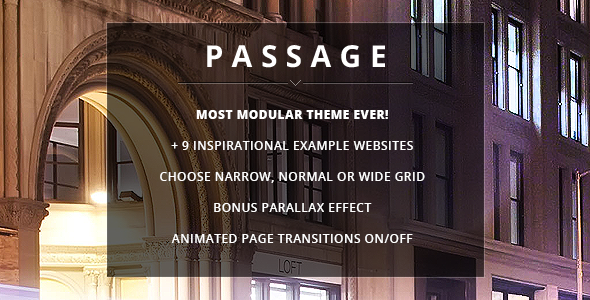
Stuck on your Passage WordPress theme? Let's fix it.
No endless back-and-forth. Just send us the details and we'll get it done.
No obligation · Replies within 1 hour · Quote within 1 day
Setup · Customization · Bug fixes · WooCommerce integration
About Passage WP Theme
Passage is a WordPress theme by QODE Interactive, built for travel blogs, lifestyle magazines, and content-heavy sites. It ships with the Elementor page builder and QODE’s own QodeX plugin, giving you visual control over layouts without touching code.
The theme is structured around editorial-style presentation. Grid layouts, full-width featured images, and post format support make it a solid choice for writers who publish frequently. It includes multiple homepage demos, header styles, and a dedicated travel category template.
Passage works well out of the box but shows its real value once you start digging into its demo content and layout options. It is a premium theme sold on ThemeForest, so expect regular updates and a support forum. Performance depends heavily on how many QODE plugins you activate alongside it.
Get matched with a Passage developer in under one day
Tell us about your Passage project. Small fixes, Passage theme customization, or a full website build, whatever you need, we've got it covered.
We'll connect you to the right Passage developers, define the scope, and get everything 100% clear.
You'll get one estimate, hire your preferred developer, and start collaborating.
QODE themes have a lot of moving parts. Passage combines Elementor, a custom options panel, and proprietary plugins into one stack. When something breaks or a layout does not behave as expected, the cause is rarely obvious without experience across all three layers.
FoxyConcept connects you with vetted Passage developers through Codeable. Every developer on the platform has passed a technical screening. You get a free estimate before any work starts, and you only pay if you decide to proceed. No guesswork, no wasted time.
Pros
- Ships with polished travel and editorial demo content ready to import
- Deep Elementor integration with QODE-specific widgets for content layouts
- Multiple header styles including transparent, sticky, and split layouts
- Built-in post format support for video, gallery, audio, and standard articles
- WooCommerce compatible for selling digital products or travel-related goods
Cons
- QODE plugin dependency means deactivating QodeX breaks shortcodes site-wide
- Theme options panel is large and can be confusing for first-time QODE users
- Page load times increase significantly when multiple QODE plugins are active
- Limited documentation for advanced customization beyond demo replication
- Support is forum-based only, response times vary during high volume periods
Who is Passage for?
Travel Blog
Passage was built with travel content in mind. The destination post type, map-ready layouts, and full-width featured image templates make it straightforward to organize trip reports, guides, and itineraries. Category templates display content in grid and masonry formats, which works well when publishing across multiple destinations regularly.
Lifestyle Magazine
The editorial grid layouts and flexible homepage sections suit lifestyle magazines covering fashion, wellness, or culture. You can mix post formats, feature video content, and organize content by topic without custom development. The sticky header and mega menu support help with navigation across a large content library.
Food and Recipe Site
Food blogs and recipe sites benefit from Passage’s clean article layouts and gallery post format support. The theme handles image-heavy posts well at the design level. Pairing it with a recipe plugin like WP Recipe Maker gives you structured data and a proper ingredient layout without conflicting with the theme’s styling.
Photography Portfolio with Blog
Passage includes portfolio post types that work alongside the blog. A photographer who also publishes travel writing or behind-the-scenes content can use the portfolio section for client work and the blog for editorial content. Full-width image display and minimal post layouts keep the visual focus on the photography itself.
Digital Product Shop with Content
With WooCommerce support built in, Passage works for creators selling ebooks, presets, or travel guides alongside a content blog. The shop pages inherit the theme’s typography and layout logic. You can feature products within blog posts using QODE shortcodes without needing a separate plugin for product display blocks.

Customizing Passage
Passage gives you access to a large theme options panel through QODE’s custom admin interface. You can control typography, colors, header behavior, sidebar layouts, and post meta display without writing CSS. Elementor handles the page-level design, while the theme panel covers global settings.
Custom post types for portfolio and travel destinations come preconfigured. You can adjust them, but modifying the underlying templates requires PHP knowledge. A Passage expert can help you restructure demo layouts, build custom category pages, or integrate third-party plugins without breaking the existing design logic.
Child theme setup is recommended before making deeper changes. QODE updates Passage regularly, and direct edits to parent theme files will be overwritten. If your customization needs go beyond the panel options, working with a Passage expert saves time and prevents compatibility issues down the line.
Recommended plugins for Passage
Passage is designed to work with QODE plugins, including QodeX for widgets and shortcodes, and it supports WooCommerce if you want to sell travel guides or merchandise. Popular additions include WPForms for contact and booking forms and WPML for multilingual travel content.
For site speed, image optimization and caching plugins are essential given the visual weight of travel layouts. You can read more on our WordPress performance service page. If you plan to grow organic traffic, pairing Passage with a structured SEO setup matters. Our WordPress SEO service covers the technical and on-page side of that work.
Not sure which plugins to use? This WordPress plugins directory covers the most popular options with reviews and setup guides.
Passage common issues
Passage theme header not displaying correctly after update
Header display issues after a QODE update usually come from a conflict between the updated theme files and cached header templates. Start by clearing your caching plugin and any server-level cache. If you are using a child theme, check whether your child theme’s header.php overrides match the updated parent. Regenerating CSS in the QODE theme panel often resolves styling gaps after updates.
Elementor sections not loading on Passage theme pages
Elementor sections failing to load on Passage pages typically point to a plugin conflict or a missing QODE dependency. Check whether QodeX is active and up to date, as several Passage templates rely on its widgets. Also confirm that Elementor and Elementor Pro are both current. Running Elementor’s built-in regenerate files tool under Tools clears corrupted asset files that cause blank section rendering. Our WordPress bug fixing service can diagnose persistent cases.
Passage theme slow loading with QODE plugins active
QODE themes load assets from multiple plugins simultaneously. Deactivate any QODE plugins you are not actively using, as each one adds scripts and styles to every page load. Enable a caching plugin with CSS and JS minification. Check GTmetrix or PageSpeed Insights to identify the largest assets. Lazy loading for images is worth enabling if you publish image-heavy travel posts. More detail is on our WordPress performance page.
Passage demo import not working or missing content
Failed demo imports with Passage often happen because the server’s PHP memory limit or max execution time is too low. Ask your host to temporarily raise memory to 256MB and max execution time to 300 seconds before running the import again. Also make sure the One Click Demo Import plugin is installed if QODE requires it for your version. Importing in stages, content first then widgets, reduces timeout failures on shared hosting.
Passage FAQ
QODE updates Passage to maintain compatibility with current WordPress releases. Check the ThemeForest changelog before updating to confirm the latest version supports your WordPress version. Running updates on a staging site first is advisable, particularly if you have active QODE plugins, since version mismatches between the theme and its companion plugins can cause layout breaks.
The free version of Elementor works with Passage for basic page building. Some pre-built demo sections use Elementor Pro widgets like the Posts widget or Form widget. If you want to replicate the demos exactly, Elementor Pro helps. Otherwise, free Elementor combined with QODE’s own QodeX widgets covers most layout needs without the additional cost.
You can run Passage without most QODE plugins, but QodeX is effectively required for anything beyond basic pages. It provides the shortcodes and widgets embedded in demo layouts. Removing it breaks those elements. If you want a cleaner plugin setup, a developer can rebuild key sections using native Elementor or Gutenberg blocks without relying on proprietary QODE shortcodes.
Passage demo content installs through QODE’s built-in demo import tool in the WordPress admin under Passage Setup. You select a demo, click import, and the plugin pulls in pages, media, and widget settings. A stable connection and adequate server resources matter here. PHP memory below 128MB and shared hosting with tight execution limits are the most common reasons imports stall partway through.
Passage produces clean HTML output and supports popular SEO plugins like Yoast and Rank Math without conflict. Schema markup and open graph tags depend on your SEO plugin rather than the theme itself. The main SEO consideration is page speed, since QODE’s plugin stack adds weight to page loads. Addressing that with caching and asset optimization makes a measurable difference in core web vitals scores.
Hire a Passage WordPress Expert
Need help with Passage setup, customization, or a specific fix? FoxyConcept works with vetted WordPress developers who know the QODE theme stack. Post your project and get matched with a Passage developer within 24 hours. Get a free estimate with no obligation to hire. You describe the work, review the estimate, and decide from there.
You'll need a free Codeable account so developers can ask questions and send their quotes.