Plexx WordPress Theme
by mallini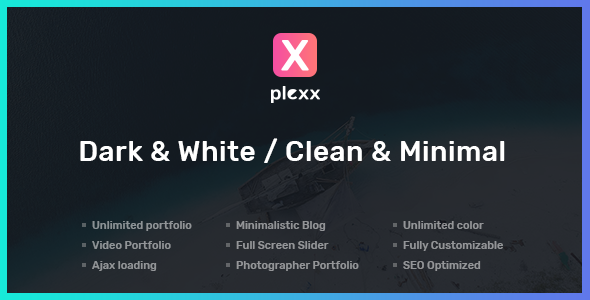
Stuck on your Plexx WordPress theme? Let's fix it.
No endless back-and-forth. Just send us the details and we'll get it done.
No obligation · Replies within 1 hour · Quote within 1 day
Setup · Customization · Bug fixes · WooCommerce integration
About Plexx WP Theme
Plexx is a WordPress theme by mallini built for creative portfolios and agency websites. It uses a grid-based layout system that lets you present work in a structured, visual way without heavy page builder dependency.
The theme ships with pre-built demo content, making initial setup faster than starting from scratch. It supports Elementor and includes custom post types for portfolio items, giving you a clean separation between project content and standard pages.
Plexx targets designers, photographers, and small creative agencies who want a minimal aesthetic with enough flexibility to stand out. Typography controls, color scheme options, and header layout choices are all handled through the WordPress Customizer, keeping things accessible without requiring code knowledge.
Get matched with a Plexx developer in under one day
Tell us about your Plexx project. Small fixes, Plexx theme customization, or a full website build, whatever you need, we've got it covered.
We'll connect you to the right Plexx developers, define the scope, and get everything 100% clear.
You'll get one estimate, hire your preferred developer, and start collaborating.
Finding a developer who knows Plexx specifically is harder than finding a general WordPress developer. Through Codeable, every developer is vetted before they can take on projects. You post your project, receive a flat estimate, and only pay if you decide to move forward.
No bidding wars, no offshore guesswork. Just a qualified WordPress developer who has reviewed your brief and confirmed they can deliver. For Plexx customization or troubleshooting, that specificity matters.
Pros
- Clean grid-based portfolio layouts that work well across screen sizes without much configuration
- Elementor compatibility means non-developers can edit page content without touching theme files
- Custom portfolio post type keeps project content separate from pages and blog posts
- Demo content imports quickly, giving a realistic starting point rather than a blank theme
- Customizer-based settings make color, font, and header changes accessible without code
Cons
- Limited built-in blog layout options make Plexx a weak choice if content publishing is a priority
- Portfolio filtering relies on JavaScript that can conflict with aggressive caching configurations
- The theme has a smaller user base than mainstream themes, so community support threads are sparse
- WooCommerce styling requires additional CSS work since the theme is not built primarily for ecommerce
- Child theme setup is necessary before customizing templates, which adds a step beginners often skip
Who is Plexx for?
Freelance Graphic Designer Portfolio
Plexx suits freelance graphic designers who need to show work in an organized grid without a bloated interface. The portfolio post type handles project categories cleanly. A developer can add custom fields for client name, deliverables, and tools used, turning each project into a proper case study rather than just an image gallery.
Photography Studio Website
Photographers benefit from Plexx’s image-forward layouts. The grid handles high-resolution images well when paired with lazy loading. A Plexx developer can modify the portfolio template to display EXIF data, add lightbox options, or restructure the archive page into a masonry layout that better suits large photo collections.
Small Creative Agency
Small agencies often need a site that communicates services, shows past work, and captures leads. Plexx covers the portfolio side. A developer adds the service pages, custom contact forms, and CRM integration. The result is a site that looks polished without the overhead of a larger theme built for enterprise clients.
Architect or Interior Designer
Architects and interior designers rely on strong visual presentation. Plexx’s grid layouts translate well to project galleries with before-and-after images or room-by-room breakdowns. Custom post type fields can store project details like location, year, and scope, making each portfolio item informative as well as visual.
Digital Product Seller
With WooCommerce integrated alongside Plexx, designers and photographers can sell presets, templates, or prints. The storefront pages need additional styling work to match the theme’s aesthetic, but the portfolio and shop can coexist cleanly. A developer handles the CSS alignment and checkout flow configuration.

Customizing Plexx
Out of the box, Plexx gives you a solid starting point. But most client sites need more than default settings. That is where working with a Plexx expert pays off.
Custom grid layouts, modified portfolio filtering logic, unique header structures, and brand-specific typography all require digging into the theme’s options or writing targeted CSS and PHP. A developer familiar with Plexx knows which settings interact, which filters are safe to override, and how to extend templates using a child theme without breaking updates.
Common customization requests include adjusting the portfolio archive layout, adding custom fields to project posts, modifying hover effects, and integrating third-party contact or booking forms. Getting these right the first time saves you hours of trial and error.
Recommended plugins for Plexx
Plexx works well with WooCommerce if you need to sell services or digital products alongside your portfolio. Elementor Pro unlocks more layout control on inner pages. WPForms or Gravity Forms handle contact and inquiry submissions cleanly.
For agencies tracking leads, integrating a CRM plugin like HubSpot or FluentCRM is straightforward. If site speed matters, pairing Plexx with a good caching setup helps significantly. See our WordPress performance service for details. If you are growing organic traffic, our WordPress SEO service covers technical and on-page work that complements a Plexx-built site.
Not sure which plugins to use? This WordPress plugins directory covers the most popular options with reviews and setup guides.
Plexx common issues
Plexx portfolio grid not displaying correctly after update
Grid display problems after an update usually point to a CSS conflict or a JavaScript file that failed to load. Start by clearing your cache and checking the browser console for 404 errors on theme assets. If the grid worked before the update, compare the changelog for template changes. Rebuilding the portfolio page from a known-good demo import can confirm whether the issue is template-related. If problems persist, our WordPress bug fixing service can diagnose and resolve it quickly.
Plexx theme Elementor sections not loading on front end
When Elementor sections fail to load visually but appear in the editor, the issue is usually a JavaScript conflict or a missing Elementor CSS file. Check whether the problem appears in all browsers or just one. Disable other plugins temporarily to isolate the conflict. Also confirm your Elementor version is compatible with the current Plexx release. If the conflict is with a specific plugin, a developer can rewrite the conflicting enqueue or defer load order correctly.
Plexx custom CSS not applying in child theme
If custom CSS in a child theme is not applying, first confirm the child theme is actually active and that the stylesheet is enqueued correctly. A common mistake is adding styles to the child theme’s style.css without using wp_enqueue_scripts to load it. Also check specificity. Plexx’s base styles may use selectors with higher specificity than your overrides. Use browser DevTools to check which rule is winning and adjust accordingly.
Plexx portfolio filter not working with caching plugin
Portfolio filtering scripts use AJAX or URL parameters to show and hide items. Caching plugins that serve static HTML will break this because the filtered state never reaches the server. Fix this by excluding portfolio archive URLs from page cache, or configuring your caching plugin to ignore query strings used by the filter. WP Rocket and LiteSpeed Cache both have exclusion settings for this. A developer can also rewrite the filter to work as a client-side script that does not require a page reload.
Plexx FAQ
Yes, Plexx is compatible with Elementor. You can use the free version of Elementor for most page editing tasks. Elementor Pro adds additional widgets and theme builder features. Portfolio post type templates are handled by Plexx’s own template files, so the theme builder in Elementor Pro can be used to override those if needed.
Plexx includes a one-click demo import through a bundled or recommended importer plugin. After installing and activating the theme, look for a demo import option under the theme settings in the WordPress dashboard. The import brings in pages, portfolio items, menus, and widget settings. Always run a demo import on a fresh installation to avoid conflicts with existing content.
Plexx works with WooCommerce, but the shop pages will not match the theme’s design without additional CSS. The theme is not built primarily for ecommerce, so product grids, cart pages, and checkout will need styling work. For a polished result that aligns with the Plexx aesthetic, plan for developer time on WooCommerce template customization.
Update frequency depends on the developer, mallini. Check the theme’s changelog on ThemeForest or wherever it was purchased to see the last update date and what was changed. Before updating, back up your site. If you are on a customized installation, test updates on a staging environment first to catch any template conflicts early.
Create a folder in wp-content/themes with a name like plexx-child. Inside it, add a style.css file with the required header including Template: plexx, and a functions.php file that enqueues the parent theme stylesheet using wp_enqueue_scripts. Activate the child theme from the WordPress Themes screen. All customizations go into the child theme to survive future parent theme updates.
Hire a Plexx Developer
Need a Plexx expert to customize your site, fix a layout issue, or build something the theme does not support out of the box? Our developers on WordPress development services are matched to your project based on skills and availability.
Post your project, get a free estimate within 24 hours, and decide with no obligation. Get your free estimate here and have a qualified Plexx developer reviewing your brief today.
You'll need a free Codeable account so developers can ask questions and send their quotes.