Celeste WordPress Theme
by BoldThemes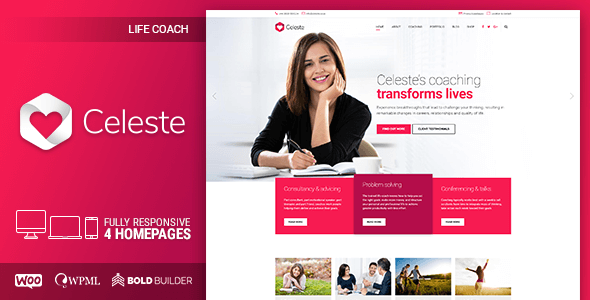
Stuck on your Celeste WordPress theme? Let's fix it.
No endless back-and-forth. Just send us the details and we'll get it done.
No obligation · Replies within 1 hour · Quote within 1 day
Setup · Customization · Bug fixes · WooCommerce integration
About Celeste WP Theme
Celeste is a WordPress theme by BoldThemes, built for creative agencies, portfolio sites, and service businesses that need a clean, visually structured layout without sacrificing flexibility. It ships with the BoldBuilder page builder, a proprietary drag-and-drop tool that gives you control over layout without writing code.
The theme includes multiple pre-built demo sites covering agencies, photographers, and corporate businesses. These demos are importable in one click, giving you a working foundation to build from rather than starting with a blank canvas.
Celeste supports WooCommerce, WPML for multilingual sites, and includes built-in portfolio and blog post types. Typography, color schemes, and header layouts are all adjustable from the Customizer. It is a solid mid-range theme with a clear target audience and enough built-in tooling to get a professional site live without custom development.
Get matched with a Celeste developer in under one day
Tell us about your Celeste project. Small fixes, Celeste theme customization, or a full website build, whatever you need, we've got it covered.
We'll connect you to the right Celeste developers, define the scope, and get everything 100% clear.
You'll get one estimate, hire your preferred developer, and start collaborating.
Celeste is a capable theme, but getting the most out of it requires knowing where its limits are. BoldBuilder works differently from Elementor or Gutenberg, and the theme’s update history means some customization approaches break between versions.
The developers at FoxyConcept have worked with BoldThemes products and understand how to extend Celeste cleanly. All work is delivered through Codeable, a vetted WordPress developer network with fixed pricing and a satisfaction guarantee. No guesswork, no junior freelancers.
Pros
- Ships with BoldBuilder, a working drag-and-drop page builder included at no extra cost
- Multiple one-click demo imports covering agencies, portfolios, and corporate layouts
- Native WooCommerce support with styled shop, cart, and product page templates
- WPML compatible out of the box, making multilingual builds straightforward
- Customizer-based controls for colors, fonts, and header layout without code changes
Cons
- BoldBuilder is proprietary and less documented than Elementor or Gutenberg, which slows down custom work
- Theme updates have occasionally broken child theme customizations due to structural changes in BoldBuilder
- Page load times can be heavy without additional performance optimization due to bundled scripts
- Limited third-party tutorial resources compared to more popular themes, making troubleshooting slower
- BoldThemes support response times can be inconsistent, especially on pre-sales and edge-case technical issues
Who is Celeste for?
Creative Agency
Celeste suits agency sites well. The portfolio post type is built in, header layouts support full-width hero sections, and the demo content covers service pages and team layouts. A Celeste developer can strip the demo to a clean base and rebuild it around your specific service offering and brand identity.
Freelance Photographer
The theme handles image-heavy layouts cleanly. Grid and masonry portfolio options work well for photography galleries. Lightbox functionality is built in. For photographers who also sell prints or presets, WooCommerce integration keeps everything on one theme without requiring a separate shop plugin.
Corporate Services Business
Corporate demo layouts include multi-column service sections, team pages, and testimonial blocks. The theme supports a professional look without heavy customization. If you need custom icons, branded typography, or a specific color system, a Celeste expert can apply those through a child theme quickly.
WooCommerce Store
WooCommerce support in Celeste covers the core pages: shop, product, cart, and checkout. The styled templates match the overall theme design reasonably well out of the box. For stores with specific layout needs or custom product types, some development work is needed to extend beyond the defaults.
Architecture or Interior Design Studio
Architecture and interior design studios benefit from Celeste’s large image support and minimal layout options. Project portfolio pages can be configured to show before-and-after galleries, project details, and client information. The theme handles visual storytelling well when configured correctly.

Customizing Celeste
Celeste gives you a reasonable amount of control out of the box, but most serious projects will need adjustments that go beyond what the Customizer offers. BoldBuilder, the bundled page builder, has its own learning curve and does not always align cleanly with third-party plugins or custom post type structures.
If you need custom layouts, unique header behavior, modified archive templates, or WooCommerce styling that matches your brand, a Celeste expert will save you significant time. Child theme setup, custom CSS work, and hook-based modifications all require familiarity with how BoldThemes structures its codebase.
Working with someone who knows the theme means avoiding the common traps: broken layouts after updates, conflicting scripts, or customizations baked into the parent theme that disappear on the next version push.
Recommended plugins for Celeste
Celeste works well with several common plugin categories. WooCommerce integration is built in, covering shop pages, product layouts, and cart styling. WPML compatibility makes it usable for multilingual projects. Contact Form 7 and WPForms both work without conflicts.
For performance, the theme does carry some overhead from BoldBuilder assets. Pairing it with proper caching and a CDN helps. See our WordPress performance service if load times are a concern. For visibility, structured data and on-page optimisation often need attention on Celeste sites. Our WordPress SEO service covers that ground.
Not sure which plugins to use? This WordPress plugins directory covers the most popular options with reviews and setup guides.
Celeste common issues
Celeste theme BoldBuilder not saving changes
BoldBuilder save failures are usually caused by a PHP memory limit that is too low, a caching plugin writing stale data, or a JavaScript conflict with another active plugin. Start by increasing WP_MEMORY_LIMIT to at least 256M in wp-config.php. Clear all caches, then deactivate plugins one by one to isolate a JS conflict. If the issue persists, check browser console errors for specific script failures. Our WordPress bug fixing service can diagnose and resolve this reliably.
Celeste WordPress theme broken after update
BoldThemes releases updates that sometimes restructure BoldBuilder templates or change CSS class names. If your site broke after a Celeste update, the most common cause is customization applied to the parent theme rather than a child theme. Restore a backup first. Then compare your modified files against the new version using a diff tool. Going forward, all changes should live in a child theme. A Celeste developer can migrate your customizations cleanly and set up proper child theme structure.
Celeste theme slow loading pages fix
Celeste loads BoldBuilder scripts and styles on every page by default, including pages that do not use the builder. Use a plugin like Asset CleanUp to restrict those scripts to builder-dependent pages only. Enable lazy loading for images, use a caching plugin, and consider a CDN for static assets. If your hosting environment is under-resourced, that is often the bigger bottleneck. See our WordPress performance service for a full audit.
Celeste theme WooCommerce shop page not displaying correctly
WooCommerce layout issues in Celeste are often caused by a theme update changing WooCommerce template files that you had previously overridden in your child theme. Check which WooCommerce templates are outdated using WooCommerce’s built-in system status check under Status > System Status > Templates. Update those template overrides to match the current WooCommerce version. If you are not using overrides and still seeing layout breaks, a plugin conflict or missing CSS is usually responsible.
Celeste FAQ
Yes, BoldThemes continues to release updates for Celeste. You can verify the current version and changelog on ThemeForest. That said, support response times vary, and documentation for edge cases is limited. For anything beyond basic setup questions, working with an independent Celeste developer is often faster than waiting on theme support tickets.
Celeste is designed around BoldBuilder, its own page builder. Gutenberg works for standard post and page editing, but you will lose access to BoldBuilder’s layout elements. Elementor can be used, but it creates conflicts with BoldBuilder sections and is not officially supported. If you want Elementor, a theme built specifically for Elementor is a better starting point.
Technically yes, but the theme’s demo content and templates are built with BoldBuilder shortcodes. Without BoldBuilder active, those sections render as raw shortcode text or blank areas. You would essentially be rebuilding your layouts from scratch in Gutenberg or another editor, which removes most of the value Celeste provides out of the box.
Celeste generates clean HTML and supports SEO plugins like Yoast and Rank Math without conflicts. However, it does not output structured schema data by default, and page speed scores can affect Core Web Vitals if the theme assets are not properly optimized. Pairing it with an SEO plugin and a performance setup covers the main gaps. Our WordPress SEO service can help.
After activating Celeste, go to Appearance > Import Demo Data. This uses the One Click Demo Import plugin bundled with the theme. Select your preferred demo, click import, and wait for the process to finish. It pulls in demo images, pages, menus, and widget settings. Make sure your server has adequate PHP memory and execution time, as large demo imports can time out on low-resource hosting.
Hire a Celeste WordPress Developer
Whether you need a Celeste theme set up from scratch, customized beyond the defaults, or fixed after something broke, FoxyConcept can help. Work is scoped before anything starts so you know exactly what you are paying for.
Get a free estimate with no obligation to hire. You will hear back within 24 hours with a clear proposal. Our WordPress development services cover everything from small fixes to full builds on Celeste.
You'll need a free Codeable account so developers can ask questions and send their quotes.