VidMov WordPress Theme
by beeteam368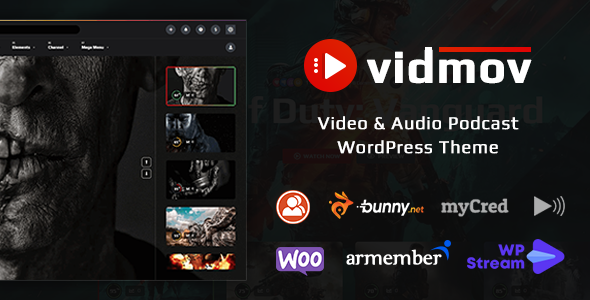
Stuck on your VidMov WordPress theme? Let's fix it.
No endless back-and-forth. Just send us the details and we'll get it done.
No obligation · Replies within 1 hour · Quote within 1 day
Setup · Customization · Bug fixes · WooCommerce integration
About VidMov WP Theme
VidMov is a WordPress theme built by beeteam368 specifically for video and movie websites. It ships with a clean, dark-toned layout designed around media content — think film databases, streaming portals, video blogs, and entertainment news sites.
The theme includes built-in movie listing templates, rating systems, custom post types for films and series, and a homepage designed to showcase video thumbnails prominently. It works with popular page builders and supports WooCommerce if you want to sell memberships or digital content.
beeteam368 has built a solid reputation on ThemeForest for media-focused themes, and VidMov reflects that. It is a purpose-built theme, not a general multipurpose theme dressed up for video use. That focus is both its biggest strength and its main limitation depending on your project scope.
Get matched with a VidMov developer in under one day
Tell us about your VidMov project. Small fixes, VidMov theme customization, or a full website build, whatever you need, we've got it covered.
We'll connect you to the right VidMov developers, define the scope, and get everything 100% clear.
You'll get one estimate, hire your preferred developer, and start collaborating.
VidMov is a specialised theme. General WordPress freelancers often struggle with its custom post type structure, the theme options quirks, and how it handles video metadata. A developer who has worked with VidMov specifically will move faster and make fewer mistakes.
Through Codeable, you get matched with vetted WordPress developers — not a marketplace of unknowns. Every developer on Codeable has passed a rigorous vetting process. You post your project, get an estimate within 24 hours, and only pay if you decide to move forward.
Pros
- Purpose-built for video and movie sites — not a generic theme adapted for media
- Includes custom post types for movies, series, and cast out of the box
- Built-in rating and review system designed specifically for film content
- Dark-mode aesthetic that suits entertainment and streaming site branding well
- WooCommerce compatible for selling memberships, rentals, or digital downloads
Cons
- Theme options panel feels dated compared to full site editing or modern block themes
- Limited flexibility outside of video and movie use cases — poor fit for general sites
- Documentation from beeteam368 is thin in places, especially for advanced customisation
- Can be slow without proper performance optimisation due to heavy front-end assets
- Support from beeteam368 can be slow during high-volume periods on ThemeForest
Who is VidMov for?
Movie Review Website
VidMov is a natural fit for movie review sites. Its built-in rating system, cast and crew fields, and movie-specific post types mean you spend less time building infrastructure and more time writing reviews. You can organise content by genre, year, or rating without installing a stack of plugins.
Streaming Platform Frontend
If you are building the frontend of a streaming service — where users browse a library, see what is trending, and access video content — VidMov gives you the layout foundation. Combine it with a membership plugin and a video hosting integration to create a functional streaming portal without building everything from scratch.
Film Festival Site
Film festivals need to showcase a programme of films, directors, and screening schedules. VidMov’s movie post types and archive layouts adapt well to this. A developer can extend the custom fields to include screening times, venue info, and ticket links, turning the theme into a proper festival platform.
Video Blog or YouTube Companion Site
Content creators who publish video content alongside written posts use VidMov as a companion site to their YouTube or Vimeo channel. The theme handles embedded video well and supports a blog-style layout for written content, making it a clean home base separate from a social platform.
Entertainment News Portal
Entertainment news sites covering film releases, TV shows, and industry news benefit from VidMov’s category structures and media-focused layout. The dark aesthetic fits the niche, and the theme’s archive templates handle high volumes of posts without the layout breaking down.

Customizing VidMov
VidMov comes with a theme options panel that covers layout settings, color schemes, typography, and homepage section controls. Most basic visual changes can be handled without writing code. But if you need anything beyond the defaults — custom movie archive layouts, filtered browse pages, specific rating integrations, or a membership paywall — you will need a developer.
A VidMov expert can tailor the theme to match your brand, wire up external APIs like TMDb for automatic movie data, build custom search and filter functionality, and adjust the post type structures to fit your specific content model. Work like this requires someone who knows both the theme internals and WordPress development. Getting it wrong wastes time and creates technical debt that is hard to clean up later.
Recommended plugins for VidMov
VidMov pairs well with plugins like WP-PostViews for tracking popular content, Advanced Custom Fields for extending movie metadata, and membership plugins like MemberPress or Paid Memberships Pro if you want subscription access. For trailers and embedded video, Presto Player or VideoPress are solid options.
Site speed matters significantly on video-heavy sites. A proper caching setup, CDN, and image optimisation are not optional. See our WordPress performance service if your VidMov site is loading slowly. For discoverability, Rank Math or Yoast combined with structured data for movies can help — our WordPress SEO service covers that in detail.
Not sure which plugins to use? This WordPress plugins directory covers the most popular options with reviews and setup guides.
VidMov common issues
VidMov homepage not displaying movies correctly after setup
This usually comes down to the homepage template not being assigned correctly in Settings > Reading, or the theme’s movie post type not being selected in the homepage options panel. Check that the correct page template is active. If movies still do not show, verify that posts are published and the correct category or post type is selected in the theme options. Flushing permalinks under Settings > Permalinks often resolves display issues after initial setup.
VidMov rating system not showing on single movie pages
The rating system in VidMov depends on specific shortcodes or template tags being present in the single movie template. If you have edited the template or switched child themes, those elements can go missing. Check the single-movie.php file for the correct rating function call. If you are using a page builder override on single posts, that will also strip out theme-specific elements. Restoring the original template or re-adding the rating component usually fixes it.
VidMov custom post types not appearing in search results
WordPress does not include custom post types in search results by default unless the post type is registered with exclude_from_search set to false. VidMov’s movie post type may not be configured this way out of the box. You can fix this with a small code snippet in your child theme’s functions.php, or by using a plugin like Search Everything. Flushing permalinks after making changes is required. Our bug fixing service can handle this quickly if needed.
VidMov site loading slowly with lots of video thumbnails
Video thumbnail-heavy pages are expensive to load without optimisation. Start with a caching plugin like WP Rocket or LiteSpeed Cache, compress and lazy-load images using Imagify or ShortPixel, and serve assets through a CDN. Also audit the theme’s front-end scripts — VidMov loads several JavaScript files that can be deferred or combined. If performance is still poor after those steps, a deeper technical audit is worth doing. See our WordPress performance service for a full breakdown.
VidMov FAQ
VidMov works well as the frontend of a streaming-style website. It handles movie archives, video embeds, and a library-style layout without much setup. However, it does not include video hosting or DRM on its own. You will need to pair it with a video hosting service and a membership or paywall plugin to build a full streaming experience. The theme provides the shell — the functionality comes from the plugin stack.
VidMov has partial Elementor compatibility. Standard pages and posts can be edited with Elementor, but the theme’s custom movie post type templates and archive layouts use their own template system. Heavy Elementor overrides on those templates can break theme-specific features like ratings and cast fields. Most developers recommend keeping Elementor for standard pages and using the native templates for movie content.
Yes. VidMov declares WooCommerce support, so the basic shop templates will work without layout breakage. For membership functionality, you would add a plugin like MemberPress or Paid Memberships Pro on top. Restricting access to specific movie posts or video content by membership tier requires custom development work to wire up correctly alongside VidMov’s post type structure.
VidMov does not include a built-in TMDb integration. You would need a plugin like WP Movie Database or a custom API integration to pull movie data automatically from TMDb. A developer can build this so that creating a new movie post auto-populates title, synopsis, cast, poster, and ratings from the TMDb API, saving significant manual data entry time on large film libraries.
Migrating an existing movie site to VidMov is possible but takes planning. If your current site uses a different custom post type structure for movies, the data will need to be mapped across. Standard posts and pages migrate cleanly. The more complex part is matching your existing movie metadata fields to VidMov’s structure. Our WordPress migration service handles this type of content migration with minimal data loss.
Hire a VidMov Developer
Need help setting up VidMov, customising its layout, or building out features like filtered movie archives, rating systems, or membership access? A specialist will get it done right the first time.
Post your project and get a free estimate through Codeable. No obligation to hire. You describe what you need, a vetted VidMov developer reviews it, and you get a clear quote within 24 hours. 100% risk-free.
You'll need a free Codeable account so developers can ask questions and send their quotes.