Lagar WordPress Theme
by vamtam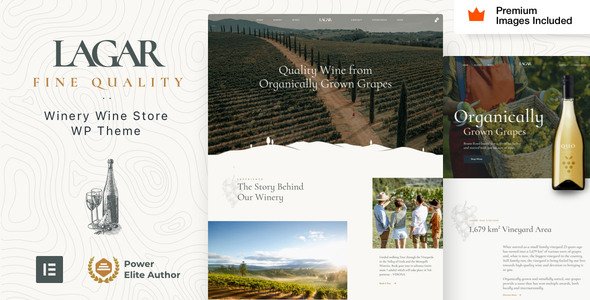
Stuck on your Lagar WordPress theme? Let's fix it.
No endless back-and-forth. Just send us the details and we'll get it done.
No obligation · Replies within 1 hour · Quote within 1 day
Setup · Customization · Bug fixes · WooCommerce integration
About Lagar WP Theme
Lagar is a premium WordPress theme built by VamTam, a developer known for clean code and reliable theme architecture. It targets furniture stores, interior design studios, and home decor brands that need a polished, product-focused layout out of the box.
The theme ships with WooCommerce support, multiple demo layouts, and deep integration with Elementor. Page structure is clean, product pages are well thought out, and the typography choices work well for lifestyle and retail brands.
VamTam maintains Lagar actively, with updates that keep pace with WordPress core and WooCommerce releases. If you want a furniture or home goods store that looks credible from day one, Lagar is a solid starting point without requiring heavy customization from scratch.
Get matched with a Lagar developer in under one day
Tell us about your Lagar project. Small fixes, Lagar theme customization, or a full website build, whatever you need, we've got it covered.
We'll connect you to the right Lagar developers, define the scope, and get everything 100% clear.
You'll get one estimate, hire your preferred developer, and start collaborating.
Lagar is straightforward to set up but harder to customize well. VamTam builds their themes with specific patterns, and working against those patterns creates maintenance problems later.
Through Codeable, FoxyConcept connects you with vetted developers who have worked with Lagar and VamTam themes specifically. You get an accurate estimate before any work starts, no guesswork on pricing, and a developer who knows where the theme’s limits are and how to work within them properly.
Pros
- Ships with multiple furniture and interior design demo layouts that import cleanly
- Deep Elementor integration means most layout changes don't require custom code
- WooCommerce templates are well structured and easy for developers to extend
- VamTam provides consistent updates aligned with WordPress and WooCommerce releases
- Product page layout handles large image galleries and variant selectors without breaking
Cons
- Heavy Elementor dependency makes switching page builders later difficult
- Demo content import can be slow and occasionally requires manual cleanup
- Theme options panel is large and can be confusing without developer guidance
- Some design sections are tightly coupled to specific Elementor widgets, limiting flexibility
- Out-of-the-box performance scores need work for large catalogs without additional optimization
Who is Lagar for?
Furniture Retail Store
Lagar was built with furniture retail in mind. Product pages support large image sets, room scene photography, and variant selection. Category pages can be filtered by material, color, and dimension, making it practical for stores with deep catalogs and customers who shop visually.
Interior Design Studio
Interior design studios need a site that showcases project photography cleanly and communicates credibility. Lagar’s grid layouts and full-width section options handle portfolio work well. A developer can trim the WooCommerce layer if the studio sells products occasionally but focuses primarily on services.
Home Decor Brand
Home decor brands selling a curated product range benefit from Lagar’s editorial-style homepage layouts. The theme supports lookbook-style pages that mix content and products. This works well for brands where lifestyle imagery drives purchasing decisions as much as product specs do.
Lighting and Fixtures Shop
Lighting and fixture shops need product pages that handle multiple finish options, technical specifications, and room context images. Lagar’s WooCommerce templates accommodate this without heavy custom development. A developer can add specification tables and downloadable PDFs within the existing template structure.
Architect or Interior Consultant Portfolio
Architects and interior consultants using WordPress as a portfolio and lead generation tool can strip Lagar back to its layout and typography strengths. Removing the store layer and focusing on project case studies and a contact flow gives a clean, high-end result with minimal custom work.

Customizing Lagar
Lagar gives you a good foundation, but most serious stores need changes that go beyond the theme options panel. Adjusting the checkout flow, building custom product filter logic, or modifying the homepage grid for a specific catalog structure all require developer work.
A Lagar expert can unlock the theme’s full potential without fighting against its architecture. That means working with VamTam’s page builder integration correctly, extending WooCommerce templates cleanly, and keeping the site maintainable long-term.
Whether you need a custom mega menu, a bespoke product comparison feature, or a restructured category layout, working with someone who knows Lagar specifically saves time and avoids the trial-and-error that comes with generic WordPress developers.
Recommended plugins for Lagar
Lagar pairs well with several plugins that extend its default feature set. WooCommerce is the obvious core addition for any store. YITH plugins handle wishlists, product bundles, and subscriptions cleanly within the theme’s layout.
For search and filtering, FiboSearch or Ajax Search for WooCommerce integrate without layout conflicts. On the performance side, pairing Lagar with a proper caching and image optimization setup matters, especially for large product catalogs. See our WordPress performance services for that work.
If organic traffic is a priority, structured data and technical SEO work through our WordPress SEO service will complement what the theme already provides.
Not sure which plugins to use? This WordPress plugins directory covers the most popular options with reviews and setup guides.
Lagar common issues
Lagar theme header not showing correctly after update
Header display issues after a VamTam update usually come from a conflict between the theme’s header builder and a cached version of the layout. Start by clearing all caches, including server-side and any CDN cache. If the issue persists, check whether a child theme or custom CSS is overriding header styles. Reverting recent customizer changes sometimes resolves it. If the problem appeared immediately after updating, check VamTam’s changelog for known header-related fixes in that version. Our WordPress bug fixing service can diagnose this quickly.
Lagar WooCommerce product page layout broken
A broken WooCommerce product page in Lagar is usually caused by a WooCommerce version mismatch or a plugin overriding the theme’s product template. Check whether a third-party plugin such as a review or swatches plugin is injecting markup that conflicts with Lagar’s template structure. Deactivate plugins one at a time to isolate the cause. Also confirm that Lagar’s WooCommerce templates are up to date. VamTam releases template updates alongside major WooCommerce versions. Our bug fixing service handles this systematically.
Lagar Elementor widgets not loading on frontend
If Lagar’s Elementor widgets are missing or not rendering on the frontend, the most common causes are a deactivated Elementor plugin, a PHP memory limit being hit, or a JavaScript conflict from another plugin. Check the browser console for JS errors first. Then verify Elementor is active and updated. If the widgets appear in the editor but not on the live page, a caching plugin is likely serving a stale version. Purge all caches and test again in a private browsing window before escalating.
Lagar demo import not working or incomplete
Lagar demo imports fail most often because of PHP timeout limits, insufficient memory, or missing required plugins. Before importing, install and activate all plugins the demo requires, including Elementor and any VamTam-specific plugins. Increase PHP memory limit to at least 256MB and set max execution time to 300 seconds. If the import completes but content is missing, check whether media files failed to download due to a server firewall blocking external requests. A manual import of XML content can work around this.
Lagar FAQ
Yes. Lagar was designed specifically for furniture and home goods retail. It handles large product catalogs, variant-heavy listings, and lifestyle imagery well. WooCommerce is built into the theme’s architecture rather than bolted on, which means product pages, cart, and checkout all look consistent with the rest of the site without heavy customization.
Lagar is built around Elementor. Most of the theme’s layout sections and demo content use Elementor widgets and templates. You can edit pages visually through Elementor’s interface, and the theme includes custom widgets specific to Lagar. It works with both Elementor Free and Elementor Pro, though some features require Pro.
Purchase Lagar from VamTam’s website or ThemeForest, then download the theme ZIP file. In your WordPress dashboard go to Appearance, then Themes, then Add New, and upload the ZIP. Activate the theme, then install the required plugins it prompts. From there you can import a demo layout or start building from scratch.
Technically yes, but it is not the best fit for a purely content-based site. Lagar’s design and template structure assumes WooCommerce is present. You can deactivate WooCommerce and use Lagar as a portfolio or studio site, but you may run into template notices or layout gaps that require developer cleanup to resolve properly.
VamTam maintains Lagar with regular updates. The theme receives compatibility updates following major WordPress and WooCommerce releases. You can check the update history on ThemeForest or VamTam’s site to verify the most recent version and release date before purchasing or before deciding whether to build on it long-term.
Hire a Lagar Developer for Your WordPress Store
Whether you need a full Lagar build, a specific feature added, or an existing site fixed and improved, FoxyConcept matches you with a developer who knows the theme. Work is delivered through Codeable, so you get a vetted professional, a clear scope, and a fixed estimate before anything begins.
Get a free estimate and describe what you need. No obligation to hire, and you’ll hear back within 24 hours.
You'll need a free Codeable account so developers can ask questions and send their quotes.